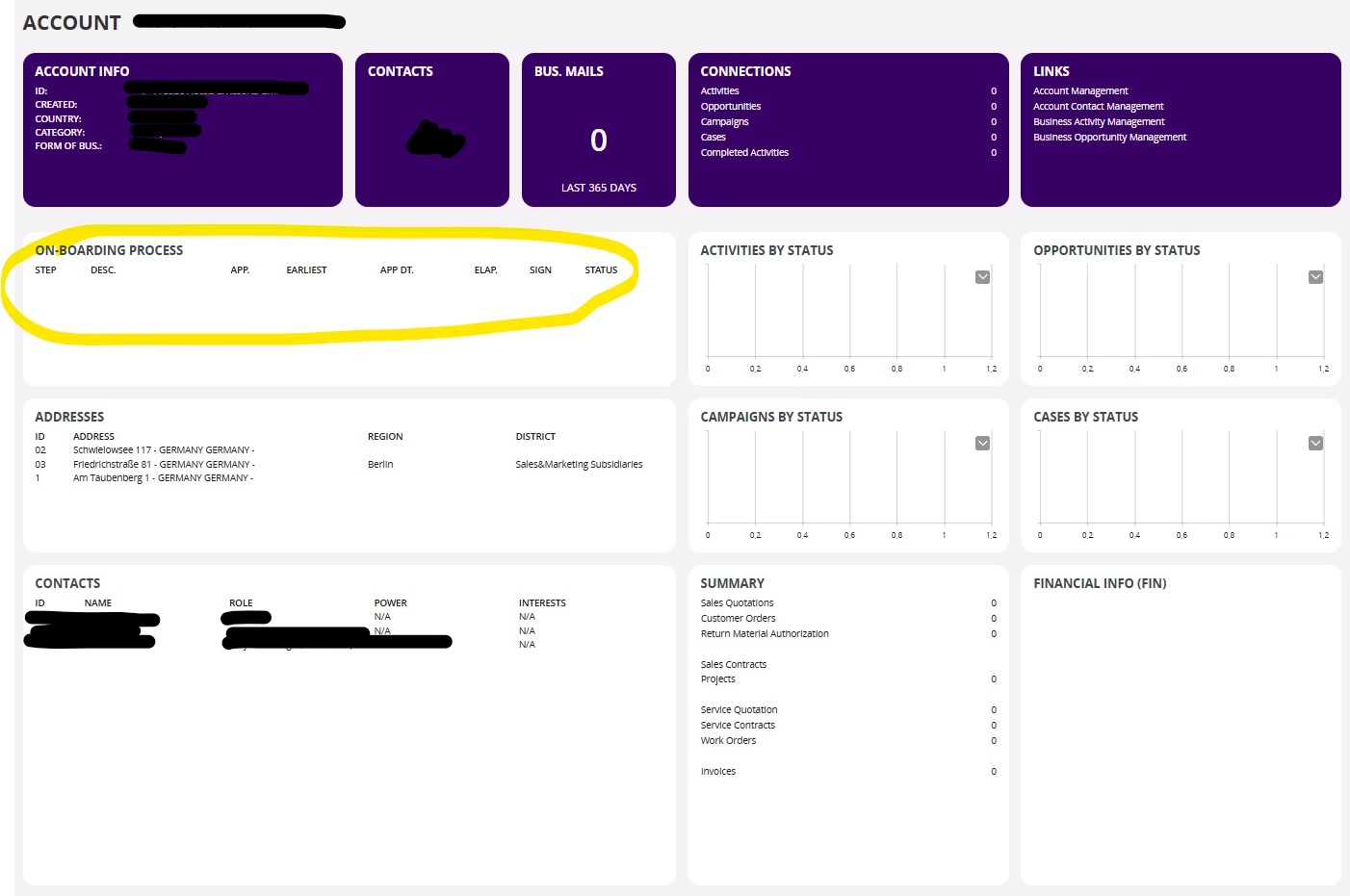
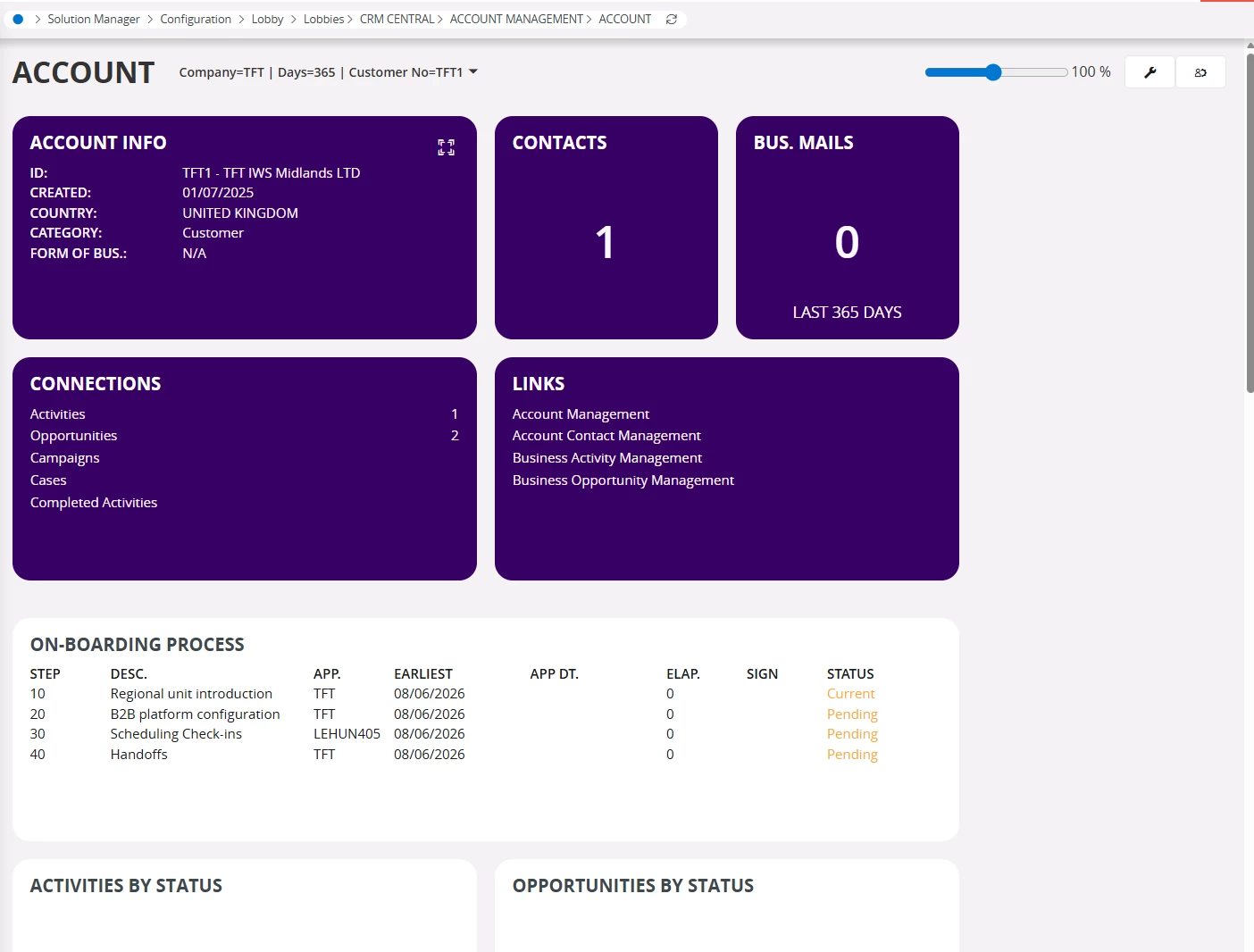
I found an On-Boarding element in the Account lobby view in Cloud, but I can’t find where to create the on-boarding process, nor find any more information here in the IFS Community or in the IFS documentation.
Can someone explain how to get this in to use, and if there are any more documented information (product documentation) on the function?
Best answer by AsankaGaru
Hi,
This is done using the Document Management capability ‘Approval Routings’. Following will be your steps.
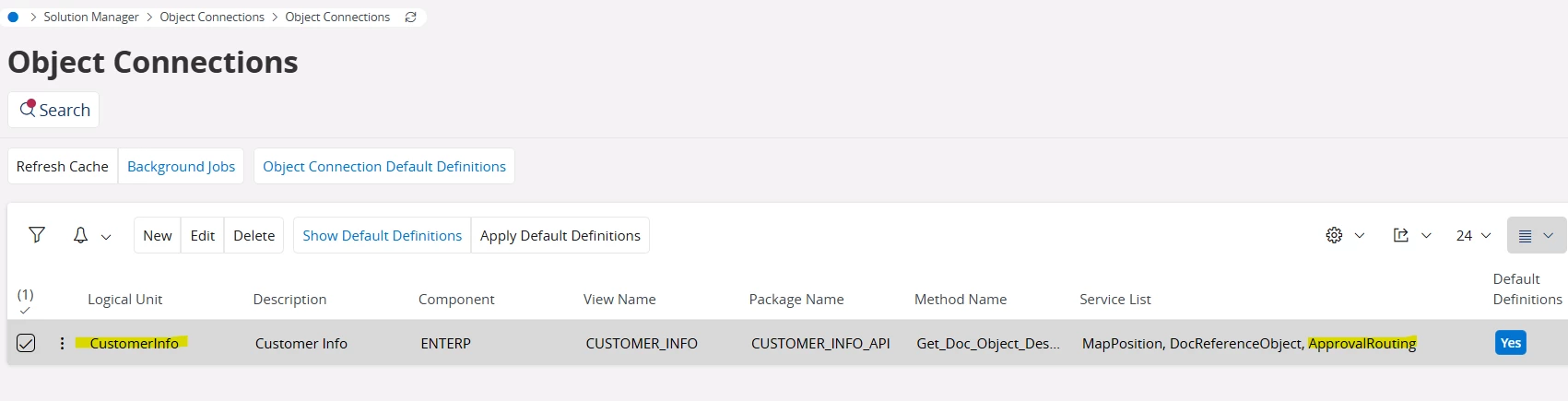
Enable ‘ApprovalRouting’ service for the LU ‘CustomerInfo’.
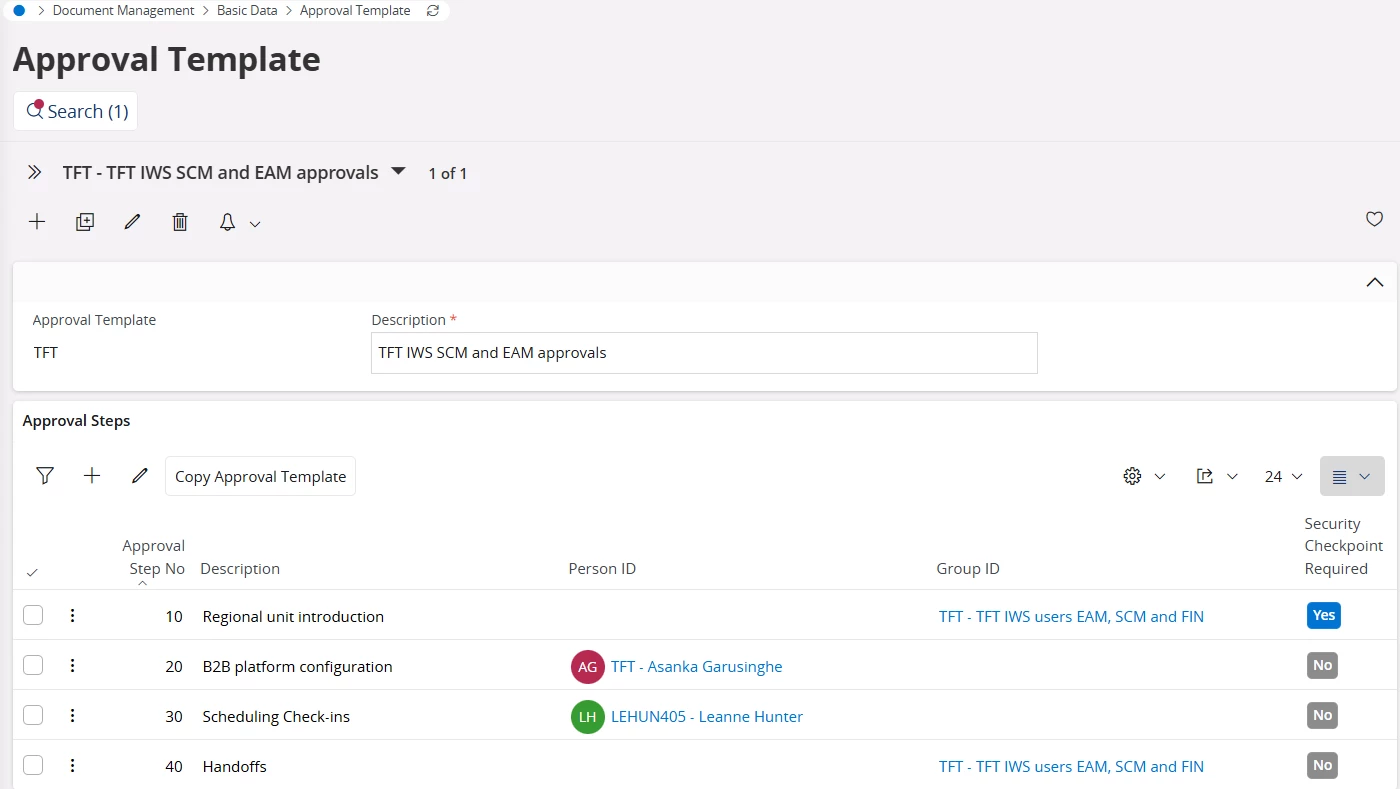
Create a meaningful approval template for customer onboarding including the necessary steps for individuals or groups to complete..
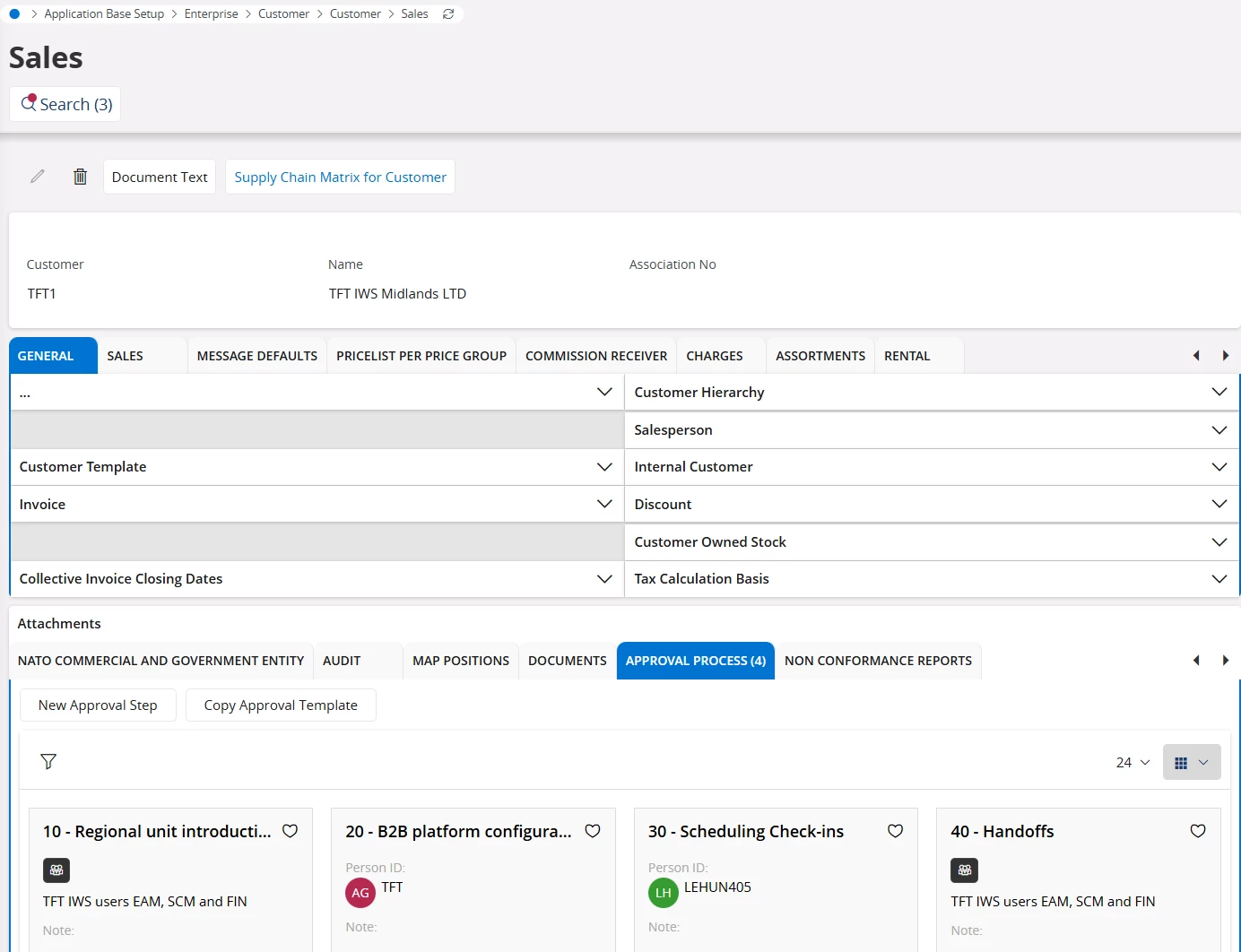
In the Customer/Sales section, attach the above approval template to your customer. You can amend this predefined template (by for example adding and removing steps)
Voilà! The Account Lobby will display these steps along with their statuses and responsible parties
This is done using the Document Management capability ‘Approval Routings’. Following will be your steps.
Enable ‘ApprovalRouting’ service for the LU ‘CustomerInfo’.
Create a meaningful approval template for customer onboarding including the necessary steps for individuals or groups to complete..
In the Customer/Sales section, attach the above approval template to your customer. You can amend this predefined template (by for example adding and removing steps)
Voilà! The Account Lobby will display these steps along with their statuses and responsible parties