
I am trying to update authoriser field for supplier invoice using a migration job as below , job is executing without any errors but the value is not updating in the invoice tab
Can add the authoriser manually so the configuration part looks ok
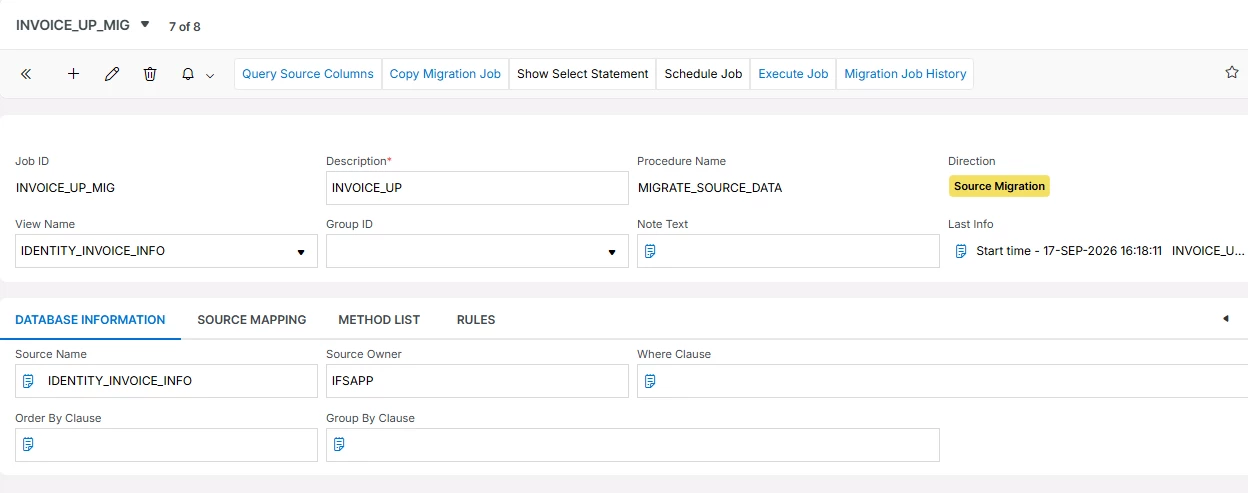
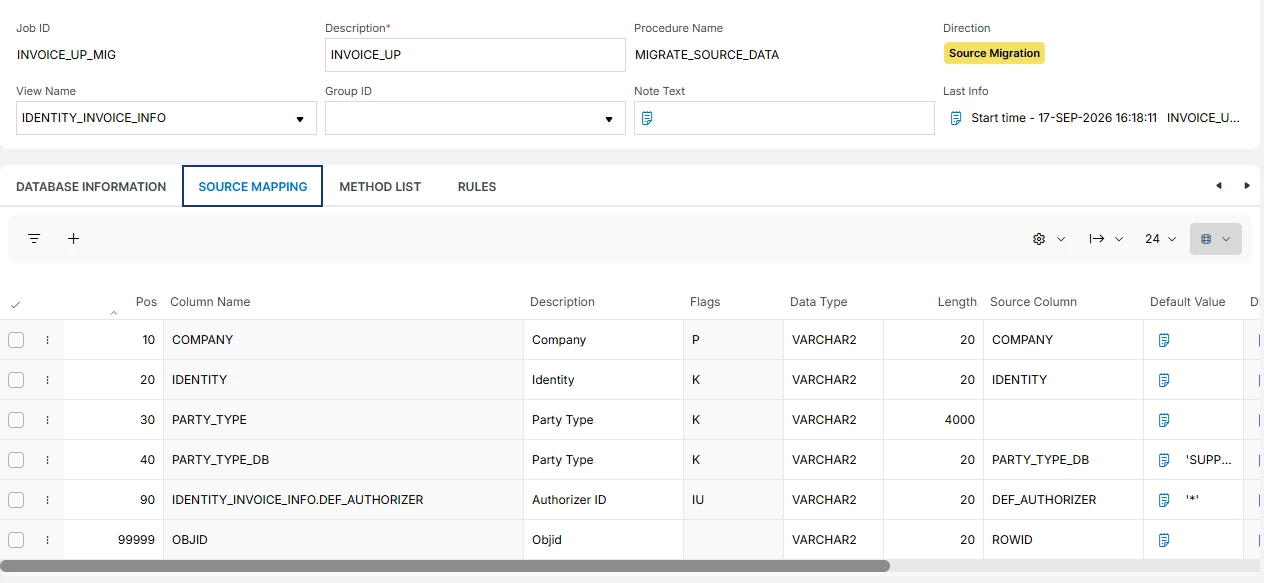

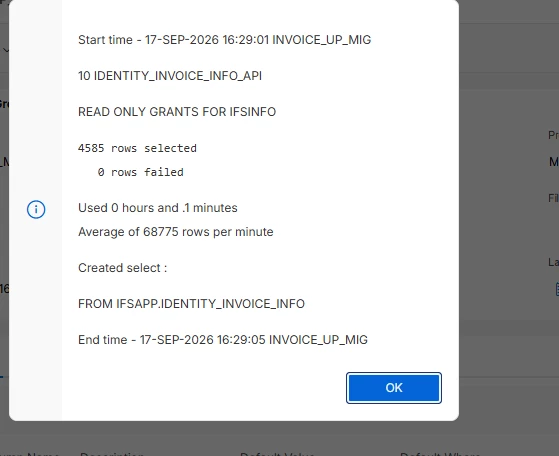


 +3
+3I am trying to update authoriser field for supplier invoice using a migration job as below , job is executing without any errors but the value is not updating in the invoice tab
Can add the authoriser manually so the configuration part looks ok
Best answer by Jens
Hi
In your migration job go to the tab “Method List”, select the first row with Execute Seq 10 and press the button “Method List Attribute”:

In the following screen you’ll see the column name PARTY_TYPE which has the flag K (Key Field).
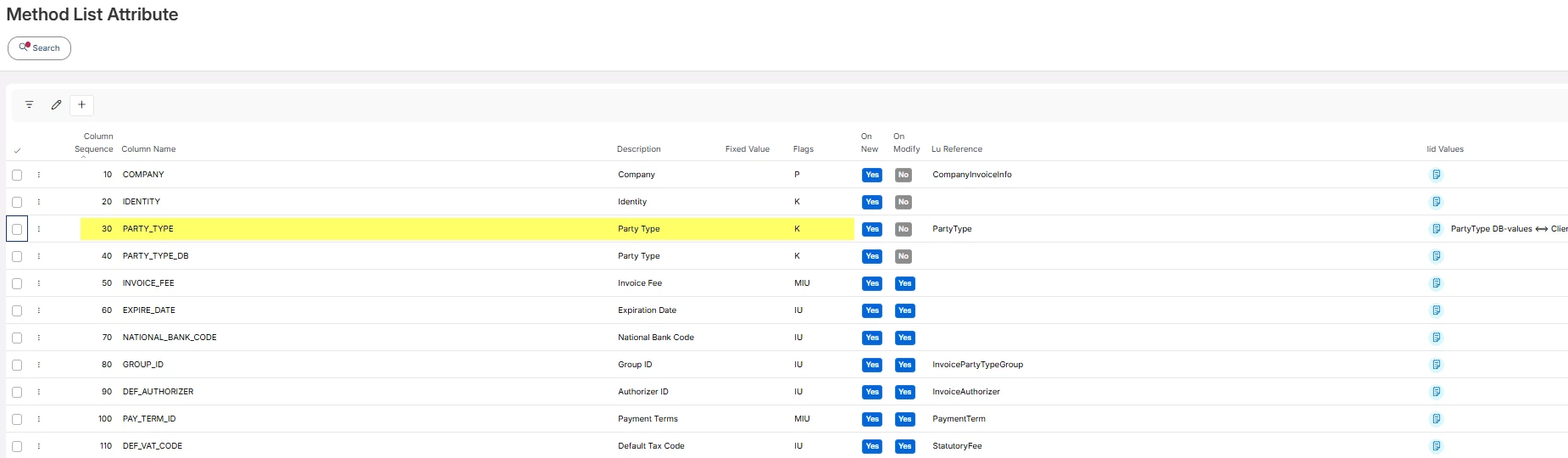
Press the Edit button and change the flag K to - (a minus sign) and save.
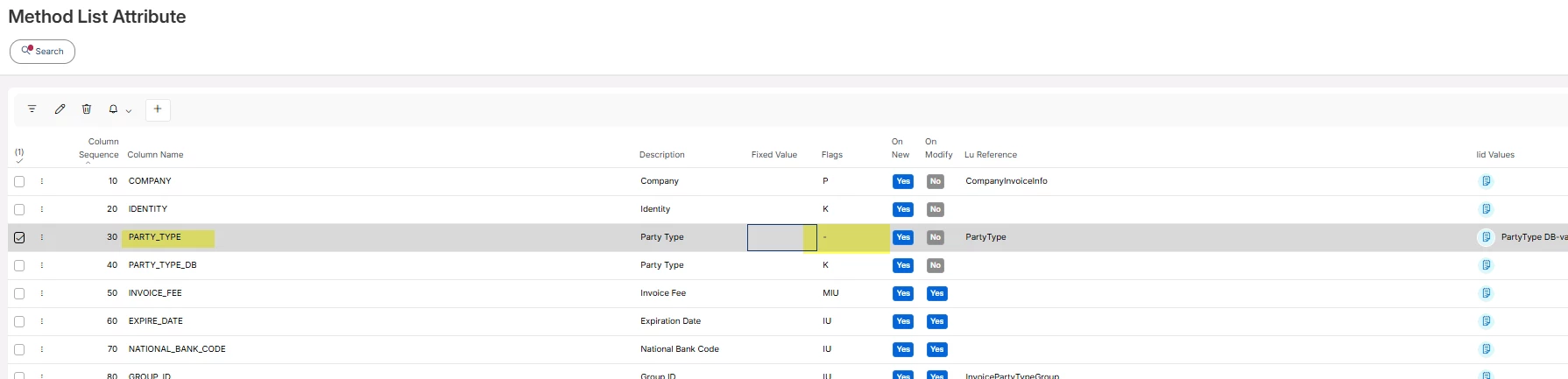
Execute your migration job again.
/Jens
Enter your E-mail address. We'll send you an e-mail with instructions to reset your password.


