



Solved

Migration serial object with a parent object

  • June 1, 2026
  • 3 replies
  • 95 views

Fikret
Sidekick (Employee)
Forum|alt.badge.img+4

Hello Data Migration Wizards,

I am trying to migrate several “child” serial objects. The ‘parent’ objects already exist. I am using FNDMIG migration jobs for this. This allows me to create the serial objects. However, the field “Belongs_To_Object aka (SUP_MCH_CODE)” always remains empty. As a result, I cannot create a parent-child relationship. 

If I enter the “Parent Object” manually, it works!
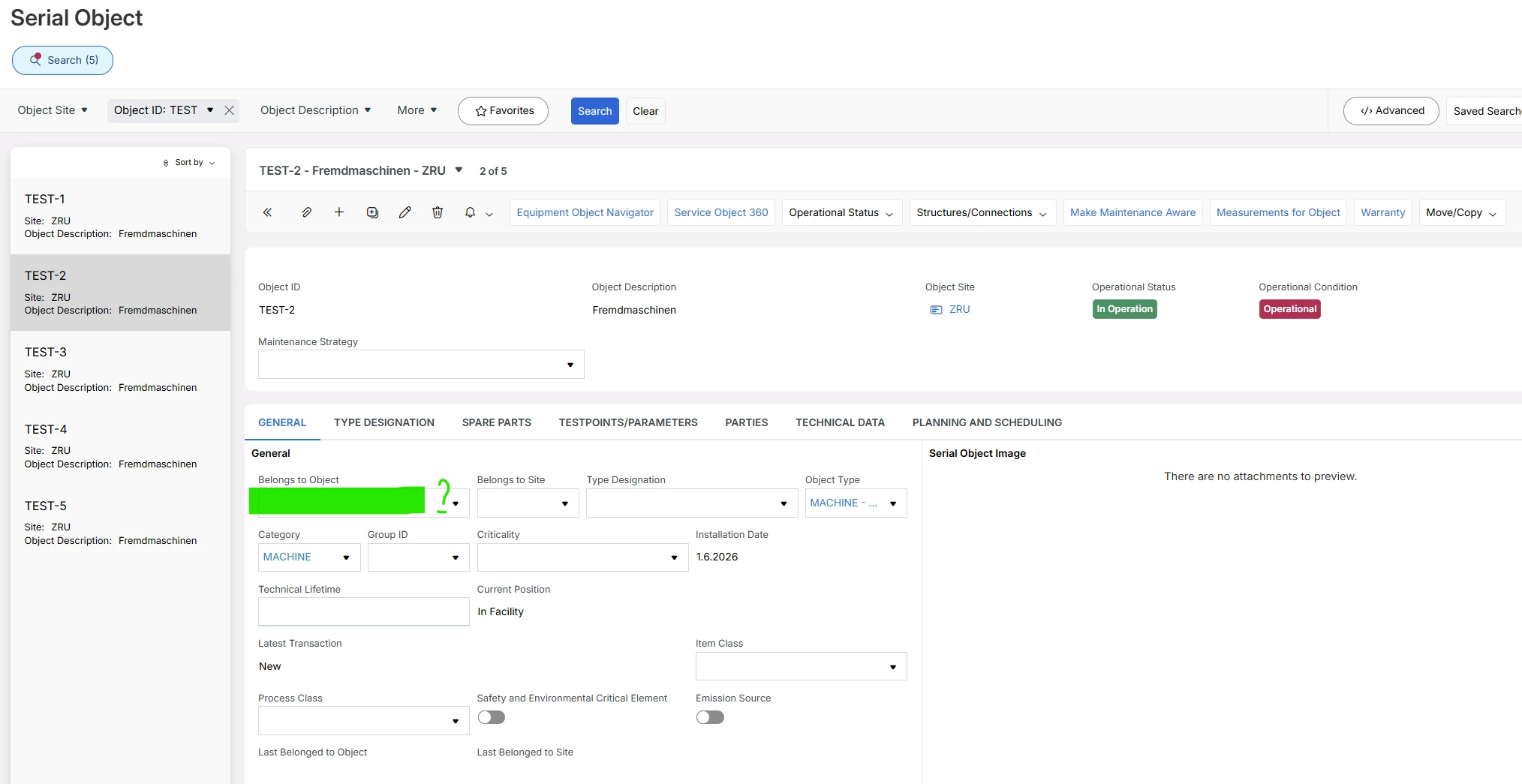


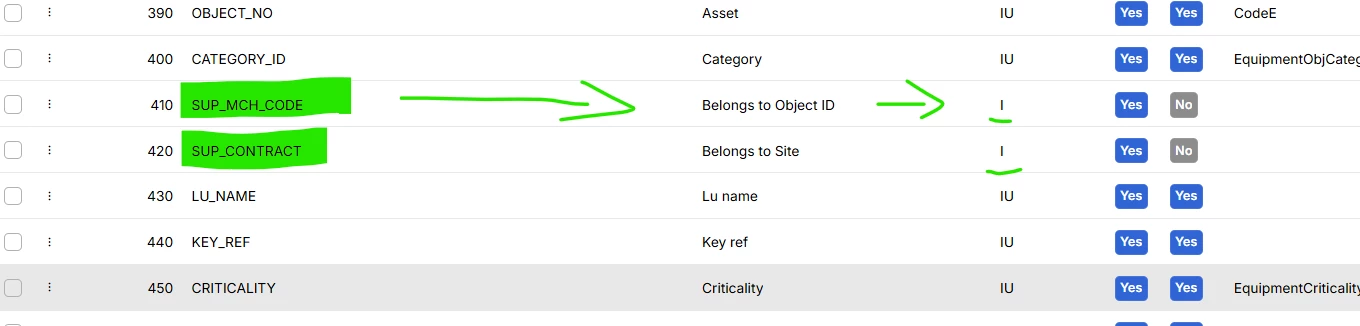
I understand that the field is only insertable, meaning it can't be updated. However, I can't insert new data or update it. I don't get an error message either. The field is simply left blank.

I've tried various things, including entering the equipment sequence. Nothing has worked. So, how should I populate the field using a migration job?
 

​@Marcel.Ausan 

Thanks in advance.

Best answer by Jens

Hi ​@Fikret 

Please have a look into this IFS Community post 

or even better the last entry of this IFS Community post

/Jens

3 replies

Jens
Hero (Employee)
Forum|alt.badge.img+10
  • Hero (Employee)
  • Answer
  • June 1, 2026

Hi ​@Fikret 

Please have a look into this IFS Community post 

or even better the last entry of this IFS Community post

/Jens


Forum|alt.badge.img
  • Do Gooder (Partner)
  • October 5, 2026

Hi ​@Fikret 

Were you able to resolve the issue where the SUP_MCH_CODE value was not being inserted when migrating to the Equipment Serial Object View via New method in MIGRATE_SOURCE_DATA procedure?

Thanks 

Ravihari


Fikret
Sidekick (Employee)
Forum|alt.badge.img+4
  • Author
  • Sidekick (Employee)
  • October 6, 2026

Hey Jay,

Yeah, I figured it out. Just check out the two posts by Jens. The magic word is: Functional_Object_Seq. So that's your Sup MCH code. You don't have to fill in the Sup MCH code—you have to fill in the Functional_Object_Seq.

BR



