Question

How to Set up Migration Job for Report_Archive_SVC.Do_Change_Exp_Date

  • July 28, 2026
  • 1 reply
  • 26 views

Forum|alt.badge.img+2

Hello,
IHAC tying to update the expire date on 4,000 records within ‘report archive’.  According to support KB0084604,” To update the expiration date, system use 'Report_Archive_SVC.Do_Change_Exp_Date' method. Users can create a new migration job with this method to bulk update the records.”

How does one properly set up the migration job for this?
How do we determine the required source columns, parameter mapping, and expected input values for the method.?

If possible, it may be helpful to provide:

  • A sample Migration Job configuration
  • Required parameters for Report_Archive_SVC.Do_Change_Exp_Date
  • Example mapping for updating expiration dates in bulk
  • Any relevant documentation or screenshots

Thanks in advance for any guidance.

1 reply

Jens
Hero (Employee)
Forum|alt.badge.img+10
  • Hero (Employee)
  • July 29, 2026

Hi ​@gbennett 

In the IFS Data migration tools you can use APIs and not ...SVC...

This is one possibility how your task can be done using an API:

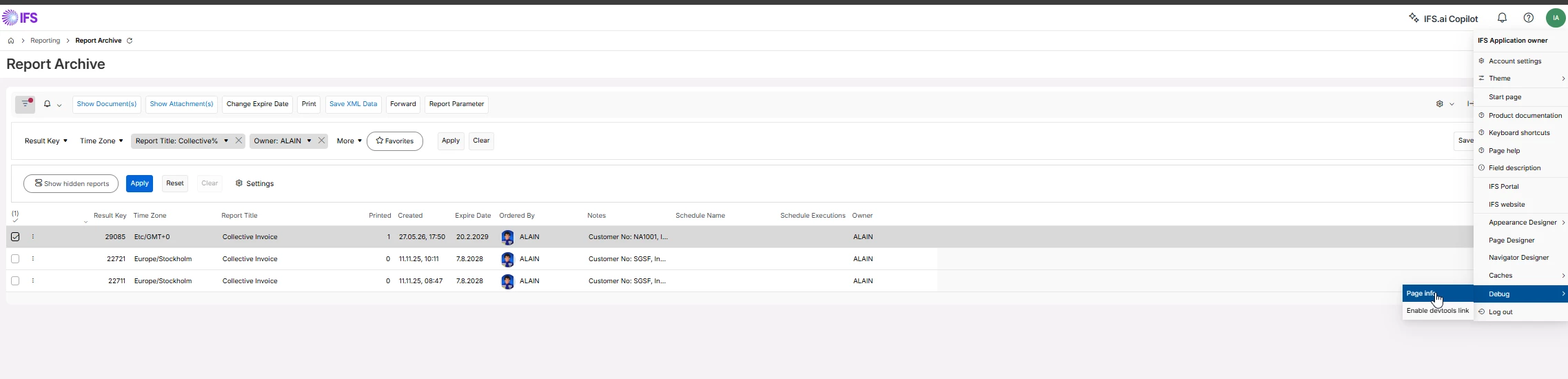
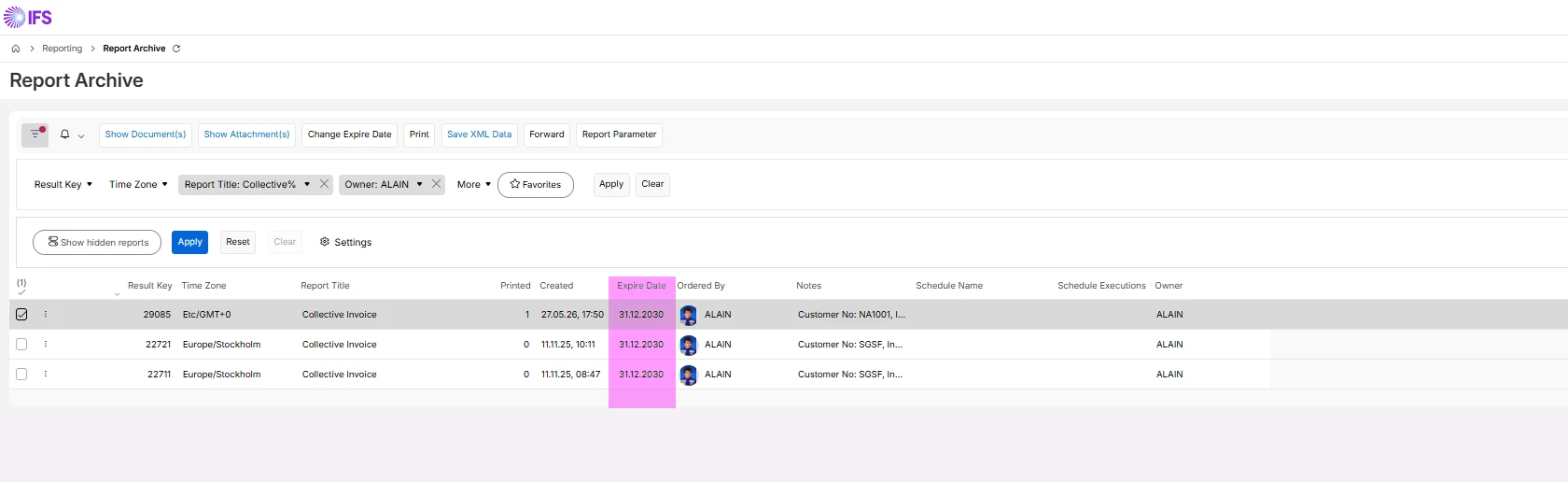
In my example I’m filtering in the Report Archive for the Report Title “Collective Invoice” and the “Owner ALAIN” and I want to change the expire date to 31.12.2030 (DD.MM.YYYY) using a migration job.

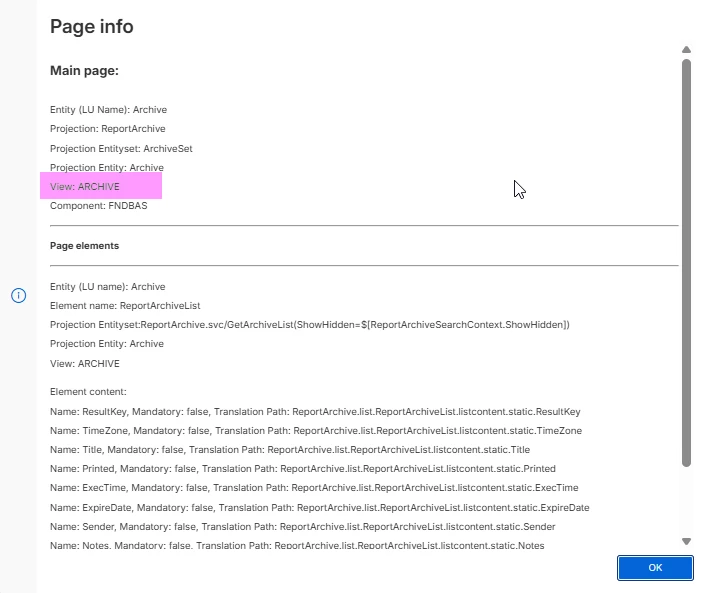
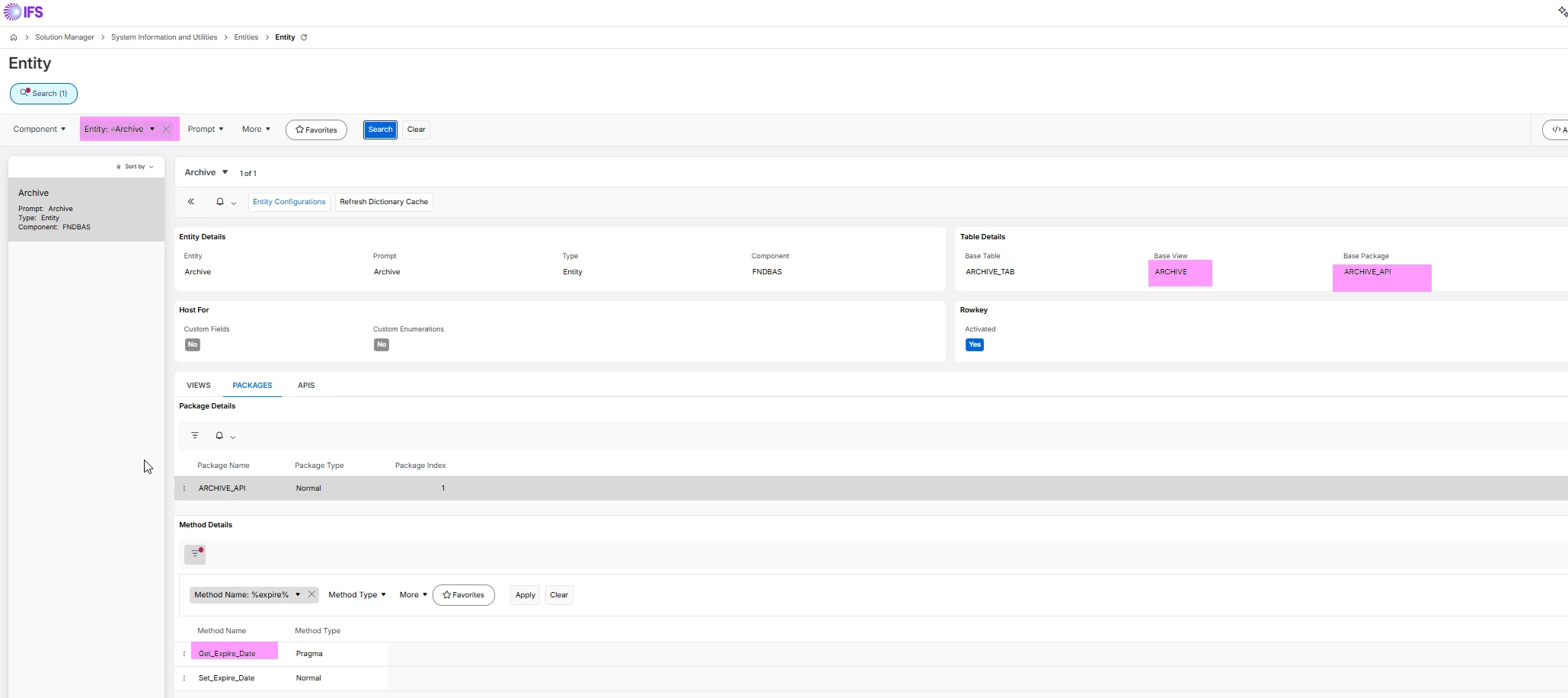
Which view name(s) will be used in this screen? (Page Info):


​​​
 

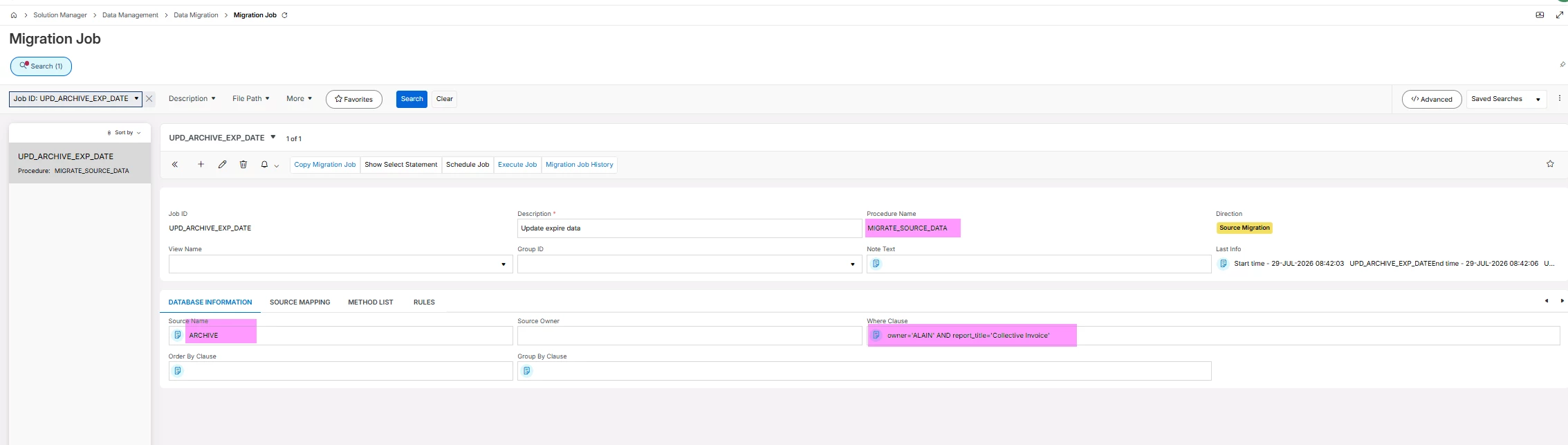
Let’s create a migration job:


Source Name: ARCHIVE (the view name of Page Info) and Archive (the Entity)

Where Clause: my used filtering (you can use a Quick Report first to find out the column names)

Procedure Name: MIGRATE_SOURCE_DATA

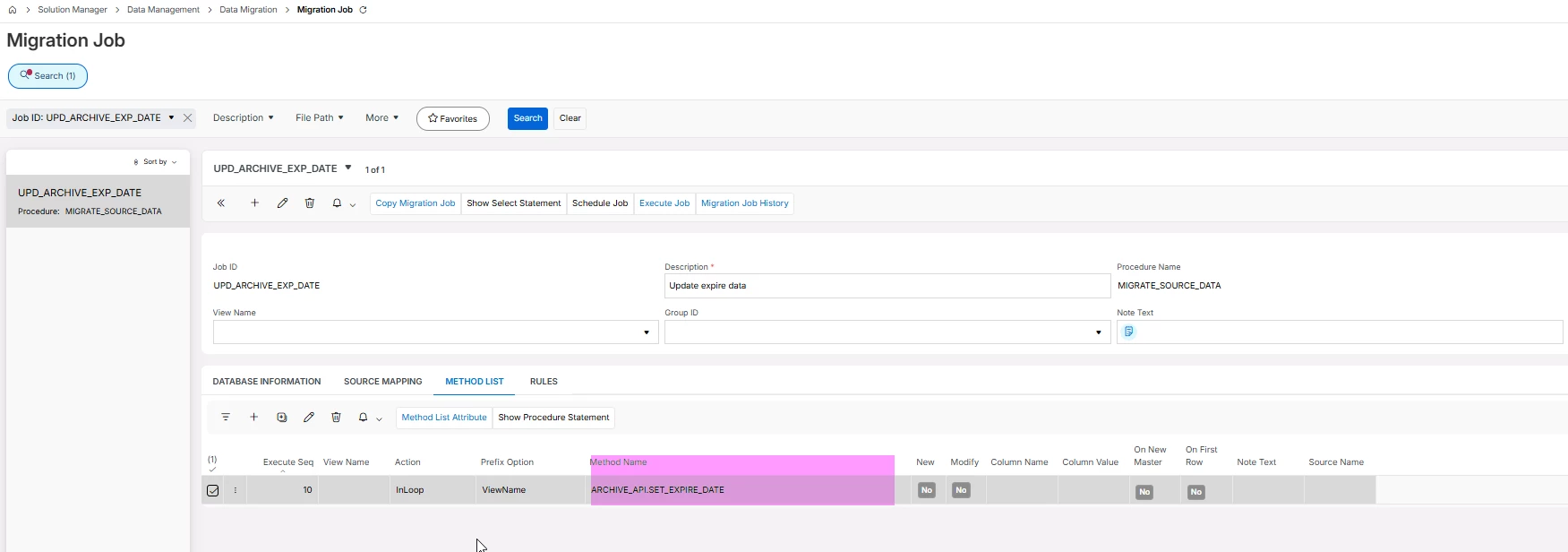
Tab METHOD LIST:

Add a new line with Execute Seq 10 and Method Name ARCHIVE_API.SET_EXPIRE_DATE

To find out which functions/procedures exist for ARCHIVE_API you can have a look into the Entity:

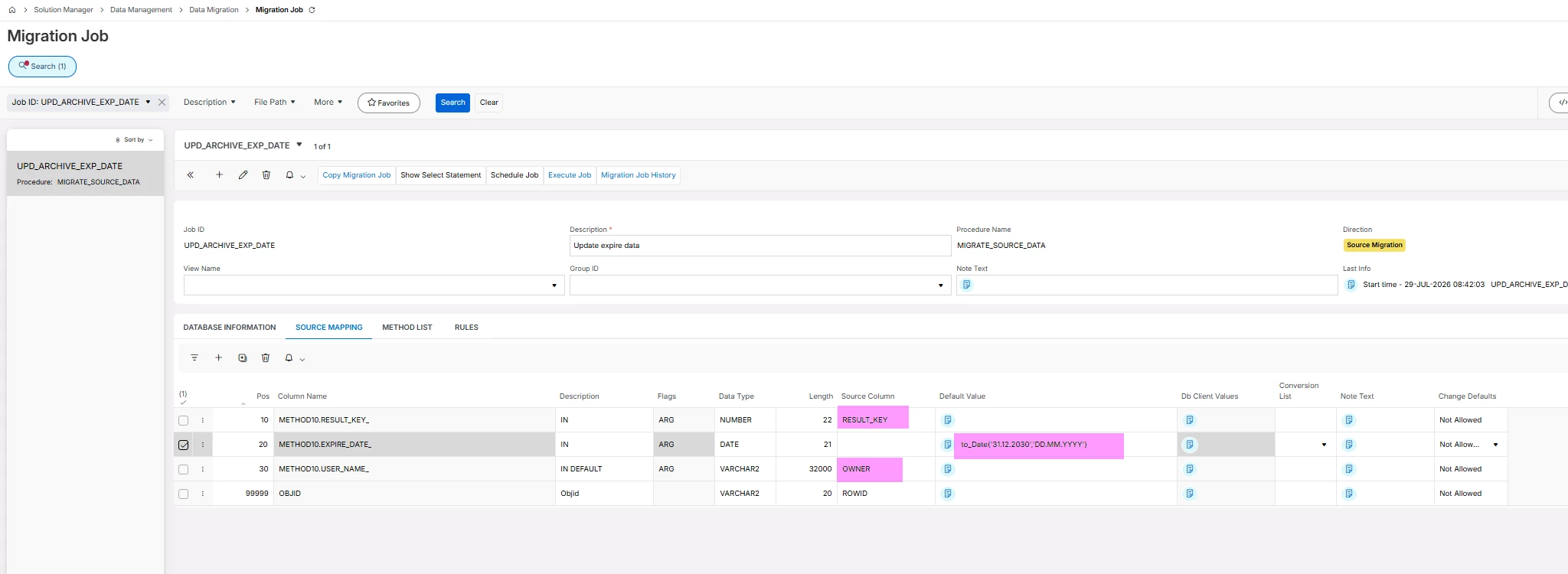
After that do the mapping in the migration job (tab SOURCE MAPPING):

RESULT_KEY (Source Column) is the value from the source name ARCHIVE.

OWNER (Source ColumN) is the value from the source name ARCHIVE.

In the Default Value column for METOD10.EXPIRE_DATE_ you can now add a date, e.g. a fixed date, a calculated date. In my case I’m using a fixed date → 31.12.2030 (DD.MM.YYYY)

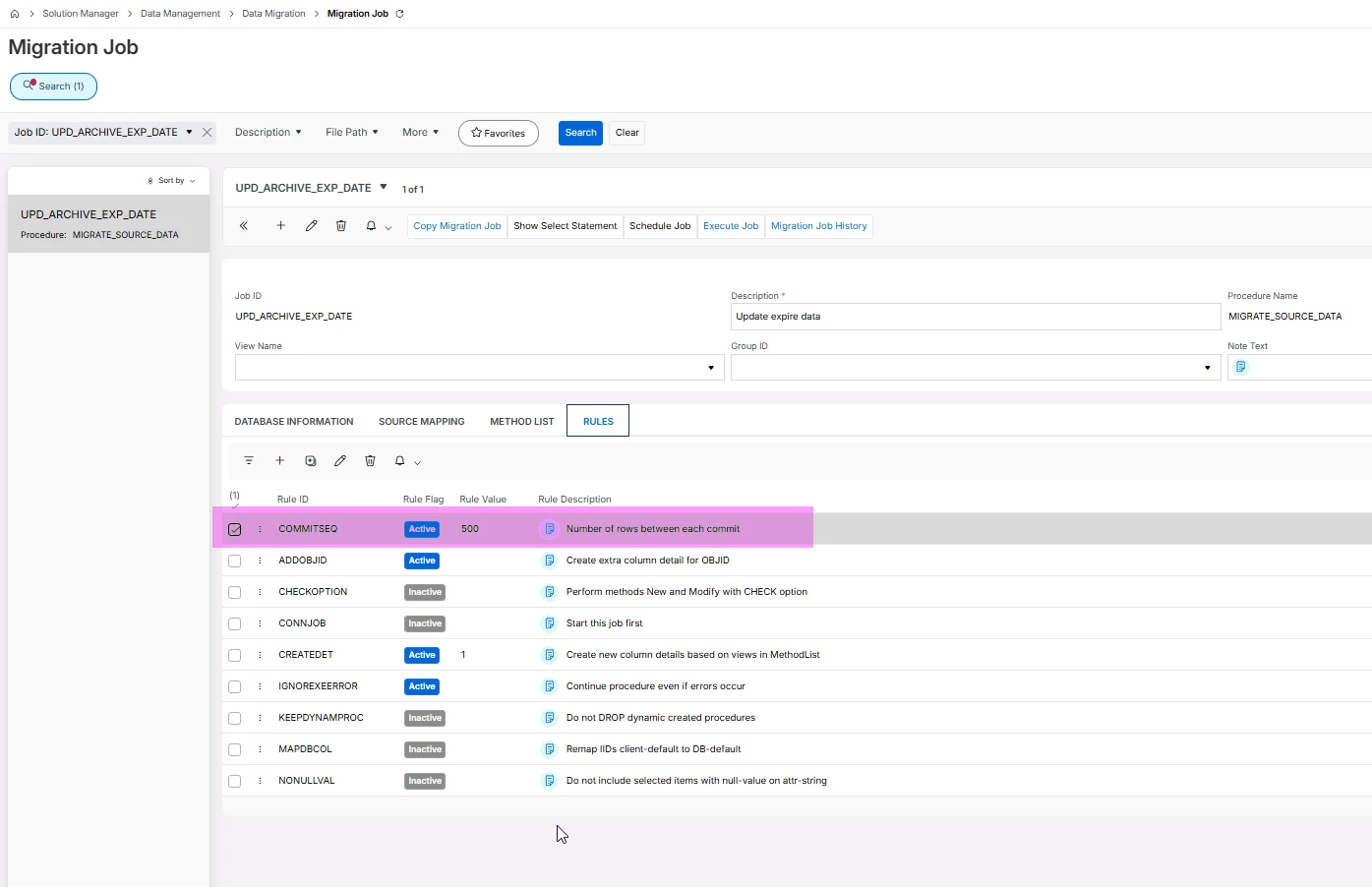
Last but not least go to the RULES tab and add the Rule ID COMMITSEQ with a value, e.g. 500.

That means every 500 records a COMMIT statement will be executed against the database. A COMMIT statement will always be executed an the end.


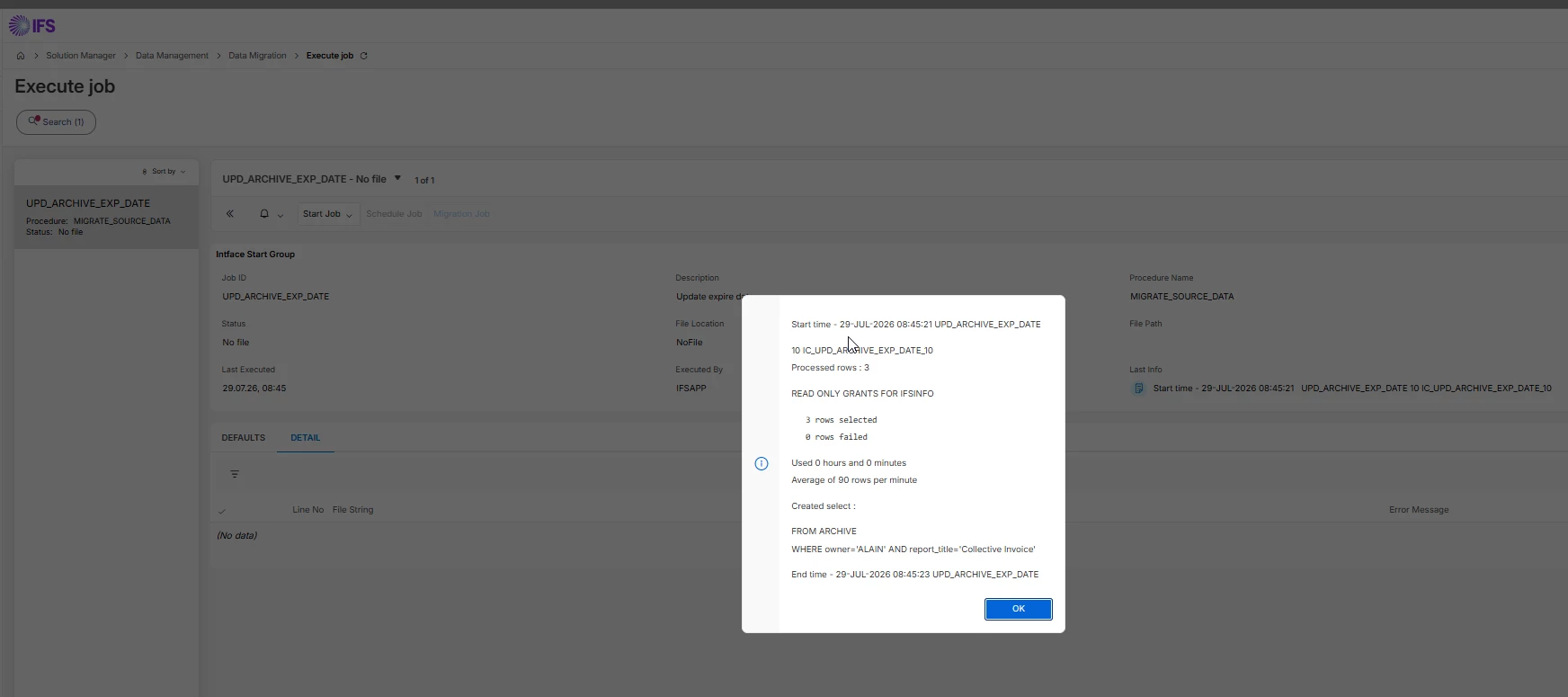
Now execute the migration job.

When it’s completed a Pop-up window will appear when you have started your migration job Online.. If you have a lot of records to update then my recommendation is to execute the migration job in the background.

Ok and cross-check:


As mentioned this is only one possibility how this can be done and not the easiest one.

I always recommend to have a look into the Technical Documention of IFS Cloud, e.g. for Data Migration:

https://docs.ifs.com/techdocs/26r1/030_administration/050_data_management/050_data_migration/010_data_migration/

/Jens