Solved

Excel Migration job with custom fields in two CFV's - ROWKEY error

  • April 7, 2026
  • 3 replies
  • 29 views

Forum|alt.badge.img+1

HI 

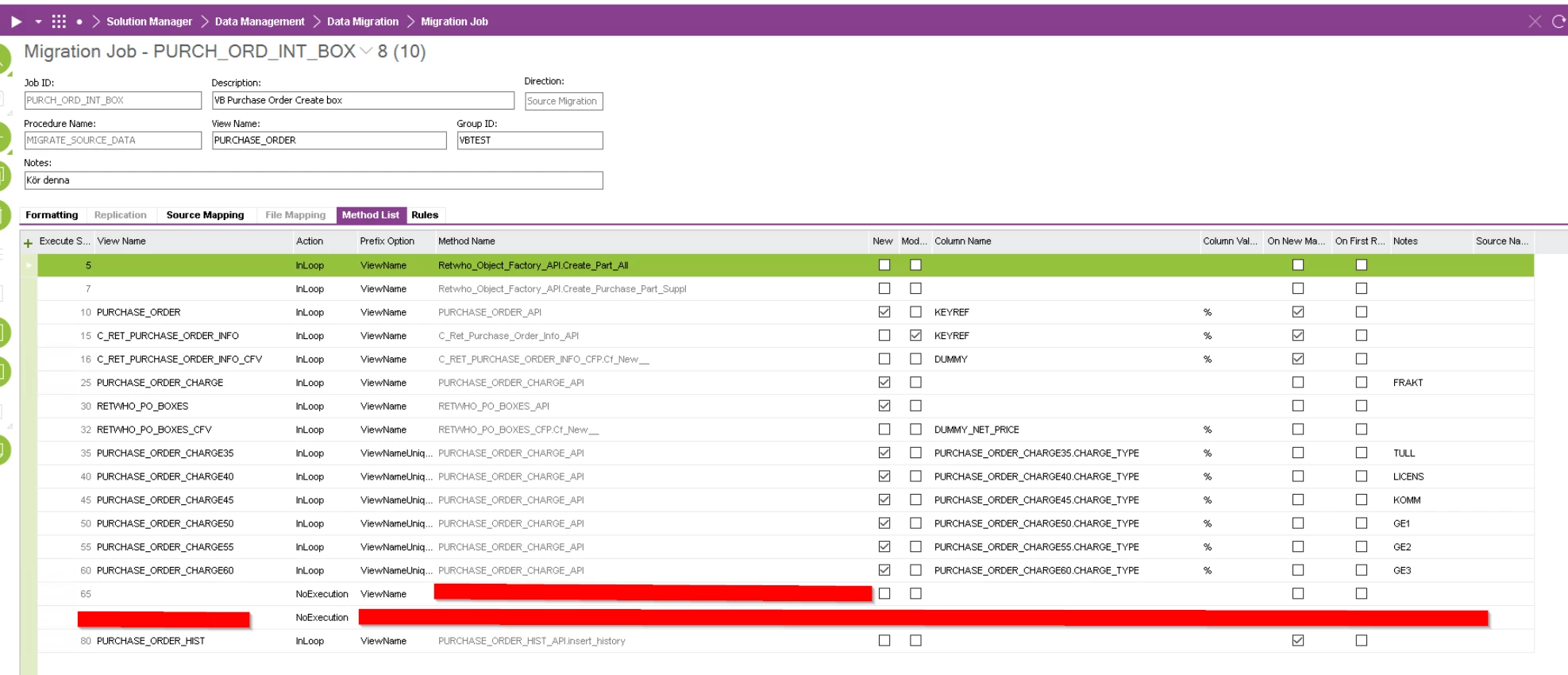
Im creating a job in app9 to read in a purchase order through migration job, which calls many methods. 
What every method is surposed to do is: 

-Create a part & supplier for Purchase part via assortment if Part does not exists on the site 
-Create purchase order header
-Create Custom tab “retail info” 
-Read in data in CF in retail info 
-Create line(s) in Extension table “box lines” on Po
-Read in data to a Cf on box lines tab on PO
-Create multiple charges (per line) 
-add a history logging

the only method that is not working is method 32 RETWHO_PO_BOXES_CFP.Cf_New__

I get an issue when trying to insert data into the CF on RETWHO_PO_BOXES stating: 
ORA-01400: cannot insert NULL into ("IFSAPP"."RETWHO_PO_BOXES_CFT"."ROWKEY")

when i compare the CFV insert for the “Retail info” tab Vs the Box ID Tab, they have the same input in the method attribute lists…
Retail info CFV method attributes: 

Box lines CFV method attributes:

(i use OBJID@30 due to the method 30 is reading in one line per line in the input file, thus giving it different OBJID than the PO itself).

in the method list, im stating that the field “DUMMY_NET_PRICE” must have value for the method to be executed, and in the source mapping, i give the DUMMY_NET_PRICE a value from the input file, so that should be ok. (this is the same way that i did for the CF on the retail info tab)

Other on the source mapping, it looks like this: 
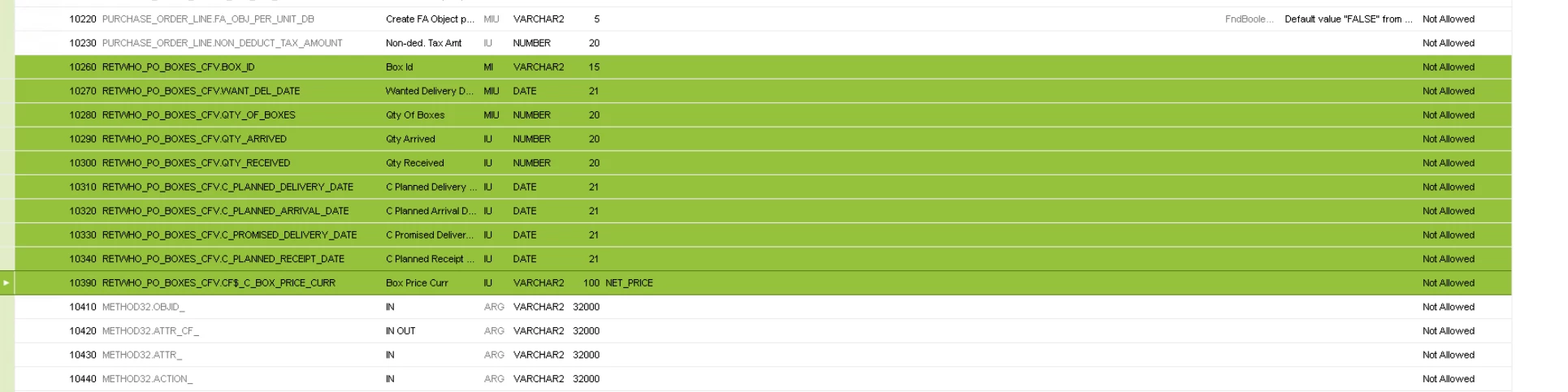


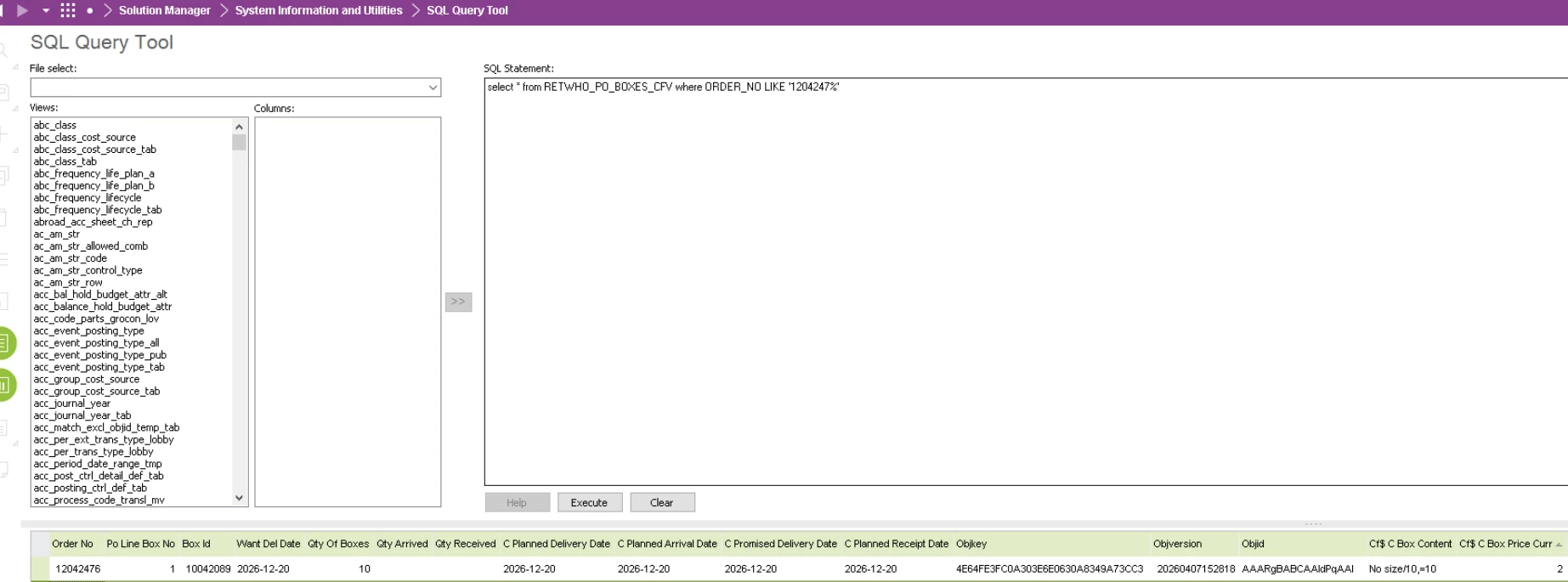
The CFV looks like this 

and the CFT looks like this (the “C box price curr” is the only persistent Cf in that view, hence the small amount of records)
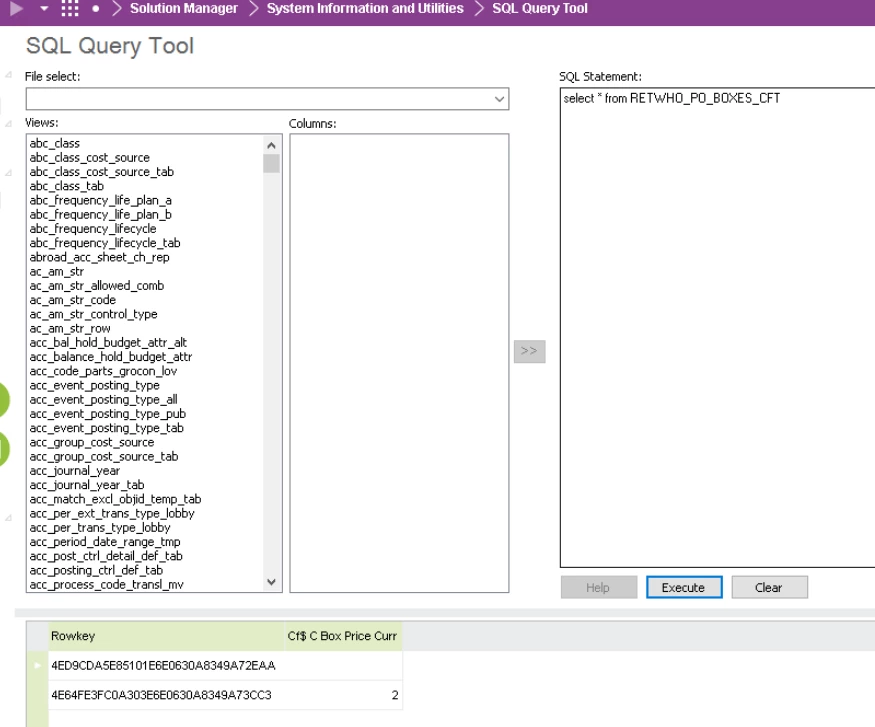

 does anyone know how i can do to get around the error: ORA-01400: cannot insert NULL into ("IFSAPP"."RETWHO_PO_BOXES_CFT"."ROWKEY")?  i thought the two methods for the CF’s would work exactly the same, but it does not look like it can handle the find a value for the ROWKEY? 

appreciate all kinds of input! 

br, viktor 

Best answer by Jens

Hi ​@ViktorBluckert 

Can you try out the following please?

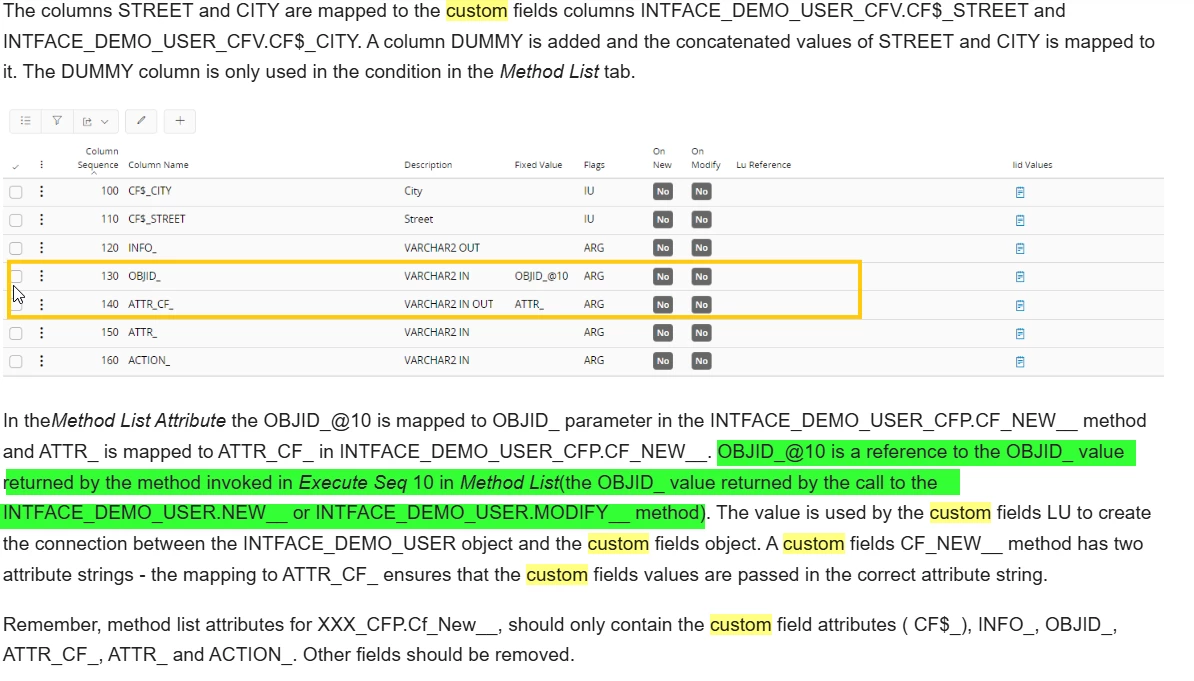
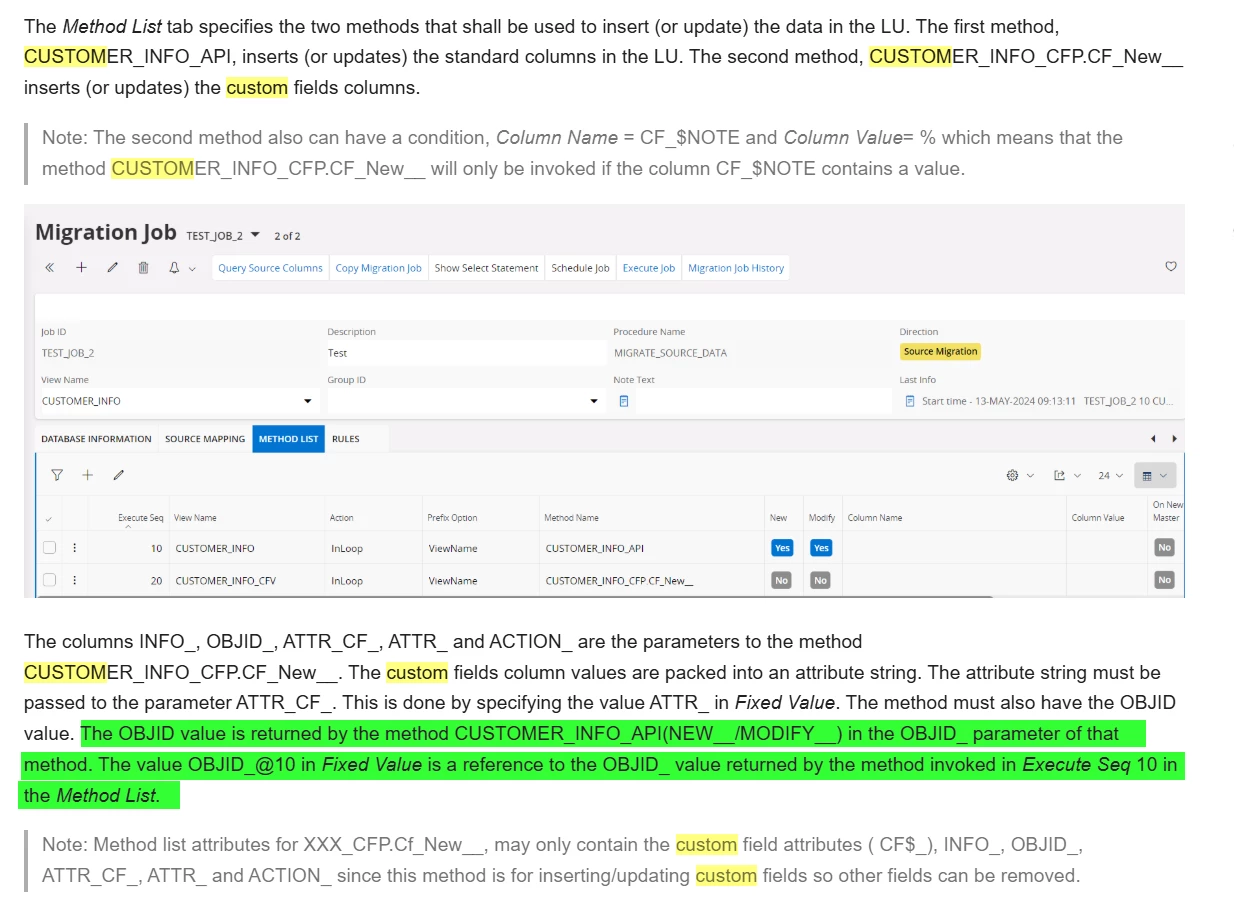
Instead of using OBJID@30 use OBJID_@30 as fixed value in the method list attribute screen. The same needs to be done for OBJID@10 → OBJID_@10

​/Jens

3 replies

Jens
Hero (Employee)
Forum|alt.badge.img+10
  • Hero (Employee)
  • Answer
  • April 9, 2026

Hi ​@ViktorBluckert 

Can you try out the following please?

Instead of using OBJID@30 use OBJID_@30 as fixed value in the method list attribute screen. The same needs to be done for OBJID@10 → OBJID_@10

​/Jens


Forum|alt.badge.img+1
  • Author
  • Do Gooder (Partner)
  • April 9, 2026

Hi ​@Jens ! 

Genius! That made it work! Thanks a lot for the input! 

i did just change OBJID_@30 on the Second method that reads in the Cf data, and now it works as intended! 
i did not change the OBJID@10 for the first method that reads in the Cf, since that was not getting any errors. 
What is the difference between using OBJID_@30 and OBJID@30? just so i understand until next time i bump into this. 

You saved my week, good sir :) 

Br, Viktor 


Jens
Hero (Employee)
Forum|alt.badge.img+10
  • Hero (Employee)
  • April 9, 2026

Hi ​@ViktorBluckert 

Nice to hear that it works.

An explanation for this OBJID_ can be found for e.g. here:

https://docs.ifs.com/techdocs/25r2/030_administration/050_data_management/050_data_migration/070_references/010_data_migration_in_custom/010_custom_fields/?h=migrate+custom#migrate_data_from_an_lu_with_added_columns


...or here:

https://docs.ifs.com/techdocs/25r2/030_administration/050_data_management/050_data_migration/070_references/010_data_migration_in_custom/010_custom_fields/?h=migrate+custom#migrate_data_from_a_file


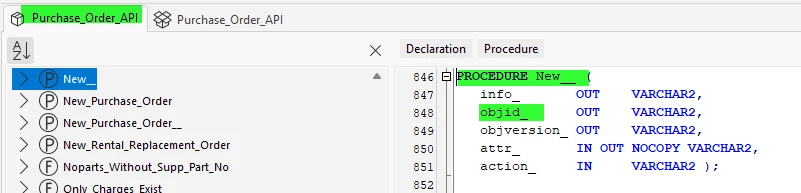
The column name OBJID cannot be found in the method list attribute screen of PURCHASE_ORDER or RETWHO_PO_BOXES but at the end you need this OBJID. Therefore you have to fetch this OBJID from the parameters of the ...New__/..Modify__ procedures.

So for example for PURCHASE_ORDER → PURCHASE_ORDER_API.New__ the parameter/column name is called OBJID_


I hope that makes it a bit clearer.

Have a nice day Viktor.

Best regards,

Jens