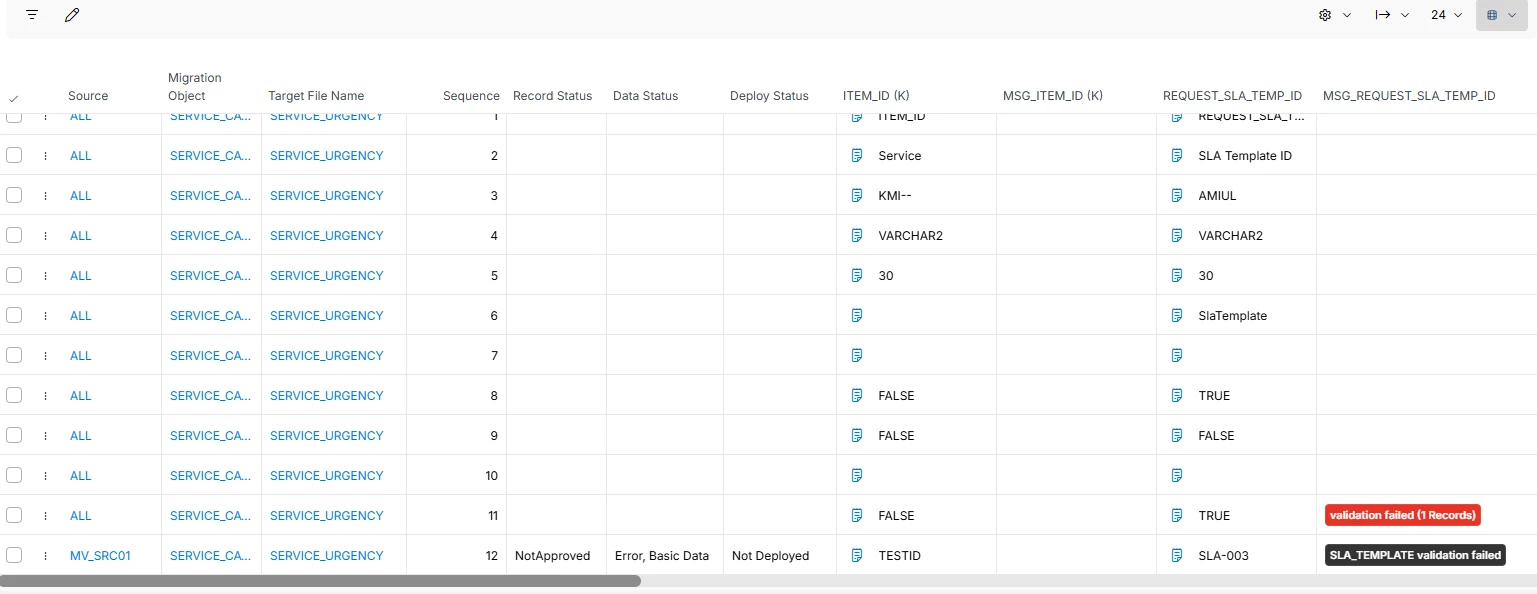
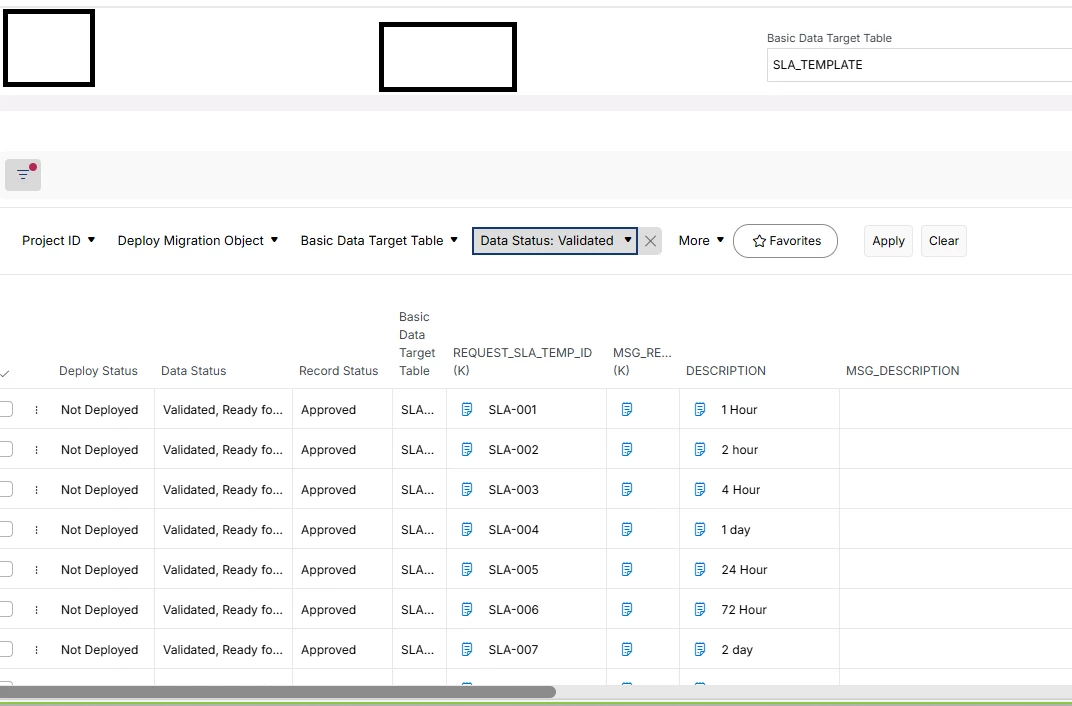
I have created a DMM project with service catalog → Urgency as scope. I have done the mapping and imported all the basic data into the basic data container and completed the steps till ‘Approved’. But I still get an error in basic data validation. Any idea what can be wrong in this scenario.
Output containerBasic data container
Thank you
/Heshani N
Best answer by martin.surasky
If your basic data is in “Validated, Ready for Deploy” and you still see Basic Data Validation Errors, my first gut feel would be that your Target Table definition points to a different place to perform validations (Validation Target).
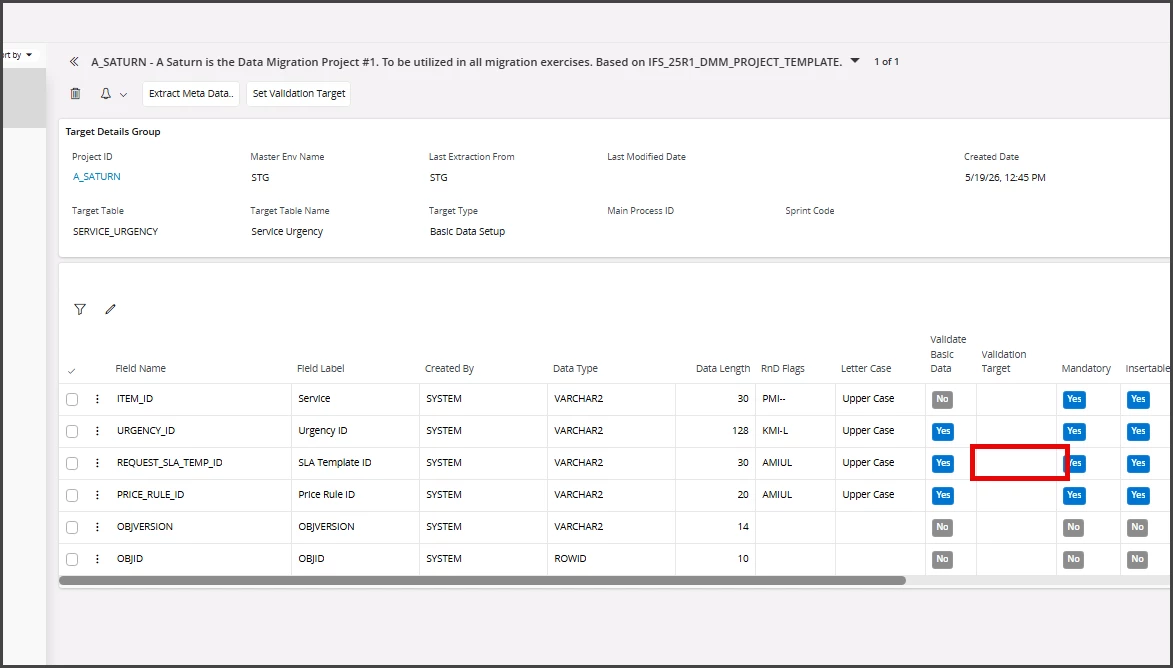
To my understanding, when the validation Target is blank, the validation will be against the migration project. This means the DMM will look into your Basic Data Container to make sure the rows are there (and Approved).
if it looks like this it will validate internally (DMM tables)
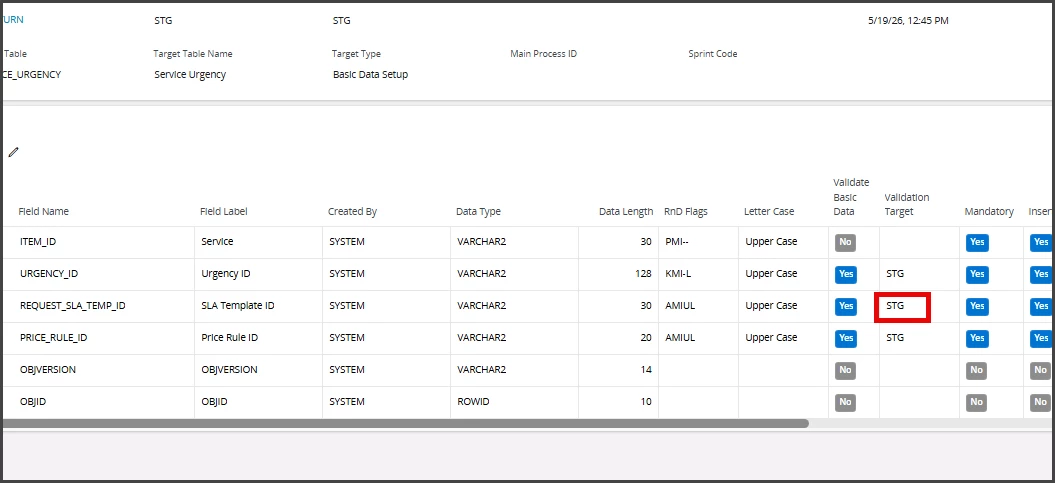
BUT, if your target table definition has a value for Validation Target, then it doesn’t matter what Basic Data is approved. The data HAS TO EXIST IN THE TARGET for it to satisfy the Basic Data Validation!
Data has to exist in STG to pass Basic Data Validation
Check your validation target on your Target Table definition, maybe that’s the cause of the problem!
If your basic data is in “Validated, Ready for Deploy” and you still see Basic Data Validation Errors, my first gut feel would be that your Target Table definition points to a different place to perform validations (Validation Target).
To my understanding, when the validation Target is blank, the validation will be against the migration project. This means the DMM will look into your Basic Data Container to make sure the rows are there (and Approved).
if it looks like this it will validate internally (DMM tables)
BUT, if your target table definition has a value for Validation Target, then it doesn’t matter what Basic Data is approved. The data HAS TO EXIST IN THE TARGET for it to satisfy the Basic Data Validation!
Data has to exist in STG to pass Basic Data Validation
Check your validation target on your Target Table definition, maybe that’s the cause of the problem!