Question

Can we use query the Oracle Database in Excel Power Query

  • June 26, 2026
  • 4 replies
  • 33 views

Forum|alt.badge.img+1

Hi

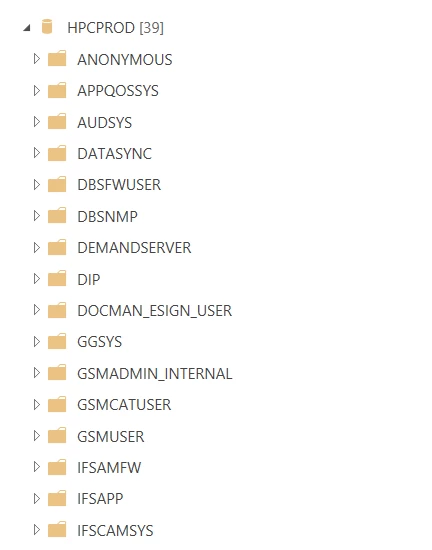
I have connected to our PROD environment via Oracle Database in Excel but I can’t seem to find the correct views.

I have searched within the folders listed but unable to see INVENTORY_PART view for example.

Is is possible to query these views in Excel?
 

4 replies

FlorianTauber
Hero (Partner)
Forum|alt.badge.img+6
  • Hero (Partner)
  • June 26, 2026

Hi ​@ashleigh.russ 

I’m not aware of the Excel Power Query function.

Regarding the DB Structure in IFS you’ve to look in the IFSAPP subfolder (database scheme).


KR


Forum|alt.badge.img+1
  • Author
  • Do Gooder (Customer)
  • June 26, 2026

Hi ​@FlorianTauber 

Thank you for your response.

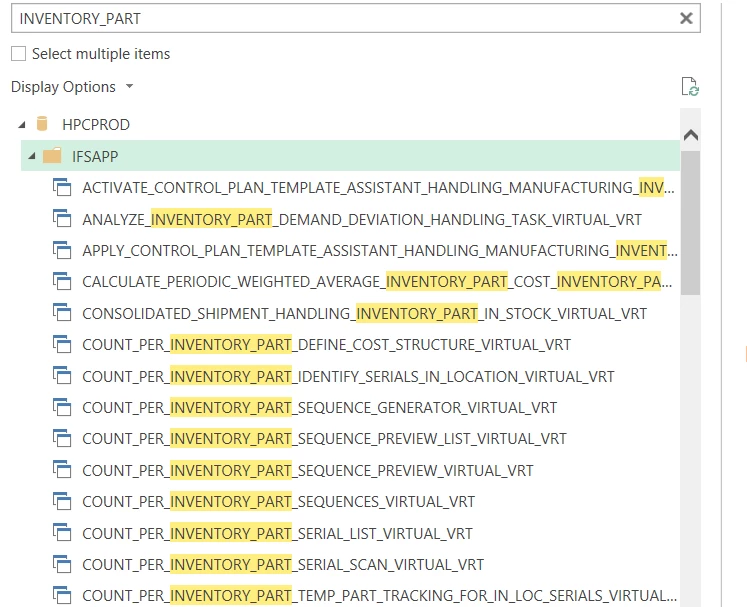
I have looked under IFSAPP but can only find the below


FlorianTauber
Hero (Partner)
Forum|alt.badge.img+6
  • Hero (Partner)
  • June 26, 2026

It seems like you can access VRT (virtual tables). You might need to check for sufficient permissions or use system users like IFSINFO or IFSDBREADONLY


Michael Kaiser
Sidekick (Customer)
Forum|alt.badge.img+9
  • Sidekick (Customer)
  • July 7, 2026

Hi  Ashleigh,
do you have a ReadOnly ORACLE login? Like Florian mentioned I also would suggest the IFSINFO.
Do you have an MS SQL Server at hand?
If MS SQL Server and an ORACLE Client is installed on the same machine you can do the following:
Create a MS Linked Server Setting e.g. named “IFS” within the SQL Server.
Fetch data from ORACLE into your DWH database (copy data) 
Like:
SELECT * from openquery(IFS,

SELECT 
*
FROM
<ORACLE_VIEW_ or TABLE_NAME >
WHERE 
< your filters> (be aware of double ‘ !)

)
If there is an issue with the password.
I can send a script to prepare the Linked Server.
Your ORACLE admin will fill in the e.g. IFSINFO or IFSAPP pw.
You can use the interface without even knowing the pw!

HTH
Michael
PS:
hmm, never tried that but it must be possible.
Create a MS View and use the LinkedServer interface.
Fetch data from excel and connect to your MS SQL Server using the View 
(with capsulated ORACLE fetch) 
:-)
I will check the performance.
This was easy:
Took less than one minute. 
Performance is quite good.