Question

Purchase Requisition Authorization Rule order code wildcard

  • Nov 4, 2026 1:41 PM UTC
  • 1 reply
  • 9 views

Hello,


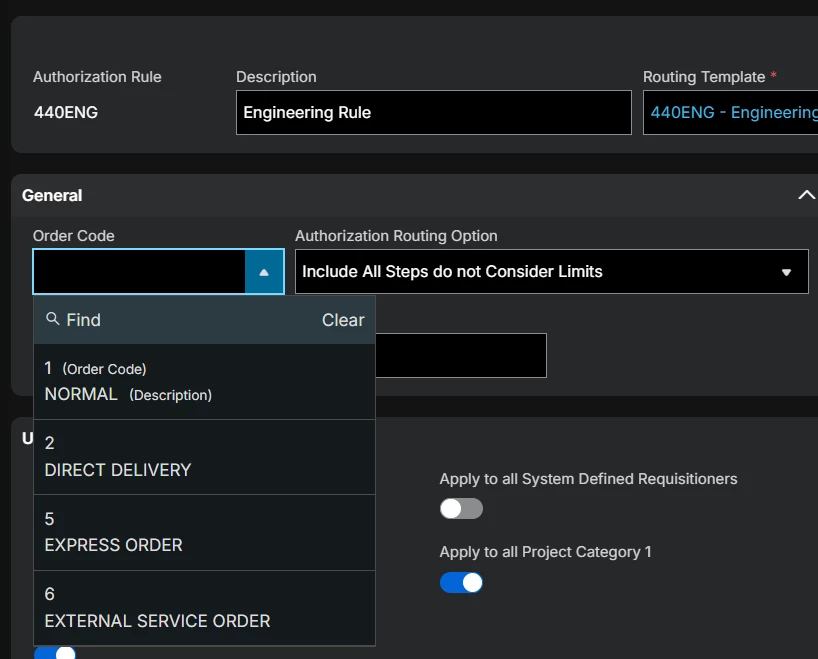
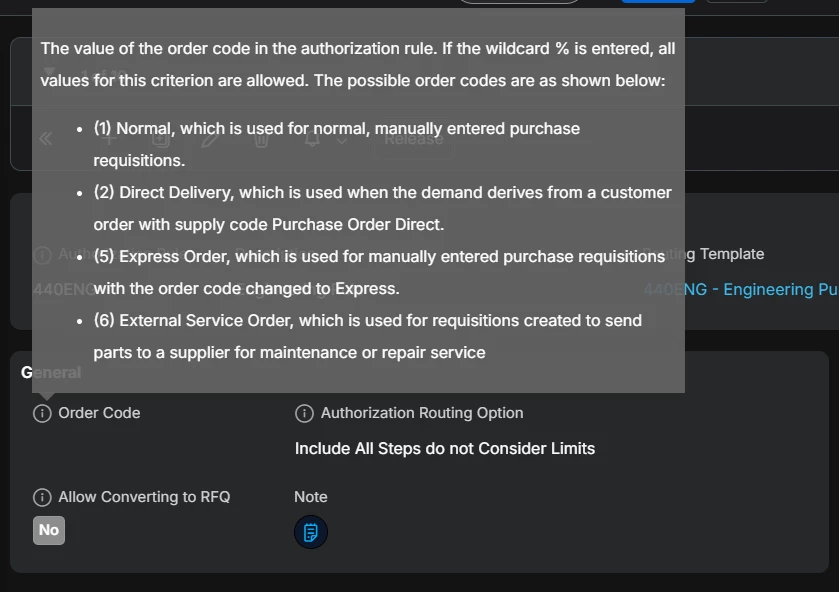
Several of the Purchase Requisition Authorization Rule order codes at our site were created without an order code entered. As a result, they are being skipped when users attempt to authorize their purchase requisitions. The rest of our rules have the wildcard (%) as their order code.


We have attempted to enter the wildcard into this field but there is no option in the LOV to do so, and the system will not accept any value that is not present in the LOV. Is there a way to add the wildcard after creating the authorization rule, or can this only be done during set-up? We are using IFS Cloud 26R1.


Any help would be much appreciated.
 

Thanks,

Ben

1 reply

Sayuri Perera
Hero (Employee)
Forum|alt.badge.img+9

Hi ​@bstymiest ,

There is no value as % in LOV but you can just save the rule without selecting an ‘Order code’ from the LOV. This would automatically be saved as % for order code. 

But as you mentioned, if the rule was saved prior with an order code, % cannot be given. Kindly raise a support case with IFS to investigate this further for a possible fix. 

If this resolves your question, please mark it as the best answer. So that it will be helpful for other peers.

Kind regards,

Sayuri.