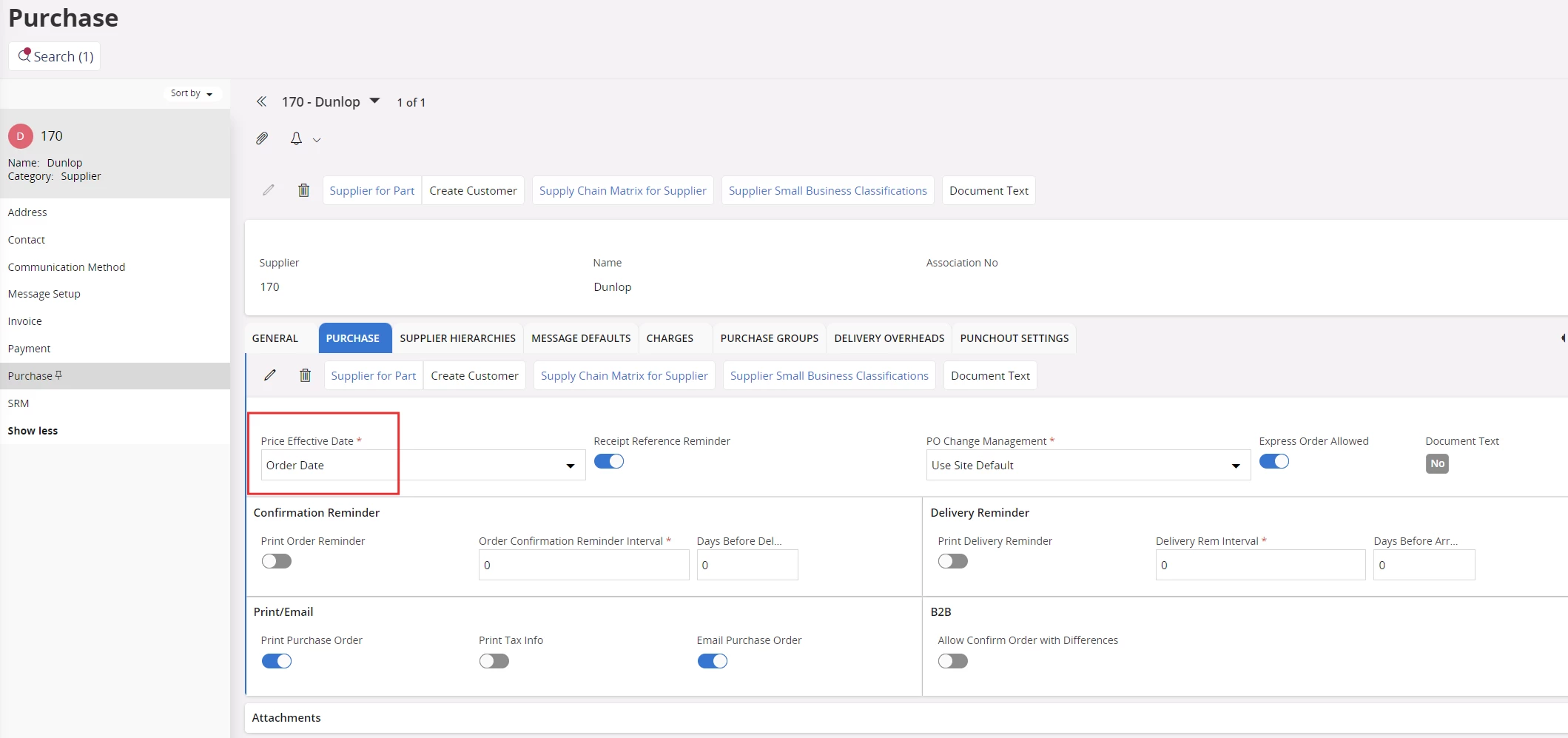
It is possible de define Price effecctive date (either Order date or Receipt date) at the level of the supplier. Do you have an idea if it is not possible to change this at the lvel of purchase part or purchase order line?
I have a client who asked for it
Thanks
Best answer by Nikila Dis
Hi @OmarBM
Price Effective Date determines which date that is to be used for retrieving the prices for purchase requisition lines or purchase order lines. The option is Order Date or Receipt Date. If Order Date is selected, the purchase requisition lines or purchase order lines connected to the supplier will use the purchase order date when retrieving prices. If Receipt Date is selected, the desired delivery date will be used when IFS Cloud retrieves prices. Order Date is set as default but it can be changed in this page.
When you create a Purchase Order (PO), IFS uses the supplier’s setting to decide which date to use for price retrieval:
Order Date → the PO’s order date is used to fetch prices.
Receipt Date → the desired delivery date on the PO line is used.
On the PO screen, you will see the Order Date and the Delivery Date, but there isn’t a separate editable field called Price Effective Date. It’s applied automatically based on the supplier setup.
As far as I know Currently, IFS does not provide an option to override this at the purchase part or individual purchase order line level. It’s a system-wide behavior for that supplier.
Price Effective Date determines which date that is to be used for retrieving the prices for purchase requisition lines or purchase order lines. The option is Order Date or Receipt Date. If Order Date is selected, the purchase requisition lines or purchase order lines connected to the supplier will use the purchase order date when retrieving prices. If Receipt Date is selected, the desired delivery date will be used when IFS Cloud retrieves prices. Order Date is set as default but it can be changed in this page.
When you create a Purchase Order (PO), IFS uses the supplier’s setting to decide which date to use for price retrieval:
Order Date → the PO’s order date is used to fetch prices.
Receipt Date → the desired delivery date on the PO line is used.
On the PO screen, you will see the Order Date and the Delivery Date, but there isn’t a separate editable field called Price Effective Date. It’s applied automatically based on the supplier setup.
As far as I know Currently, IFS does not provide an option to override this at the purchase part or individual purchase order line level. It’s a system-wide behavior for that supplier.
Price Effective Date determines which date that is to be used for retrieving the prices for purchase requisition lines or purchase order lines. The option is Order Date or Receipt Date. If Order Date is selected, the purchase requisition lines or purchase order lines connected to the supplier will use the purchase order date when retrieving prices. If Receipt Date is selected, the desired delivery date will be used when IFS Cloud retrieves prices. Order Date is set as default but it can be changed in this page.
When you create a Purchase Order (PO), IFS uses the supplier’s setting to decide which date to use for price retrieval:
Order Date → the PO’s order date is used to fetch prices.
Receipt Date → the desired delivery date on the PO line is used.
On the PO screen, you will see the Order Date and the Delivery Date, but there isn’t a separate editable field called Price Effective Date. It’s applied automatically based on the supplier setup.
As far as I know Currently, IFS does not provide an option to override this at the purchase part or individual purchase order line level. It’s a system-wide behavior for that supplier.