Order Point Planning
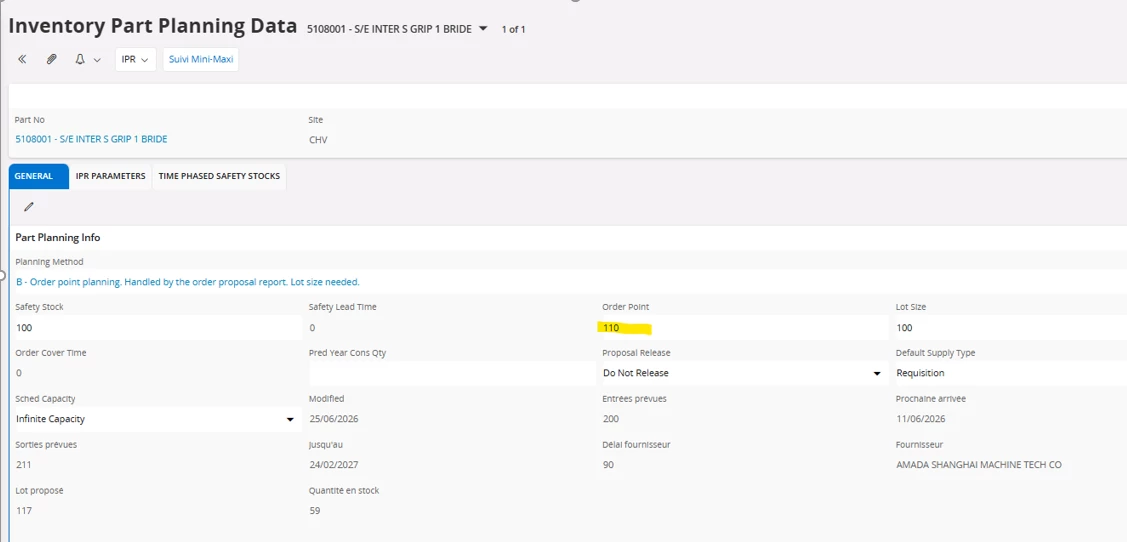
Planning Method: Order Point Planning (B)
- Order Proposals are created every time the Projected Availability has sunk below the Order Point when Create Order Proposal is executed.
- The Order Point Quantity field is used to define the Replenishment Level. Order Quantity is calculated as multiples of a Fixed Ordering Quantity, until the Order Point is reached.
- Safety Stock, Order Point, and Order Point Quantity need to be specified.
- MRP does not consider Parts with Planning Method Code B. Part Planning is handled by the Create Order Proposal routine.
- When the on-hand/projected quantity goes below the Order Point, the system creates an Order Proposal. Order Point Quantity is the target replenishment level (the stock level you want to restore).
- Lot Size determines how much can be ordered, and the proposal is rounded to multiples of the Lot Size.
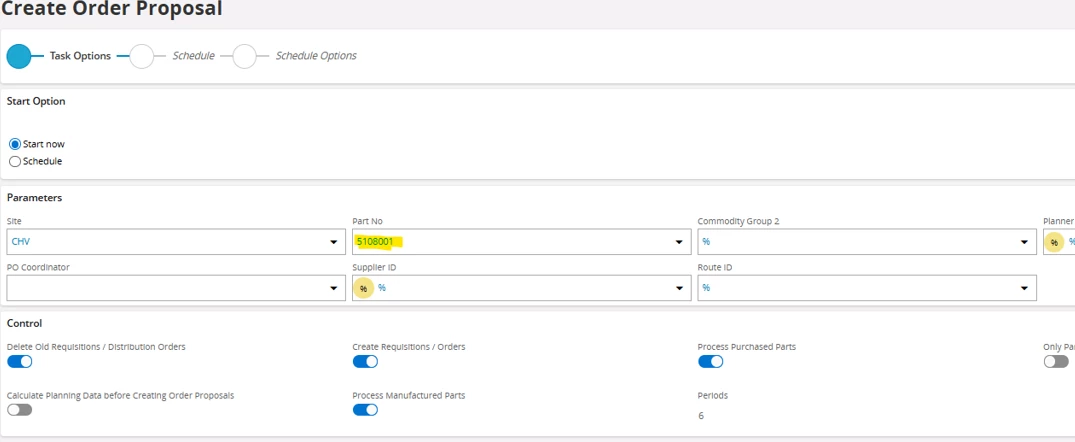
Based on your screenshots, the behavior is working as designed for Planning Method B (Order Point Planning). An order proposal is created only when the Projected Availability falls below the defined Order Point at the time the Create Order Proposal process is executed.
In the reported scenario:
- Order Point = 110
- Current Quantity in Stock = 59
- Safety Stock = 100
- Lot Size = 100
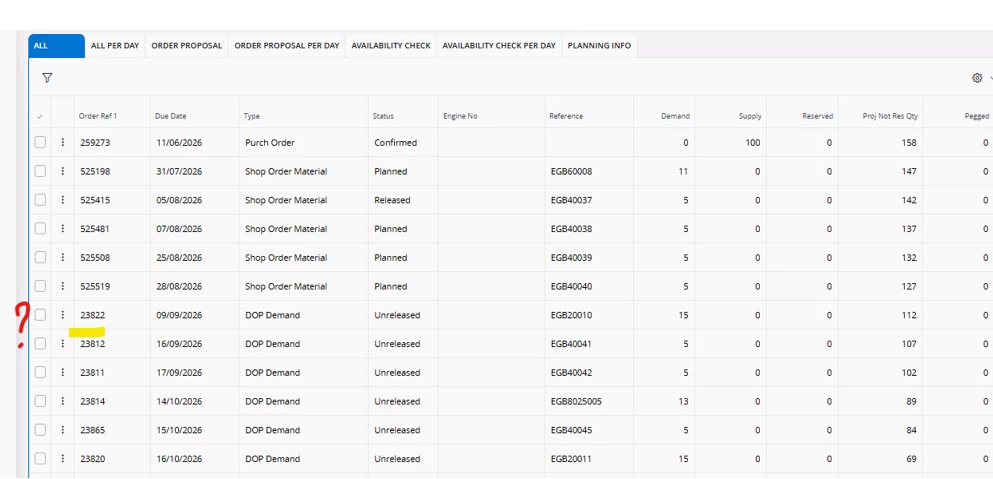
Although the on-hand quantity is below the Order Point, the system evaluates Projected Availability, not just the current on-hand quantity. Existing supply, demand, reservations, and other inventory transactions are included in this calculation. Since the projected availability did not fall below the threshold, no purchase requisition was generated.
After increasing the Order Point to 200, the projected availability became lower than the configured Order Point, causing the Create Order Proposal routine to generate a purchase requisition as expected.
Regards,
Nikila Dissanayake