Question

"Not Buildable" MRP Message

  • December 8, 2025
  • 4 replies
  • 45 views

Forum|alt.badge.img+3

Hello,

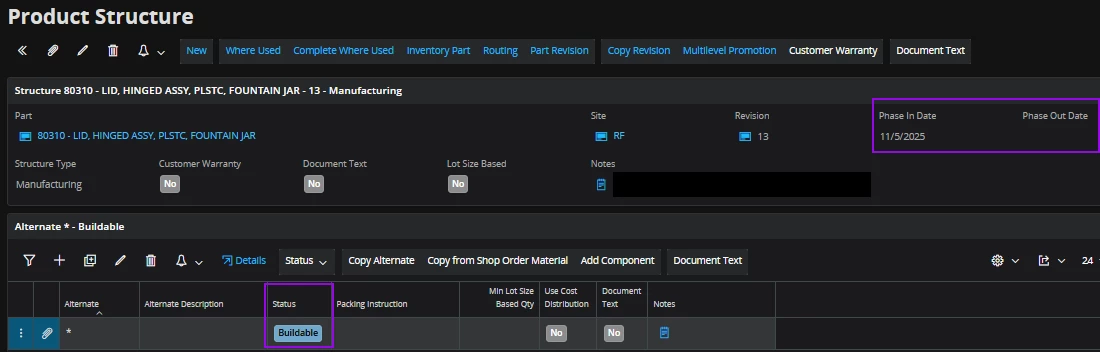
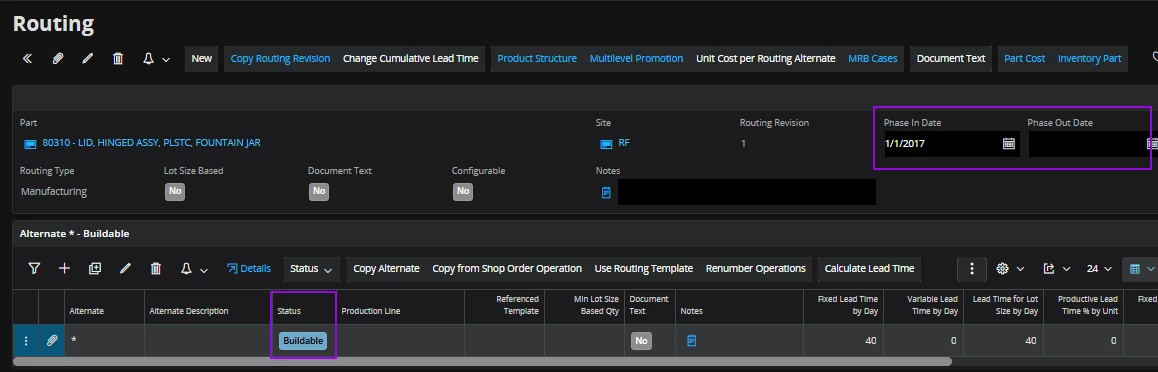
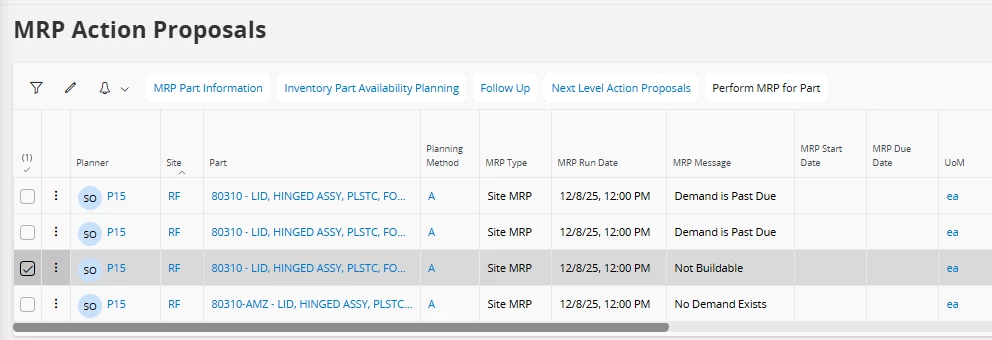
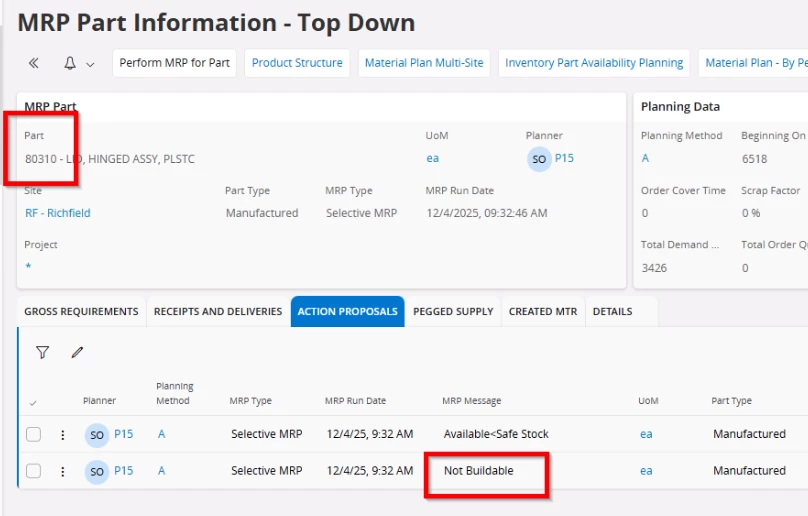
Last week one of our planners ran MRP for a specific part, but a req was not generated even though the projected qty fell below safety stock without confirmed supply. When we look at the MRP Part Information, the MRP Message shows “Not Buildable”. However, when I look at the Product Structure and Routing for that part, both are Buildable. Also, the MRP Control checkbox is enabled on the Inventory Part manufacturing tab, and the part is active. We’ve checked all we can think of to check and we’re hoping someone can point us in the right direction to figure out why MRP for this part is flagging it as Not Buildable. 

Thank you!


4 replies

matt.watters
Ultimate Hero (Partner)
Forum|alt.badge.img+26
  • Ultimate Hero (Partner)
  • December 8, 2025

@Mhughes Your structure is likely not buildable on the date for when MRP wants to create a shop order requisition to start.

In the Action Proposals, look a the date information below and compare these to the Phase In Date of 11/5/25.


Forum|alt.badge.img+3
  • Author
  • Do Gooder (Customer)
  • December 8, 2025

Hi Matt,

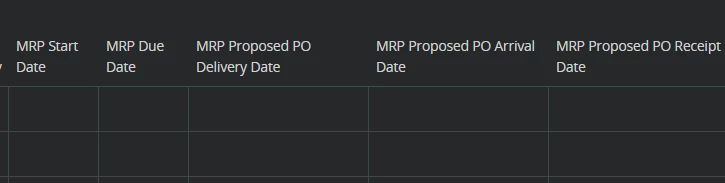
I checked the MRP Action Proposals screen, and there are no dates listed under MRP Start Date or MRP Due Date. We do not have any of the Proposed PO Dates available on this screen


matt.watters
Ultimate Hero (Partner)
Forum|alt.badge.img+26
  • Ultimate Hero (Partner)
  • December 9, 2025

For the Not Buildable record in the Action Proposals, click Follow Up and see if that gives you any insight. Also use the Inv Part Availability Planning to see where this Past Due Demand is dated (due date). From this does this indicate a start date prior to the phase in of 11/5?


Forum|alt.badge.img+14
  • Hero (Employee)
  • December 9, 2025

@Mhughes - scroll to the column Event Date - this date should show the MRP planned due date for this action message, which can be a date in the past. As you know IFS MRP can propose due dates (and start dates) in the past due to lead times and Bill Of Material explosion. 

You can then open the Gross Requirements tab and check the demand qty that drives the MRP supply, checkout the Quantity and Date. Perhaps you have:

  • large minimum lot size
  • significant run time per piece

  => This will have impact on the calculated start date of the MRP planned supply.

      => Which will have impact when MRP engine selects the correct structure revision.

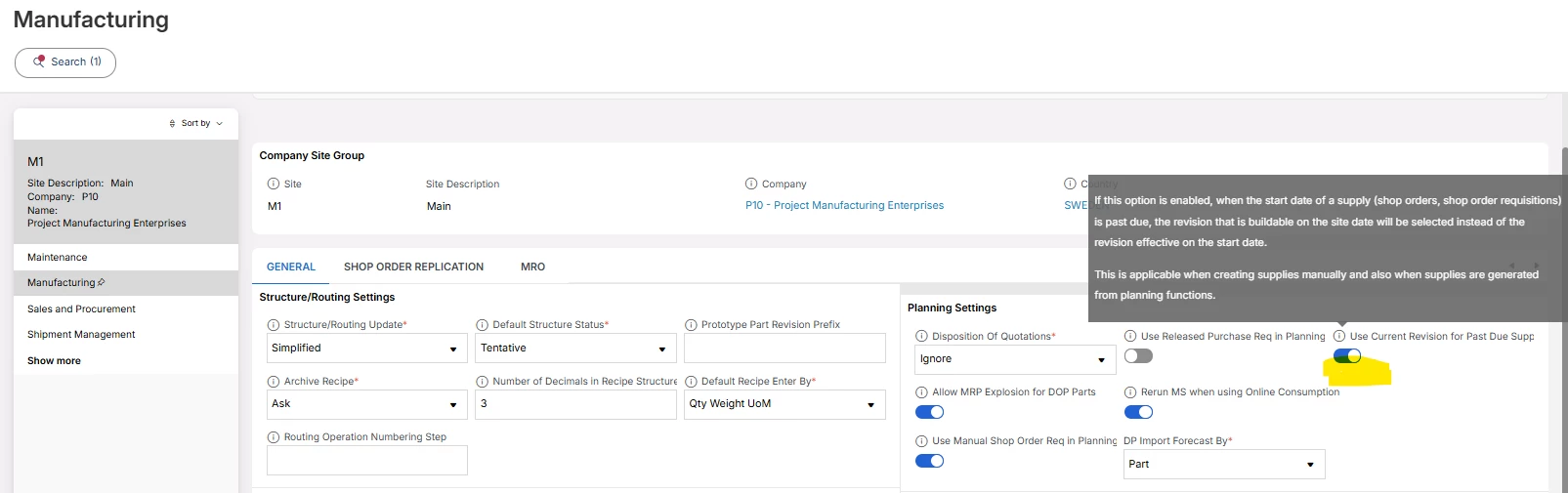
However if you want to mitigate this problem you can have a look in your Site settings. And select the toggle below.

Best Regards,

Mats at RnD