Question

IFS Cloud ERP – Packing Instruction not visible in Supplier for Purchase Part

  • February 18, 2026
  • 4 replies
  • 59 views

Forum|alt.badge.img+1
  • Do Gooder (Customer)

Hi

I have created all required handling‑unit related setups in IFS Cloud, including:

  • Handling Unit Categories
  • Handling Unit Types
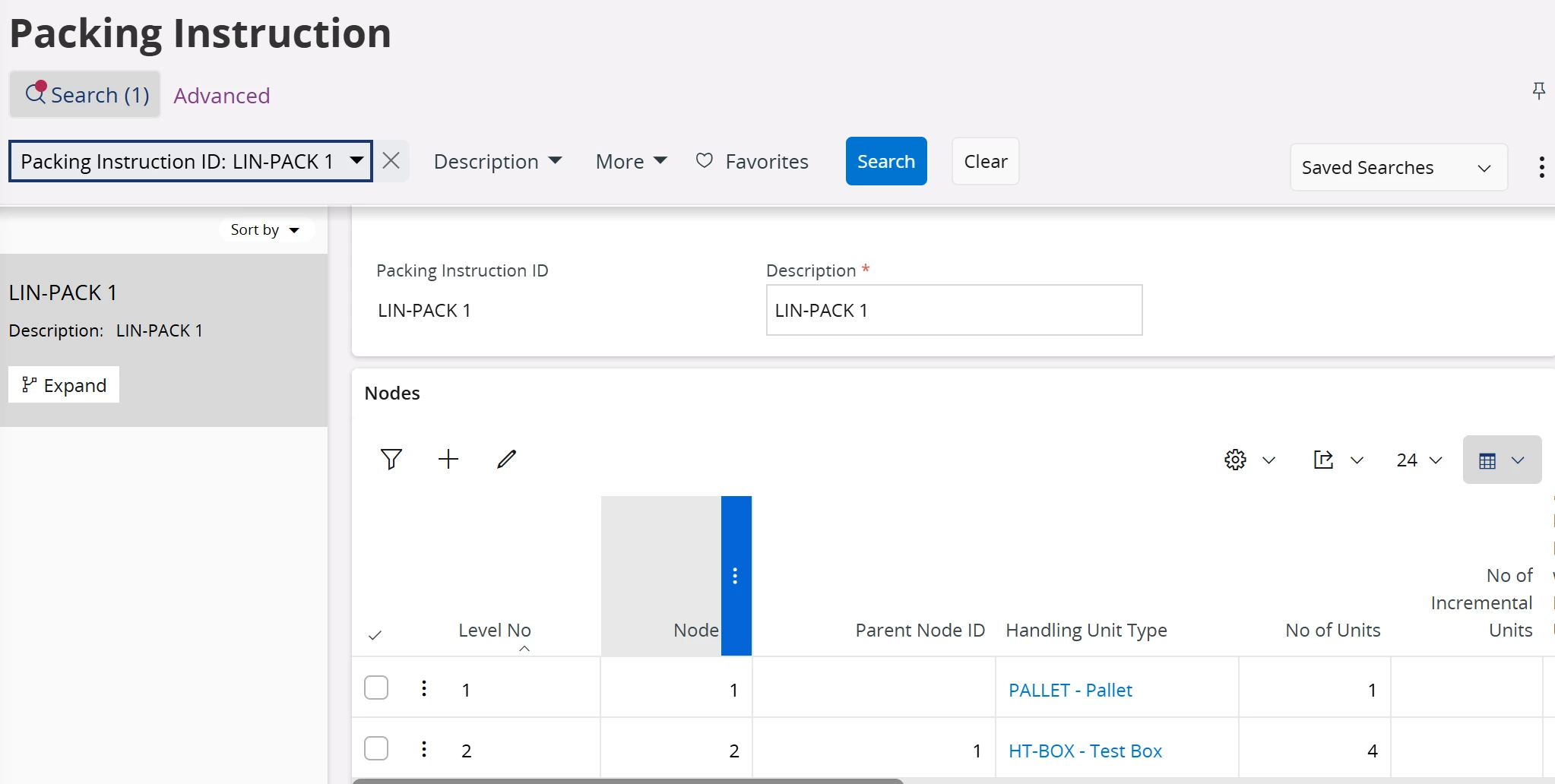
  • Packing Instruction
  • Part Handling Unit Capacity

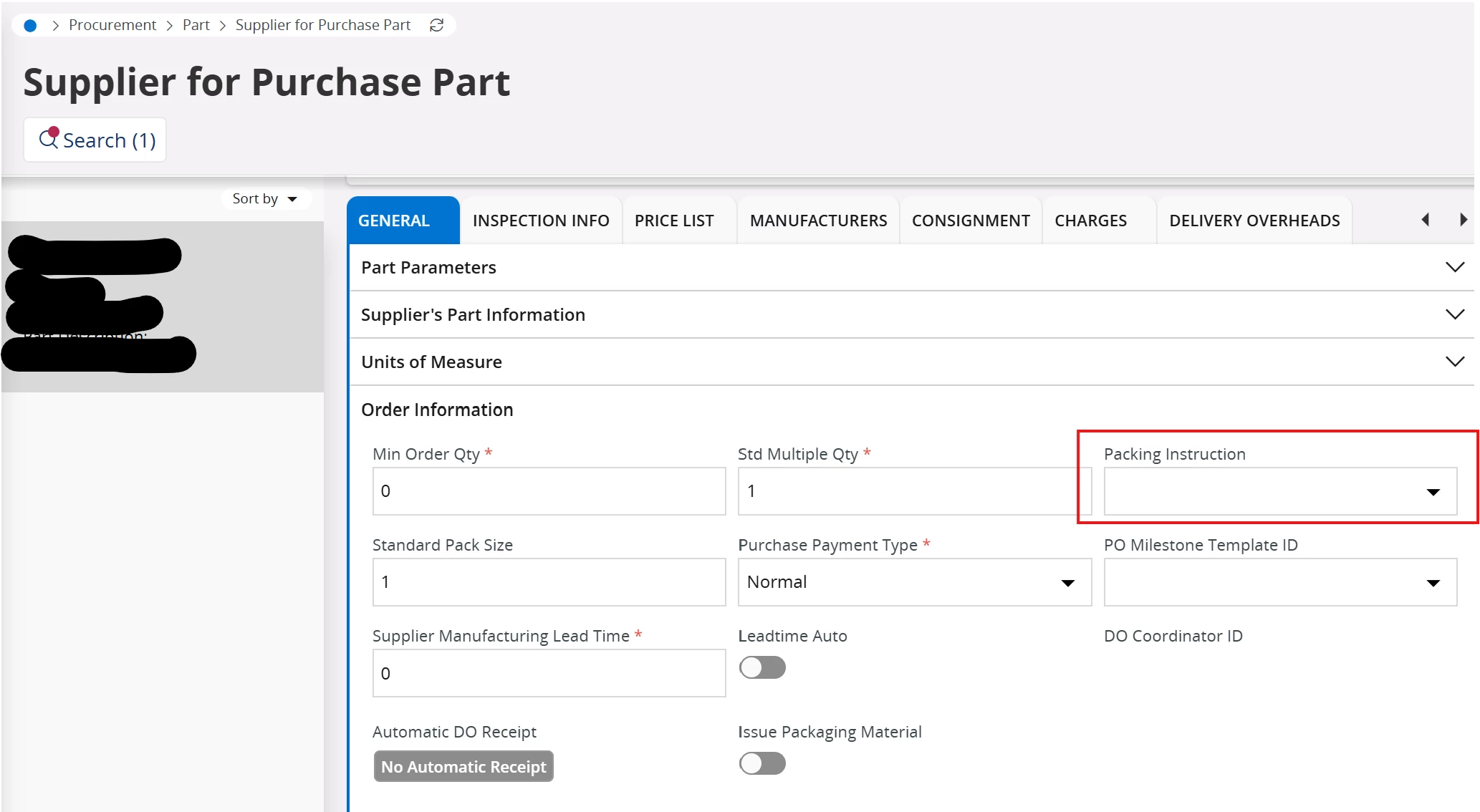
However, when I go to Supplier for Purchase Part, I do not see the Packing Instruction I created in any dropdown or selectable list.

Could you please explain why the Packing Instruction is not visible in the Supplier for Purchase Part screen and how it is expected to be used?


Thanks

4 replies

Forum|alt.badge.img+8
  • Hero (Employee)
  • February 19, 2026

Hi ​@Raana,

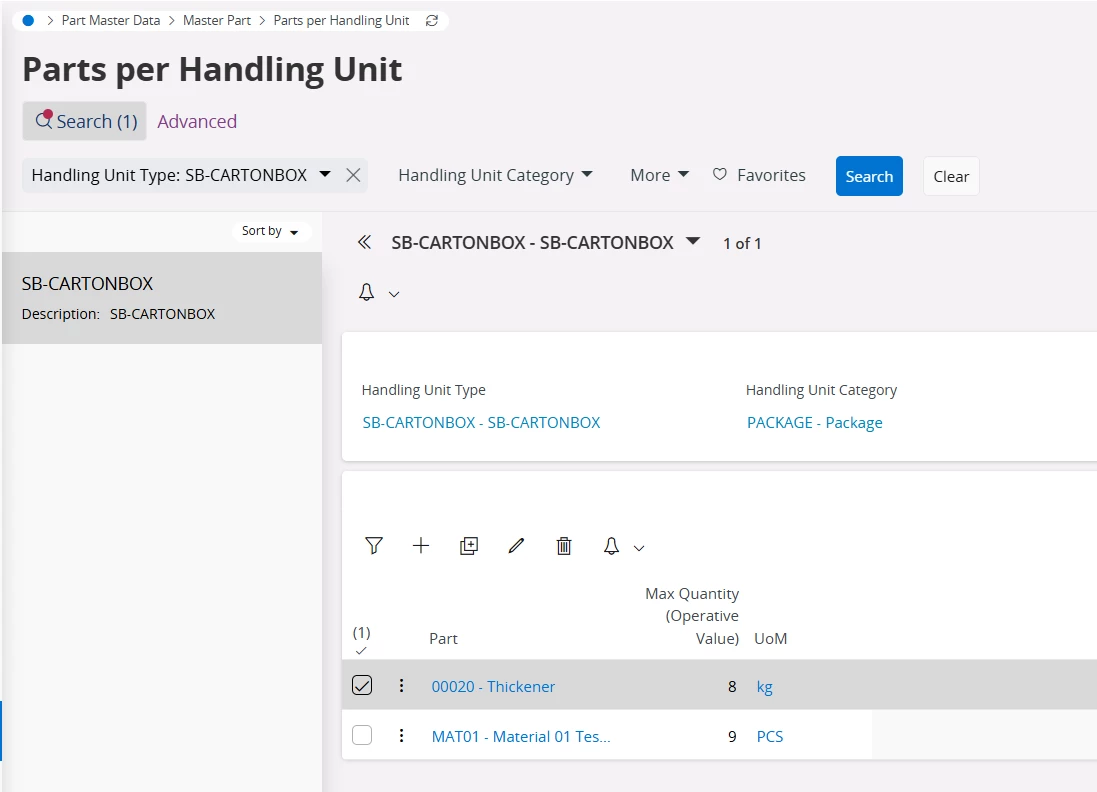
Have you added your part and defined a max quantity from the “Parts per Handling Unit” window. You can search by the Handling Unit Type in that window and add your part.

Let me know if this solved your issue.


Best Regards,

Uvina Jayamaha.


Forum|alt.badge.img+1

Hi ​@Uvina Jayamaha,

I have tried this option but still the Packing Instructions are not available in the drop down in the ‘Supplier for Purchase Part’ window. Could you pls let me know if there are any other options? 


Forum|alt.badge.img+5
  • Sidekick (Employee)
  • May 22, 2026

Hi ​@Sachini Wanniatchi & ​@Raana,

Please follow below steps to correctly define packing instructions for a particular part.

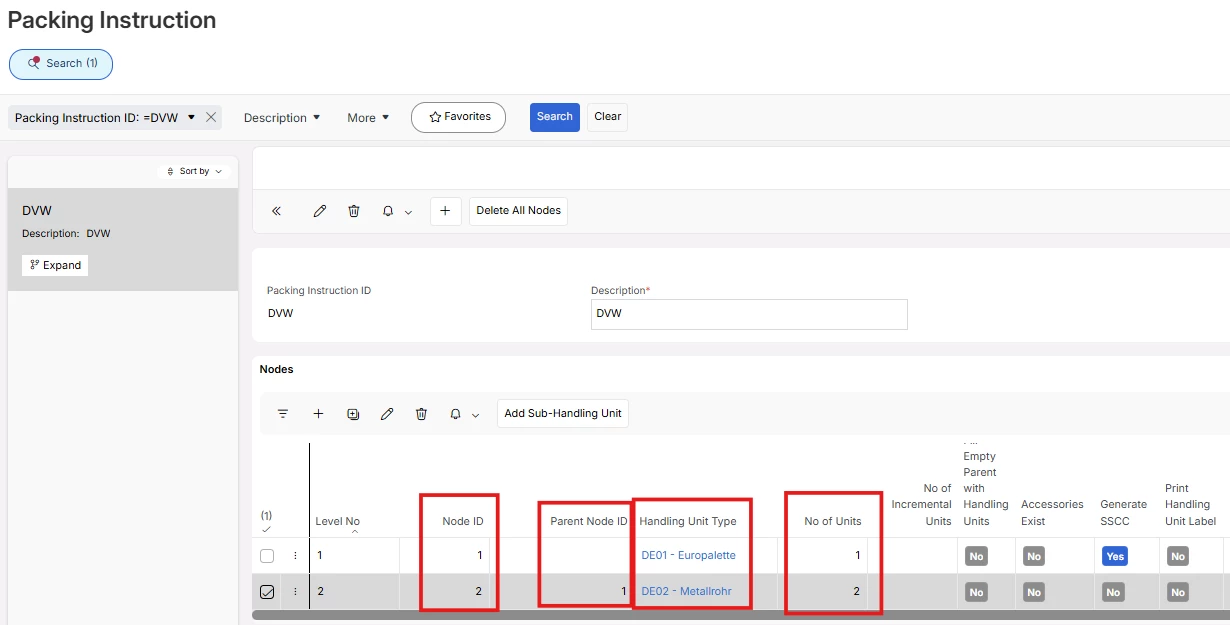
  1. Define Packing Instruction adding relevant Handling Unit Types, No. of units, Nodes as below.
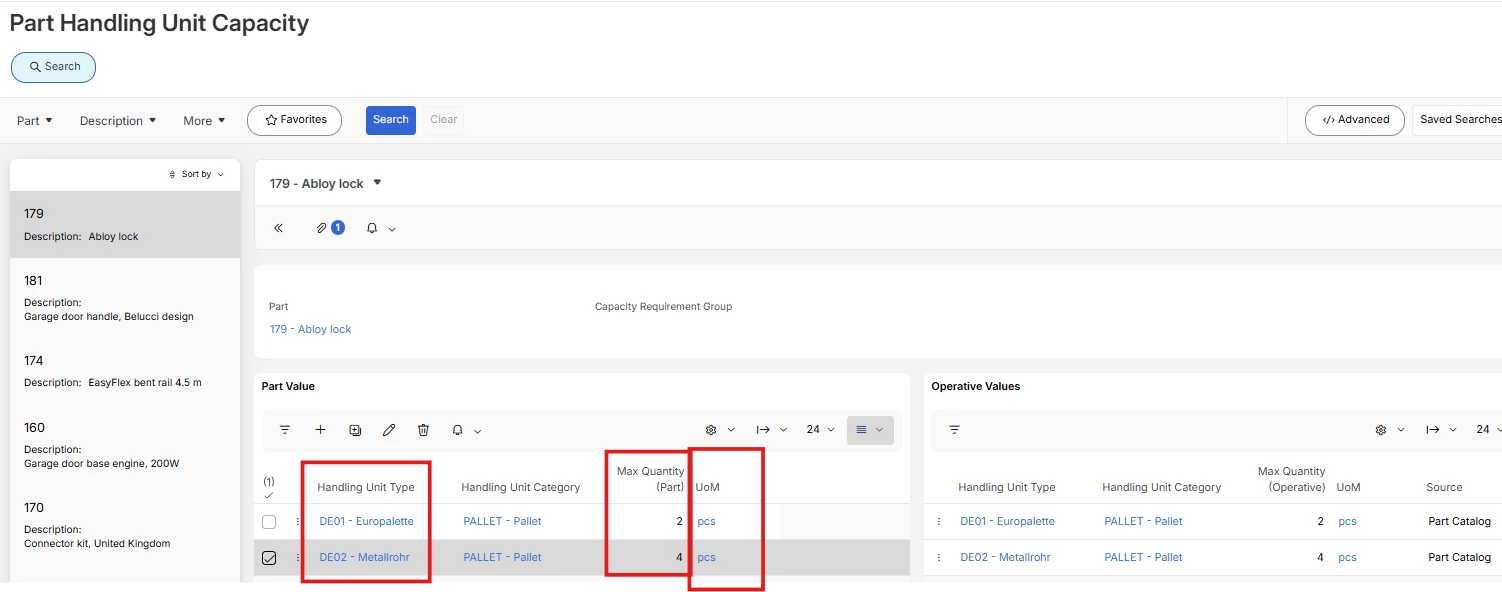
  1. Then in “Part Handling Unit Capacity”, correctly define the Max Qty and UoM for the the different Handling Unit Type defined in the step 1 Packing instruction record.
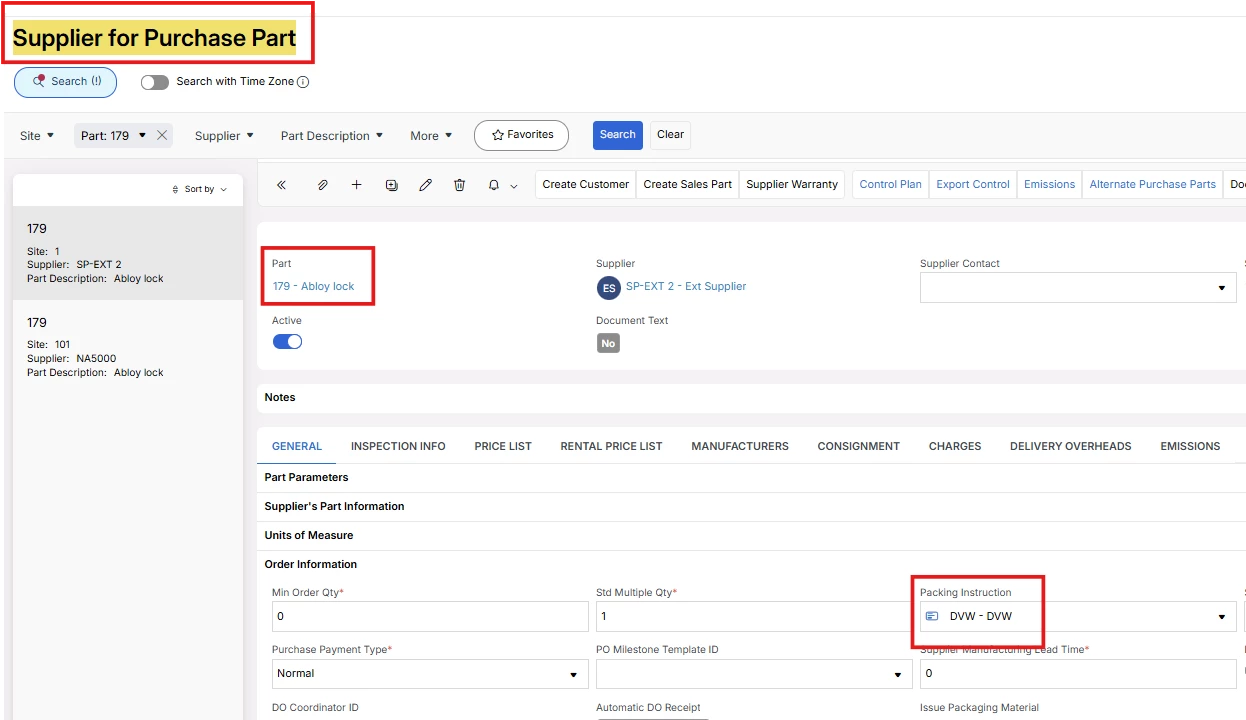
  1. View the Supplier for Purchase Part record for the relevant part

I noticed that this issue triggers when you have the wrong UoM for the handling unit types in step 2, or when you have used only one handling unit type in step 2 even though you defined two handling unit types in the Packing Instruction page in step 1. Please check these prerequisites and try again.

If this resolves your question, please mark it as the best answer. So that it will be helpful for other peers.

Thanks

Vihan Weerapura


Forum|alt.badge.img+5
  • Sidekick (Employee)
  • May 22, 2026

Adding the result for the previous note -

  1. View the Supplier for Purchase Part record for the relevant part