

Solved

IFS Cloud 25R2 SU5 - Company Address - Add STREET

  • June 2, 2026
  • 4 replies
  • 58 views

Forum|alt.badge.img+9

Hi All,

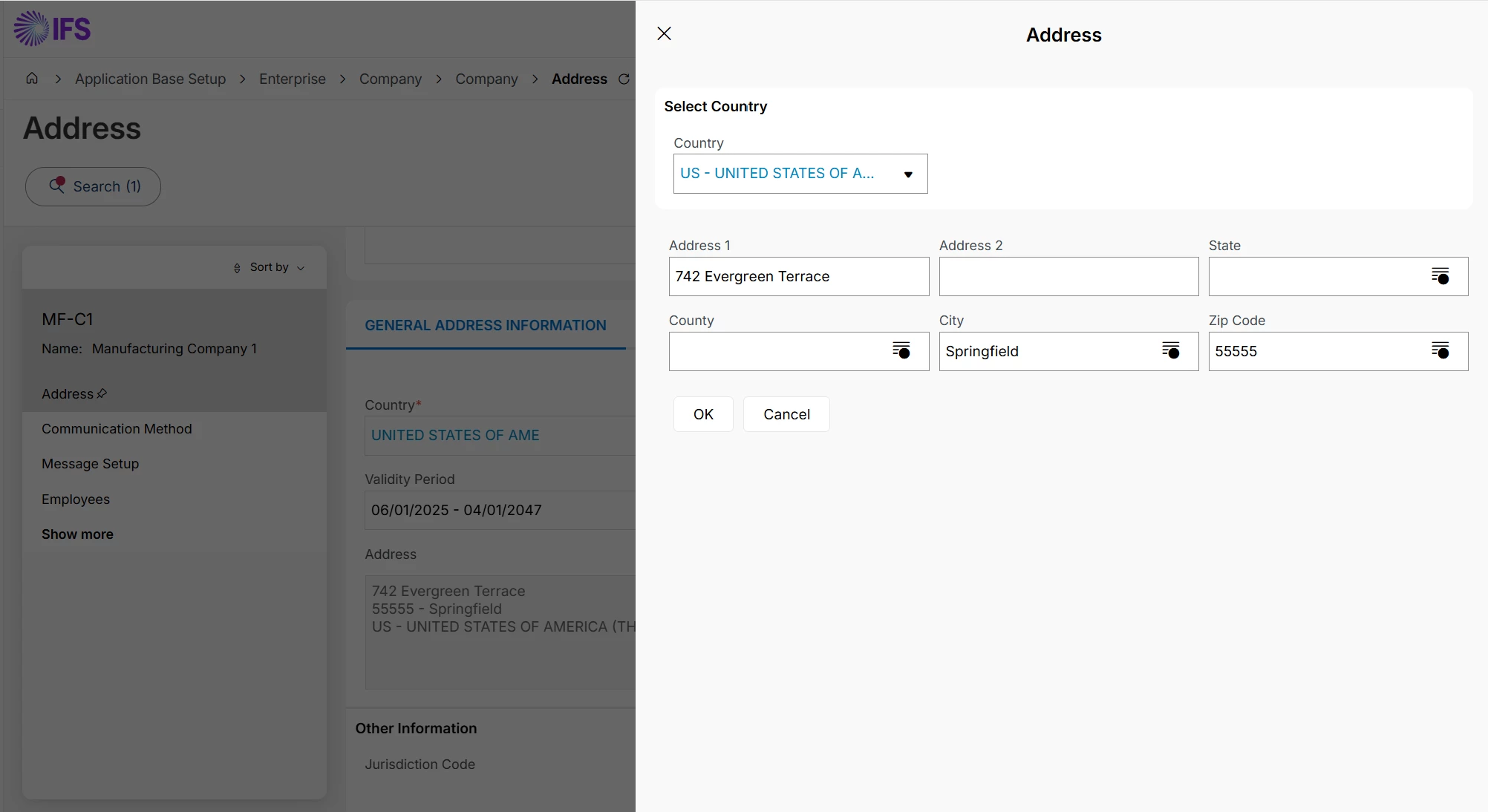
I would like to add ‘STREET ‘  ( NOT Address1) to the Company Address.
How do I configure Address Presentation Layout to achieve this?



Best answer by Piyal Perera

Hi ​@GaSoGB,

Ok. I can add steps.

Step 1: Open the setup page -> Navigator: Enterprise → Basic Data → Address Setup per Country
Step 2: Ensure the country exists in the application. -> Open the row → set Detailed Address to Yes → Save
Step 3: Open the company address Navigator: Enterprise → Company → select company → Address
Step 4: Select an address. Find Edit Detailed Address
Step 5: Edit Detailed Address opens:

Street
House No
Community
District

Step 6: Save the main address if needed
I checked this one with Sweden company. Please have a try.

regards,

Piyal


4 replies

Piyal Perera
Hero (Employee)
Forum|alt.badge.img+12
  • Hero (Employee)
  • June 3, 2026

Hi ​@GaSoGB 

Sharing my findings from a recent Cursor-assisted code audit. I hope these insights are beneficial.

  • Address Presentation Layout cannot add Street instead of Address1—only &ADDRESS1&ADDRESS6 and the geographic placeholders exist.
  • Street is configured through Address Setup per Country (Detailed Address) and Edit Detailed Address, not through display layout tokens.
  • To show a street name on the formatted company address without using Address 1, you need either map content into another address line and reference that line in Display Layout, or customize formatting logic.

regards,

Piyal


Forum|alt.badge.img+9
  • Author
  • Sidekick (Partner)
  • June 3, 2026

Hi ​@Piyal Perera ,

Could you explain step by step guideline (if you know) , how to do following.


  • Street is configured through Address Setup per Country (Detailed Address) and Edit Detailed Address.
  • To show a street name on the formatted company address without using Address 1, you need either map content into another address line and reference that line in Display Layout.

Piyal Perera
Hero (Employee)
Forum|alt.badge.img+12
  • Hero (Employee)
  • Answer
  • June 3, 2026

Hi ​@GaSoGB,

Ok. I can add steps.

Step 1: Open the setup page -> Navigator: Enterprise → Basic Data → Address Setup per Country
Step 2: Ensure the country exists in the application. -> Open the row → set Detailed Address to Yes → Save
Step 3: Open the company address Navigator: Enterprise → Company → select company → Address
Step 4: Select an address. Find Edit Detailed Address
Step 5: Edit Detailed Address opens:

Street
House No
Community
District

Step 6: Save the main address if needed
I checked this one with Sweden company. Please have a try.

regards,

Piyal


Forum|alt.badge.img+9
  • Author
  • Sidekick (Partner)
  • June 3, 2026

Many thanks ​@Piyal Perera .
That is the answer I was looking for. :)


