Solved

How do you export a list of master parts?

  • Nov 26, 2020 11:46 AM UTC
  • 14 replies
  • 625 views

Forum|alt.badge.img+3

How do you export a list of master parts? from the system into excel?

Best answer by Arunalu

1.Go to ‘parts’ window.

2.Then populate the information you need.

3.In the task pane, click on ‘output’. Then click on ‘Save as’ button. Then give a path to save the file (But there is a limitation on the number of records which can be exported at once).

4.If the ‘Save as’ button is not there, click on ‘Add’ button. select ‘CSV’ from the file type (leave the other default values as is). Then click on ‘Create’ button. Then, follow step 3 to export into excel. 

View original
This topic has been closed for replies.

14 replies

Forum|alt.badge.img+9
  • Hero (Partner)
  • Answer
  • Nov 26, 2020 12:18 PM UTC

1.Go to ‘parts’ window.

2.Then populate the information you need.

3.In the task pane, click on ‘output’. Then click on ‘Save as’ button. Then give a path to save the file (But there is a limitation on the number of records which can be exported at once).

4.If the ‘Save as’ button is not there, click on ‘Add’ button. select ‘CSV’ from the file type (leave the other default values as is). Then click on ‘Create’ button. Then, follow step 3 to export into excel. 


Forum|alt.badge.img+11
  • Hero (Customer)
  • Nov 27, 2020 8:36 AM UTC

I fully agree with Arunalu’s reply. I would add that after opening the “Part Catalog\Master Part\Parts” screen, you should check the column chooser settings before running the output (the output will reflect the column chooser settings so if any columns are hidden, they will not appear in the output).


Forum|alt.badge.img+3
  • Author
  • Do Gooder (Customer)
  • Nov 30, 2020 8:08 AM UTC

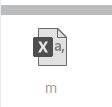
thank you for your replies, unfortunately the excel file that is created is greyed out and I cant open it, when I run/create other reports the file is green but not when I run the one for master parts? any ideas why that would be?

Many thanks


Forum|alt.badge.img+14
  • Hero (Partner)
  • Nov 30, 2020 10:54 AM UTC

From “Part Catalog\Master Part\Part” there is no exports.

You have to be in “Part Catalog\Master Part\Parts”  

Are you in the right window?


Forum|alt.badge.img+3
  • Author
  • Do Gooder (Customer)
  • Nov 30, 2020 12:02 PM UTC

Hello 


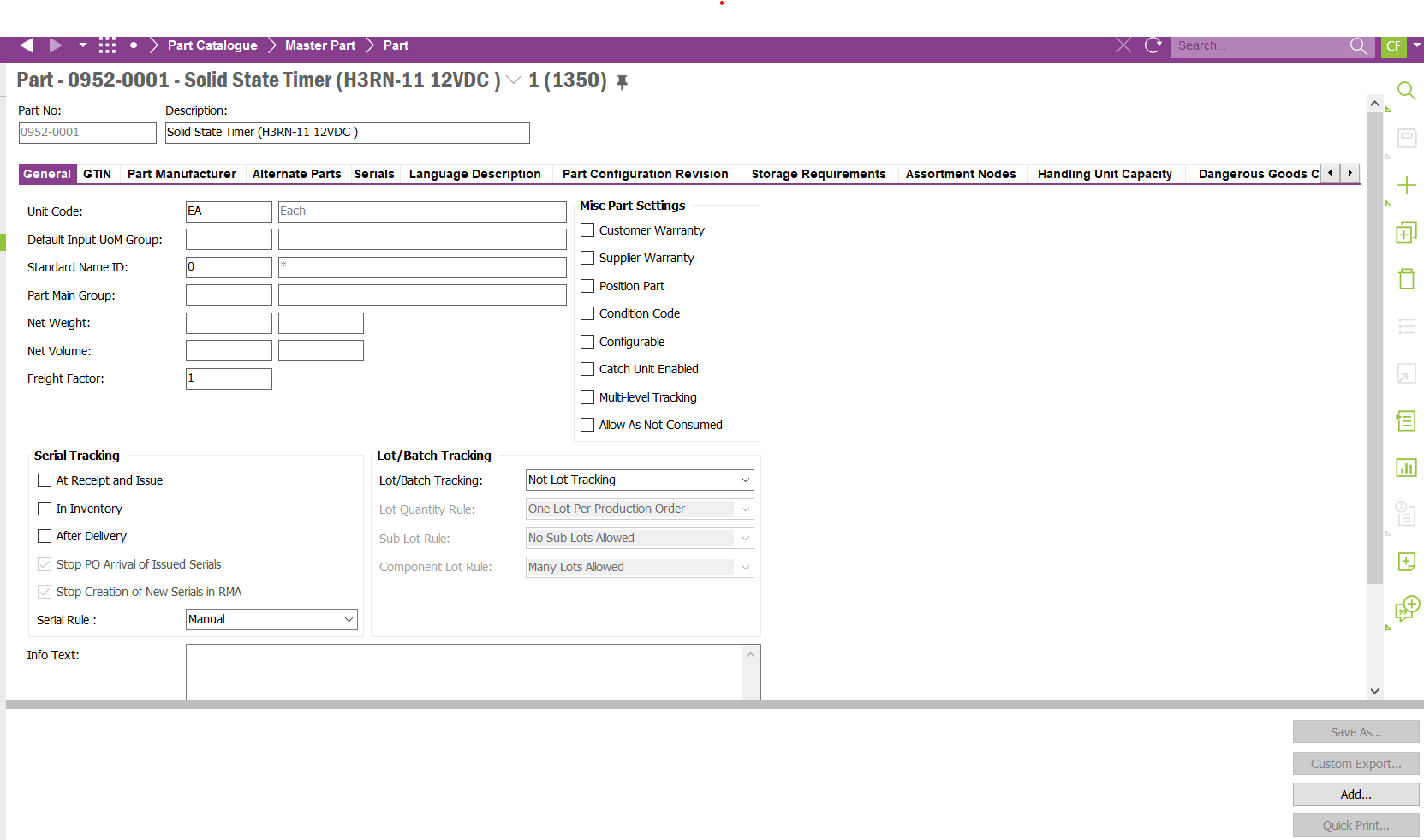
Yes Hans I am in that screen, I click on output at the bottom and then to the right of that there are four options

Save As (greyed out so not available)

Custom Export (greyed out so not available)

Add (available)

Quick print (greyed out so not available)

So I click Add (as its the only one I can), so I name the file etc, but the file created is still greyed out :(


Any ideas? Kind regards

Catherine


Forum|alt.badge.img+14
  • Hero (Partner)
  • Nov 30, 2020 12:06 PM UTC

Can you send a screenshot?


Forum|alt.badge.img+3
  • Author
  • Do Gooder (Customer)
  • Nov 30, 2020 12:13 PM UTC

Kind regards

Catherine


Forum|alt.badge.img+3
  • Author
  • Do Gooder (Customer)
  • Nov 30, 2020 12:13 PM UTC

As you can see its greyed out and wont let me open it :(


Forum|alt.badge.img+14
  • Hero (Partner)
  • Nov 30, 2020 12:17 PM UTC

Can you send a screenshot of the whole screen?


Forum|alt.badge.img+3
  • Author
  • Do Gooder (Customer)
  • Nov 30, 2020 12:31 PM UTC


Forum|alt.badge.img+14
  • Hero (Partner)
  • Nov 30, 2020 12:33 PM UTC

You are in the wrong window. Go to “Part Catalog\Master Part\Parts”. Parts not part.


Forum|alt.badge.img+3
  • Author
  • Do Gooder (Customer)
  • Nov 30, 2020 12:35 PM UTC

Hello


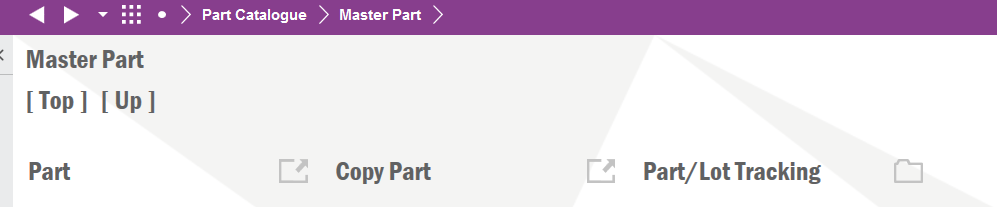
there are only these available

:(


Forum|alt.badge.img+14
  • Hero (Partner)
  • Nov 30, 2020 12:51 PM UTC

Ok, that has something to do with your permissions set. I think you will have to talk to/negotiate with your IFS system administrator to get access. 


Forum|alt.badge.img+3
  • Author
  • Do Gooder (Customer)
  • Nov 30, 2020 12:56 PM UTC

I thought so , thank you so much :) i really appreciate it