Question

Help with blanket PO inventory delivery

  • May 14, 2026
  • 1 reply
  • 32 views

NickPorter
Superhero (Customer)
Forum|alt.badge.img+18

Version: Apps10 UPD19


Hello procurement experts!

We have a situation where we want to be able to create a blanket PO or similar with one-time approval, with one supplier for just a few select parts, and then request a drawdown against that as when site inventory is consumed or running low.  We are struggling with how to  implement this, even though it seems like it should be straightforward.

Initially we looked at creating a PO for e.g. 6 months of supply quantity, with many lines in the PO for the quantity of a min delivery (e.g. qty 16 for 1 pallet to be delivered).  The PO would be approved once, and then each time the total qty at the site fell below a defined threshold the buyers would release one or more lines from that ‘blanket’ PO as needed.  Unfortunately when the PO is approved it seems it always approves all of the PO lines, which makes this a non-viable approach.

How else can handle this kind of approach where we need to:

  • ‘approve once’ for a large quantity
  • draw down against that quantity until the full quantity has been delivered without needing further approval?

Many thanks in advance for any ideas!

Nick

1 reply

Forum|alt.badge.img+12
  • Hero (Partner)
  • May 29, 2026

Hi,
Can I please know whether you have explored using ‘Blanket Purchase Order’ type supplier agreements for this purpose? If not, your requirement appears to be a good match for this functionality.


You would need to create a Blanket Supplier Agreement for all the parts included in your arrangement with the supplier. In the agreement, you can specify the total quantity or amount to be delivered, along with pricing and any additional costs.

Blanket purchase orders are excluded from standard purchase order authorization, so the 'approval' you need would instead be activating the supplier agreement.

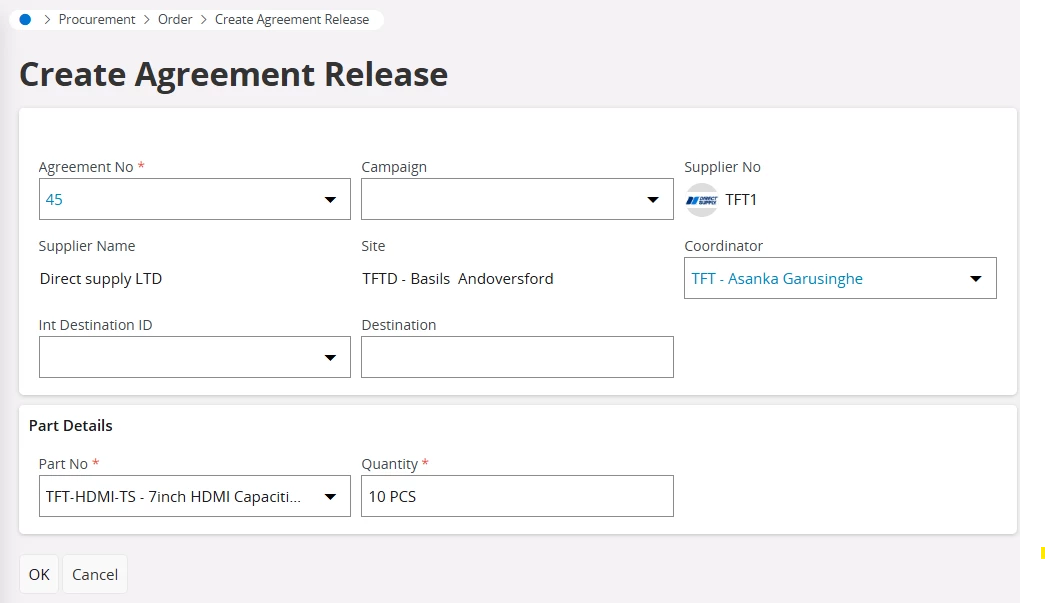
When buyers need to replenish stock at a site that has fallen below the threshold, they can use the ‘Create Agreement Release’ function.

If you want to ensure that purchases strictly follow to what was agreed with the supplier, you need set the ‘Max Amount Option’ to ‘Do Not Exceed’. There are also additional features within blanket supplier agreements that you could explore, such as period limits, warning controls, and step pricing.


Hope this helps
Asanka