Question

Creating Customer Order

  • August 31, 2026
  • 1 reply
  • 6 views

Forum|alt.badge.img+3

What does this error mean - “Only 0 of the requested sales part - XXXXXX is available.  Part cannot be added to customer order due to priority reservation usage.”

1 reply

Nikila Dis
Superhero (Employee)
Forum|alt.badge.img+14
  • Superhero (Employee)
  • September 1, 2026

Hi ​@NAMRMESSINA,

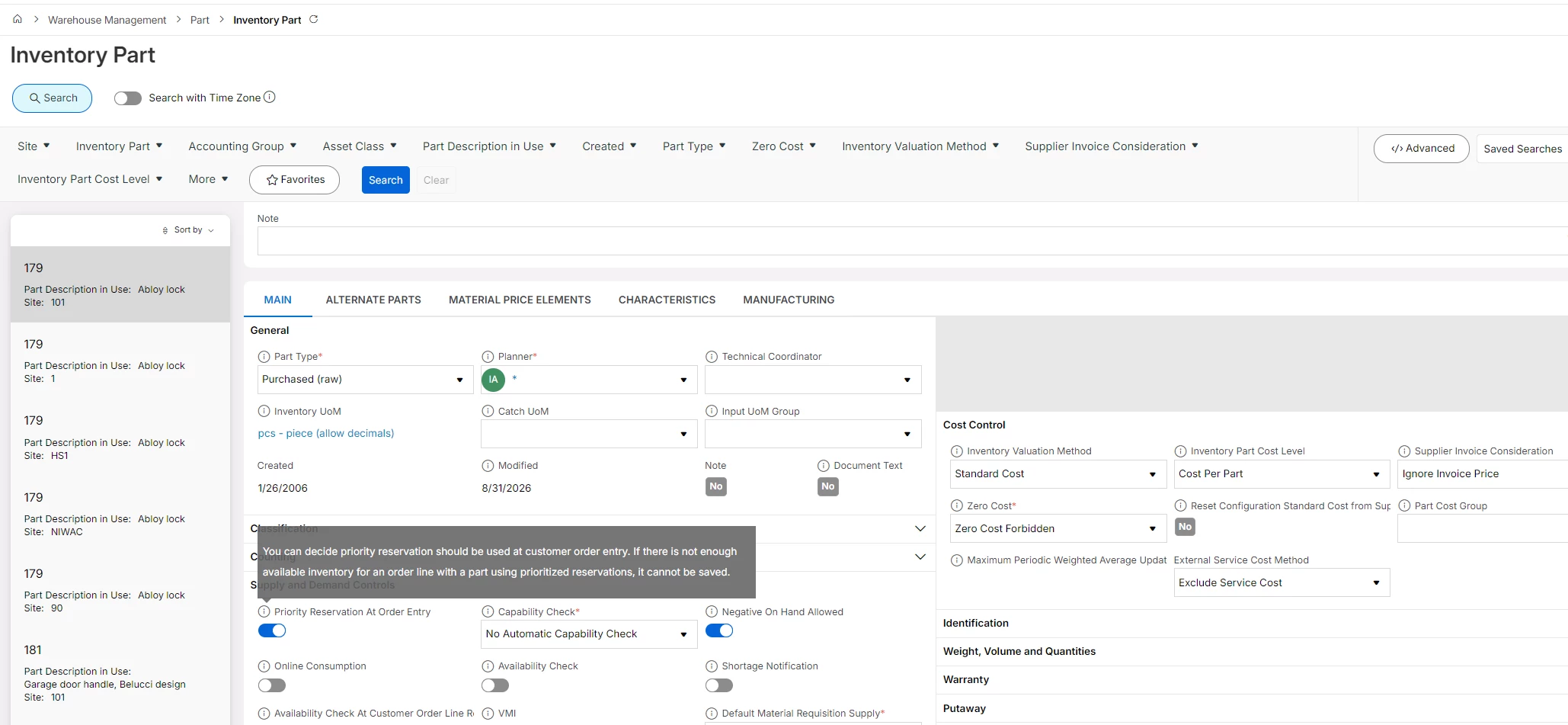
If you use the Priority Reservation option, customer orders using this order type will be reserved directly at order entry. This means that these customer orders are given a higher priority than other orders. If there are not enough parts available in inventory, the order line cannot be saved.

As the issue is caused by the sales part being configured for Priority Reservation, which requires inventory to be immediately available and reservable when the customer order line is entered. Since no plannable quantity was available at the time of order entry, the system prevented the part from being added to the customer order and displayed the message:"Part cannot be added to customer order due to priority reservation usage." It is recommended to review the Priority Reservation settings on the Inventory Part, Part Class, and Order Type, as well as verify the current inventory availability and existing reservations for the part ( The fix is either to make stock available, use a non-priority-reservation order type, or use a substitute part.). This behavior appears to be consistent with standard IFS reservation logic.


Regards,

Nikila Dissanayake