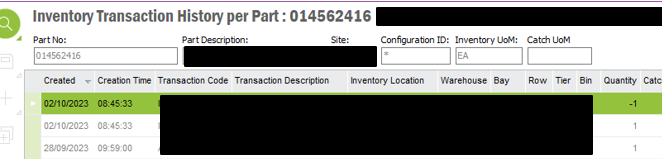
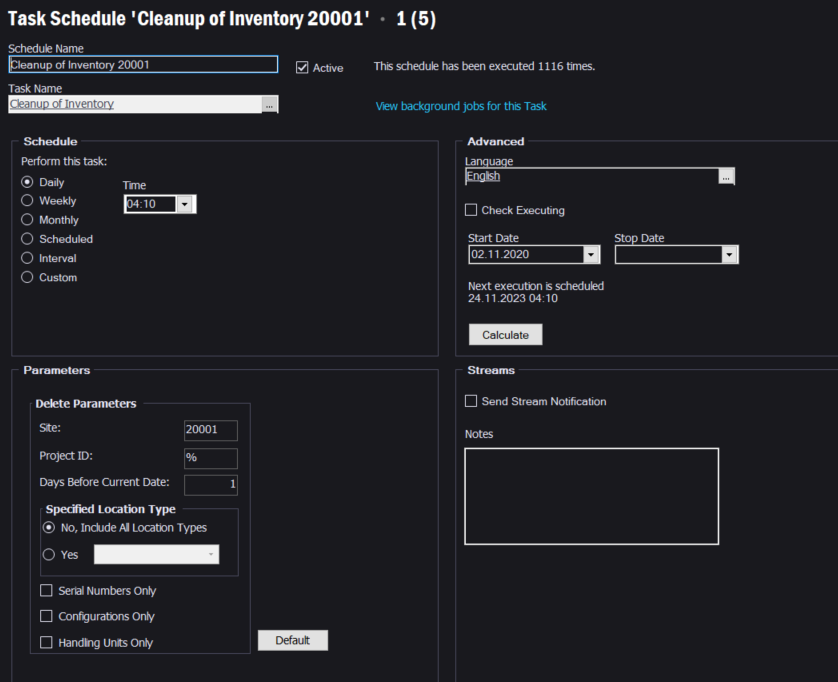
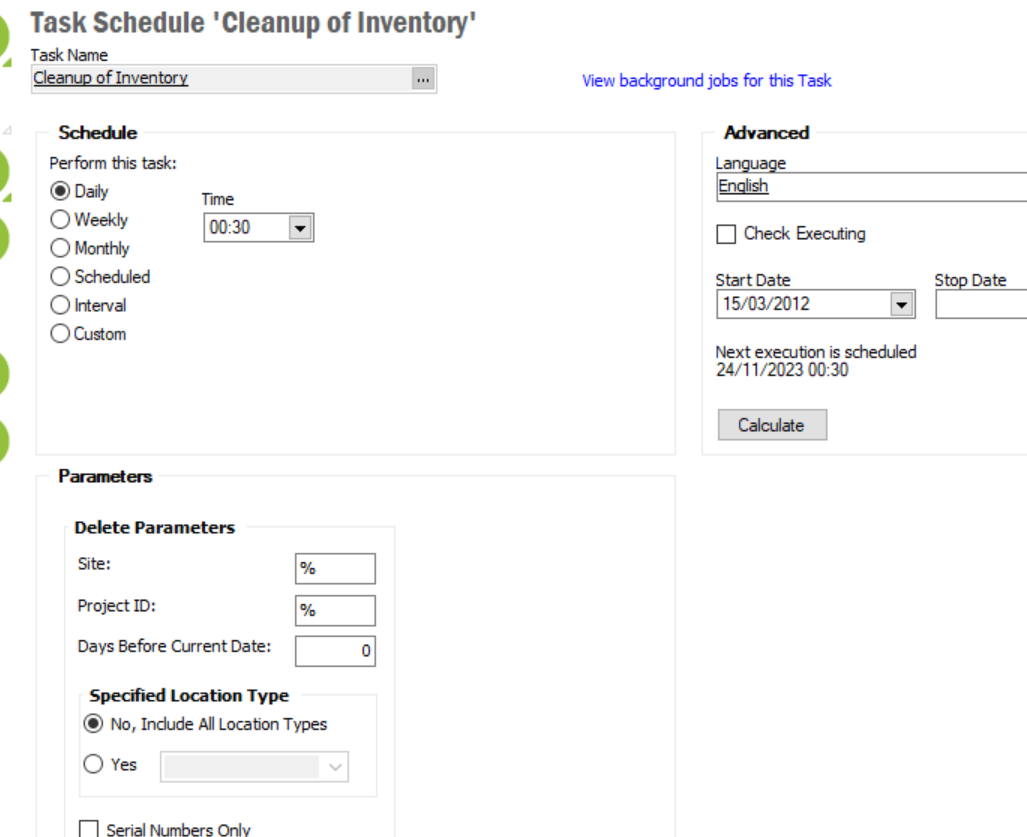
We are running the cleanup of inventory background job daily, we have this set to 0 days before current date so it will clear everything with an old activity date. The job is running each day as I can see that it is clearing out inventory, however I am left with lines that will not clear. These lines have 0 on hand quantity, 0 in transit, are not frozen and the last activity date is prior to the job being executed.
The transaction history for these parts are also showing as old dates.
Is there anything else that would block these lines from clearing when the cleanup background job is executed?
Thanks
Best answer by Roy Almeida
If you have rows in the inventory part in stock, where the qty on hand = 0, no transit quantity, the part is not frozen for counting and no availability control connected and the last activity date was more than a year ago and the nightly cleanup of inventory (or the cleanup of inventory run on demand) does not clean it up, here are other possible reasons:
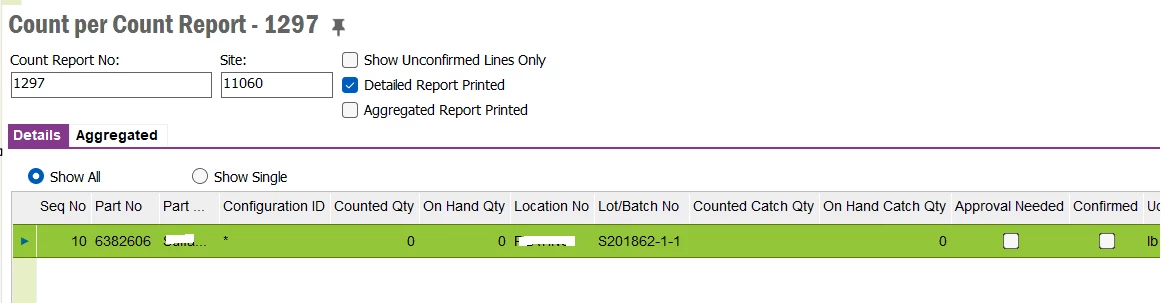
Check if the part exists in Count per count report and the column called Confirmed is unchecked. This is one of the reasons why the Cleanup of inventory will not consider this record for cleanup. (it is held up because a count per count report for that part/site/location/lot batch etc has not been confirmed).
Now if you go ahead and confirm this line in the count per count report screen, it will update the inventory part in stock’s equivalent row with today’s last activity date. If your Cleanup of inventory is set to remove 0 quantity rows from inventory part in stock with a default of 365 days, the recently updated record will not be eligible for cleanup until one year later. You can run the cleanup of inventory for the site on demand (from the navigator) and change the days from 365 to zero (which could remove the row which recently got updated in addition to other 0 quantity rows from inventory part in stock which are not existing in the count per count report. ). Or if you are only interested in purging the record which got updated when you confirmed the count per count report, you can go to the Count per inventory part screen, query for the problematic part, find the 0 quantity on hand row and hit the Delete option on the toolbar. This should remove the inventory part in stock record.
From the Documentation the following criteria should be applicable to the job:
Once you run the record you should be able to see that inventory part records with on-hand quantity of zero and a last transaction date prior to the number of days specified in the Days Before Current Date field, are removed from the Inventory Part In Stock, Receive Inventory Part and the Issue Inventory Part windows.
On the screenshot from above Ive seen that the frozen Checkbox = FALSE.
Also that the last transaction date of those records are quite old.
One try would be to start the job manually with an offset of 400 to see if there is a restriction of the maximum date of the past, the job is considering
A few were stuck because they were showing on count reports as 0 and they had not been approved and cleared. For the rest, I raised a case with IFS and they ran a script through our system which removed the 0 lines as there was no way to do it myself.
If the transactions occur on the same day you are running the Cleanup job, you can input a negative number in Days Before Current Date field (i.e. -1).
If you have rows in the inventory part in stock, where the qty on hand = 0, no transit quantity, the part is not frozen for counting and no availability control connected and the last activity date was more than a year ago and the nightly cleanup of inventory (or the cleanup of inventory run on demand) does not clean it up, here are other possible reasons:
Check if the part exists in Count per count report and the column called Confirmed is unchecked. This is one of the reasons why the Cleanup of inventory will not consider this record for cleanup. (it is held up because a count per count report for that part/site/location/lot batch etc has not been confirmed).
Now if you go ahead and confirm this line in the count per count report screen, it will update the inventory part in stock’s equivalent row with today’s last activity date. If your Cleanup of inventory is set to remove 0 quantity rows from inventory part in stock with a default of 365 days, the recently updated record will not be eligible for cleanup until one year later. You can run the cleanup of inventory for the site on demand (from the navigator) and change the days from 365 to zero (which could remove the row which recently got updated in addition to other 0 quantity rows from inventory part in stock which are not existing in the count per count report. ). Or if you are only interested in purging the record which got updated when you confirmed the count per count report, you can go to the Count per inventory part screen, query for the problematic part, find the 0 quantity on hand row and hit the Delete option on the toolbar. This should remove the inventory part in stock record.
If you have rows in the inventory part in stock, where the qty on hand = 0, no transit quantity, the part is not frozen for counting and no availability control connected and the last activity date was more than a year ago and the nightly cleanup of inventory (or the cleanup of inventory run on demand) does not clean it up, here are other possible reasons:
Check if the part exists in Count per count report and the column called Confirmed is unchecked. This is one of the reasons why the Cleanup of inventory will not consider this record for cleanup. (it is held up because a count per count report for that part/site/location/lot batch etc has not been confirmed).
Now if you go ahead and confirm this line in the count per count report screen, it will update the inventory part in stock’s equivalent row with today’s last activity date. If your Cleanup of inventory is set to remove 0 quantity rows from inventory part in stock with a default of 365 days, the recently updated record will not be eligible for cleanup until one year later. You can run the cleanup of inventory for the site on demand (from the navigator) and change the days from 365 to zero (which could remove the row which recently got updated in addition to other 0 quantity rows from inventory part in stock which are not existing in the count per count report. ). Or if you are only interested in purging the record which got updated when you confirmed the count per count report, you can go to the Count per inventory part screen, query for the problematic part, find the 0 quantity on hand row and hit the Delete option on the toolbar. This should remove the inventory part in stock record.