Solved

Authorisation limit per project role

  • October 8, 2024
  • 6 replies
  • 180 views

Forum|alt.badge.img+8

Dear all ,

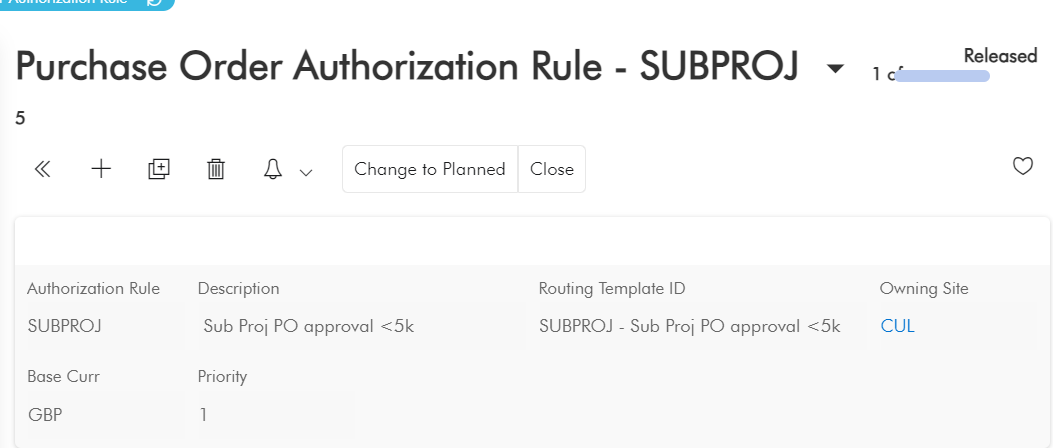
We have an issue relating to PO authorisation.

Authorisation rule has not been fetched .
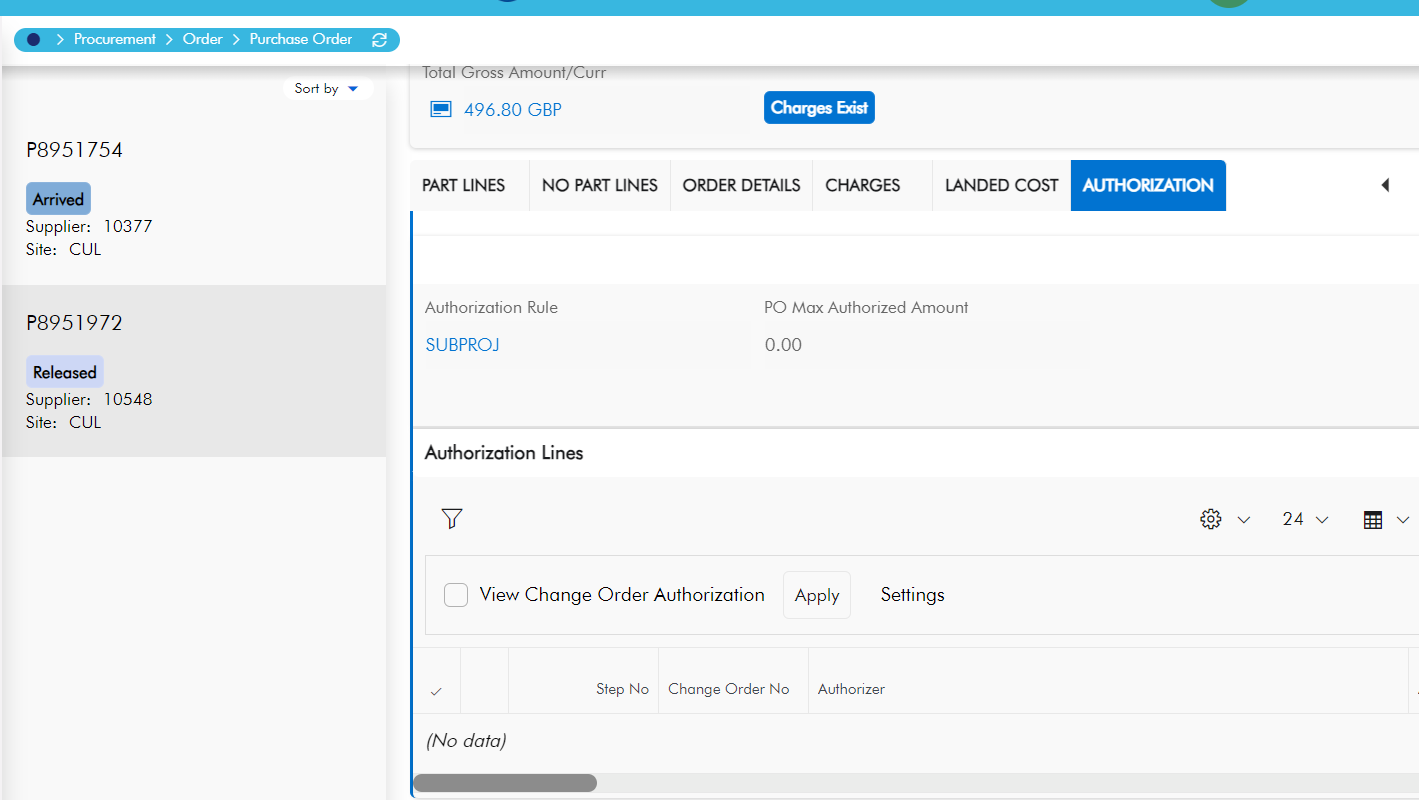
 

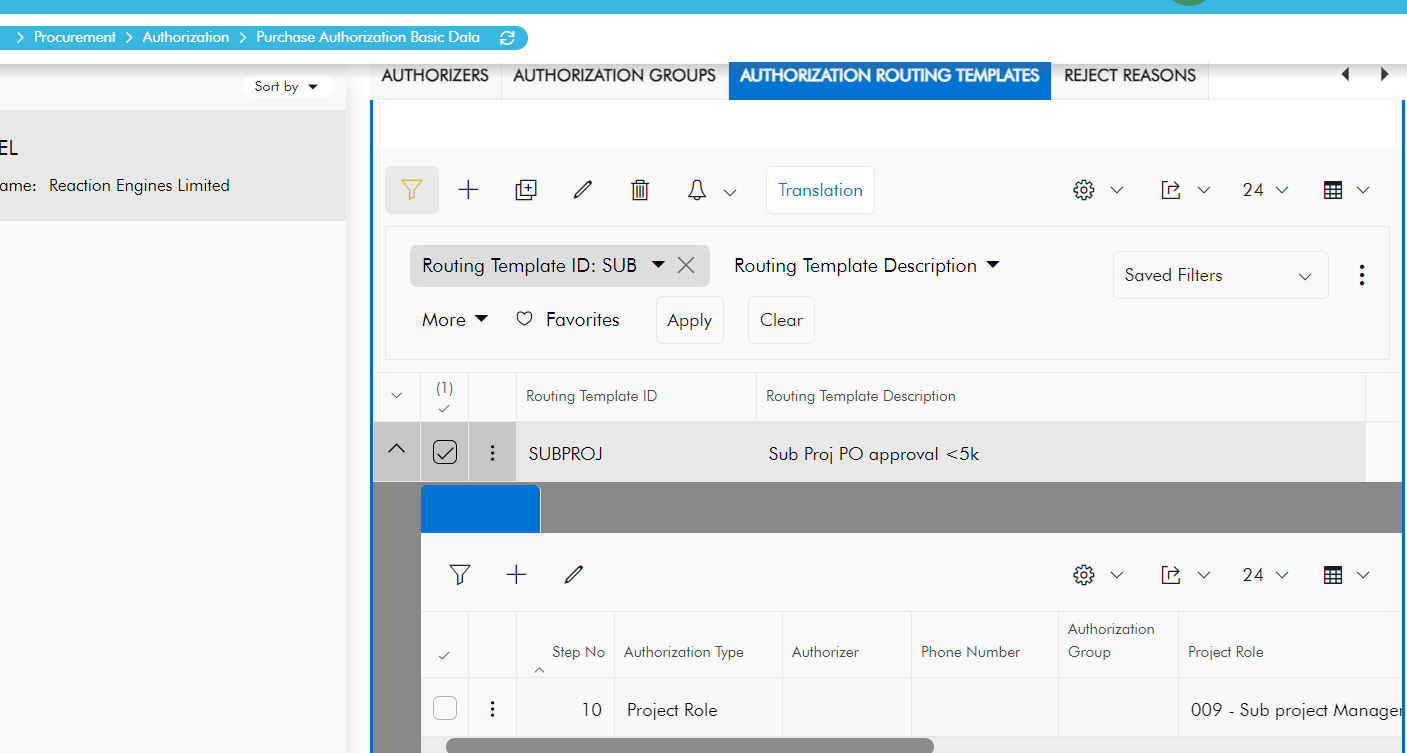
 Authorisation limit per project is entered as 0 ,which might have caused the non fetching of  authorisation rule .
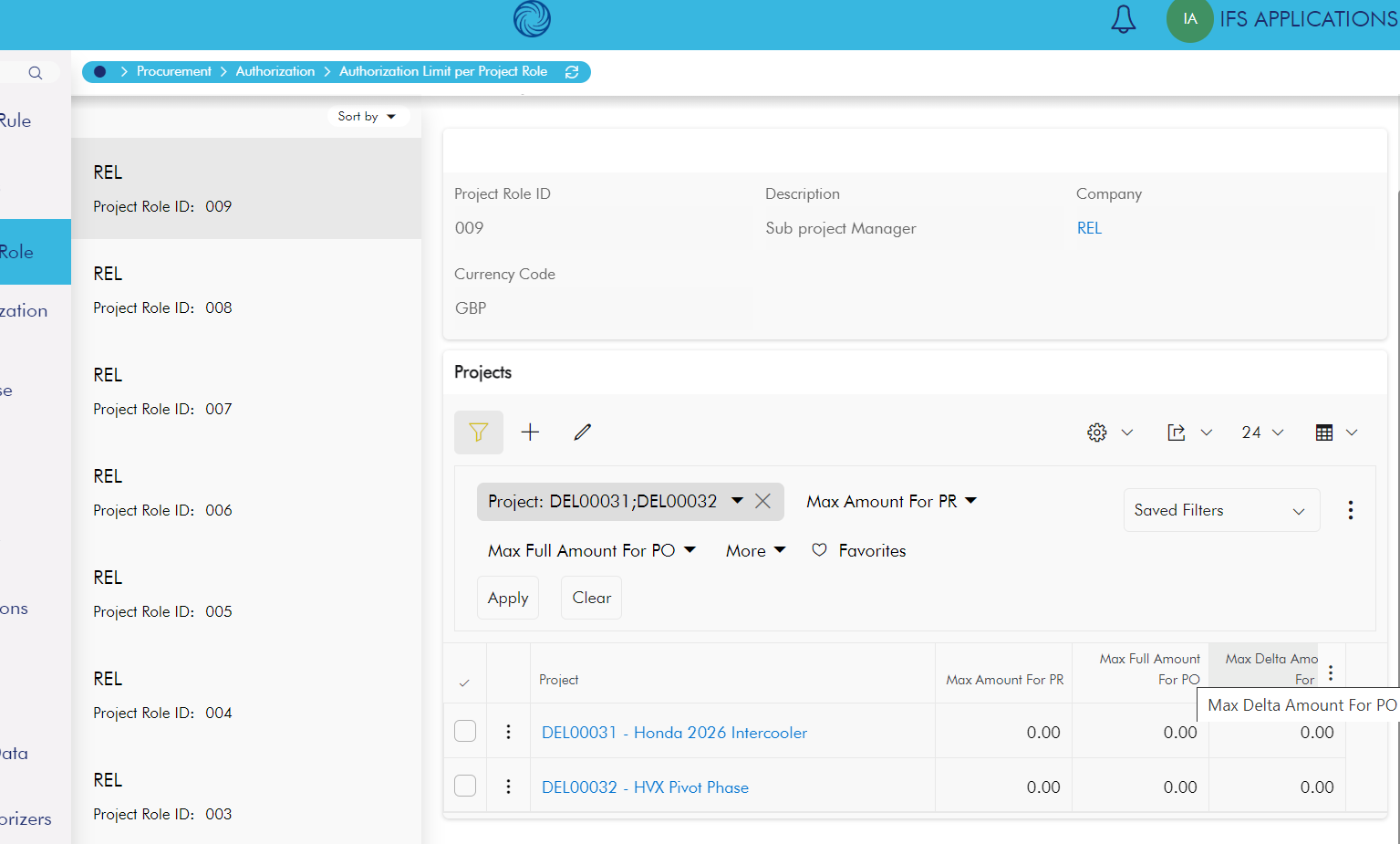
Unable to edit them. 
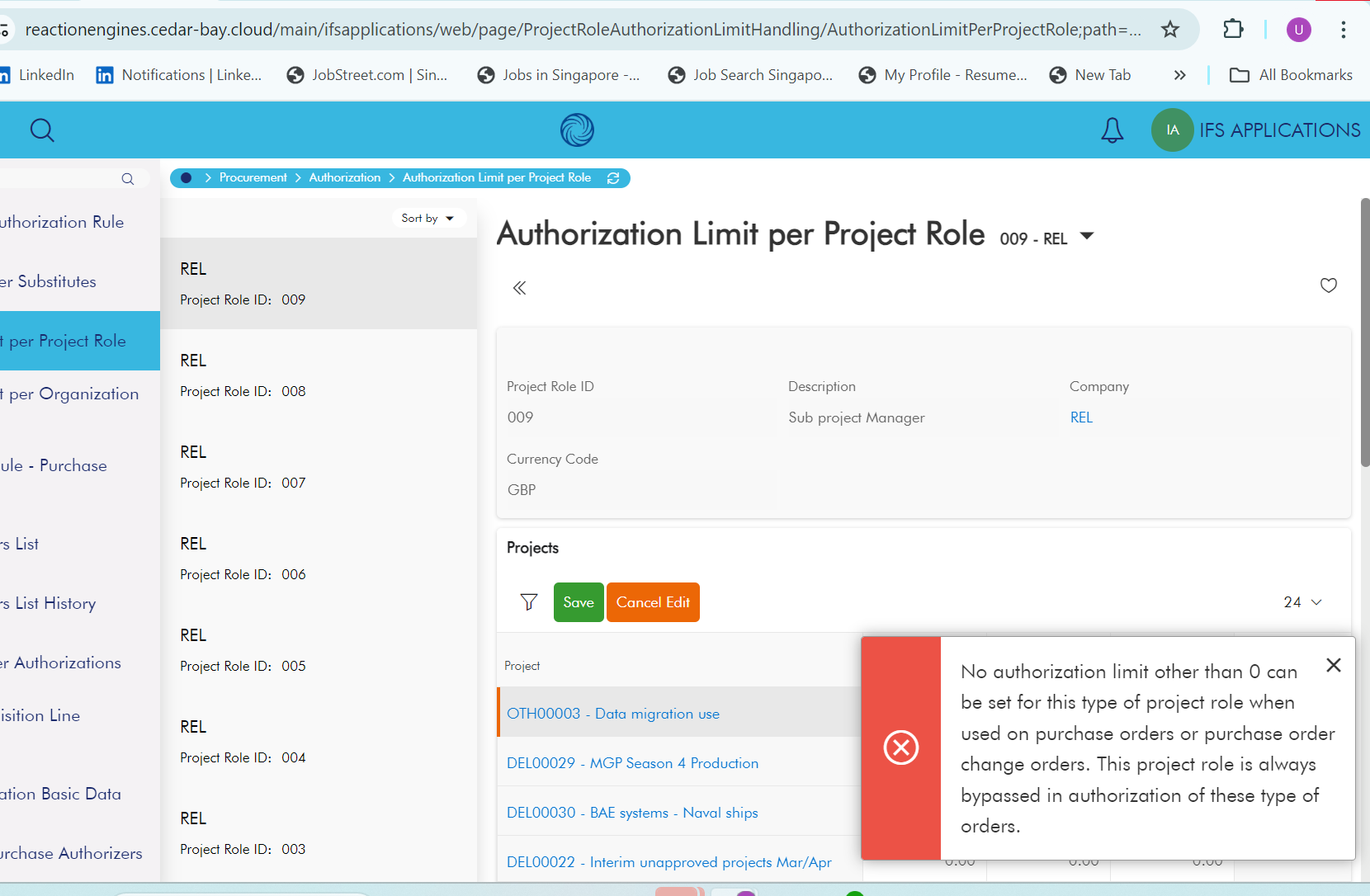
May I kindly know whether   there a way to edit them please .

Thank you.

Kind regards

Udanee

Best answer by Dharmendra

Hi @Udanee ,

Try the solution mentioned in the KBA-KB0049808. Thank you.

6 replies

Forum|alt.badge.img+7
  • Hero (Partner)
  • October 9, 2024

Hi @Udanee - is the role assigned on the project? Is that user setup as an authorizer in the correct company? What other criteria do you have set within the Auth Rule?


Dharmendra
Hero (Employee)
  • Hero (Employee)
  • Answer
  • October 9, 2024

Hi @Udanee ,

Try the solution mentioned in the KBA-KB0049808. Thank you.


Forum|alt.badge.img+8
  • Author
  • October 9, 2024

Hi @Udanee - is the role assigned on the project? Is that user setup as an authorizer in the correct company? What other criteria do you have set within the Auth Rule?


Yes .I will check further .Thanks a lot 


Forum|alt.badge.img+8
  • Author
  • October 9, 2024

Hi @Udanee ,

Try the solution mentioned in the KBA-KB0049808. Thank you.

Thanks a lot .I will check


Asela Munasinghe
Superhero (Customer)
Forum|alt.badge.img+24

@Udanee ​@Dharmendra I can't see this KB. Can you please copy it here? I am also having an issue where I am not able to limit the authorization steps according to the limits. 


Dharmendra
Hero (Employee)
  • Hero (Employee)
  • August 10, 2026

@Udanee ​@Dharmendra I can't see this KB. Can you please copy it here? I am also having an issue where I am not able to limit the authorization steps according to the limits. 


HI ​@Asela Munasinghe , The KBA has expired, which is why it is no longer accessible to anyone. However, the solution provided in the KBA is available below for reference.
--------------------------------------------------------------------------------------------------

In purchase orders, it is avoided to use the roles of sub project manager and activity responsible for authorization of PO as only the project ID is known on the header level. Only "Project Manager" and "Other" are the types of roles which will act as Authorizer for purchase order.  In other words, when it comes to authorizer flow of purchase order, only "Project Manager" and "Other" are supported.

PO authorization process is for PO header level and not a line specific authorization. A PO can connect to several activities that belongs to several sub project level. So, it is not logical to request to authorize a PO by a sub project manager. PO authorization is done on header level, so that all the PO lines will authorized at once. If you have different sub project managers responsible for different PO lines, it is not possible to have it.

As the authorization of purchase orders are done against the header (and not

the lines like for the requisitions) the system can’t find the specific activity or sub project the purchase order is connected to. Project roles connected to sub project or activities are therefore by passed (not generated) by the generation of authorization steps to the PO.

You can verify this by going to “Authorization Limit per Project Role” window, and try to add a value other than zero for, Max Full Amount for PO for a project role with sub project manager, it will give you an error with the message “No authorization limit other than 0 can be set for this type of project role when used on purchase orders or purchase order change orders. This project role is always by passed in authorization of these type of orders.”.
----------------------------------------------------------------------
If you still require any further assistance, please feel free to create a support task, and team will help you on this. Thank you!

Regards,
Dharmendra