Answer

Change Column Label Name

  • December 4, 2025
  • 2 replies
  • 25 views

Hi everyone,

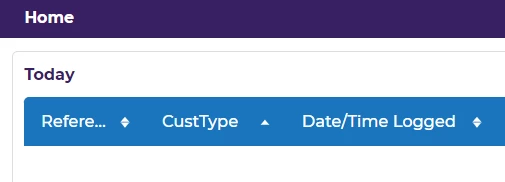
I’m having an issue updating a column label in assyst Net.
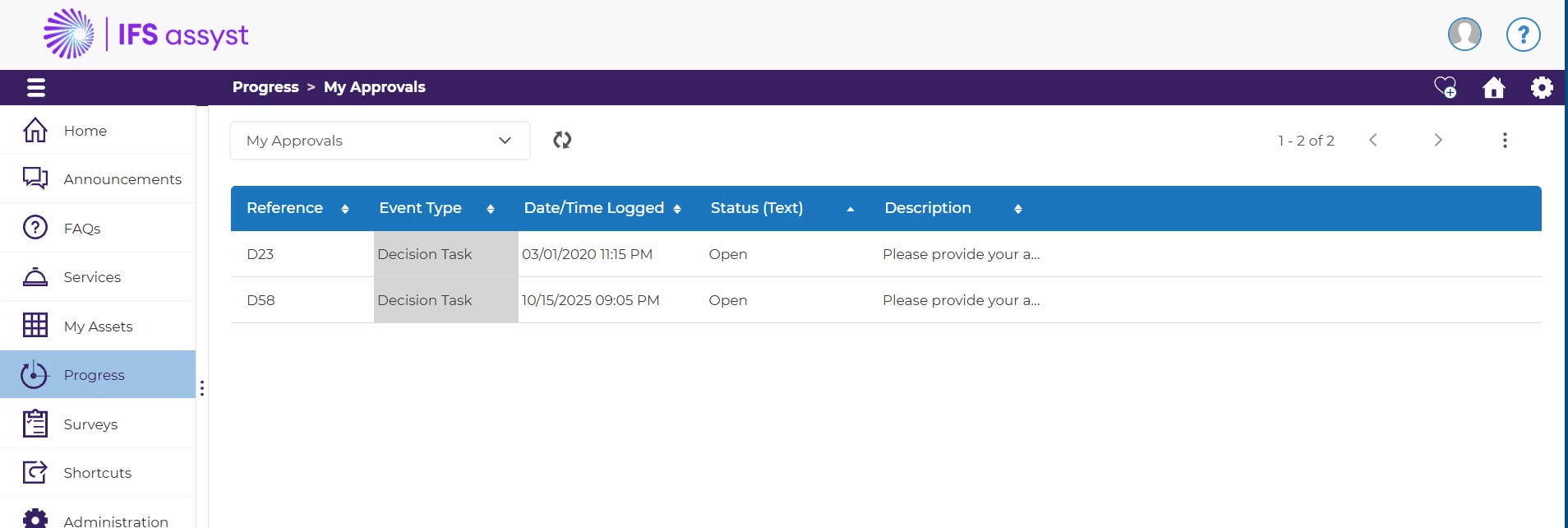
I’m trying to change the label for “Event Type” using the IFS key:

monitor.event.eventType

The problem is that assyst is not picking up the new value for this specific label.
What’s strange is that other nearby/adjacent columns change normally using their IFS keys and the new labels appear in the UI, but only “Event Type” refuses to update no matter what I set.

Has anyone seen this before?
Is “Event Type” controlled from another key/location (hard-coded, system label, different resource)?
Any advice on where to check or how to force it to take the new label would be appreciated.



Best answer by Caroline Schaffner

Hello Manaf,

It worked for me for assystNet when I used monitor.event.eventTypeEnum
 

I hope this helps.

Best Regards,
Caroline

2 replies

Forum|alt.badge.img+13

Hello Manaf,

It worked for me for assystNet when I used monitor.event.eventTypeEnum
 

I hope this helps.

Best Regards,
Caroline


Hello Manaf,

It worked for me for assystNet when I used monitor.event.eventTypeEnum
 

I hope this helps.

Best Regards,
Caroline

Dear Caroline,

Thank you very much for your helpful reply and for sharing the solution. Your suggestion to use monitor.event.eventTypeEnum was spot on, and it allowed me to resolve the issue successfully.

I truly appreciate your support and cooperation.

Kind regards,
Manaf R Al-Omari