

Question

Cannot choose any Stage Action Types in Process Designer

  • July 8, 2026
  • 1 reply
  • 25 views

BerenguerE
Sidekick (Employee)
Forum|alt.badge.img+5

Bear with me guys… I’m new at Assyst… :)

I’m creating my very first process in Assyst and when I try to create a new stage or decision and click to select an existing action type in the form, it gets none listed:
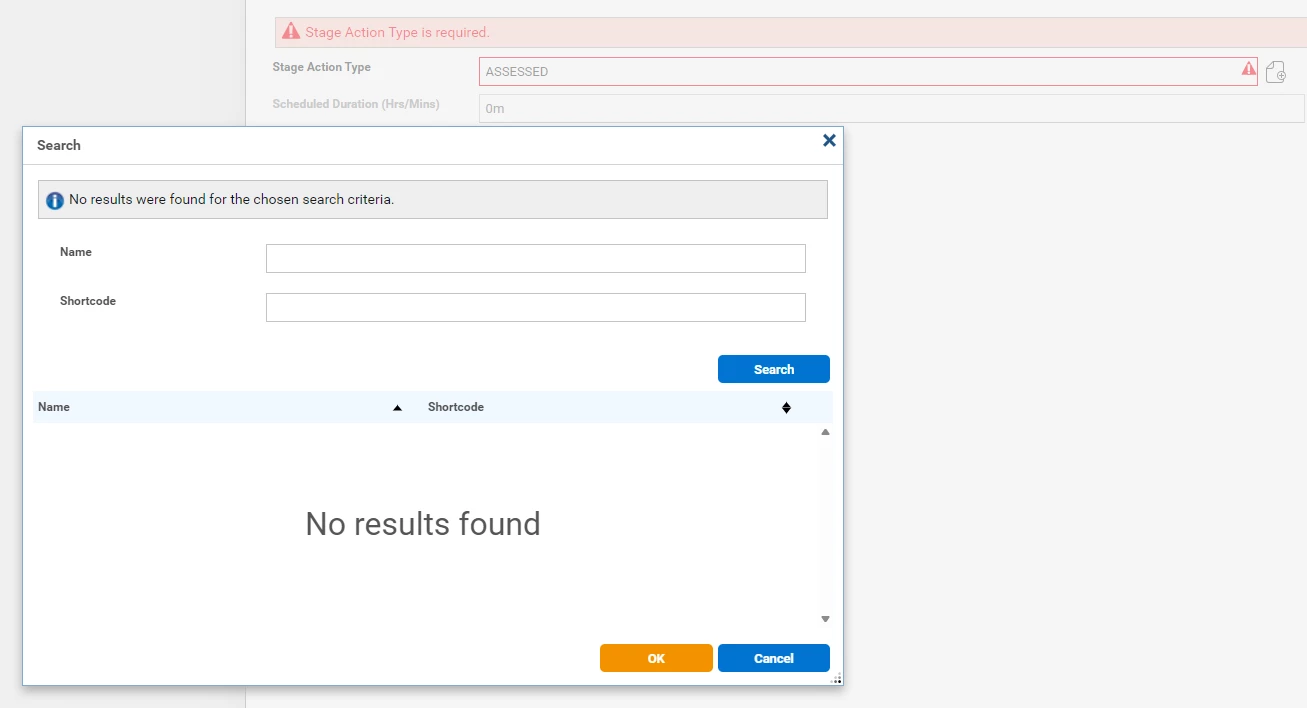
I have permission to do anything in the system… I’ve already checked my PG and it’s all granted to my user. What am I doing wrong? I was unable to find anything related to permissions needed to be done in this process… 

Any help will be really appreciated. :)

Thanks!

Elaine Berenguer

1 reply

Hi Elaine,

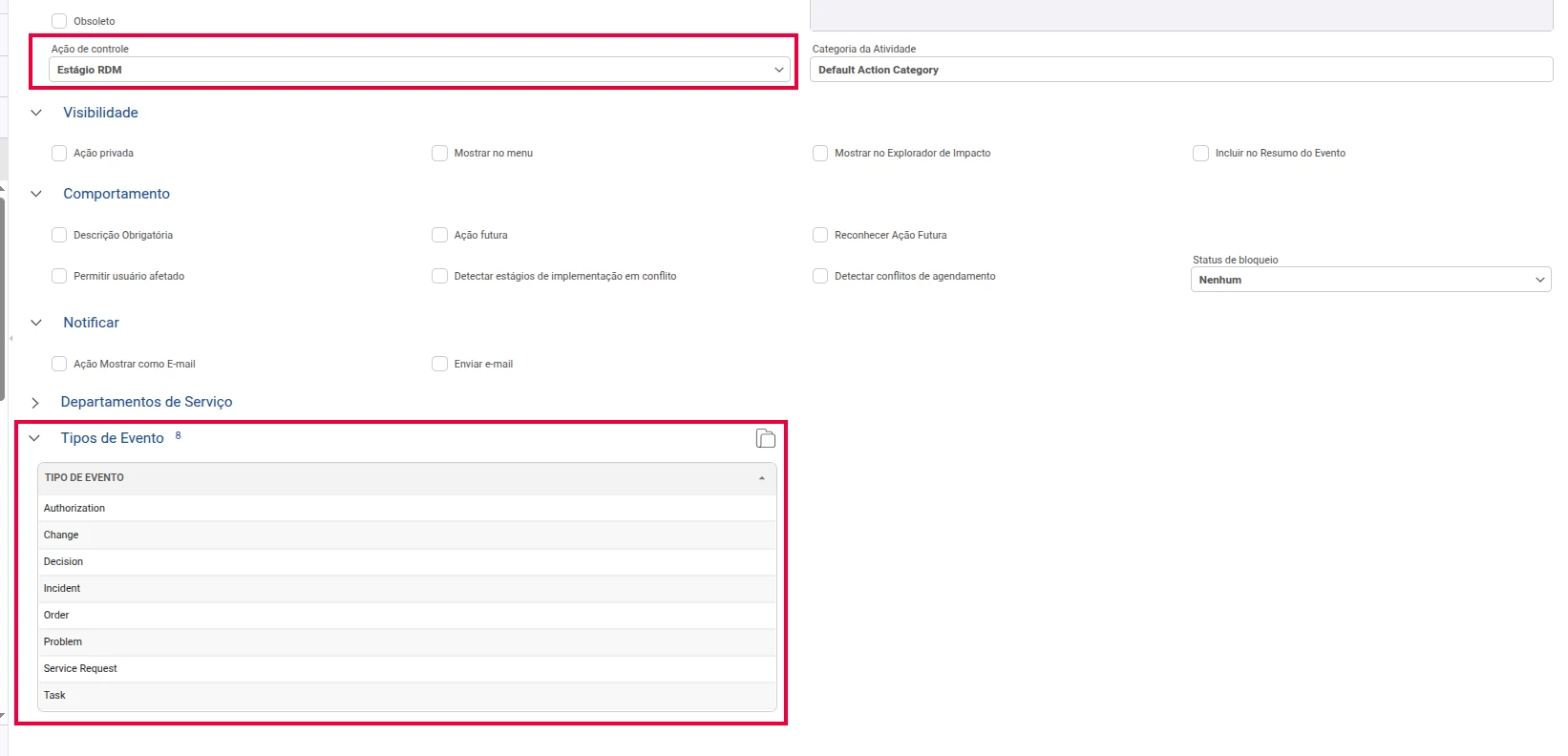
Please check the Controlling Action of the Action Type you are trying to select.

For it to appear when creating a new Stage in Process Designer, the Action Type must have its Controlling Action set to:

RFC Stage

If the Action Type is configured with a different Controlling Action, it will not be listed in that selection window.

Regards,
Manaf