Question

Answer Decision Task from Email

  • June 26, 2026
  • 3 replies
  • 23 views

Forum|alt.badge.img+5

I’m attempting to configure a Decision Task Notification email to include links to each potential Answer of a Decision Task so that the Decision Task can be answered from the email.

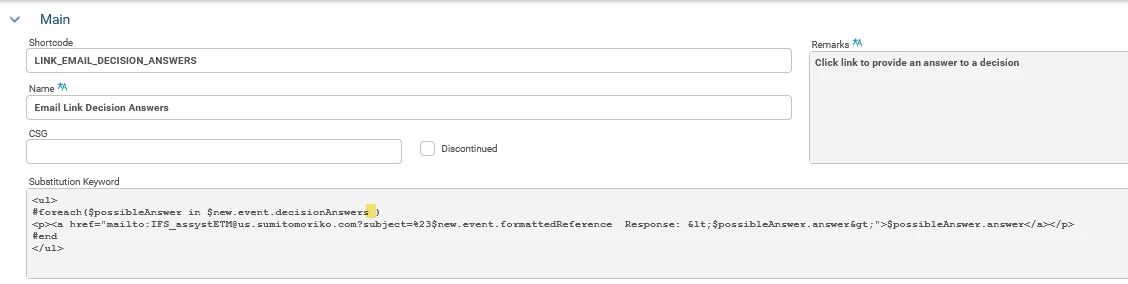
I’m using Assyst 25R1 SU1.  I have the Substitution Keyword LINK_EMAIL_DECISION_ANSWERS with the following expression.  The expression was included with the Foundation Build.

<ul>
#foreach($possibleAnswer in $new.event.decisionAnswers)
<p><a href="mailto:mbr@anycorp.com?subject=%23$new.event.formattedReference  Response: <$possibleAnswer.answer&gt;">$possibleAnswer.answer</a></p>
#end
</ul>

The mailto: has been updated to use the mailbox that is being monitored by ETM.

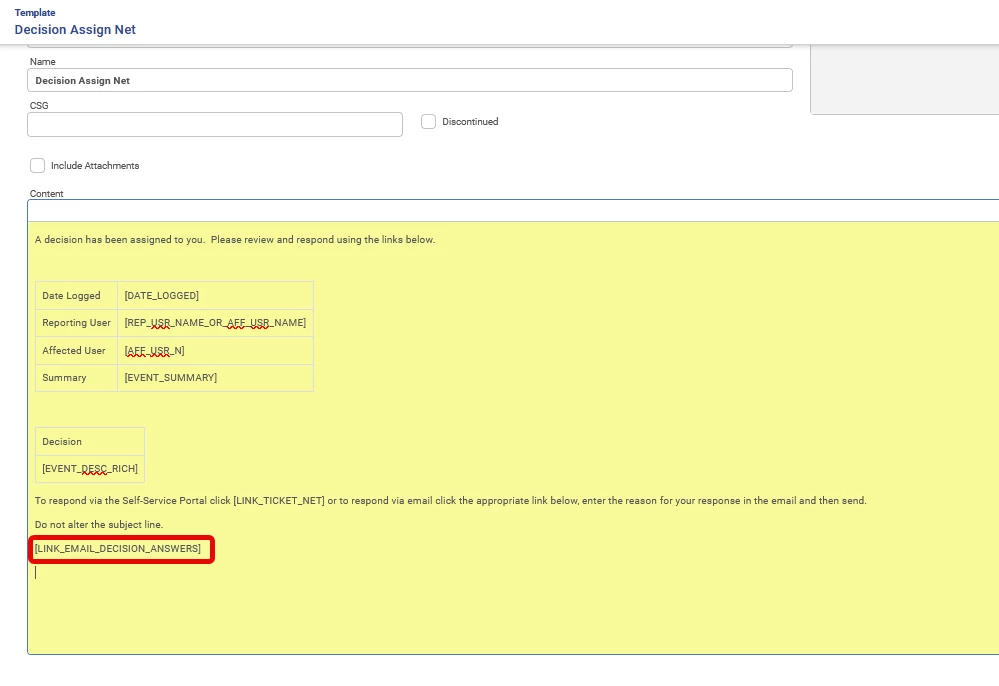
When I include the LINK_EMAIL_DECISION_ANSWERS Substitution Keyword in my Notification Email Template the email doesn’t get sent.  However, if I remove this Substitution Keyword the email will send successfully.

Does anyone see an issue with the above expression or are you able to provide an alternative expression to do what I’m attempting to do?

Thanks,

3 replies

Forum|alt.badge.img+7

The text of your expression looks fine - though there is maybe a questionable bit of markup in the example above - it will resolve to something like 


<Yes&gt;\">Yes</a></p>\n<p><a href=\"mailto:mbr@anycorp.com?subject=%23D158  Response: <No&gt;\">No</a></p>\n\n</p>


I’m not sure those <Yes>”> tags are what the example intends (unless there is something parsing the response?). Either way though - they should not prevent the email leaving assyst.


You could try using the script above directly instead of via a substitution keyword, there is a chance something is clashing with other scripts.


You might also find it easier  to test if you use the REST method POST ../evaluate/template which should let you pass the templateId, contextPath (“/actions”) and contextObjectId (the action ID) to see what the  template resolved to 

With the feature “Enable diagnostic error information” (configured via system parameters) any error returned should include the  template resolution error message in full. 


Forum|alt.badge.img+5
  • Author
  • Do Gooder (Partner)
  • June 26, 2026

Thanks ​@Alan Macfarlane .

I updated the Substitution Keyword expression to include a space here, between decisionAnswers and the closing bracket $new.event.decisionAnswers ).

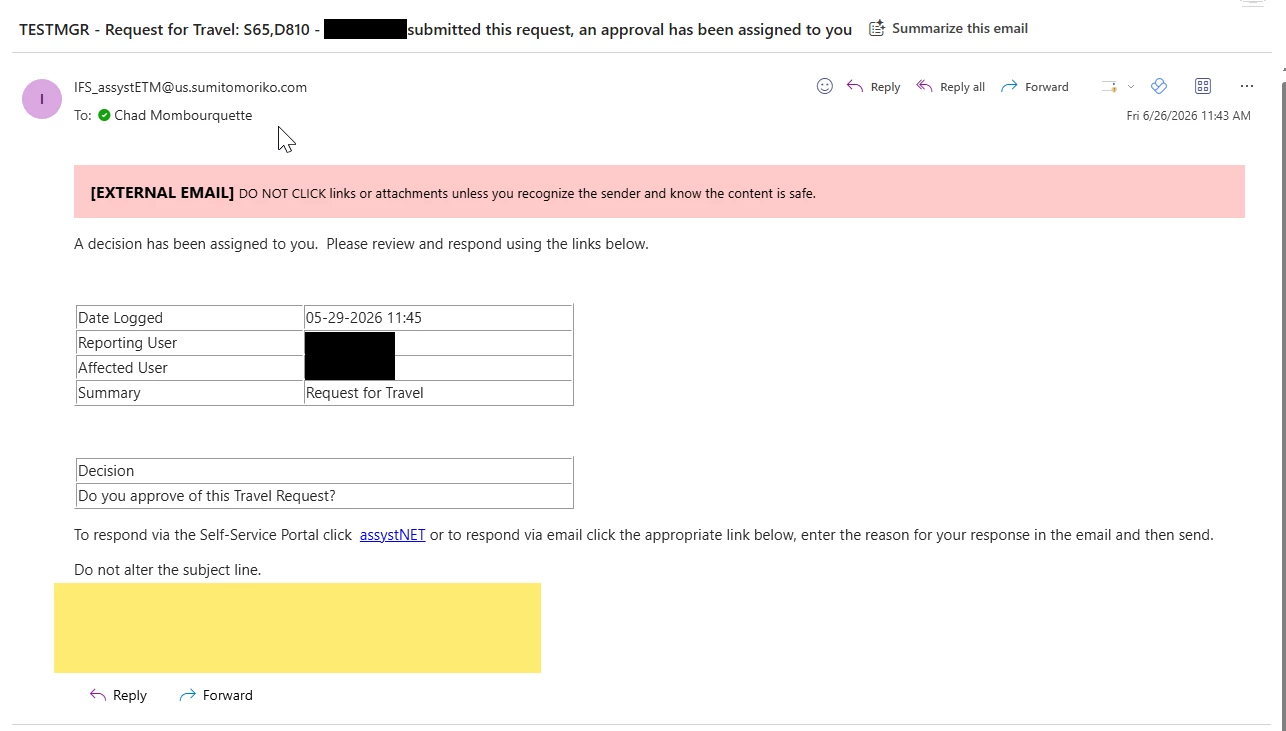
After doing this the email is now being sent.  However, it now seems like the Substitution Keyword is being ignored.

Email Template

Email Received

I saw a previous post that said that $new.event.decisionAnswer.answer should be used to get a Decision Task Answer.  Is $new.event.decisionAnswers the proper expression to get all potential Decision Task Answers?


Forum|alt.badge.img+7

So the trailing bracket issue was a bug in the version  you are on I think (fixed in later versions). 

decisionAnswers on an event is an array of choices for a decision. The event (if it is also a Decision) will include a property called  decisionAnswer (singular), which is the answer chosen by the user on the decision once it has been taken. 

If substitution keyword changes are not being reflected by the application that may be an issue with the keyword cache (again, fixed in later versions).  A server restart would confirm.