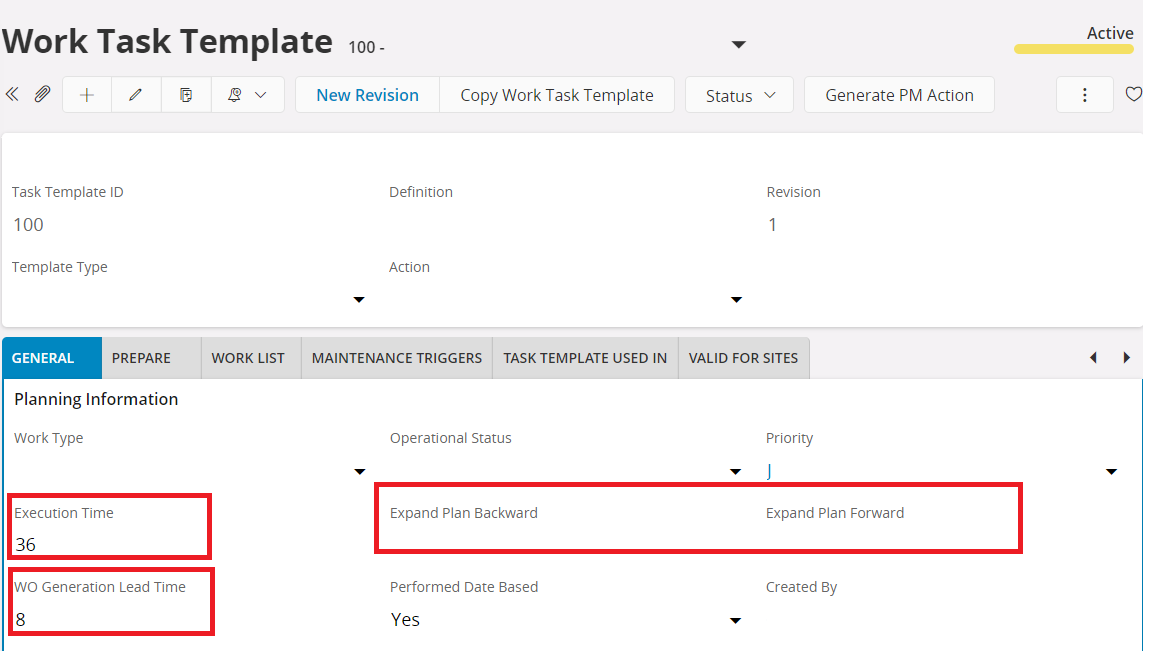
is it the nbre of days the workorder is generated before the due date ?
is it in hour ? days ?
Expand Plan Backward,
Expand Plan Forward ?
Regards,
Best answer by Supun Ekanayake
Hi @Djedai ,
Please find the below explanations for the requested fields,
Execution Time: This field can be used to specify the number of hours that you expect the work to take.
WO generation Lead Time: Indicates how many days before the Due Date a Work Order is generated for a Maintenance Plan line.
Expand backward: The duration Earliest Start is to be extended from the Due Date in the maintenance plan. If a value is set to this field, Earliest Start = Due Date - Expand Backwards. When assigning a value to this field it is important to consider the Interval and the Expand Forward values of the PM action to avoid overlapping maintenance plans.
Expand Forward: The duration Latest Finish is to be extended from the Due Date in the maintenance plan. If a value is set to this field, Latest Finish = Due Date + Expand Forward. When assigning a value to this field it is important to consider the Interval and the Expand Backwards values of the PM action to avoid overlapping maintenance plans.
Please find the below explanations for the requested fields,
Execution Time: This field can be used to specify the number of hours that you expect the work to take.
WO generation Lead Time: Indicates how many days before the Due Date a Work Order is generated for a Maintenance Plan line.
Expand backward: The duration Earliest Start is to be extended from the Due Date in the maintenance plan. If a value is set to this field, Earliest Start = Due Date - Expand Backwards. When assigning a value to this field it is important to consider the Interval and the Expand Forward values of the PM action to avoid overlapping maintenance plans.
Expand Forward: The duration Latest Finish is to be extended from the Due Date in the maintenance plan. If a value is set to this field, Latest Finish = Due Date + Expand Forward. When assigning a value to this field it is important to consider the Interval and the Expand Backwards values of the PM action to avoid overlapping maintenance plans.
Cloud 22R2 used for reference when writing this reply.
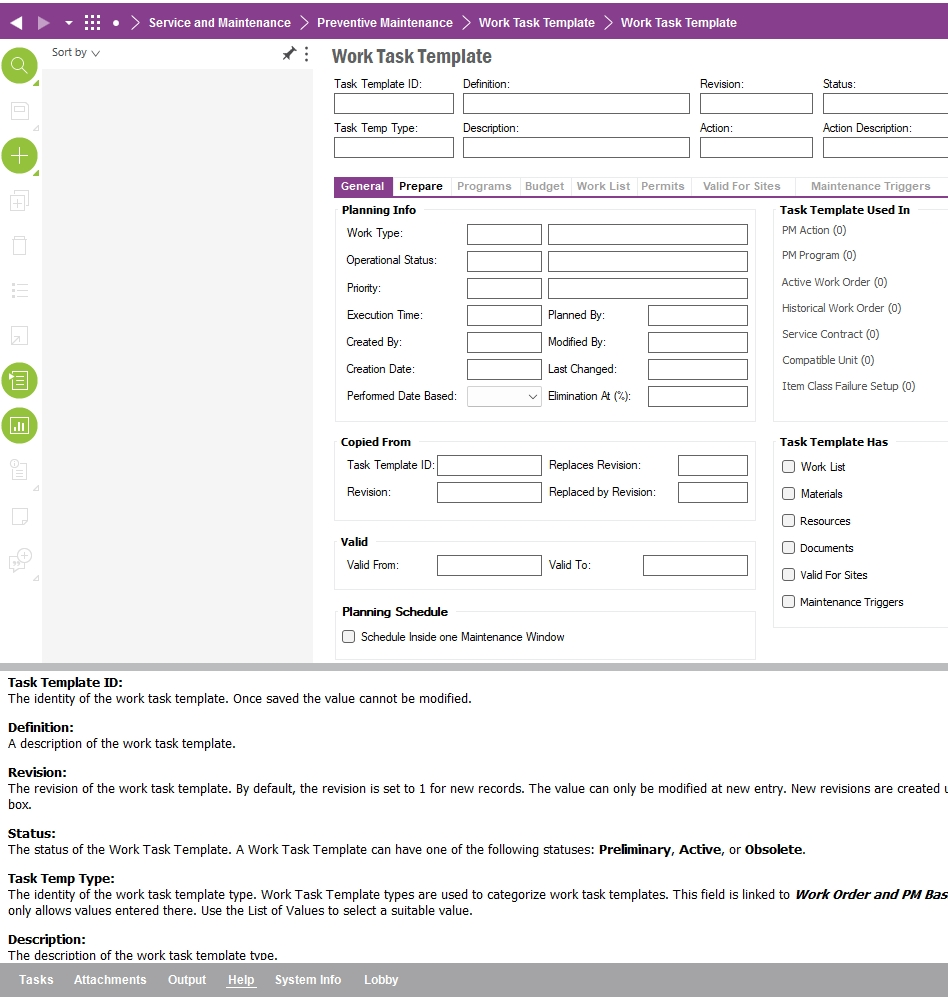
Task Template page field descriptions are missing as mentioned in this thread. Additionally the IFS Cloud page help opens a search page with over 260 hits of potential help pages for Task Template page, assuming the user will go through them to find the answers. Most probably some of the pages will give the user the answer what the field “Execution Time” is for or should the values be in hours or days.
In IFS 10 You could press the “help” button and one would get the … field descriptions! Now the documentation is scattered in the community threads like this. @sueklk does a good job in describing these fields, but this will not be sufficient for IFS Cloud end users.
The wait for documentation after IFS 10 has been long. Sorry for being outspoken, but I truly hope IFS would raise the ambition level and release field documentation and page helps for IFS Cloud. For now I will store descriptions like this in a separate word file for future reference.