

Question

Service contract on PM Action

  • Nov 3, 2026 3:51 PM UTC
  • 5 replies
  • 37 views

Forum|alt.badge.img+3

Is it possible to have the PM Action (and then Work Task) to pick up a Service Contract, if the service contract has a wild card as the Work Type?

I am using Auto Find Service Contract on the PM and Auto Use On PM on the Service Contract. Still getting errors when the Work Type=% on the Service Line

As I am understanding the documentation, wildcard should be applicable to all Work Types on the PM Action.


Anyone using this setup?

5 replies

CSheprutterkey
Hero (Partner)
Forum|alt.badge.img+9

​@ChristianB , 

What is the error you are getting? If IFS Cloud the % is not available on the service lines. 


Forum|alt.badge.img+3
  • Author
  • Sidekick (Customer)
  • Nov 5, 2026 7:33 AM UTC

​@CSheprutterkey 

I am clearing the field Work Type on the service line, then the system puts a wildcard (%).


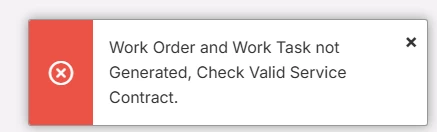
When trying to generate a PM with this setup, I am getting the following error message:


If I am changing the Work Type on the Service Line to the same on the PM, then no problem and the service contract and line is connected to the Work Task.

Reading the documentation, it seems like the wildcard option should work, i.e. be applicable for all Work Types. 


For me this looks like a bug.


CSheprutterkey
Hero (Partner)
Forum|alt.badge.img+9

​@ChristianB ,

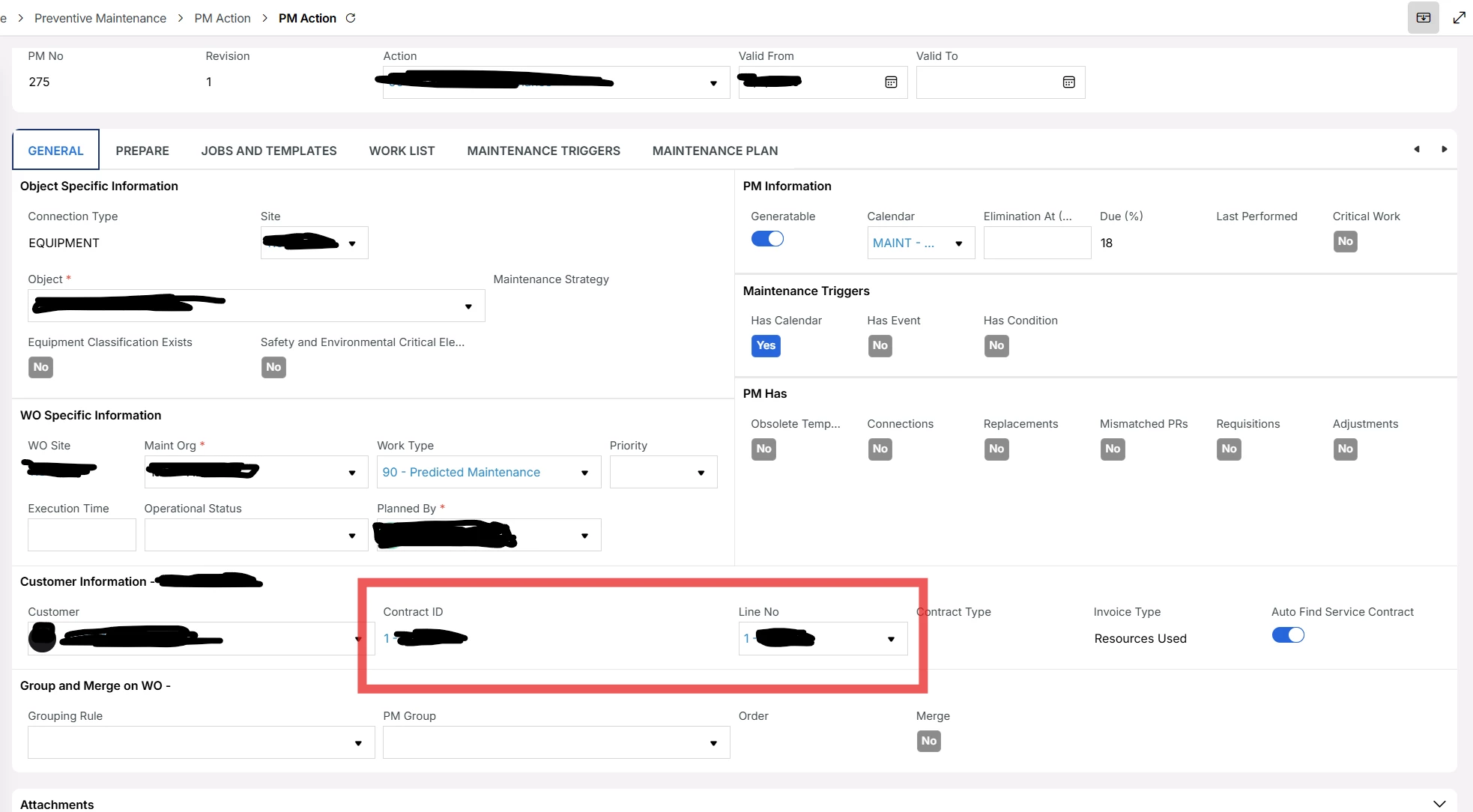
On your PM Action does it display the Contract ID and the Line No? 

I was able to duplicate the issue, when my PM Action did not have a Line No.  After I updated the work type with something other than the wild card I was able to move forward. 


Forum|alt.badge.img+3
  • Author
  • Sidekick (Customer)
  • Nov 9, 2026 9:34 PM UTC

​@CSheprutterkey 

Contract id always has a number, even when there aren’t a customer. Not sure why. The link takes you to an empty list page.

Line Id is empty. Would say this is the whole point, when using auto find the contract, you shouldn’t have to add it yourself.

When generating a Work Order from the PM, the Line No will be on the connected work tasks.


Forum|alt.badge.img+5
  • Do Gooder (Employee)
  • Nov 11, 2026 9:26 AM UTC

Hi ​@ChristianB,

I suspect it works fine when you create a work order and connect it to the contract? And that you get an error message even if you try the select the contract line manually without “Auto Find Service Contract”?

Can you raise a support case for it? 

I also think the Auto Find Service Contract looks a bit strange since it seem to add a contract that doesn’t exist automatically. Even if the selected equipment is not covered by any contract at all.

And ideally, yes - the “%” should make it cover all work types, not use it as the work type.