


We have identified a limitation in IFS Applications related to overtime registration via the Work Task page, where the recorded overtime does not reflect under attendance hours in the Time Registration.
Steps to Reproduce
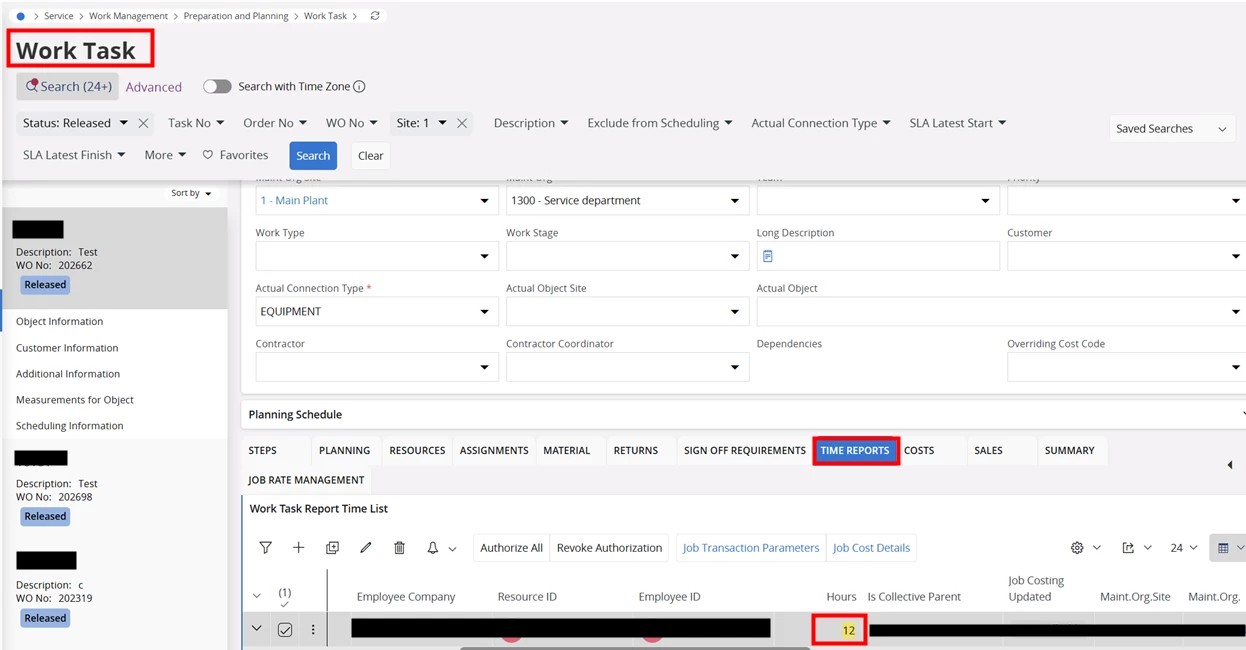
- Navigate to the Work Task page.
- Add time reports by registering overtime hours (e.g., 12 hours).>Authorize the Time
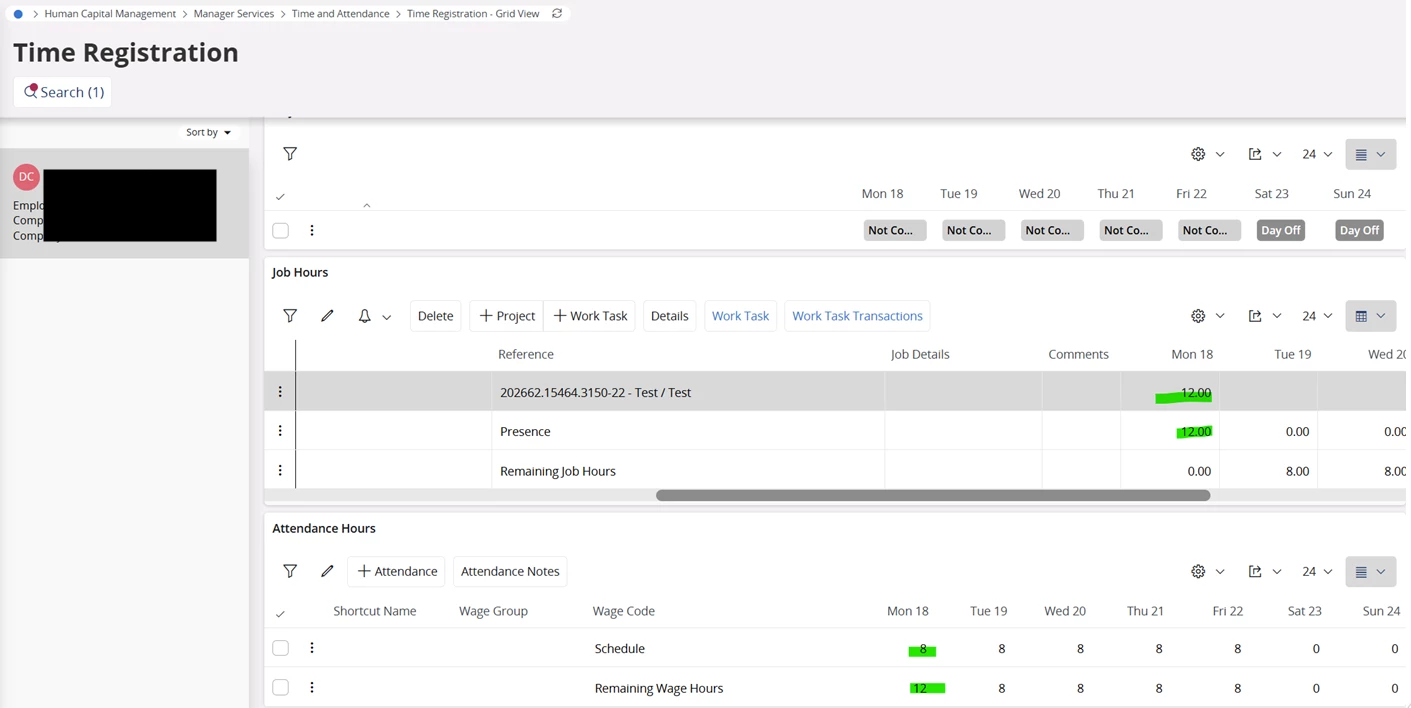
- Navigate to Time Registration-Grid View.
Observed Behaviour
- The overtime recorded through the Work Task page is not reflected under attendance hours in the Time Registration Grid View.
- However, when the same overtime is manually added directly in the Time Registration Grid View, the attendance hours are updated correctly.
Expected Behavior
- Overtime recorded via the Work Task page should automatically appear under attendance hours in the Time Registration Grid View.
- Users should not need to manually re-enter overtime in the grid view.
Business Requirement
- If the Work Task page allows to enter the Job Hours, it should allow to enter the attendance hours as well
- Register overtime exclusively via the Work Task page, and
- Have it automatically reflected under attendance hours in Time Registration.
From a functional perspective, this appears to be a product gap, as overtime recorded through operational tasks is expected to align with attendance tracking.
It would be highly beneficial if this behavior could be reviewed and considered for a future enhancement, allowing:
- Overtime recorded via Work Tasks to be automatically included in attendance hours, and Eliminating the need for duplicate manual entries.
- Has anyone encountered a similar requirement?
- Are there any alternative approaches currently being used to handle this scenario?