


Question

New triggers available after upgrading to 25R1

  • April 23, 2026
  • 1 reply
  • 26 views

Forum|alt.badge.img+1

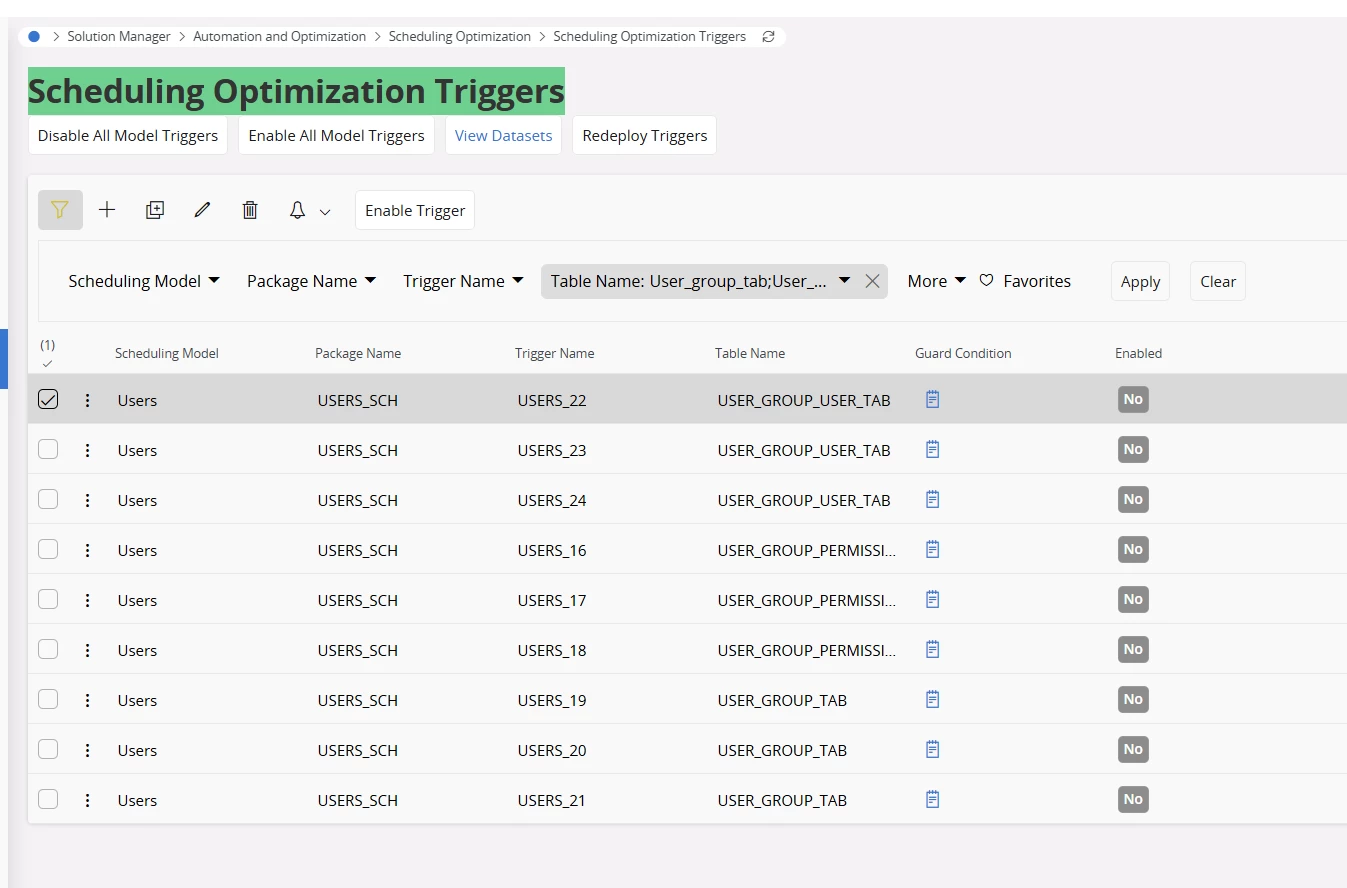
The customer has been upgraded to version 25R1 and observed that several triggers in the Scheduling Optimization Triggers window are currently in a disabled state.

In the core application, these triggers are available starting from version 24R1 and are also delivered in a disabled state.

The customer’s concern is whether these triggers should remain as they are or if they need to be manually enabled.

Additionally, they would like to understand if there is any impact in keeping these triggers disabled.

Any information will be greatly appreciated. 


Thank you,

Madushani 

1 reply

Forum|alt.badge.img+10
  • Hero (Employee)
  • May 8, 2026

@Madushani Dissanayake - I don’t have expertise in this area.  But I did some research into Scheduling Optimization Triggers and have found the following:

 - as you said above the triggers for USERS_16 through USERS_24 were indeed added beginning with 24R1 and (also as said above) their default value for Enabled is “NO”

 - There are approximately 100 - 125 other triggers shown on this page with defaults for Enabled set to “NO”

 - according to the PDF document “IFS Cloud - Scheduling Demystified” these triggers are designed to be configurable.  The full document is available at the link below. 

 - The chapter in this document on Administration, Configuration, Troubleshooting describes how the triggers can be set to modify or manage the scheduled updates to PSO optimization data.

Based on the content of this chapter the answer to the customer’s concern about leaving the triggers set to Enabled = NO appears to be that enabling or disabling of triggers would / should be at the customer’s discretion.  This configuration decision would manage the content of the scheduling optimization refreshes process as seen fit by the customer’s users.
