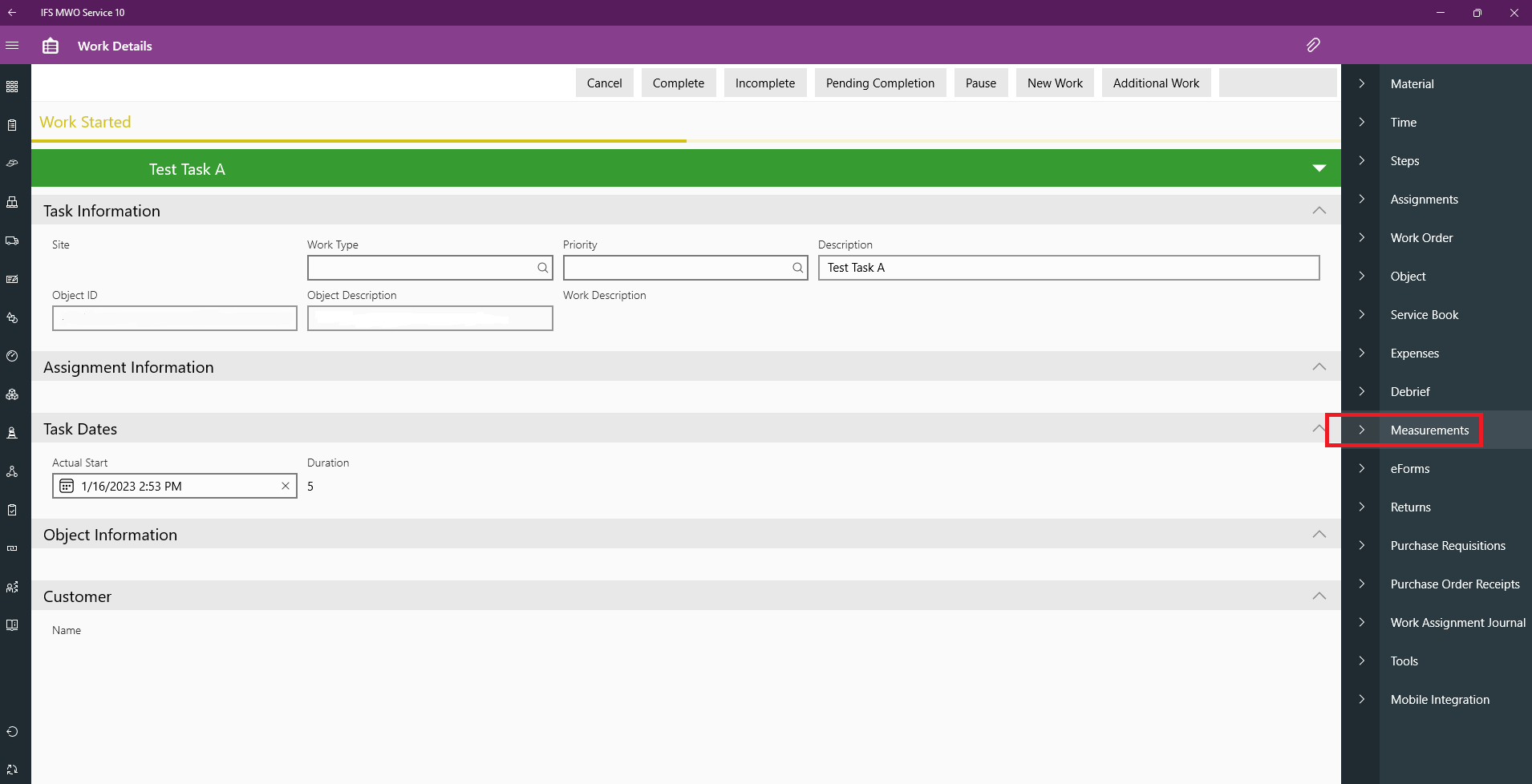
Would you kindly advise if we can add Measurements into the Objects on Work Step level from the MWO App.? We are using the IFS MWO Service 10 and currently the ‘Measurements’ tab allows to set measurements on the Objects appear in the Work Task level. Many thanks for your kind feedback.
Best answer by wrprabash
Hi all,
Would you kindly advise if we can add Measurements into the Objects on Work Step level from the MWO App.? We are using the IFS MWO Service 10 and currently the ‘Measurements’ tab allows to set measurements on the Objects appear in the Work Task level. Many thanks for your kind feedback.
Hi ISD,
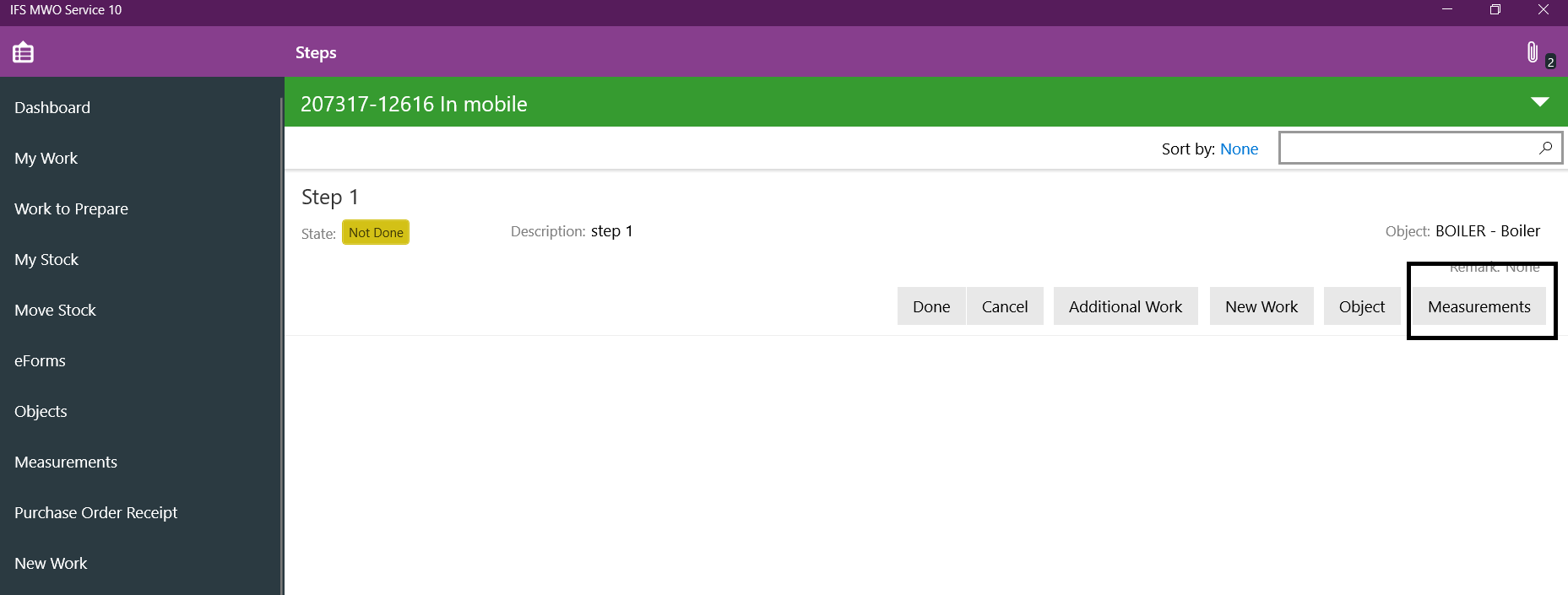
Yes you can enter measurements at task step level in mobile client. In your screen shot you are in 'Measurements’, you need to navigate to 'Steps’, if you have steps, you will see a button to add measurements, provided that the object connected has test points/measurements.
Would you kindly advise if we can add Measurements into the Objects on Work Step level from the MWO App.? We are using the IFS MWO Service 10 and currently the ‘Measurements’ tab allows to set measurements on the Objects appear in the Work Task level. Many thanks for your kind feedback.
Hi ISD,
Yes you can enter measurements at task step level in mobile client. In your screen shot you are in 'Measurements’, you need to navigate to 'Steps’, if you have steps, you will see a button to add measurements, provided that the object connected has test points/measurements.
Hi @wrprabash Many thanks for your prompt advice and it really helped us to resolve a major requirement of our project. As you have mentioned we followed the steps and was enable that button for the Step level. Thanks again.