Question

Card view for BOM (bill of materials)

  • February 17, 2026
  • 3 replies
  • 28 views

Forum|alt.badge.img+1

We are transfering fra IFS10 to Cloud. All our spareparts have pictures connected to the master part, and we are used to seeing the picture in the media window in IFS10 as we click thru the BOM.

In Cloud we need to click several times in the list (binder and folder-tab for every line). 
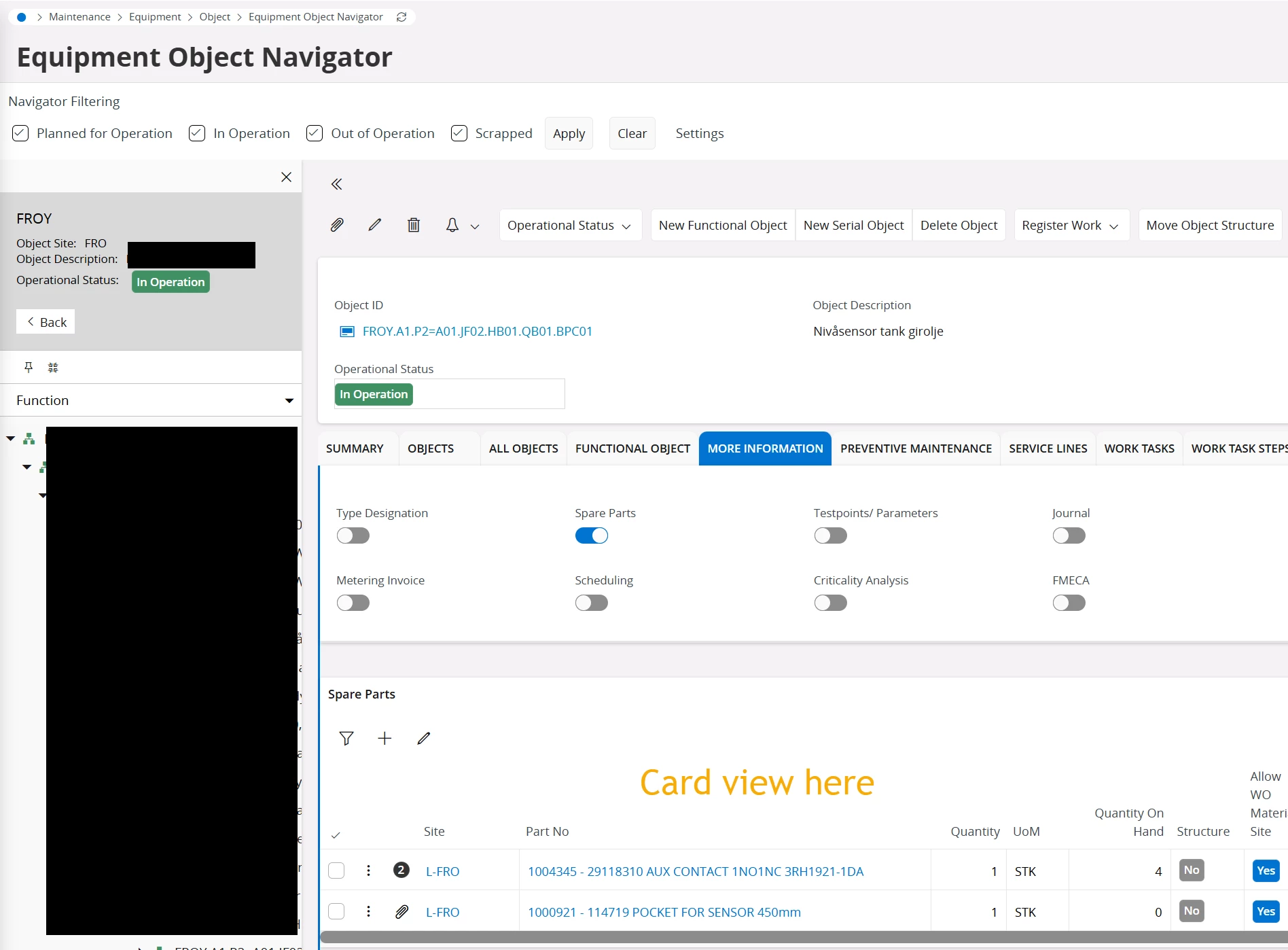
I belive a card view of the BOM would have improved the functionality. Typical place for BOM is shown in picture.

Are there anyone that could explain how an experienced/advanced user in IFS can set this up in Cloud? The explenation in the technical documentation (example with GuitarTab) make me understand it is possible, but it stops there. And our IFS consultants are not to eager to provide a solution :-)
Hope the community can nudge me in a good direction.

 

3 replies

Abdul
Superhero (Partner)
Forum|alt.badge.img+20
  • Superhero (Partner)
  • February 17, 2026

Hi ​@RogerS,

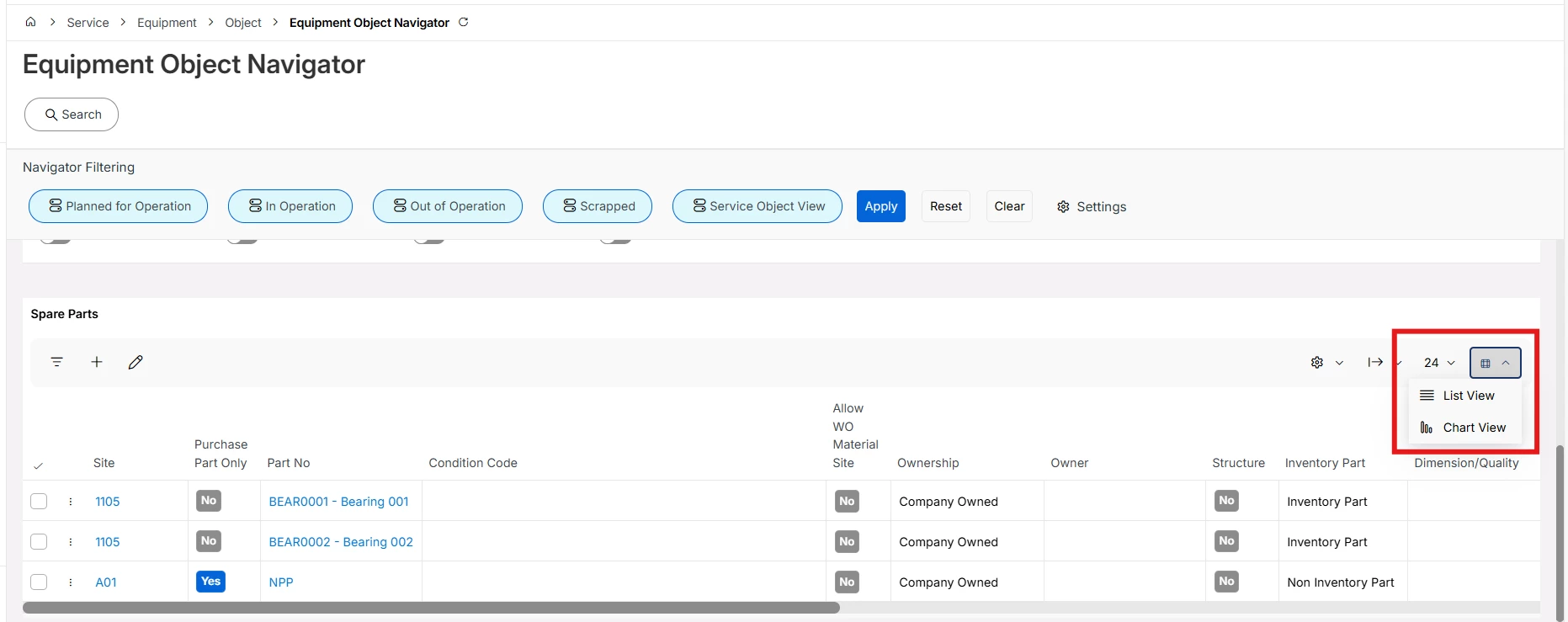
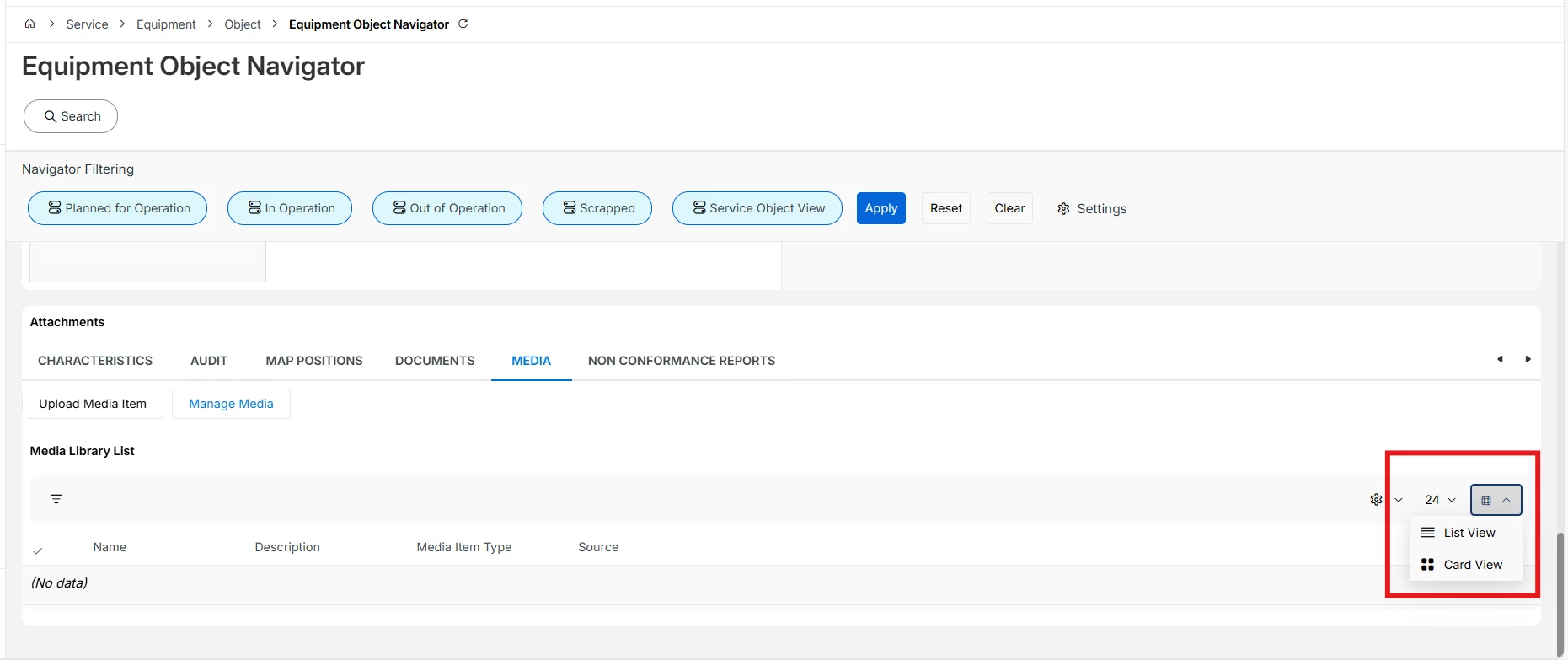
IFS Cloud gives four different options to view the data (List, Table, Cards and Chart), however, Cards option is not available for Spare Part list. 

This needs modification or you can submit an idea for future releases.

Share Your Ideas | IFS Community


Refer below example where business users can change view options.


Regards

Abdul Rehman


Forum|alt.badge.img+1
  • Author
  • Do Gooder (Customer)
  • February 17, 2026

Hi ​@Abdul 
I do understand that the card is not an option for spare part list. So my question - inspired by this paragraph in the technical documentation - is more detailed information on how to proceed making a card view for my company.
 https://docs.ifs.com/techdocs/25r1/060_development/022_user_interface/030_aurena_dev/130_aurena_component_reference/120_client_controls/card/

Thank you for your reply.


Abdul
Superhero (Partner)
Forum|alt.badge.img+20
  • Superhero (Partner)
  • February 17, 2026

Hi ​@RogerS,

You need to do changes in the Projection file. 

This can only be achieved by development only.