Question

Bulk Upload - Business Activities

  • June 10, 2026
  • 1 reply
  • 28 views

Hi everyone.


Just wondering whether it is possible to use a *.csv file with the relevant information in to bulk upload Business Activities into IFS cloud, rather than have to enter each one individually.


Thanks 

1 reply

Forum|alt.badge.img+12
  • Hero (Partner)
  • June 12, 2026

Hi,

You can do this using data migration. 

IFS Documentation


Following will be your steps if you are doing this using migration jobs.

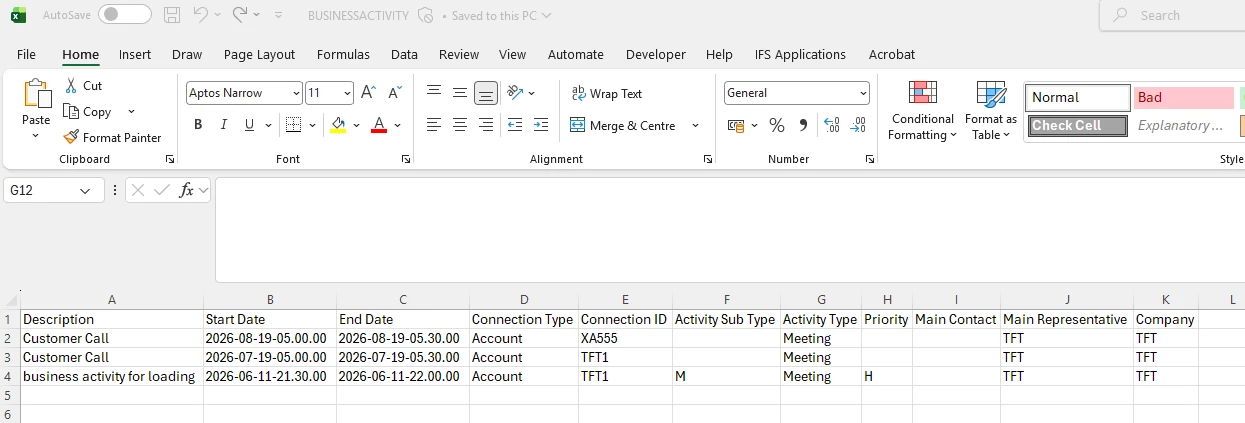
  1. Create a CSV file containing the fields you need. Mine looks like this.
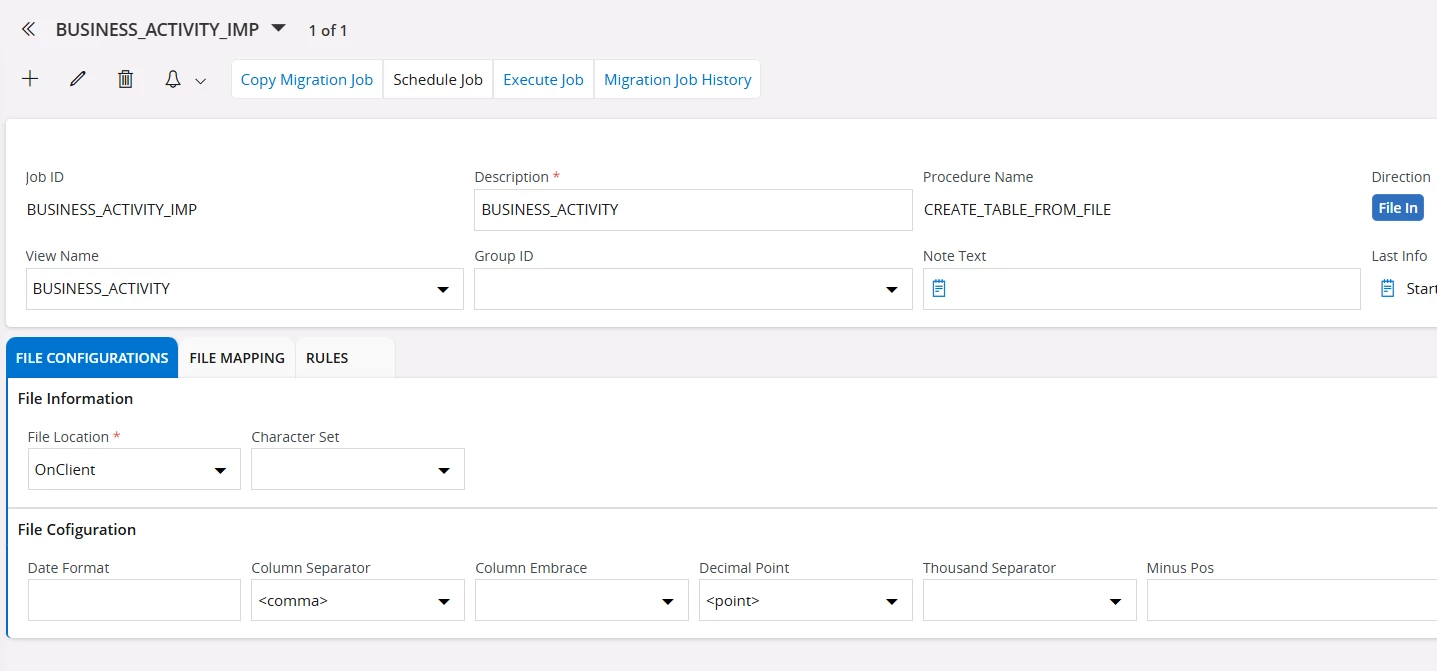
  1. Create a “Create Table from File” type migration job to load this file into the Business_Activity view.
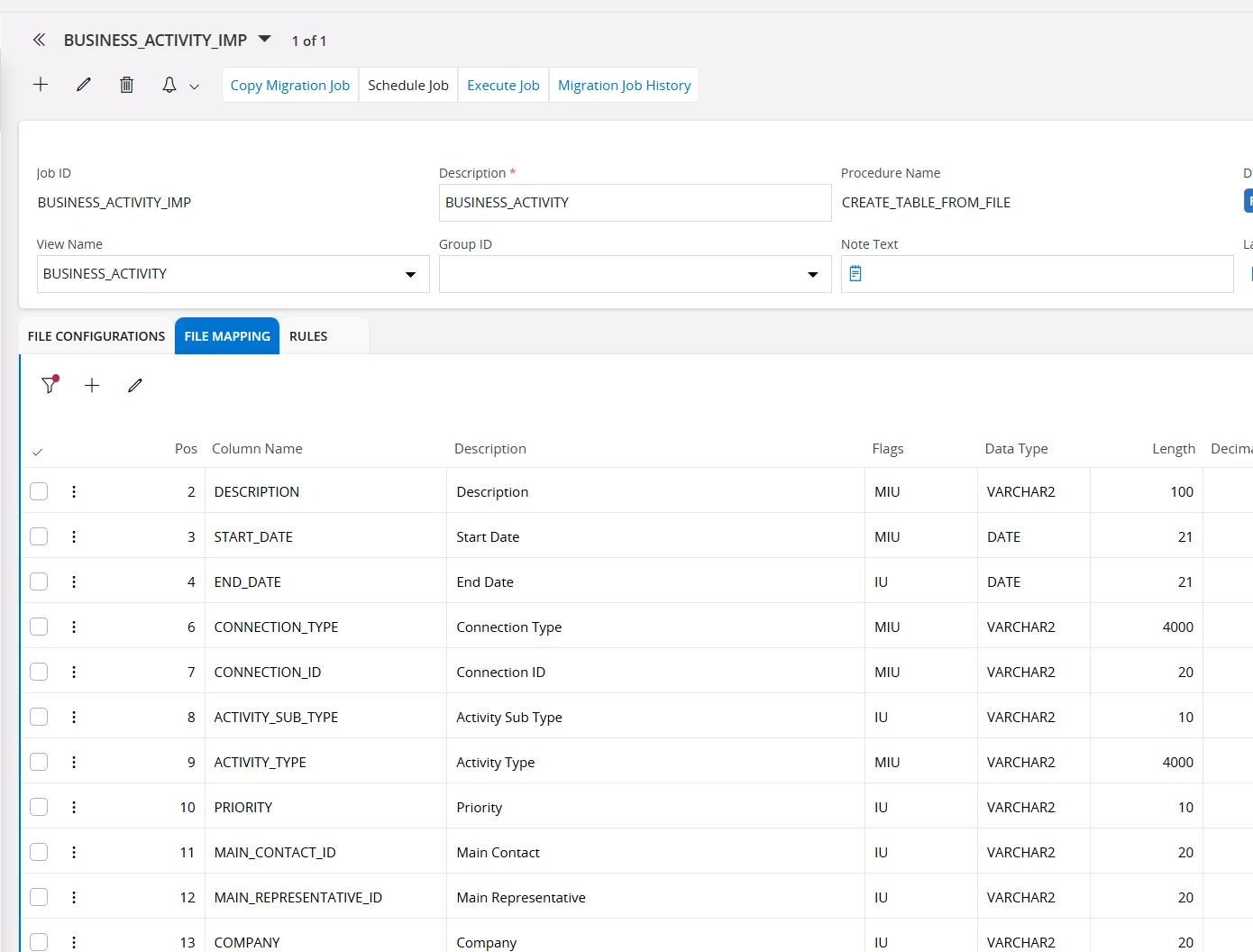
  1. Use the File Mapping tab to map the columns in your CSV file to the temporary table you will create in IFS Cloud.
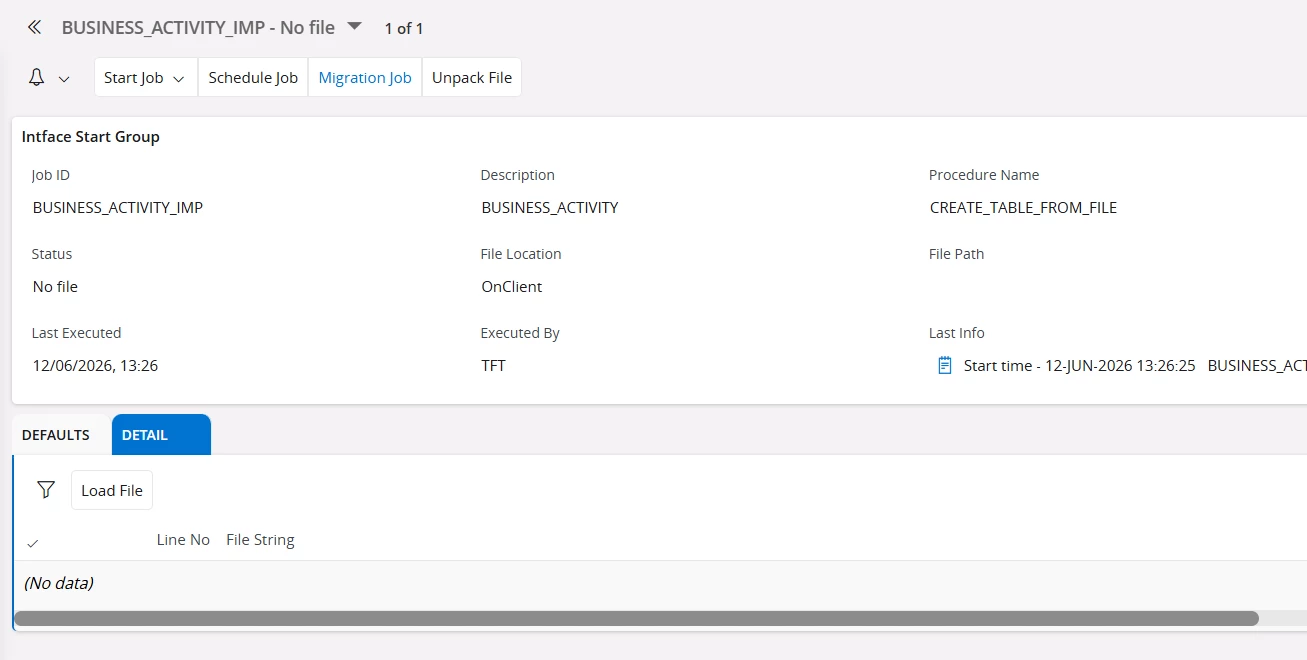
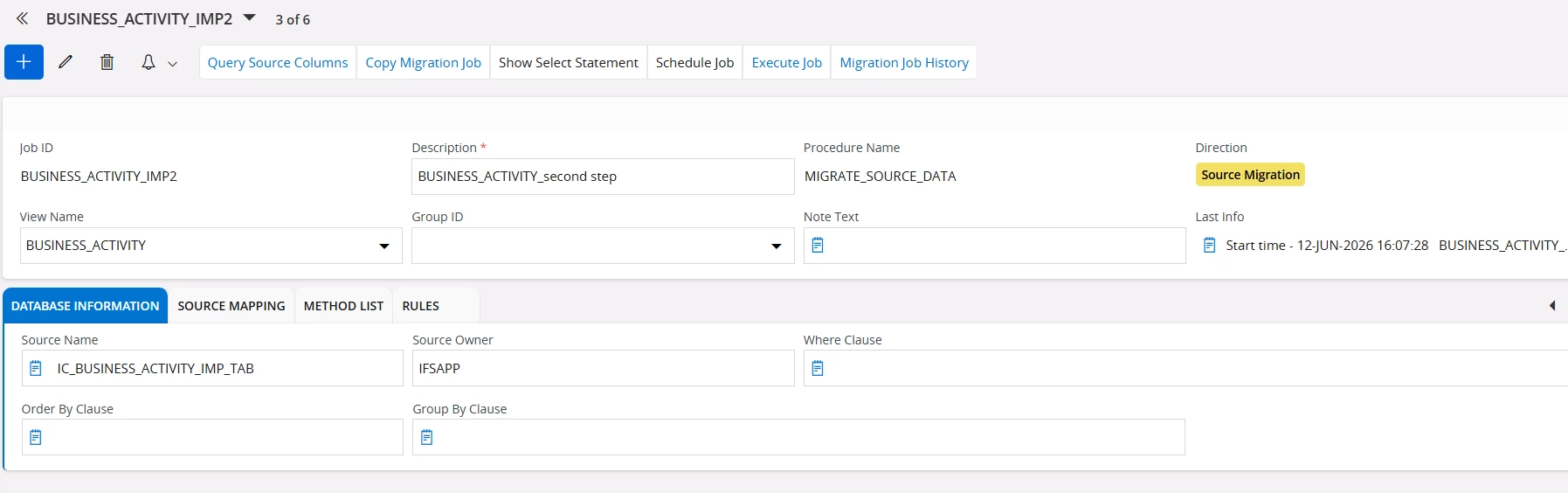
  1. Go to the Execute Job/Details tab, upload your CSV file, and execute the job. This will create a temp table, for example, IC_BUSINESS_ACTIVITY_IMP_TAB (for me).
  1. Then create another migration job of type “Migrate Source Data” to load data from the table above into the Business_Activity view.
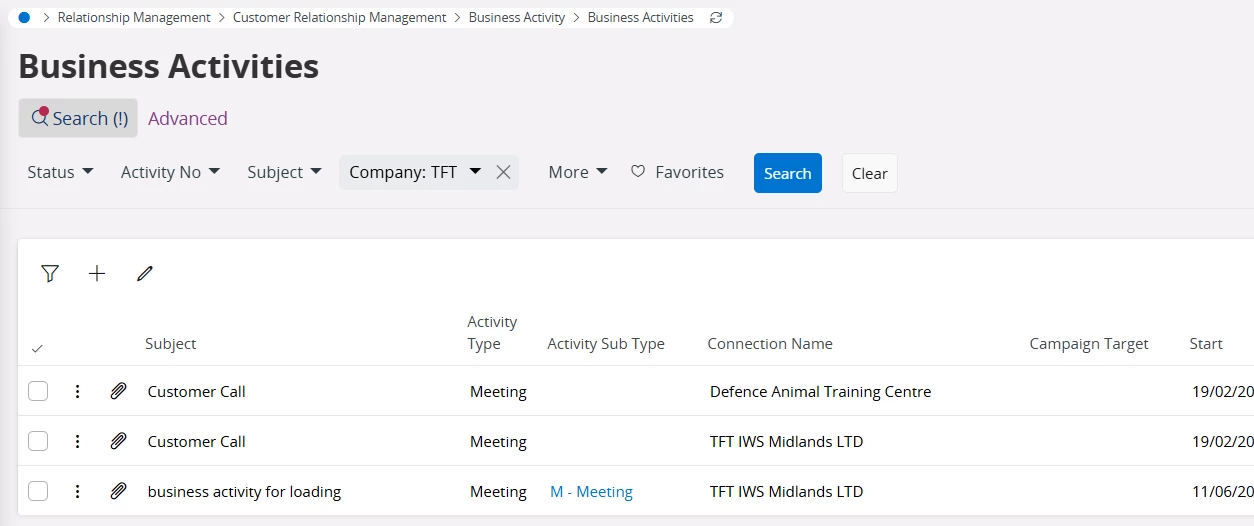
  1. Executing this job will add data to business activities.

There is a lot more to migration, such as Excel migration, why you do two step migration, using rules, source mapping, defaults, and so on, which you will come across. Hopefully, the IFS documentation and community posts will guide you further.


Hope this helps.
Asanka