Question

V15.4 web employee browser date format

  • February 7, 2023
  • 3 replies
  • 58 views

Forum|alt.badge.img+11

Could you explain me what are the “rules” to display date format in the web employee porta: ?

Our customer located in Danemark is using on his desktop the following settings 
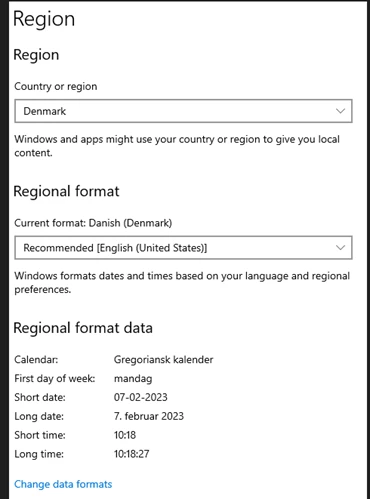


by using Chrome the date displayed is like that 

thanks

3 replies

Phil Seifert
Ultimate Hero (Employee)
Forum|alt.badge.img+24
  • Ultimate Hero (Employee)
  • February 7, 2023

Hi Christophe,

The modern browsers use their own definitions for the formatting of the date strings and do not pick up the values from the OS regional settings.

It appears that for Danish, Chrome believes the format should be dd.mm.yyyy not dd-mm-yyyy.  This is not something controlled by Alliance.

Searching the internet, I found several references that state the Danish date format is dd.mm.yyyy.  Here is an example:

How To Write The Date In Danish (babbel.com)

So, if you pick Danish as the language for the Chrome browser, it is going to use dd.mm.yyyy.


Forum|alt.badge.img+11
  • Author
  • Sidekick (Partner)
  • February 7, 2023

Hi Phil


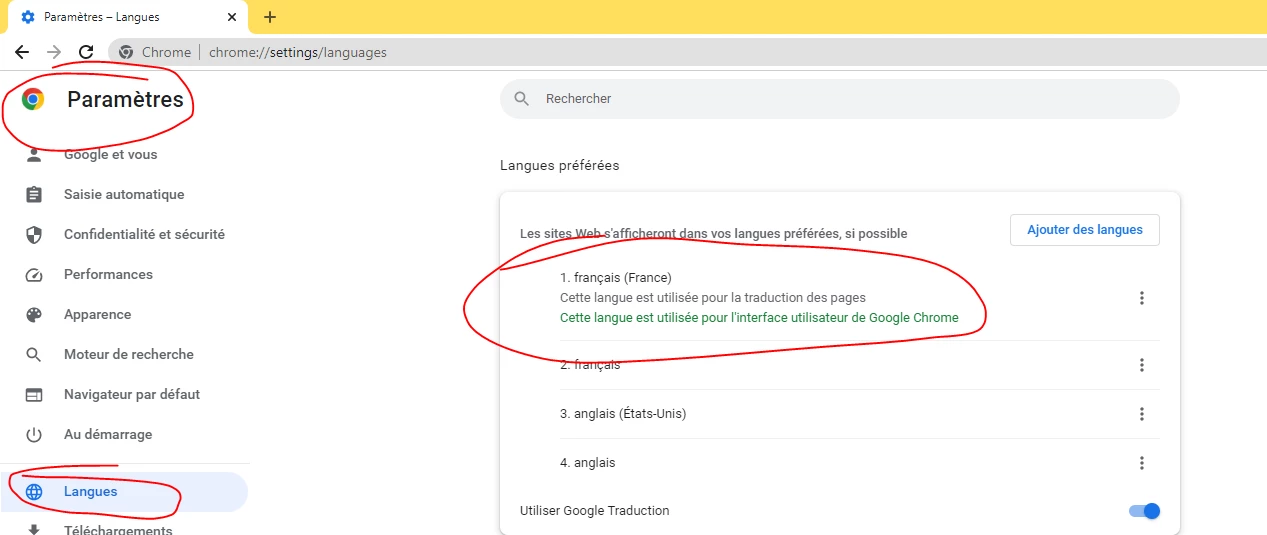
just to be sure this si depending of the the chrome setting in settings/language like below : (sorry it’s in French)


Phil Seifert
Ultimate Hero (Employee)
Forum|alt.badge.img+24
  • Ultimate Hero (Employee)
  • February 7, 2023

Hi Christophe,

This is correct, the language setting for the browser, in this case Chrome, affects how the data is displayed.