Question

Unable to remove employee from action group

  • January 23, 2023
  • 5 replies
  • 75 views

Forum|alt.badge.img+8

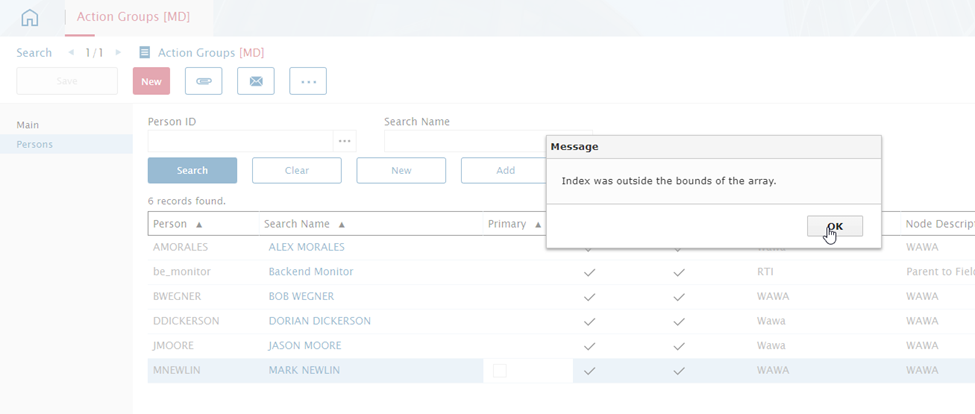
Hi, We are getting the following error trying to remove an employee from an action group. We were able to add the correct one, but not remove the others that are already present. We have attempted from both the Action Groups and Employees module. Do you have any insight on what this error means?

 

5 replies

Reid Gilbert
Superhero (Employee)
Forum|alt.badge.img+15
  • Superhero (Employee)
  • January 23, 2023

Hi Leann, do you still have access to the old Alliance portal?  (not the browser based version) Try logging in as a Customizer in the old version (that should give you access to all of the modules) and then go to the Action Groups module and run the same test there, see if that lets you make the change without the error as a workaround in the meantime.


Phil Seifert
Ultimate Hero (Employee)
Forum|alt.badge.img+24
  • Ultimate Hero (Employee)
  • January 23, 2023

HI Leann,

Usually that indicates there is a problem with the code handling the selection.  What it is in this case, I don’t know but perhaps you can use a different method to remove the action group from the user.

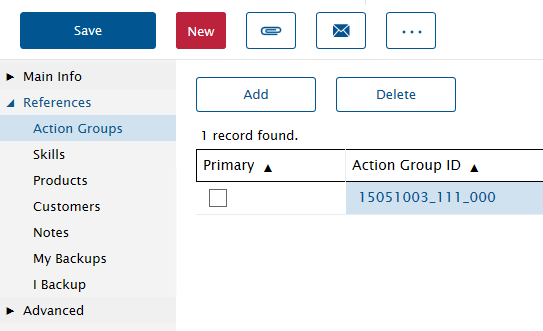
Go to the Employees module and then References - Action Groups and try to delete from this module instead of the Action group module?


Sorry, I did not see you already tried Employees module… my mistake.  Please log a ticket for this.


Forum|alt.badge.img+6
  • Sidekick (Customer)
  • January 23, 2023

I issued a ticket for this problem last week. It is a problem in 15.4.3 in both the Web Portal and the Browser. We have tried multiple work arounds with no success. 


Forum|alt.badge.img+12
  • Superhero (Employee)
  • January 23, 2023

Hi Leann,


Could please check one of the person as a primary and then try to delete (the non-primary) again.


Regards,

Joshua


Forum|alt.badge.img+10

Hi Leann,

We have the same issue for another customer. Our R&D team is currently working on this.  Please open a suport ticket if you haven’t already.

Thank you,

Andrew