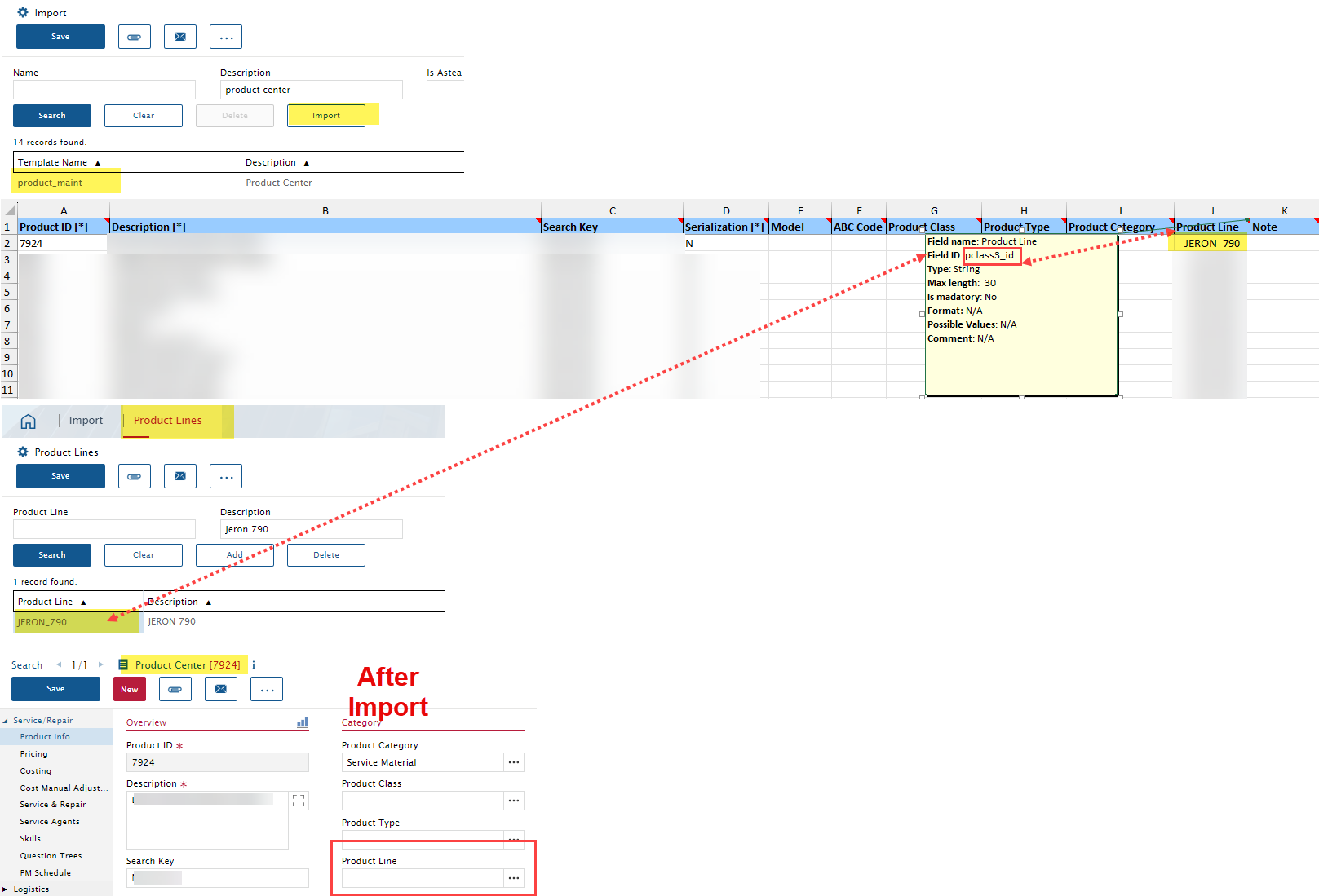
We have a scenario where a number of new products need to be imported to the Product Center.
We have the the ‘Product line’ we want associated to these products already configured in the Product Lines module.
We have verified the required Field ID in the ‘product_maint’ import file matches the file field in the Product line module.
The import completes successfully with no errors but in all instances, the Product line field in the Product center is not populating as expected. Any idea what we are doing incorrectly?
Best answer by Andrew D'Antonio
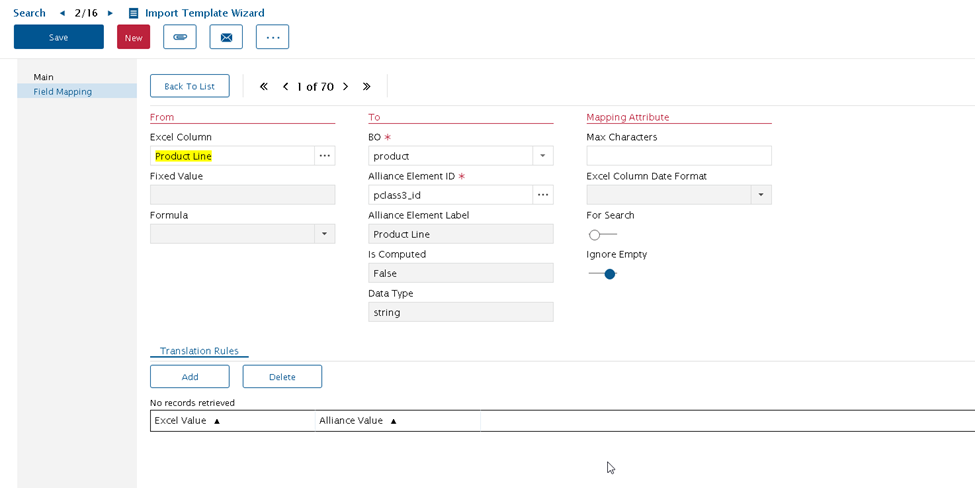
It looks like Product Line is not mapped correctly in the Import Template. Since this is a standard template, you can open a support ticket; otherwise, you can correct the mapping by following these steps:
Navigate to the Import Template Wizard module.
Search for the product_maint template and zoom in.
Click on Field Mapping tab.
Click Add
Select Product Line from the Excel Column field.
Select product from the BO field.
Select pclass3_id from the Alliance Element ID field.
If you want to ignore empty values, you can select the Ignore Empty toggle.
Save
Once modified, close and re-open the Import module, search for the product_maint template and re-try the import.
It looks like Product Line is not mapped correctly in the Import Template. Since this is a standard template, you can open a support ticket; otherwise, you can correct the mapping by following these steps:
Navigate to the Import Template Wizard module.
Search for the product_maint template and zoom in.
Click on Field Mapping tab.
Click Add
Select Product Line from the Excel Column field.
Select product from the BO field.
Select pclass3_id from the Alliance Element ID field.
If you want to ignore empty values, you can select the Ignore Empty toggle.
Save
Once modified, close and re-open the Import module, search for the product_maint template and re-try the import.