Solved

Installed item not on contract not creating PM dates

  • July 25, 2023
  • 3 replies
  • 59 views

Forum|alt.badge.img+1

Hi,
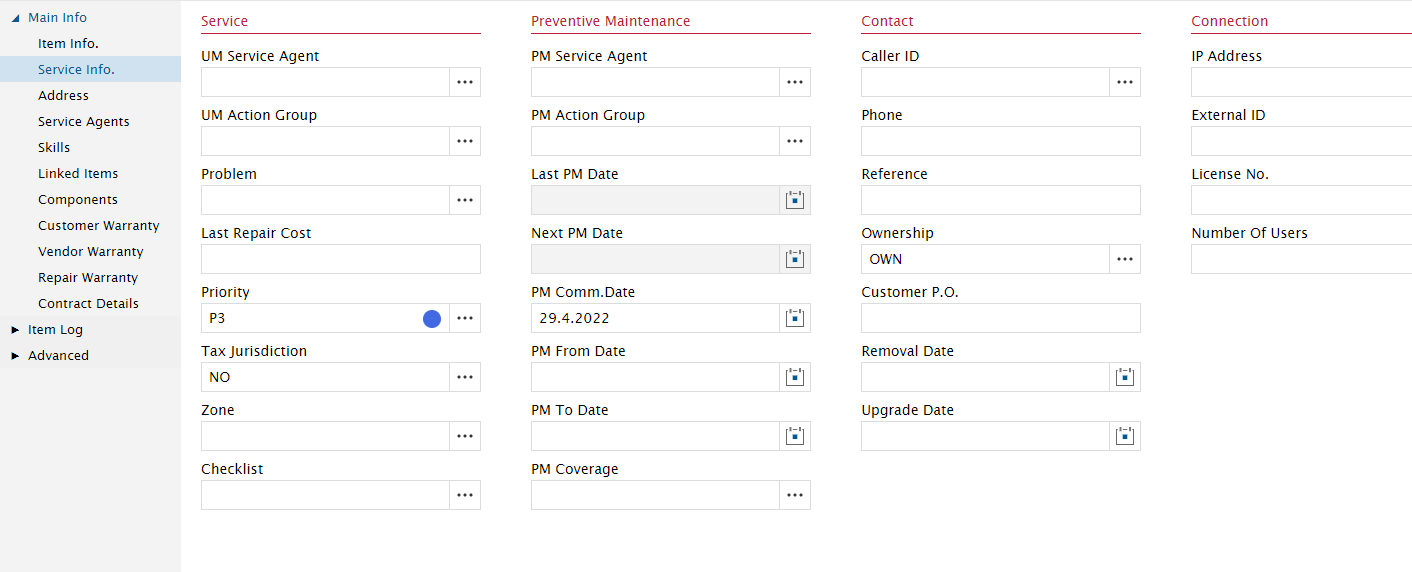
We are trying to create a PM schedule for an installed item without an active contract. This is our service info page:
This is our PM schedule page:
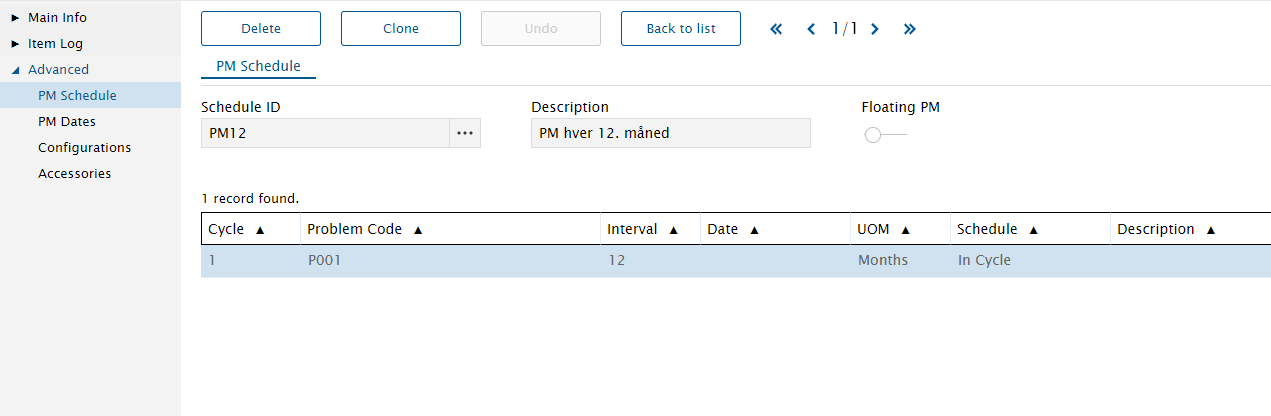
But it does not add pm dates:
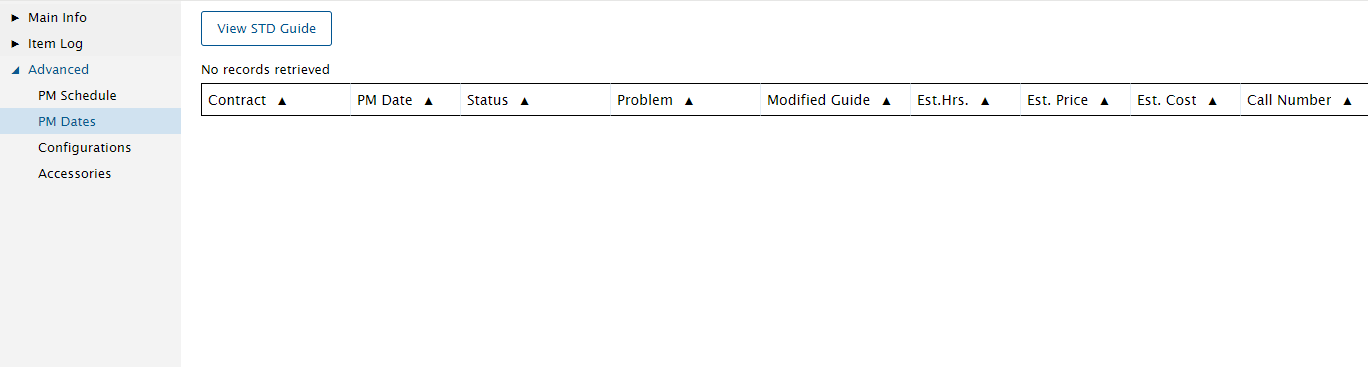
 Are we missing anything here?

Best answer by Phil Seifert

Hi Magnus,

I have seen that you must define all these fields  (PM From Date, PM To Date and PM Coverage) in the installed item  Main Info - Service Info page and then the PM Dates will calculate when you apply a commencement date.
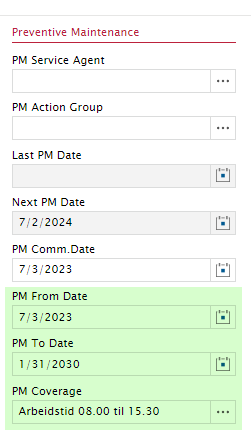
Keep in mind in the PM Batch Scheduler to extend the date range to search against if you are using longer cycles than a month which I think it defaults and also be sure to include items not on contracts in the Scheduler search parameters.


3 replies

Phil Seifert
Ultimate Hero (Employee)
Forum|alt.badge.img+24
  • Ultimate Hero (Employee)
  • Answer
  • July 25, 2023

Hi Magnus,

I have seen that you must define all these fields  (PM From Date, PM To Date and PM Coverage) in the installed item  Main Info - Service Info page and then the PM Dates will calculate when you apply a commencement date.

Keep in mind in the PM Batch Scheduler to extend the date range to search against if you are using longer cycles than a month which I think it defaults and also be sure to include items not on contracts in the Scheduler search parameters.


Forum|alt.badge.img+2
  • Do Gooder (Customer)
  • July 25, 2023

I don’t know if this best practice, but we’ve understood that for installed items to have PM dates, they must be a ‘Object of Service’ in an active contract that isn’t ‘Full Coverage’.

We ended up setting up a ‘dummy contract’ that would allow us to issue PMs as we needed, that were separate from our customer-facing contracts.


Phil Seifert
Ultimate Hero (Employee)
Forum|alt.badge.img+24
  • Ultimate Hero (Employee)
  • July 25, 2023

Hi David,

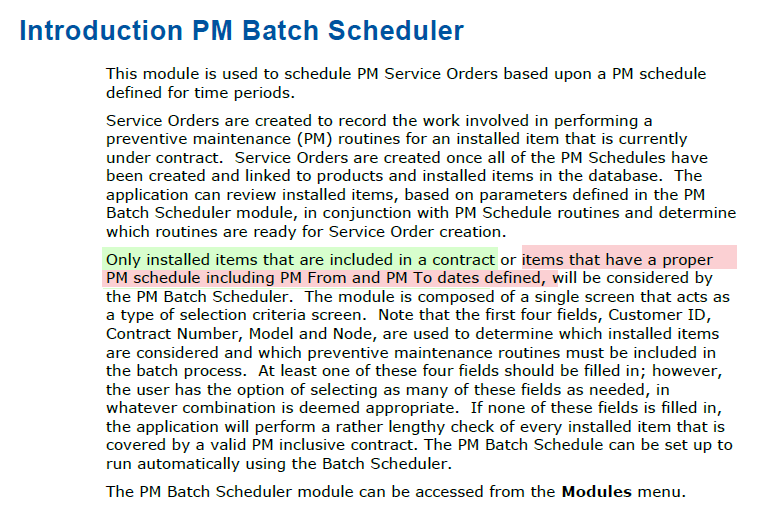
The application does support PM dates on installed items without contracts linked to the items.  While they can setup a 'dummy’ contract, this customer may not want to maintain the OOS on the contract level.

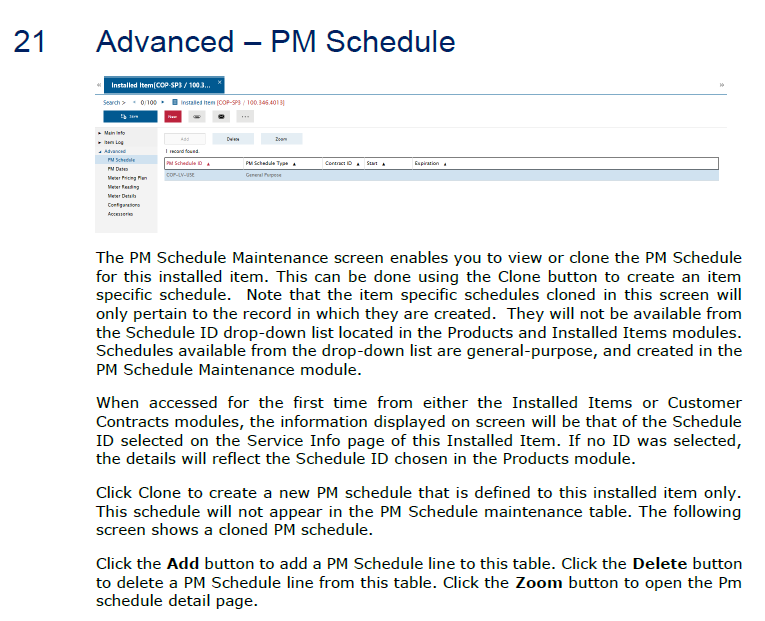
Here is a extract from the Contract Admin Processes.pdf explaining you can either have contracted items or items outside the contract.


Additional information for Installed Items.pdf