



Hi All,
I get this question asked frequently, and the solution is quite simple, just follow the instructions given below.
Remember these modules require superuser / admin access to the system.
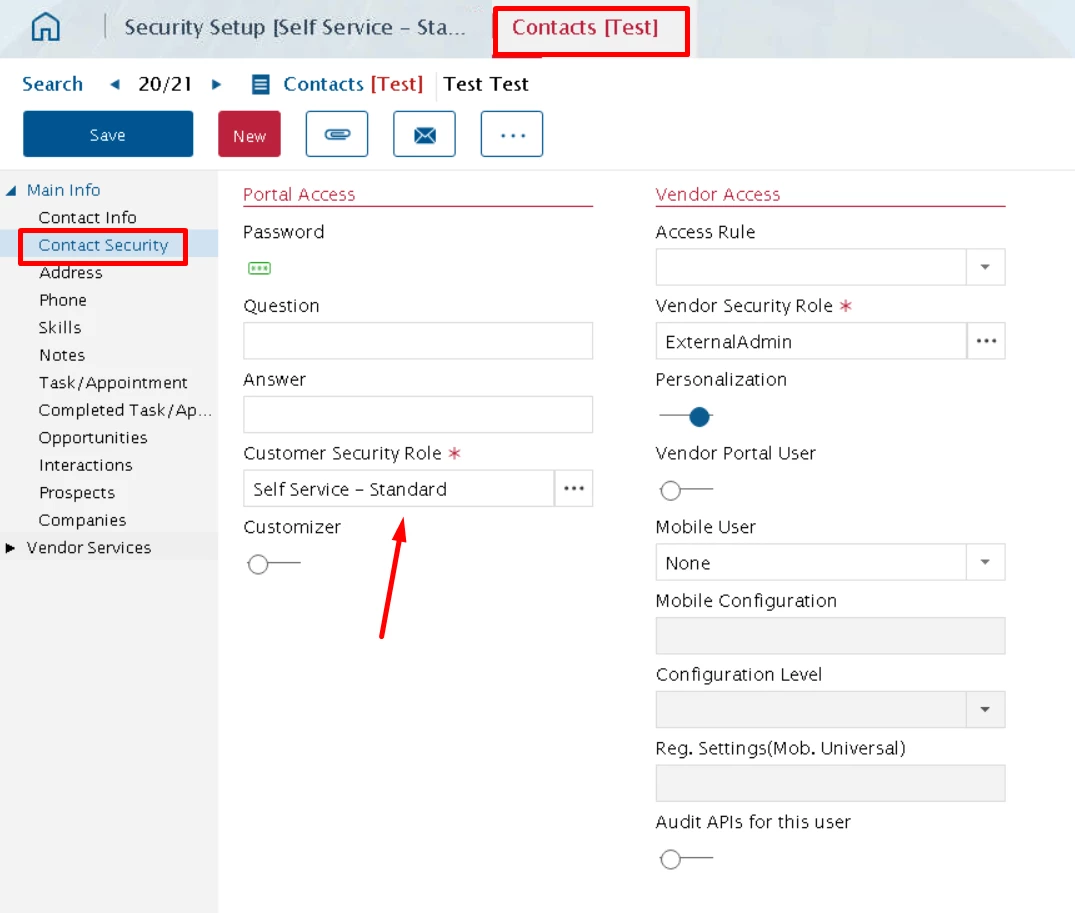
First go to Contacts Module » Main Info navigation tab » Contact Security tab » Portal Access group» Customer Security Role field and check what type of role is assigned to the customer.
(from here you can assign a different role as well, otherwise follow next step)
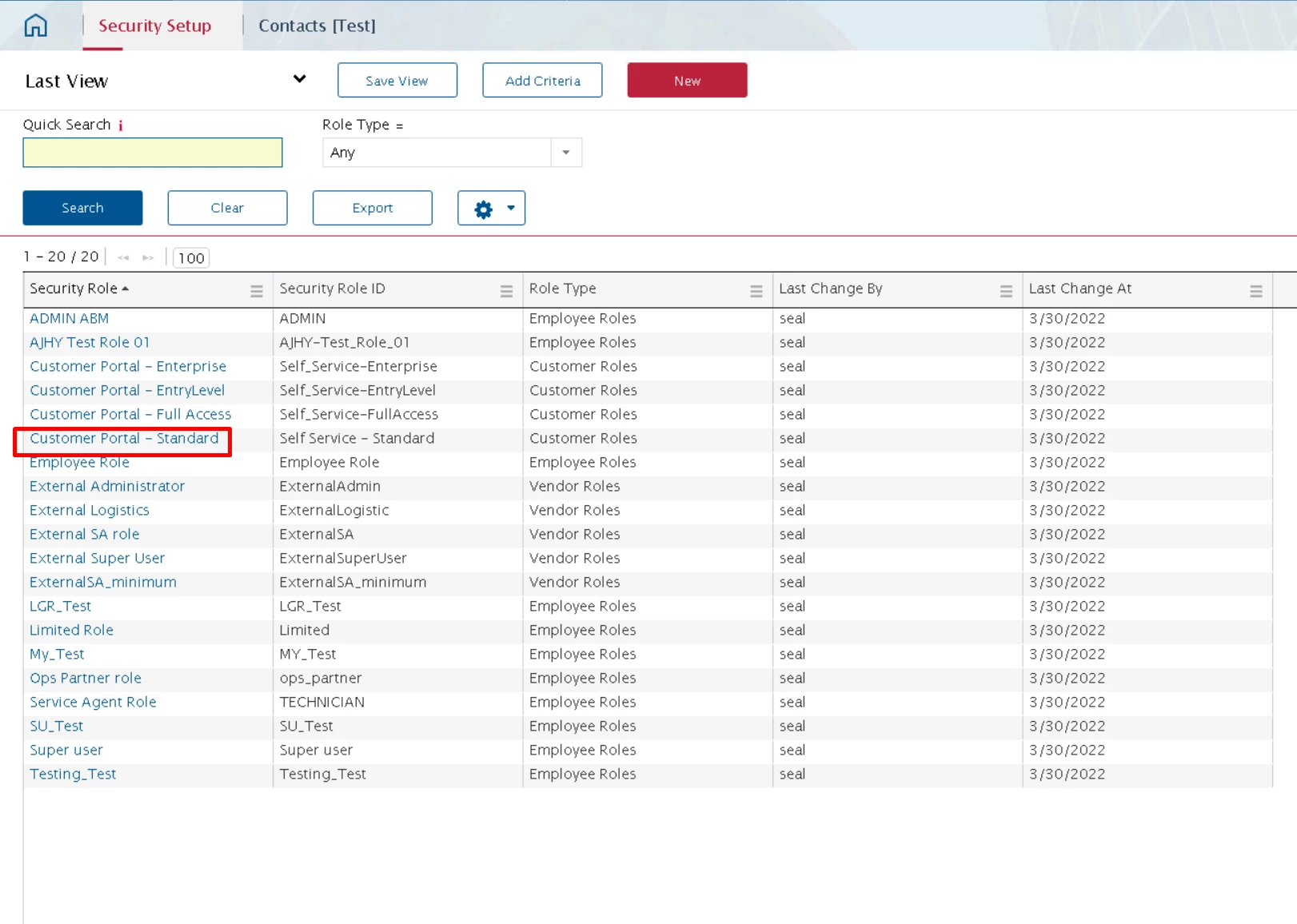
Next go to Security Setup Module and find the desired role you wish to modify.
Click on the record to zoom in to the role and you can make the desired changes and then save.
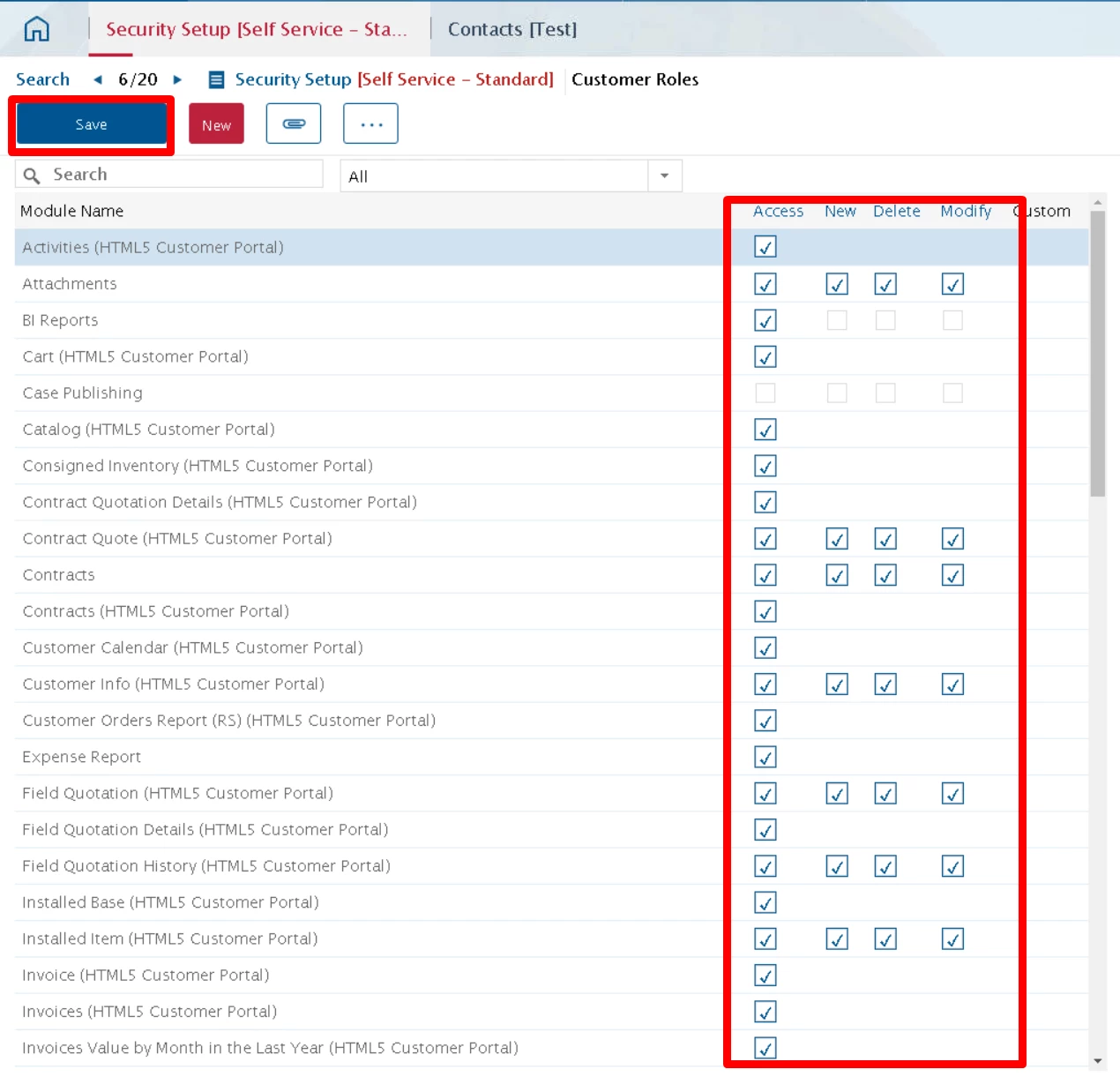
The changes will reflect in the Partner Portal when you sign out and re-login.