



Hi All,
While performing a Root Cause Analysis for a customer suffering from abnormal CPU spikes in their DSE Service, I discovered from the dump file that these spikes were caused by a reporting functionality called :
Astea.DSE.Engine.Entities.Helper.DecisionTreeWrapper.WriteTraceTreeToDecisionTreeFile
which records all the decisions made by the DSE during service agent allocation/scheduling and generates a report for management review purposes.
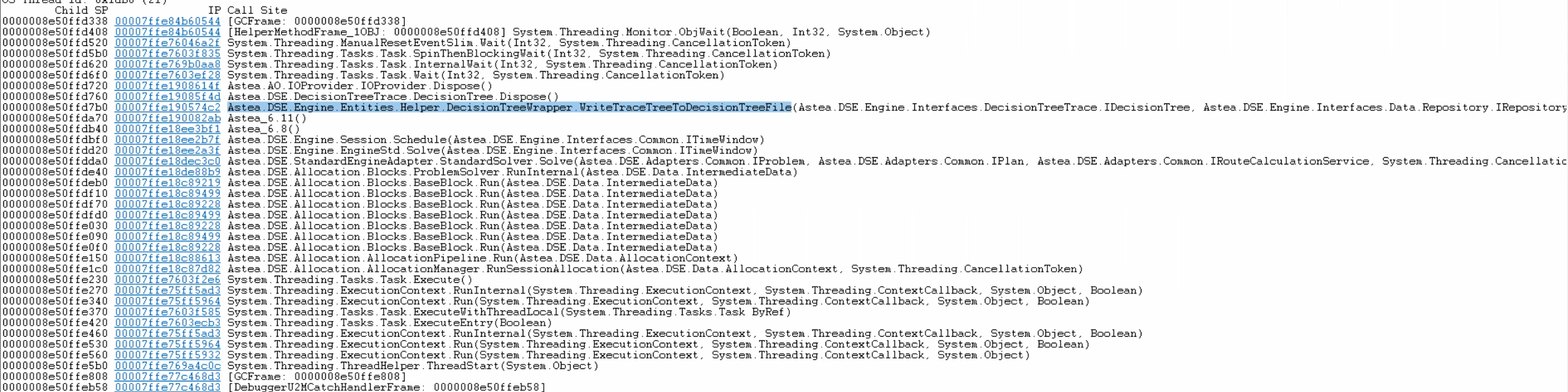
This is a very CPU intensive function and it is recommended in general to be turned off in customers having high volume scheduling transactions.
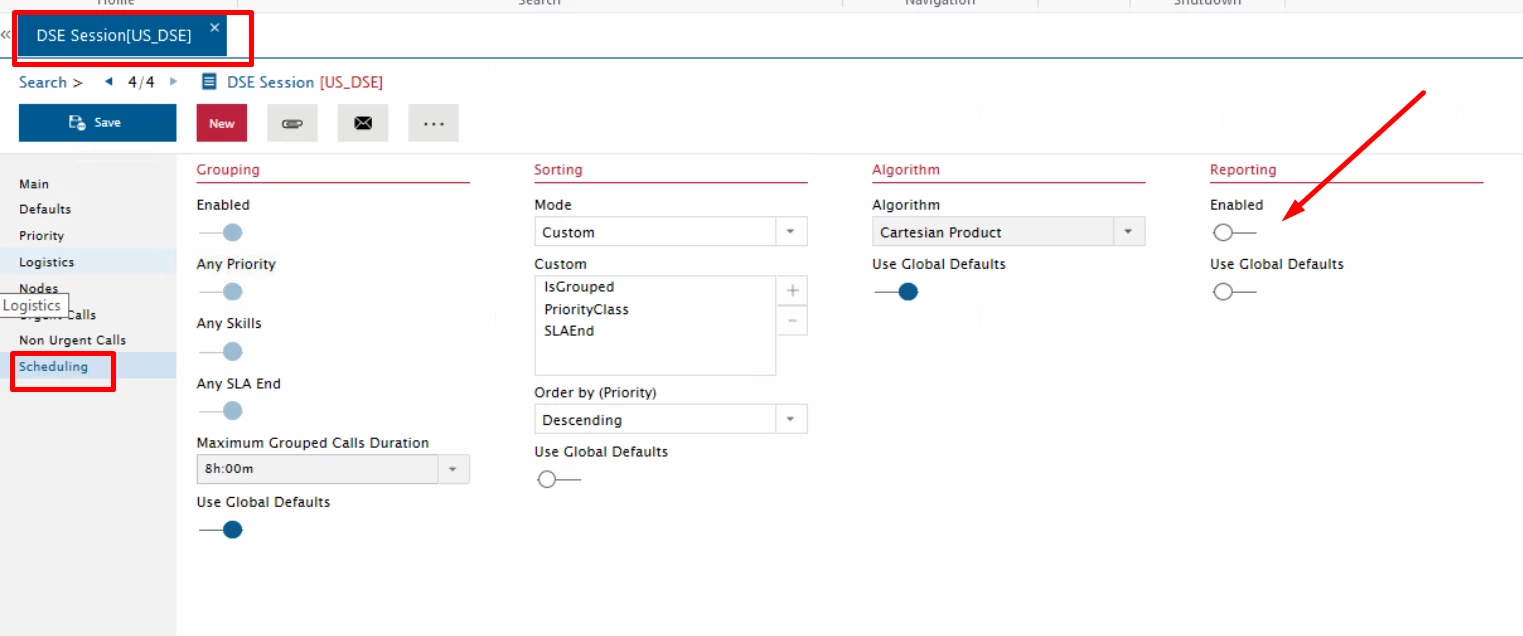
This option can be found in DSE Session Module >> Scheduling Page >> Reporting
Hope you found this useful 😀


