Solved

Astea: how do we populate these fields on service orders?

  • November 14, 2024
  • 4 replies
  • 71 views

bskallerud
Hero (Customer)
Forum|alt.badge.img+12

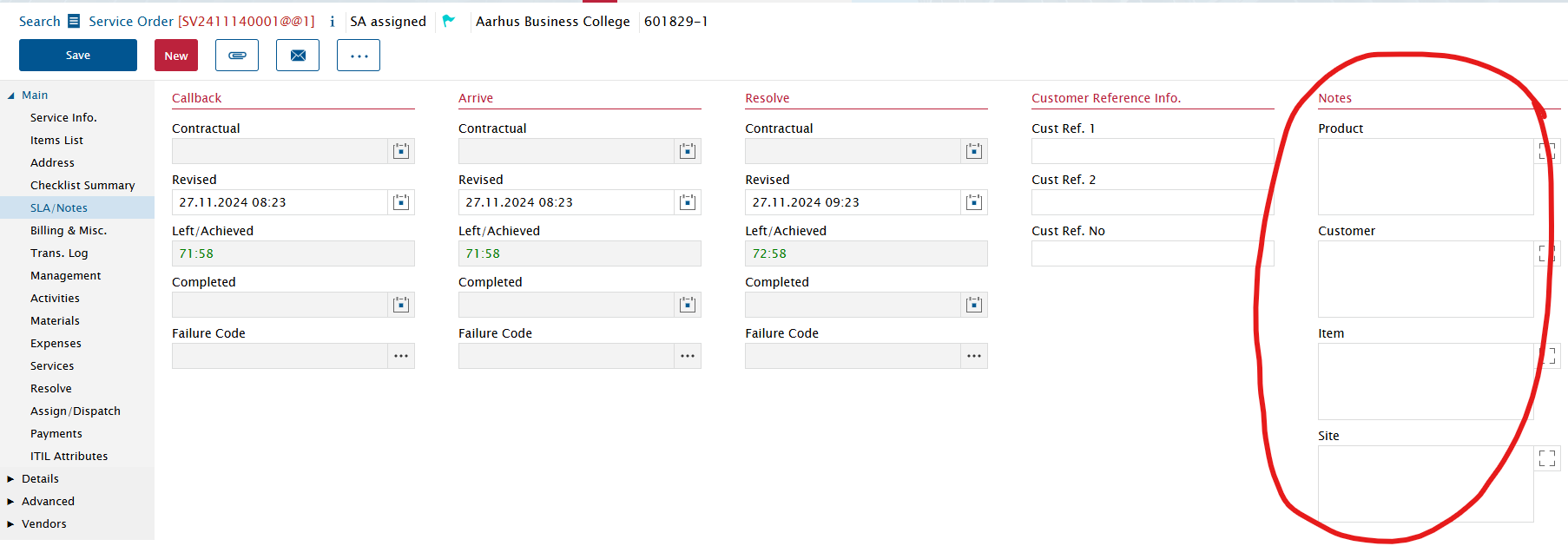
Is there a way to get this populated based on fields on Product/Customer/Item/Site? We would like to have these alerts active on eg. PMs

 

Best answer by ktolkacevic

Page 51-52 in the Service Order document will help answer.


We also use site/tech notes and alerts (page 27) to help our Call Center agents and Field Techs with valuable information. Alerts are really good to force the tech to see it in the mobile app

4 replies

ktolkacevic
Hero (Customer)
Forum|alt.badge.img+9
  • Hero (Customer)
  • Answer
  • November 14, 2024

Page 51-52 in the Service Order document will help answer.


We also use site/tech notes and alerts (page 27) to help our Call Center agents and Field Techs with valuable information. Alerts are really good to force the tech to see it in the mobile app


Phil Seifert
Ultimate Hero (Employee)
Forum|alt.badge.img+24
  • Ultimate Hero (Employee)
  • November 14, 2024

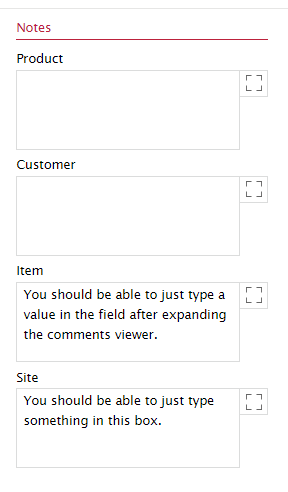
Also I see that it is possible to just type data in the field or open the comments viewer to update the text.  This way specific information related to the service order only is visible and not to all service orders should this be necessary.


Phil Seifert
Ultimate Hero (Employee)
Forum|alt.badge.img+24
  • Ultimate Hero (Employee)
  • November 14, 2024

For clarity,

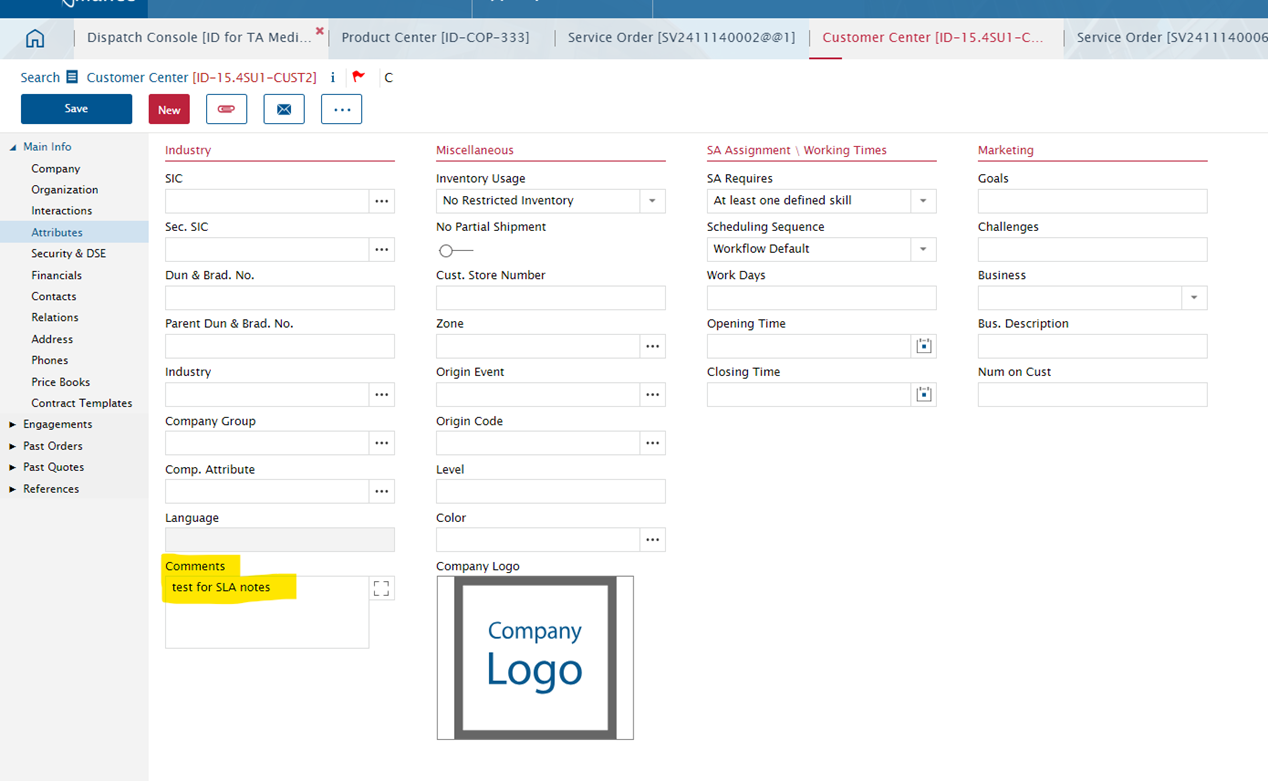
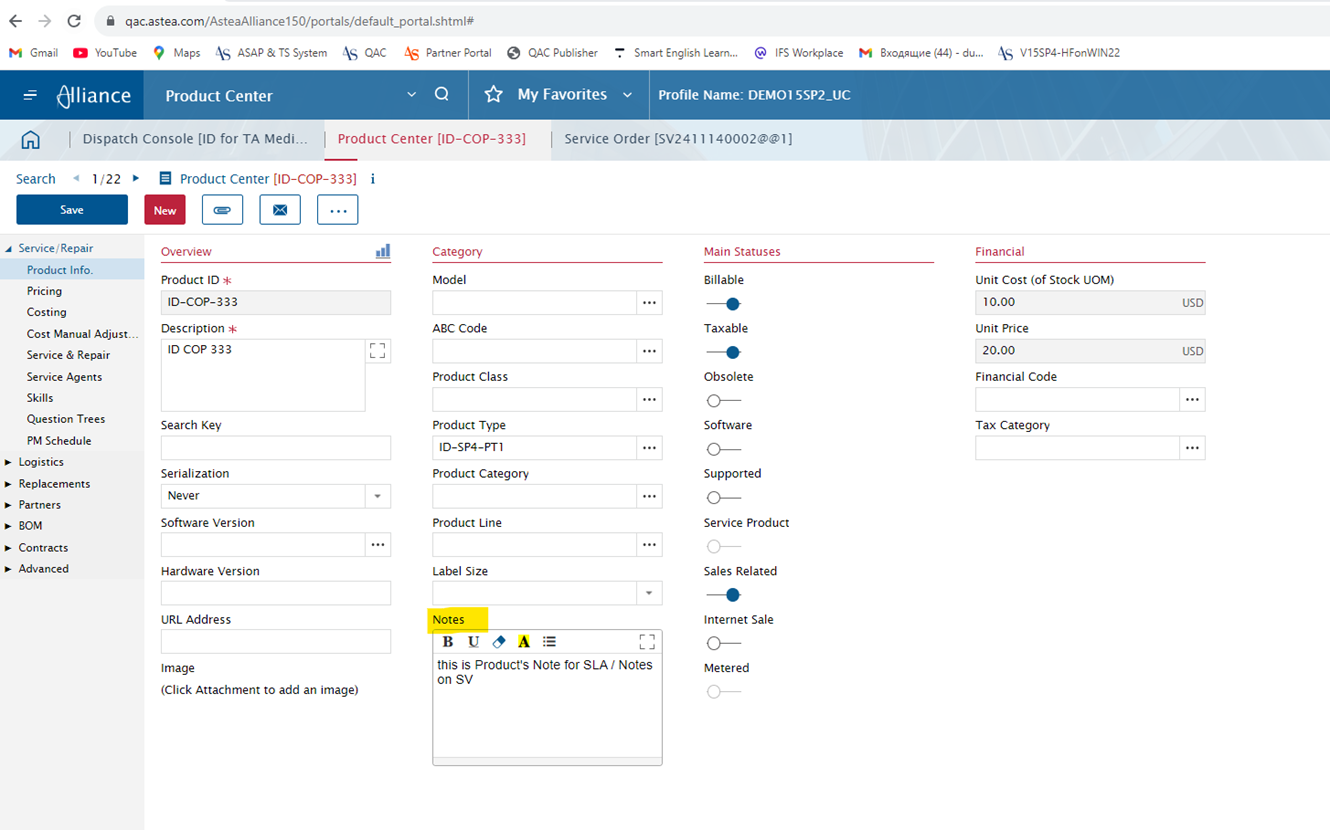
The notes to amend on the customer / site are in the Customer Center - Attributes page.  For Products and Item, it is on the first page where the notes are located.


It is not note attachments and not on the company info page of customer center.


bskallerud
Hero (Customer)
Forum|alt.badge.img+12
  • Author
  • Hero (Customer)
  • November 14, 2024

Thanks very much guys - very much appreciated. We are already looking into how to best deploy this!