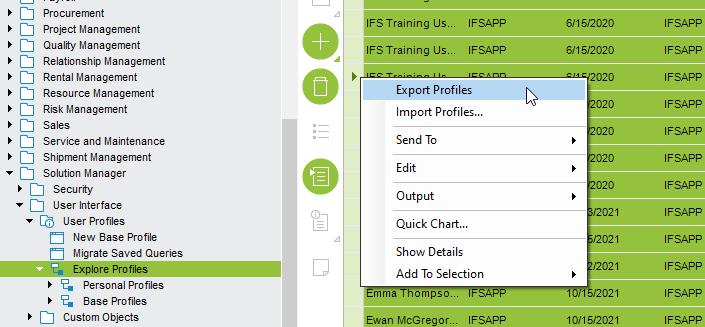
This is just to share the promising solution I came up with to automate the profile management with reduced risk and overheads. Somehow, after few discussions, we’ve decided to stick to a single base profile until the initial Go-Live. Moreover, our IFS administrator uses the given import\export profile option on Explore Profiles window.
Simply, the current solution I implemented :
- A scheduled DB task which executes midnight daily which keeps track of profiles changes on FNDRR_CLIENT_PROFILE_VALUE_TAB
- It will then copy all the profile changes into an intermediate custom table (created via a Custom LU) with the composite key PROFILE_ID,DATE. Only 5 profile versions will be kept in this intermediate custom table, propriety with FIFO method
Now, both base and personal profiles are being version controlled up to 5 history versions.
- A Custom page “Profile Versions” will show archived versions per user, which shows the last 5 version in tabular format. The data can be controlled via a saved search if required, and an RMB “Revert to this version” is given which will update the personal profile lines of the FNDRR_CLIENT_PROFILE_VALUE_TAB with the intermediate custom table’s records.
Note : The user is clearly advised to do this in a fresh application session and immediately to restart after performing the profile reset, to avoid replacing the updated profile records from the current session closure.
Now, the database itself contains versions of all base and personal profiles.
Users can reset their own profile to a working version. We expect this’ll reduce the IT overhead, since our users are pretty new to IFS and probably may lead to crashed or screwed up profiles most of the time.
This runs for two weeks now, and all looks good for the moment.
Just FYI. Thanks all for actively participating in this discussion, specially @dsj , @Ruchira and @ShawnBerk for ideas/ inputs.