Solved

IFS 10 - automatic recognitizion of document class while dropping files in IFS

  • June 23, 2021
  • 3 replies
  • 136 views

MarianneLykkeMadsen
Sidekick (Customer)
Forum|alt.badge.img+6

Hi 

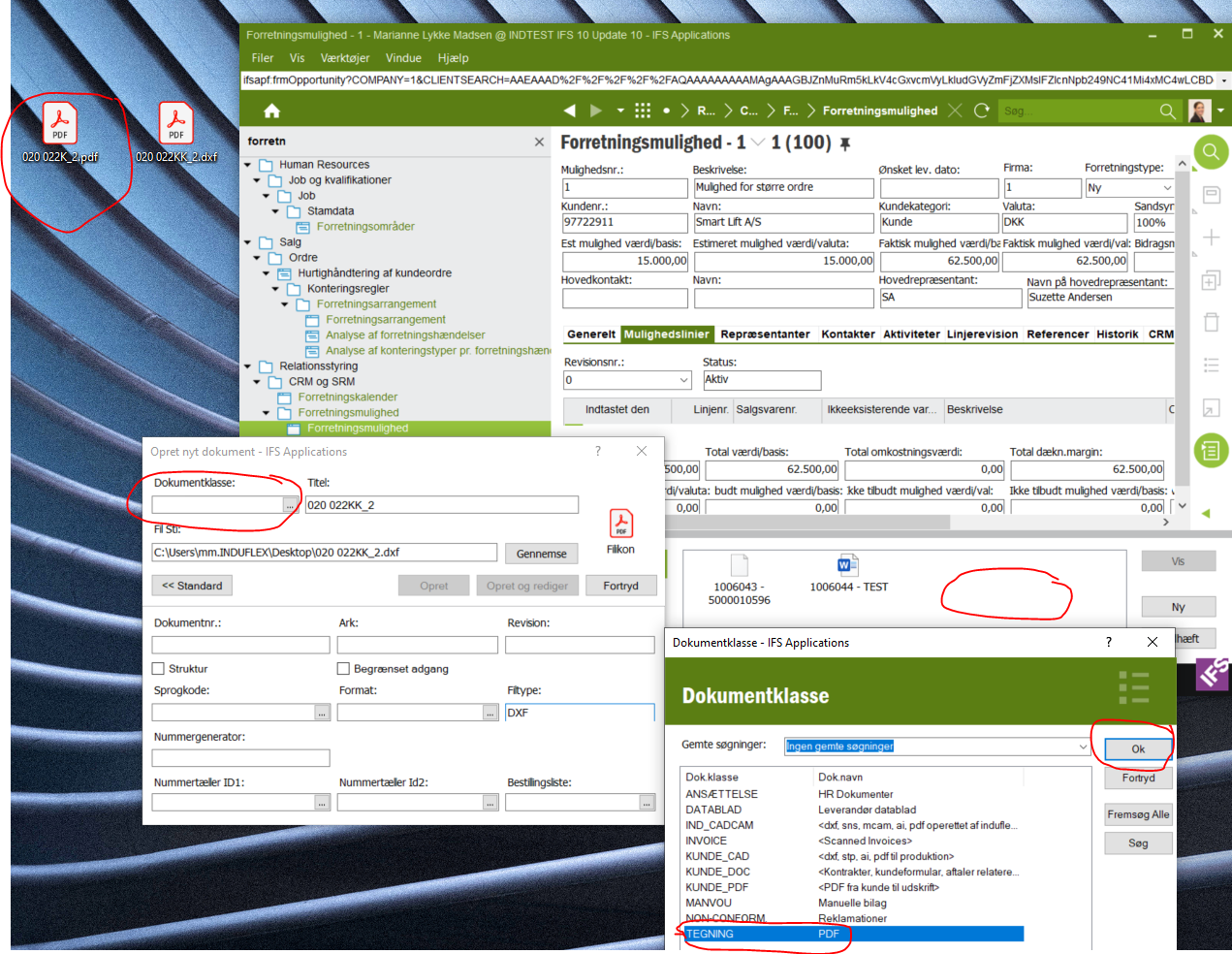
Is it somehow possible to simplify this proces of dropping files into IFS ?

The users in my team asks if possible for IFS to automatically recognize the document class, while dropping files in IFS ?

Any knowlegde or experience of such thing  - anybody ?


Br,Marianne
Best answer by Yasanthi Gunawardena

Hi Marianne,

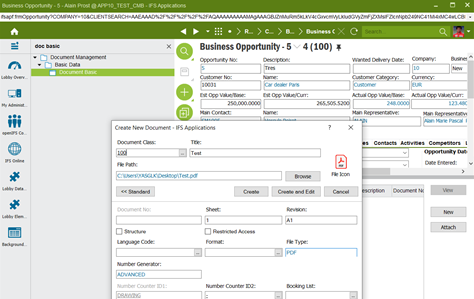
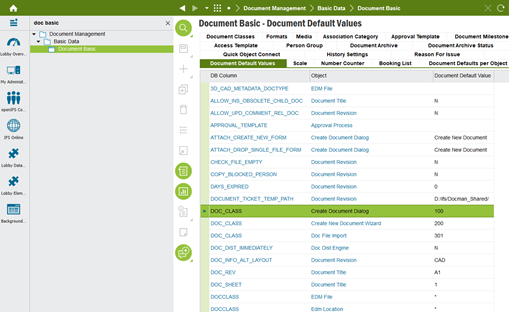
In Document Basic > Document Default Values, you can define a default document class as highlighted below.

Then it will appear in all document that you create. The value can only be set centrally (Document Basic/Document Default Values tab) and cannot be set for each class.


Once above set, when you drag and drop a document, the class will be set automatically.

Hope this helps.

This topic has been closed for replies.

3 replies

Forum|alt.badge.img+10

Hi Marianne,

In Document Basic > Document Default Values, you can define a default document class as highlighted below.

Then it will appear in all document that you create. The value can only be set centrally (Document Basic/Document Default Values tab) and cannot be set for each class.


Once above set, when you drag and drop a document, the class will be set automatically.

Hope this helps.


MarianneLykkeMadsen
Sidekick (Customer)
Forum|alt.badge.img+6


Hi Yasanthi

Thanks for your answer.

Br,

Marianne


Mathias Dahl
Superhero (Employee)
Forum|alt.badge.img+32
  • Superhero (Employee)
  • June 23, 2021

You can even configure the default document class to be based on the screen you are on (the approach above is global and affect any screen), or really the business object on that page. Look for the “document defaults per object” screen for setting that up (make sure to read the documentation, it’s quite extensive).