


Solved

Shop Orders Material Planning > Supply Type

  • September 27, 2021
  • 2 replies
  • 297 views

Forum|alt.badge.img+10

Hello,

We are using Apps 10, UPD11.


Does anyone know if there is a certain step in the process or place where the Supply Type can be changed? 

  • We are reviewing the Shop Order process to integrate into the Buyer role and looking for the correct handoffs in the process. We are finding that no Requisitions are created from components that need to be ordered and are investigating how to get these to create as part of the handoff.
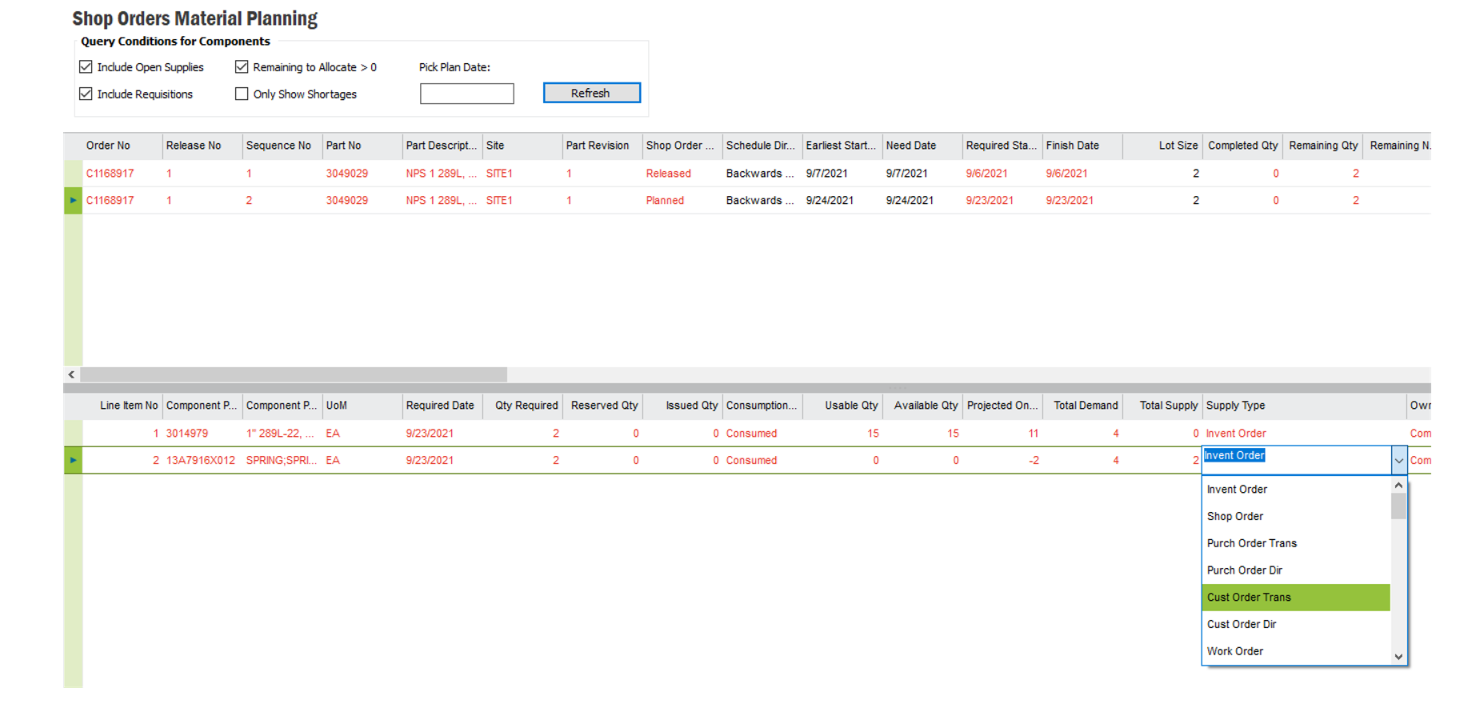
  • On a Shopo Order we want to be able to identify materials to be rerouted in and use Purch Order Trans as that seems to create requisitions for us.  Our only option right now looks to be use MRP on PM A items to be able to see the demand and have requisitions be created to bring parts in for that SO.
 

Thank you,

Joann

Best answer by Björn Hultgren

There's no possibility to manually select the Supply Code of a Shop Order Material Line. Even though the drop down list contains Purch Order Trans I'm not aware of any way to actually select that for a material line. The list is just the same as for other demand objects like customer order line.

However, if you'd like to have purchase requisitions generated by MRP, Invent Order is the option you should use. From the screenshot I cannot tell why that is not happening though. 

This topic has been closed for replies.

2 replies

Björn Hultgren
Hero (Employee)
Forum|alt.badge.img+25
  • Hero (Employee)
  • Answer
  • September 27, 2021

There's no possibility to manually select the Supply Code of a Shop Order Material Line. Even though the drop down list contains Purch Order Trans I'm not aware of any way to actually select that for a material line. The list is just the same as for other demand objects like customer order line.

However, if you'd like to have purchase requisitions generated by MRP, Invent Order is the option you should use. From the screenshot I cannot tell why that is not happening though. 


Forum|alt.badge.img+10
  • Author
  • Sidekick (Customer)
  • September 29, 2021

@Björn Hultgren  Thank you!

