Solved

Expense Sheet Error: Voucher Type is missing.

  • January 18, 2022
  • 8 replies
  • 231 views

Forum|alt.badge.img+15

Hi All,

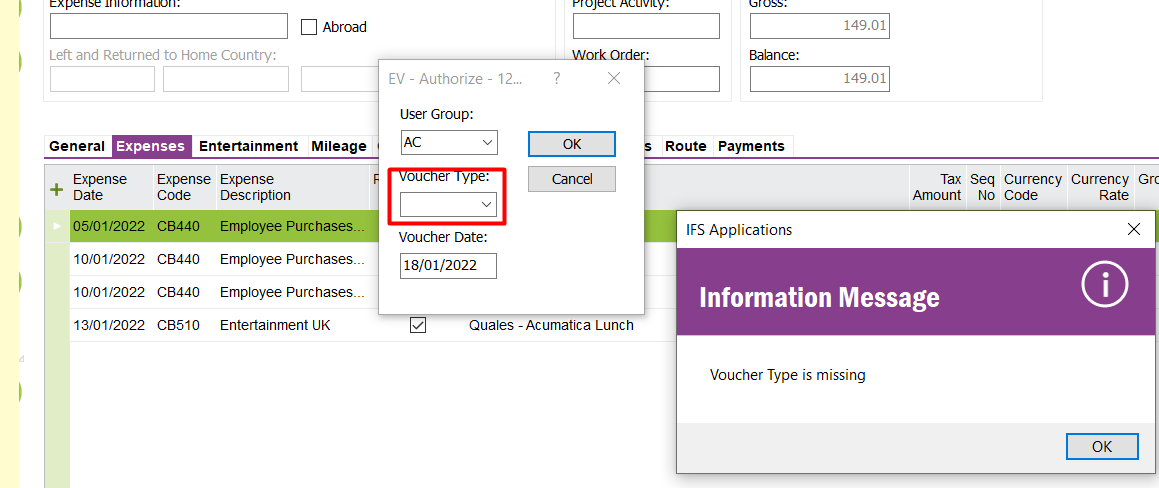
A user is experiencing the error ‘Voucher Type is missing.’ when he tries to Authorize the expense sheet.

Voucher Type drop down doesn’t contain data to select and as I know this should be fetched automatically.

Kindly advise me to where to check, in order to fix this issue.

Thank you in advance!
 

Best answer by Achala Bhagya

Hi @MitDenukN,

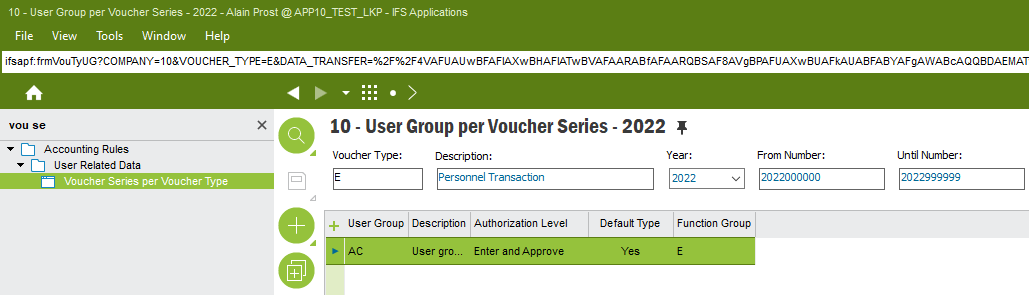
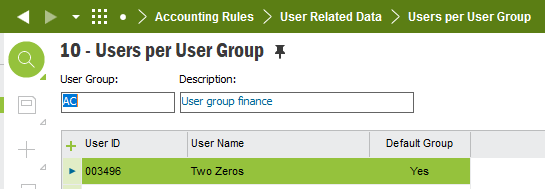
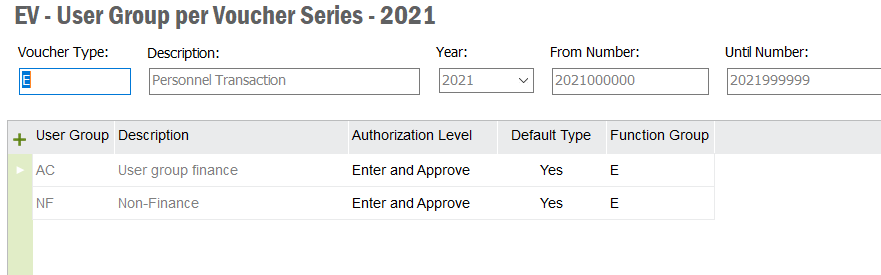
If you RMB on it, is it set as ‘Default’ too? And is the logged in user, existing in the relevant ‘User Group’?

Thank you

This topic has been closed for replies.

8 replies

Forum|alt.badge.img+5
  • Sidekick (Employee)
  • January 18, 2022

Hi @MitDenukN,

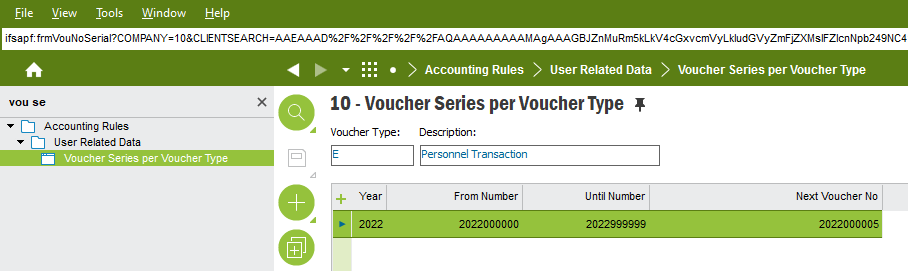
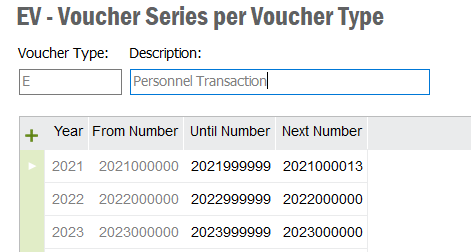
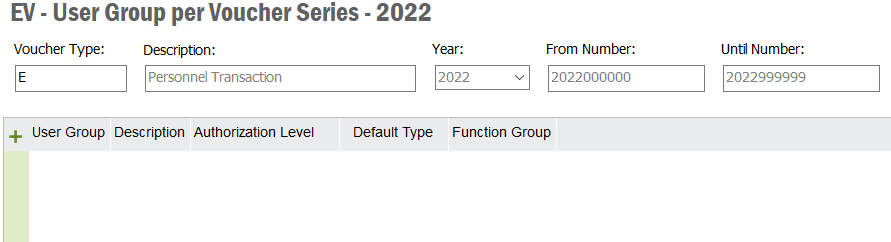
Kindly verify whether you have a valid set up for 2022 in Voucher Series for Voucher Type ‘E’.

Thank you.


Forum|alt.badge.img+15
  • Author
  • January 18, 2022

Hi @Achala Bhagya, Thank you for your response.

I have checked this and seems that is okay.


Forum|alt.badge.img+5
  • Sidekick (Employee)
  • Answer
  • January 18, 2022

Hi @MitDenukN,

If you RMB on it, is it set as ‘Default’ too? And is the logged in user, existing in the relevant ‘User Group’?

Thank you


Forum|alt.badge.img+15
  • Author
  • January 18, 2022

Hi @Achala Bhagya, Seems we haven’t set up data on that. I will setup this and try again.

I rally appreciate your help. :blush:


ADDMARIAE
Superhero (Partner)
Forum|alt.badge.img+14
  • Superhero (Partner)
  • January 18, 2022

Hi,


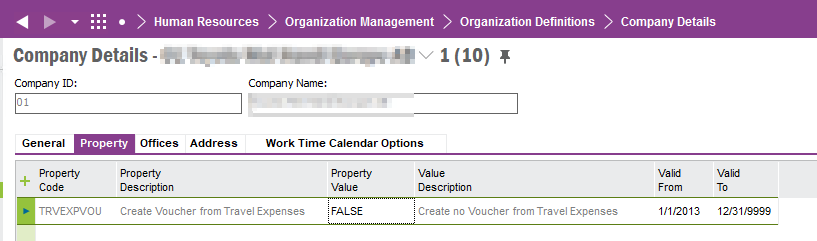
Just checking… do you really want to do postings and create a voucher when authorizing an expense sheet? If the above is not in order you will probably run into more problems when posting control is not set up correctly.…  If you just want to ignore the posting and creation of voucher you can set the property TRVEXPVOU on Company Details to False.

//Maria


Forum|alt.badge.img+15
  • Author
  • January 18, 2022

Hi @ADDMARIAE, I really appreciate your opinion.

I have checked the previous year setup and seems we have missed to setup this for 2022.


And could you please explain how to set the property TRVEXPVOU into False, for my information.

Which tab in Company window can we find this property?


ADDMARIAE
Superhero (Partner)
Forum|alt.badge.img+14
  • Superhero (Partner)
  • January 18, 2022

It is the tab Properties in the Company Details window, this is the page under Human Capital Management - not Company.


but this is then only to be set if you do NOT want to create vouchers

//Maria


Forum|alt.badge.img+15
  • Author
  • January 18, 2022

Hi @ADDMARIAE , Thank you very much for sharing this. :blush: