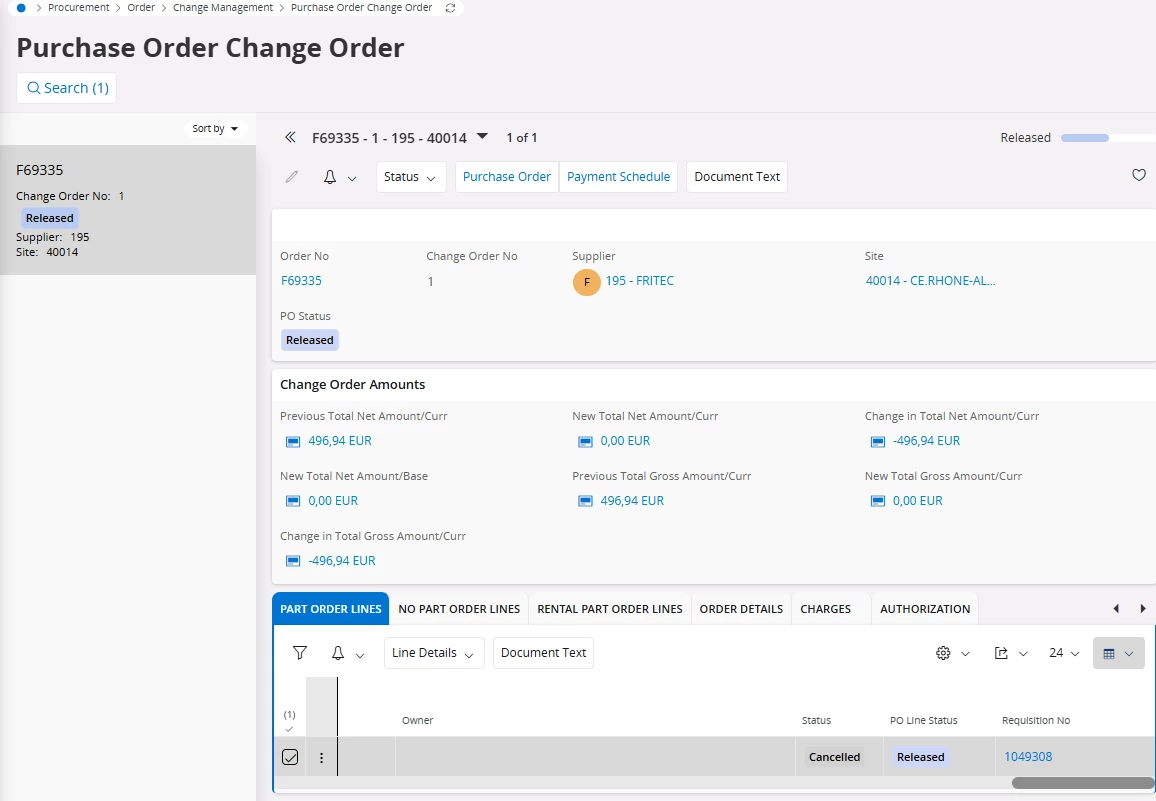
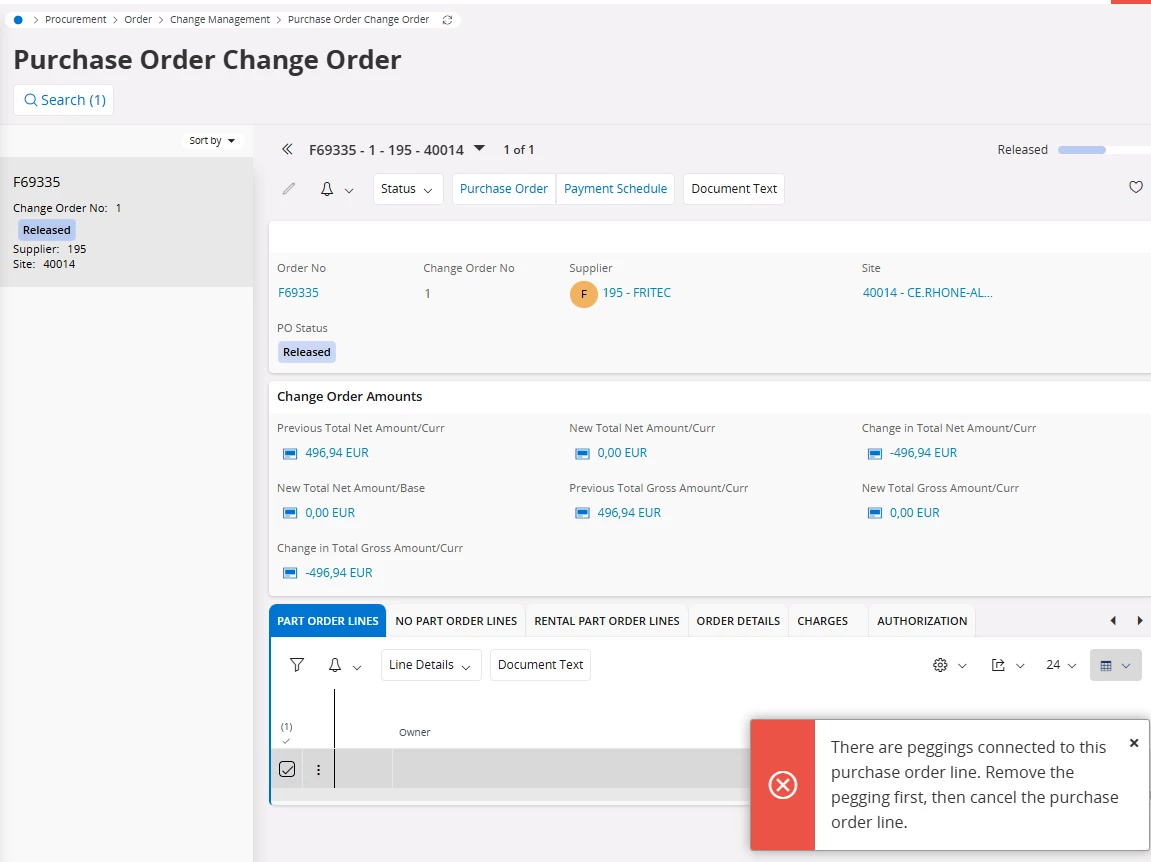
When trying to cancel a Purchase Order Line (via Change Order or direct action) that is connected to a Work Order, IFS Cloud throws the following error:
ORA-20110: PurchaseOrderLine.CANCELWOPEG: There are peggings connected to this purchase order line. Remove the pegging first, then cancel the purchase order line.
Could you please advise how to remove the pegging between the Purchase Order Line and the Work Order in IFS Cloud? Is this done from the Work Order, the Purchase Order Line, or via a specific supply/demand pegging view?
Thanks in advance for your help.
Best answer by NINO
Solution: Resolving the CANCELWOPEG Error in IFS
The CANCELWOPEG error occurs when you try to cancel a Purchase Order (PO) line that is directly "pegged" (linked) to a material demand on a Work Order or Work Task. IFS prevents the cancellation to ensure that the required parts for the maintenance job aren't "lost" without the planner's knowledge.
How to fix it:
To resolve this, you must manually break the link (unpeg) between the Purchase Order and the Work Task before you can cancel the PO line.
Navigate to the Work Task: Open the specific Work Task associated with the material demand.
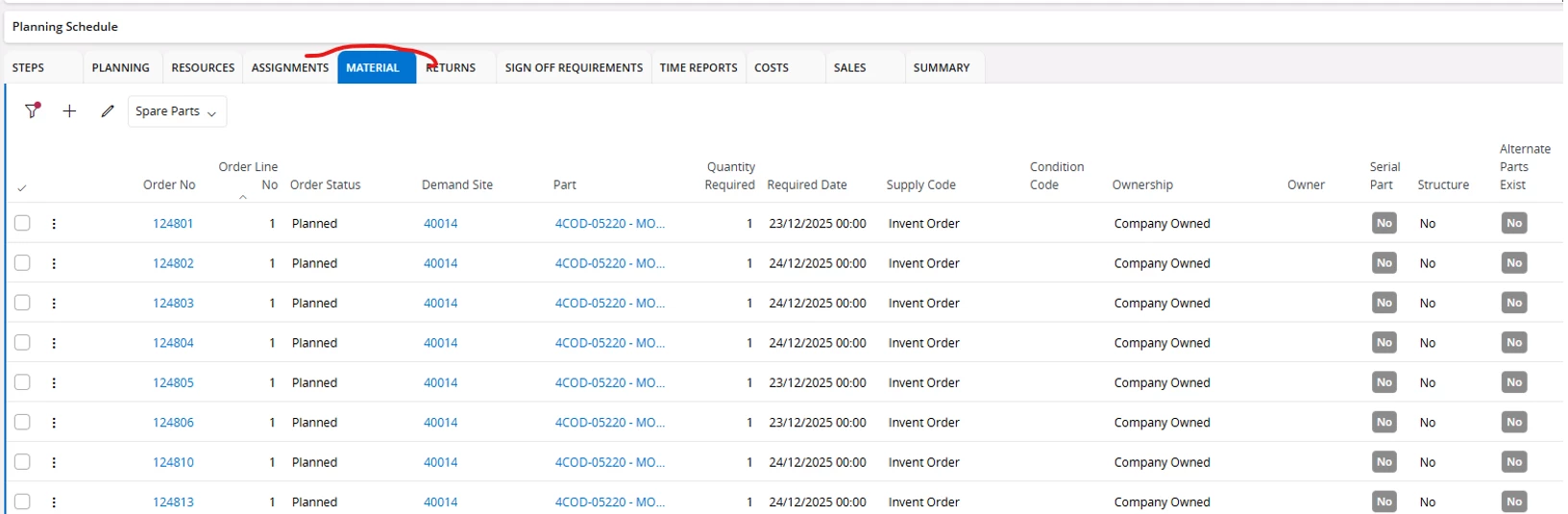
Locate the Material Line: Go to the material list and find the line linked to your Purchase Order.
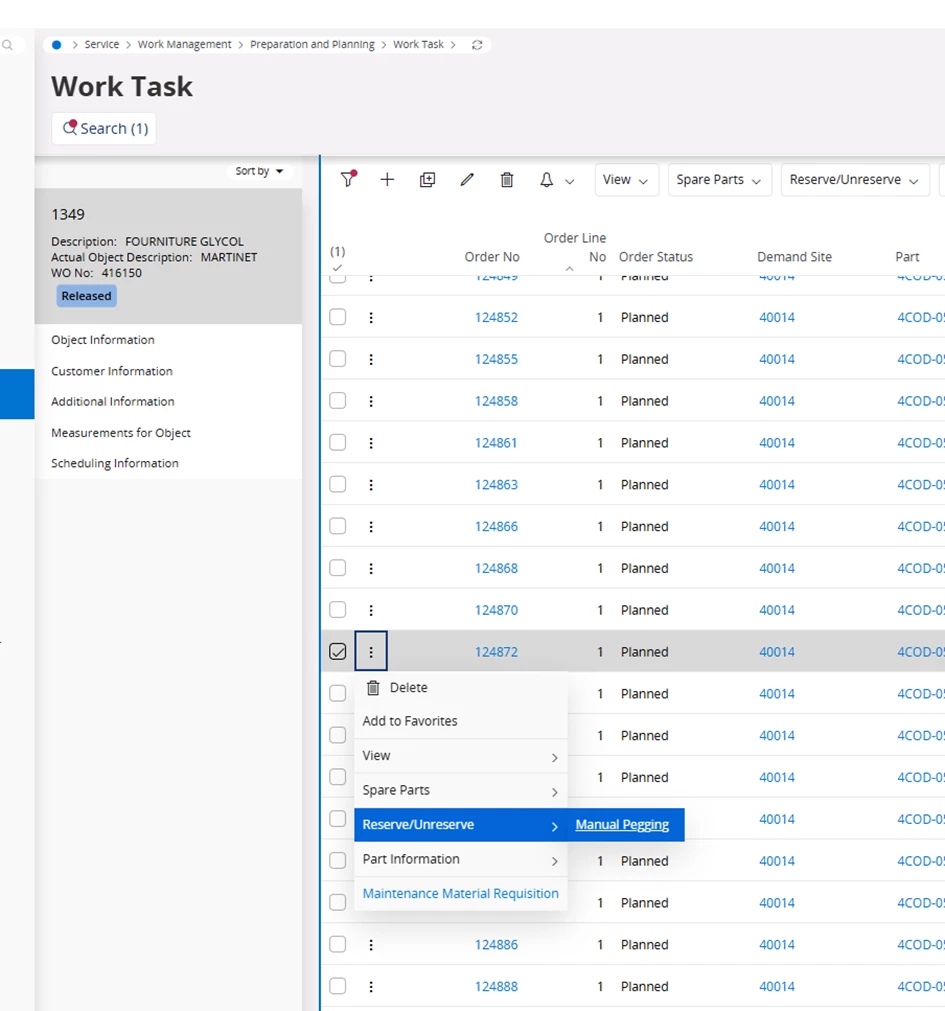
Open the Context Menu: Click on the three dots (icon) at the start of the row.
Access Manual Pegging:
Select Reserve/Unreserve.
Click on Manual Pegging.
Remove the Link: In the Manual Pegging screen, find the connection to your Purchase Order line and remove the quantity assigned (unpeg it).
Cancel the PO Line: Once the pegging is removed, go back to your Purchase Order. You will now be able to cancel the line without the error.
The CANCELWOPEG error occurs when you try to cancel a Purchase Order (PO) line that is directly "pegged" (linked) to a material demand on a Work Order or Work Task. IFS prevents the cancellation to ensure that the required parts for the maintenance job aren't "lost" without the planner's knowledge.
How to fix it:
To resolve this, you must manually break the link (unpeg) between the Purchase Order and the Work Task before you can cancel the PO line.
Navigate to the Work Task: Open the specific Work Task associated with the material demand.
Locate the Material Line: Go to the material list and find the line linked to your Purchase Order.
Open the Context Menu: Click on the three dots (icon) at the start of the row.
Access Manual Pegging:
Select Reserve/Unreserve.
Click on Manual Pegging.
Remove the Link: In the Manual Pegging screen, find the connection to your Purchase Order line and remove the quantity assigned (unpeg it).
Cancel the PO Line: Once the pegging is removed, go back to your Purchase Order. You will now be able to cancel the line without the error.