My customer, using infinite capacity and is requesting to automate the scheduling of shop orders in a specific order (after running MS Level 1), using two criteria:
Items with characteristic A must be scheduled before Items with characteristic B that must be scheduled before Items with characteristic C.
The shop orders must be produced in a gradual manner, items of 10 cm of width before 12 cm width before 14 cm width, etc.
Do you have any idea how I could implement it?
Best regards,
Laura
Best answer by Richard Owen
Hi,
Here is a suggestion which you can try out (these screen shots are just generic to give you some idea of the screens I am describing):
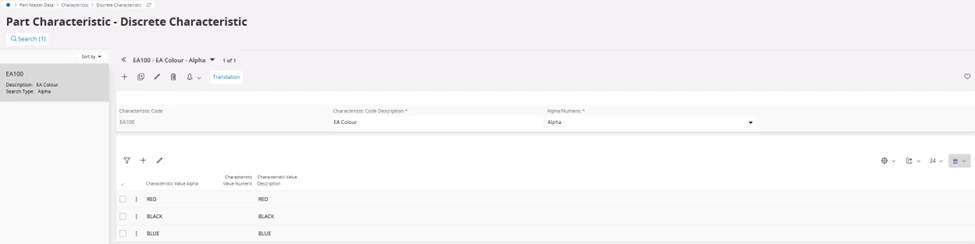
First you would need to create some Inventory Part Characteristics to represent things like Characteristic A, Characteristic B, 10cm Width, 12 cm Width, etc.
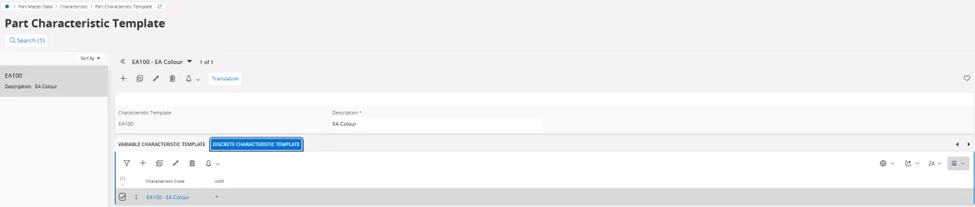
Next add the Characteristics to a Part Characteristic Template
Then add the Part Characteristic Template to the manufactured inventory parts, and add the relevant values for the part (e.g., Characteristic A and Width = 10cm, etc)
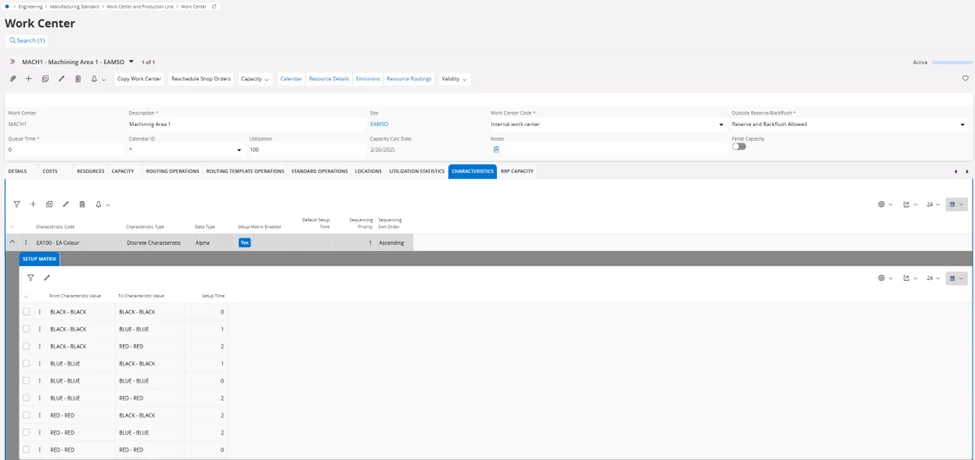
If the objective is to also reduce set-up and changeover time between shop orders, add the Characteristics to the Work Center Characteristics Setup Matrix together with setup times.
Create some example shop orders for the various manufactured parts and ensure all shop orders have the same Need Date.
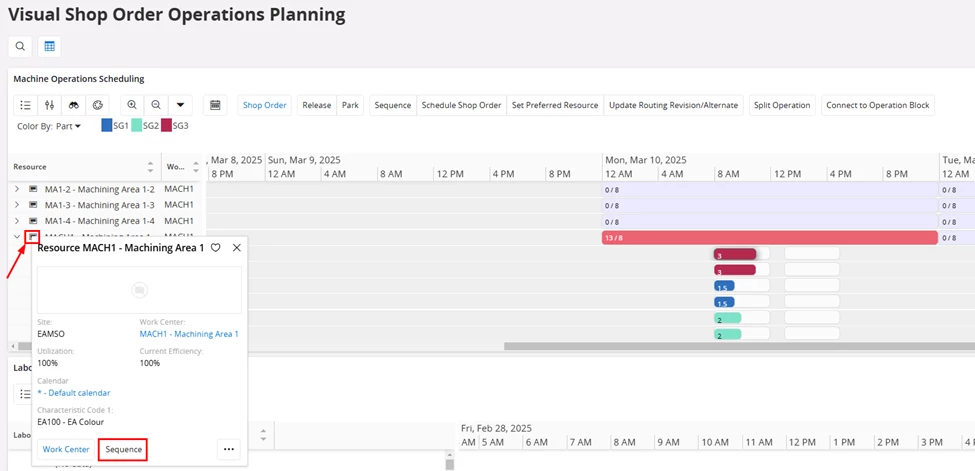
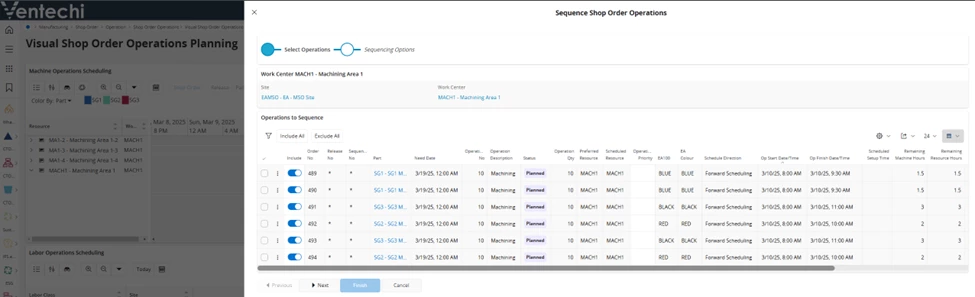
Then, view the Shop Orders in Visual Shop order Operations Planning and ‘Sequence’ the Work Center Resource
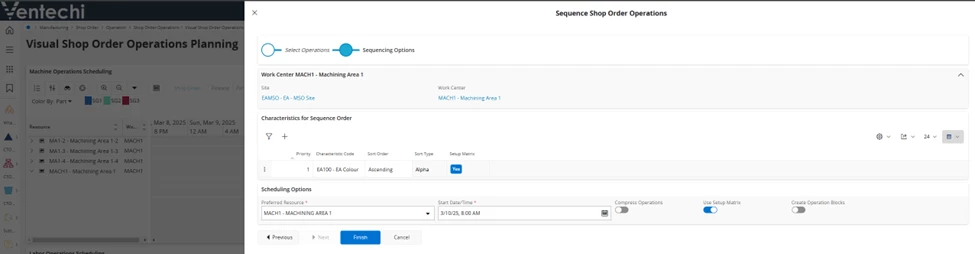
If you choose Use Setup Matrix, it will sequence and reduce the setup time.
If you don’t choose Use Setup Matrix, it will sequence and still include the setup time.
The Operations should then be sequenced by Characteristic
Here is a suggestion which you can try out (these screen shots are just generic to give you some idea of the screens I am describing):
First you would need to create some Inventory Part Characteristics to represent things like Characteristic A, Characteristic B, 10cm Width, 12 cm Width, etc.
Next add the Characteristics to a Part Characteristic Template
Then add the Part Characteristic Template to the manufactured inventory parts, and add the relevant values for the part (e.g., Characteristic A and Width = 10cm, etc)
If the objective is to also reduce set-up and changeover time between shop orders, add the Characteristics to the Work Center Characteristics Setup Matrix together with setup times.
Create some example shop orders for the various manufactured parts and ensure all shop orders have the same Need Date.
Then, view the Shop Orders in Visual Shop order Operations Planning and ‘Sequence’ the Work Center Resource
If you choose Use Setup Matrix, it will sequence and reduce the setup time.
If you don’t choose Use Setup Matrix, it will sequence and still include the setup time.
The Operations should then be sequenced by Characteristic