Can somebody help me on below.
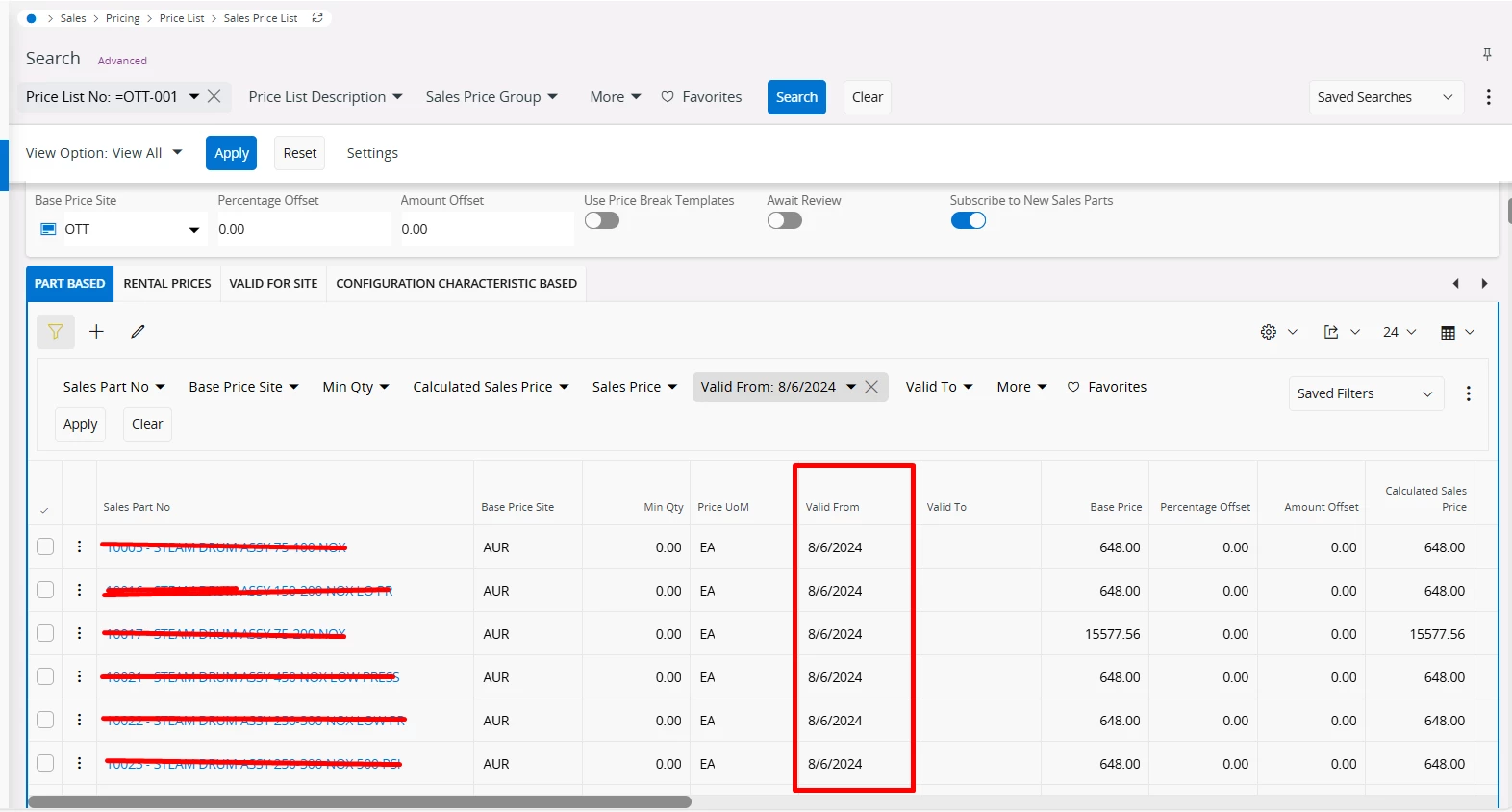
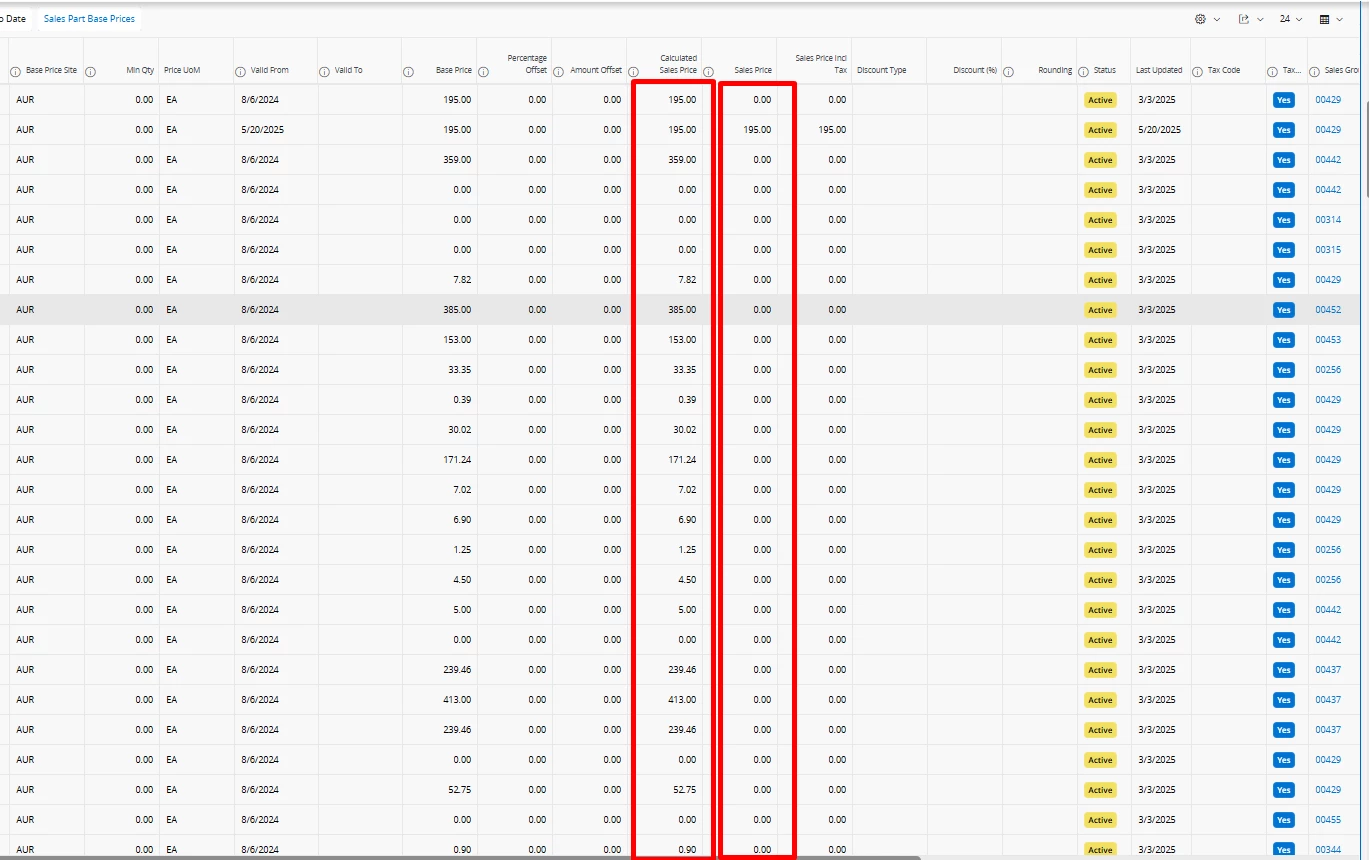
In the below Sales Price List, Sales Price is updates as ‘0’ since the Calculated Sales Price is getting updated correctly.
Cost sets are used to calculate the base price.
Thank you!

 +3
+3Can somebody help me on below.
In the below Sales Price List, Sales Price is updates as ‘0’ since the Calculated Sales Price is getting updated correctly.
Cost sets are used to calculate the base price.
Thank you!
Best answer by ajohnston
Hi
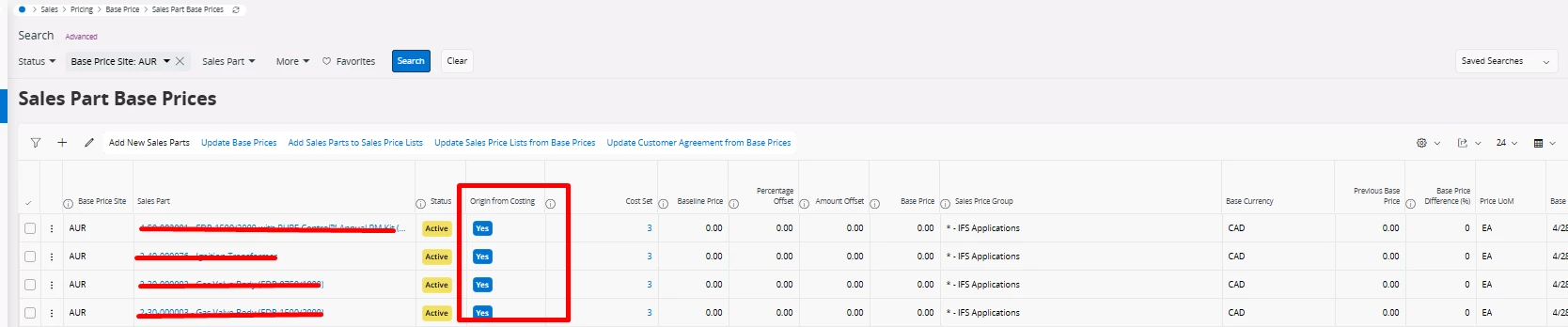
Thanks for raising this! I took a look at the screenshots and can see that the Calculated Sales Price column is correctly populated based on the Cost Set and pricing logic — but the Sales Price field remains 0.00, which is causing confusion.
The issue is likely due to the Sales Price List not being updated from the Calculated Sales Price values. Even though the system is calculating them correctly in the background, IFS doesn't automatically push those values into the Sales Price field unless explicitly triggered.
You can do this using:
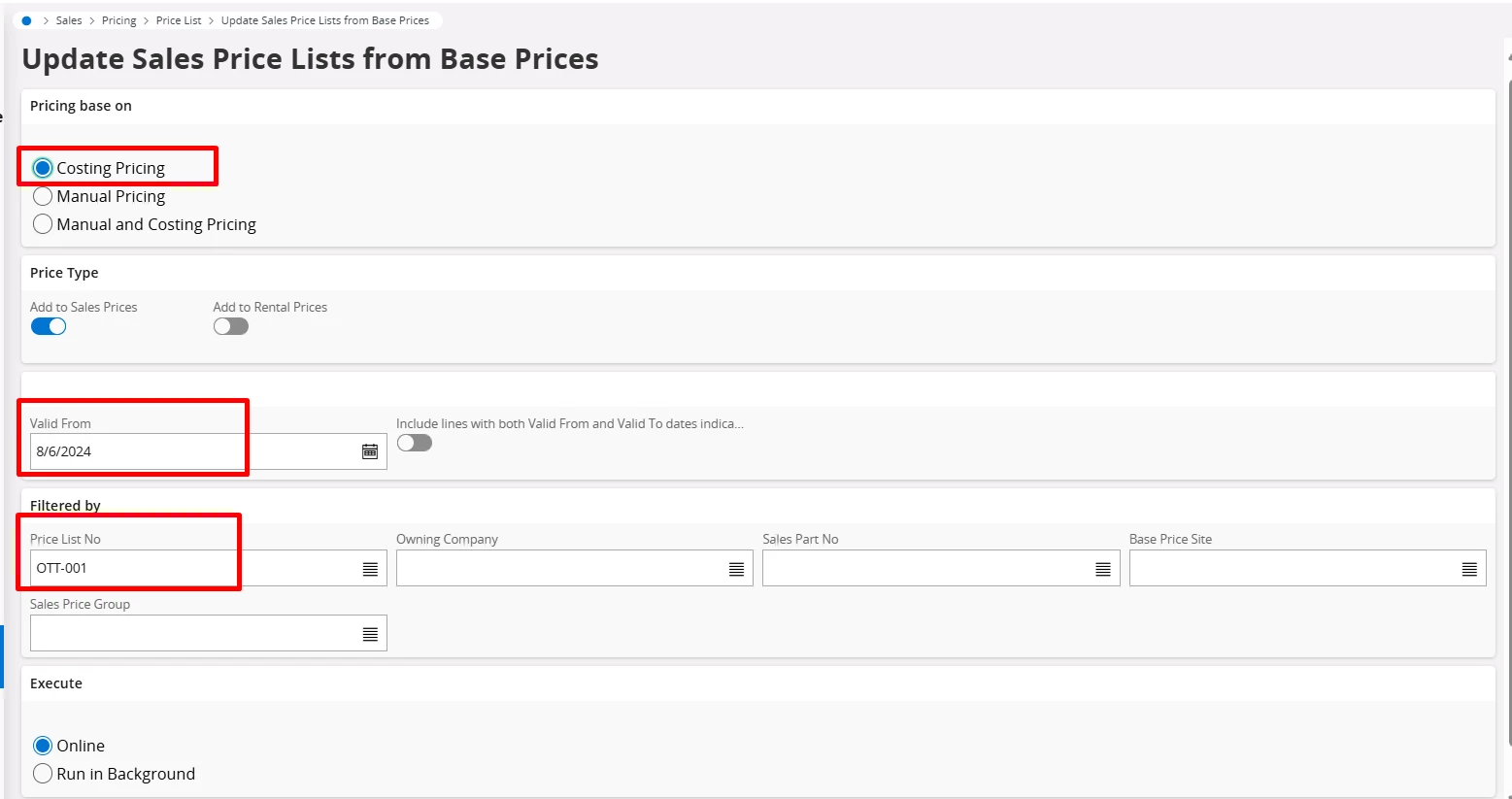
🧩 Update Sales Price Lists from Base Prices
Located in:
Sales → Pricing → Base Prices → Sales Part Base Prices
Filter your list as needed (e.g., by Base Price Site AUR)
Select the records
Click “Update Sales Price Lists from Base Prices”
This process will copy the Calculated Sales Price values into the Sales Price field on the active Sales Price List lines.
Make sure your Sales Price List has valid date ranges and is not expired.
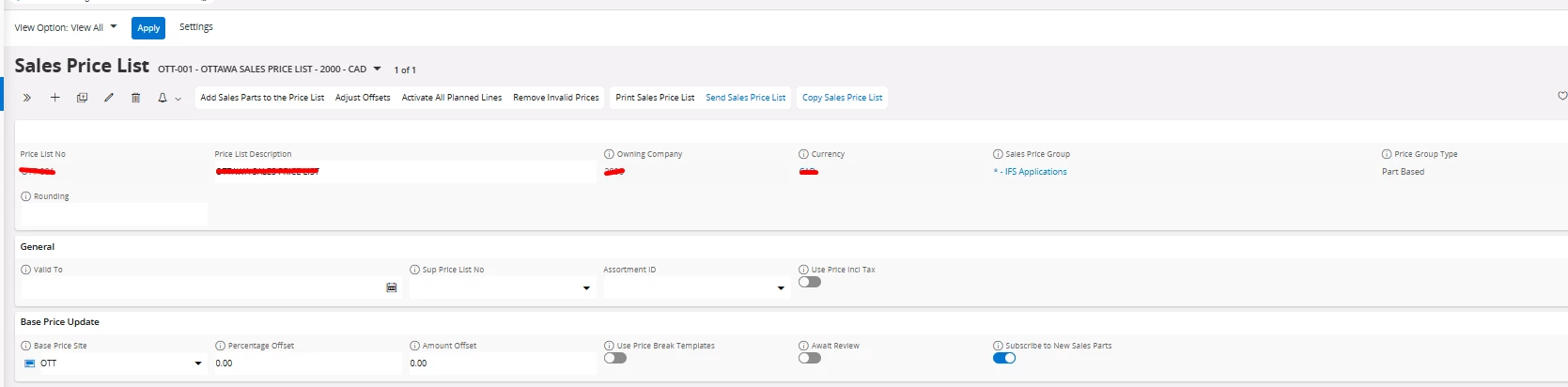
Ensure the Base Price Site in your Sales Price List setup (first screenshot) matches the entries in the Base Prices (second and third screenshots).
The toggle “Subscribe to New Sales Parts” is helpful, but it won't auto-fill prices unless the update action is performed.
Let me know if this resolves it — happy to walk through the process if needed!
Best,
Aaron J. | Solutions Architect
Enter your E-mail address. We'll send you an e-mail with instructions to reset your password.