


Solved

Rent out - replacement order

  • December 24, 2025
  • 2 replies
  • 65 views

Forum|alt.badge.img+7

Create Replacement order, Rent Out

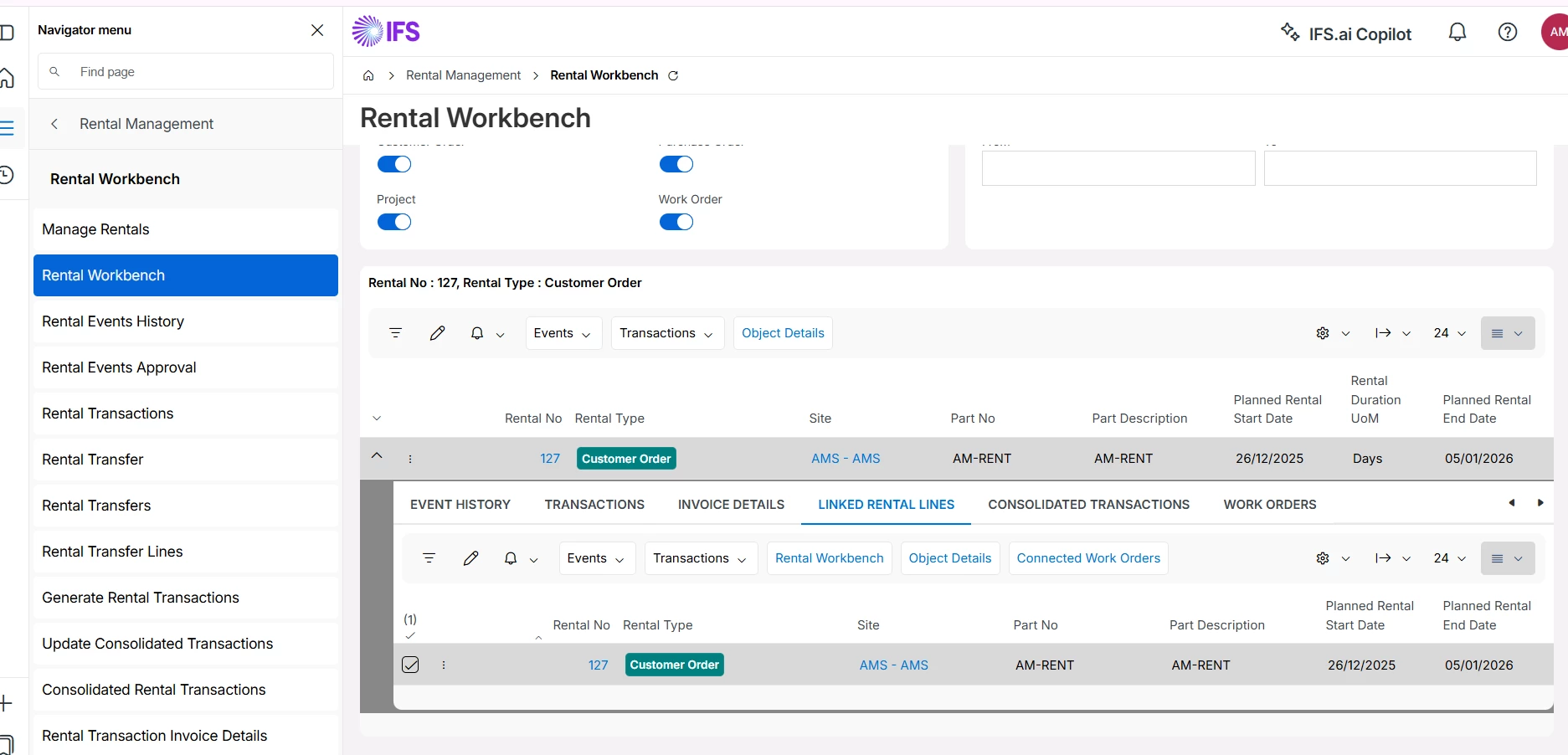
Rental Management > Rental Workbench > Select item > Click on create replacement order > Add item > Save > Click on customer receipt >Create customer return >Release ok > Register arrivals > Select source type (RMA) > Click on receive parts against order deliveries > Select receive case as receive into inventory > Enter picking location > Proceed > Manage rentals > Enter id > select order > object details > Select replaced order > status > Release > select line > manual reservations > Enter reserved Qt > Click on Report reserved Qt as picked > Quick order flow handling > Search order id > select line > Deliver

In this process create replacement order tab is not visible how to resolve this??

Best answer by TntKirtaS

Hi ​@TntAnnmaS ,
In IFS Cloud, the Create Replacement Order option in the Rental Workbench is displayed only when specific business and system conditions are met, so if the tab is not visible it is usually due to the rental not being in the correct state rather than a system issue. The rental object must already be delivered and active, if it is still created, reserved, returned, or closed, the replacement option will not appear. The customer order must be released and open, and the order line must be a rental-enabled sales part that is correctly connected to a rental object type—non-rental or closed lines will hide the option.

Regards,

Kirtan Shah

2 replies

Nikila Dis
Superhero (Employee)
Forum|alt.badge.img+14
  • Superhero (Employee)
  • December 24, 2025

Hi ​@TntAnnmaS,

Can you attach the screen shot of Event History (Rental Workbench). You cannot create multiple replacement orders for the same rental line. To check if a replacement order has already been created, go to Rental Management → Rental Workbench, select the original rental item or line, and look under Object Details → Replaced Orders / Replacement Info. If a replacement exists, it will be listed there, and the status may show Replaced or Replacement Created.

Regards,

Nikila Dissanayake


Forum|alt.badge.img+4
  • Do Gooder (Partner)
  • Answer
  • December 24, 2025

Hi ​@TntAnnmaS ,
In IFS Cloud, the Create Replacement Order option in the Rental Workbench is displayed only when specific business and system conditions are met, so if the tab is not visible it is usually due to the rental not being in the correct state rather than a system issue. The rental object must already be delivered and active, if it is still created, reserved, returned, or closed, the replacement option will not appear. The customer order must be released and open, and the order line must be a rental-enabled sales part that is correctly connected to a rental object type—non-rental or closed lines will hide the option.

Regards,

Kirtan Shah


