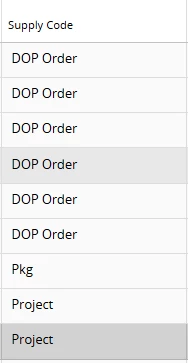
I have a line on a CO that has a supply code of ‘Project’
Normally we would create a purchase requisition on the project to drive demand for the part to be purchased, however due to annual leave and permission sets we are unable to.
Am I able to create a manual purchase requisition and peg it into the project at a later date?
If not, is there a way to drive demand while we wait for the project manager to return from annual leave?
Best answer by TntAnnmaS
1. Create the manual purchase requisition
Go to Purchase Requisition (Create/Enter PR) in IFS.
Create a new PR header with: Site, Wanted Receipt Date, Supplier (if known) or leave for sourcing, Buyer, etc.
Add a Part line for the required item:
Part No, Quantity, UoM.
Required site/warehouse.
Any needed pre‑posting if you already know the cost account.
Save and Release the PR so it generates demand and can be converted to a PO by Purchasing.
At this point, demand is active even though it is not yet pegged to the project.
2. Later connect the PR line to the project activity (from PR)
When you or the project manager have the right access:
Open Purchase Requisition Lines and query the relevant PR line.
Select the line, then choose Project Connections → Connect to Activity (or similar command text).
In the Connect to Activity dialog, enter:
Project ID.
Activity ID.
Confirm and OK.
Save. The PR line is now pegged to that project activity, and any PO line created from this PR will inherit the project connection and pre‑posting.
3. Alternative: connect from the project side
If you prefer to work from the project:
Open the Project Activity in Project Navigator / Activity Monitoring.
Use Connect Existing Object to Activity.
Search for object type Purchase Requisition Line and pick the PR line you created.
Confirm to connect.
Both options achieve the same goal: you can create and process the PR now to drive demand, then peg it to the project once permissions or the PM are available.
Go to Purchase Requisition (Create/Enter PR) in IFS.
Create a new PR header with: Site, Wanted Receipt Date, Supplier (if known) or leave for sourcing, Buyer, etc.
Add a Part line for the required item:
Part No, Quantity, UoM.
Required site/warehouse.
Any needed pre‑posting if you already know the cost account.
Save and Release the PR so it generates demand and can be converted to a PO by Purchasing.
At this point, demand is active even though it is not yet pegged to the project.
2. Later connect the PR line to the project activity (from PR)
When you or the project manager have the right access:
Open Purchase Requisition Lines and query the relevant PR line.
Select the line, then choose Project Connections → Connect to Activity (or similar command text).
In the Connect to Activity dialog, enter:
Project ID.
Activity ID.
Confirm and OK.
Save. The PR line is now pegged to that project activity, and any PO line created from this PR will inherit the project connection and pre‑posting.
3. Alternative: connect from the project side
If you prefer to work from the project:
Open the Project Activity in Project Navigator / Activity Monitoring.
Use Connect Existing Object to Activity.
Search for object type Purchase Requisition Line and pick the PR line you created.
Confirm to connect.
Both options achieve the same goal: you can create and process the PR now to drive demand, then peg it to the project once permissions or the PM are available.