Answer

How to add a automatic Document Text to Customer Order

  • November 25, 2025
  • 7 replies
  • 63 views

ashenfdo
Sidekick (Customer)
Forum|alt.badge.img+8

Is there a way to add an automatic document text to the customer order for a specific site?




Best answer by PRODQ

Does this help?  

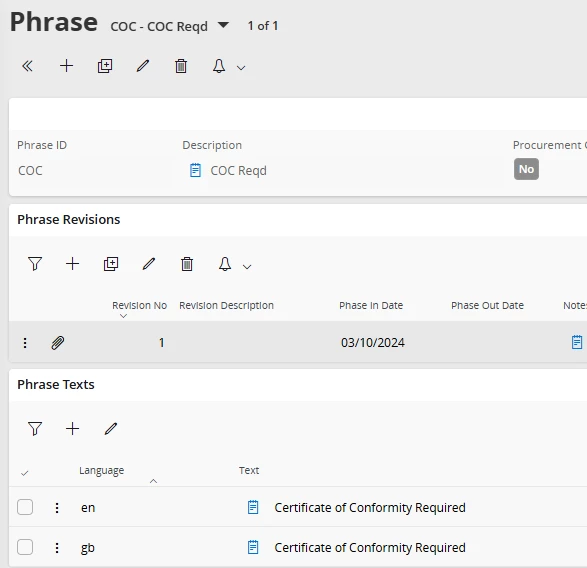
Create a Phrase ID.  

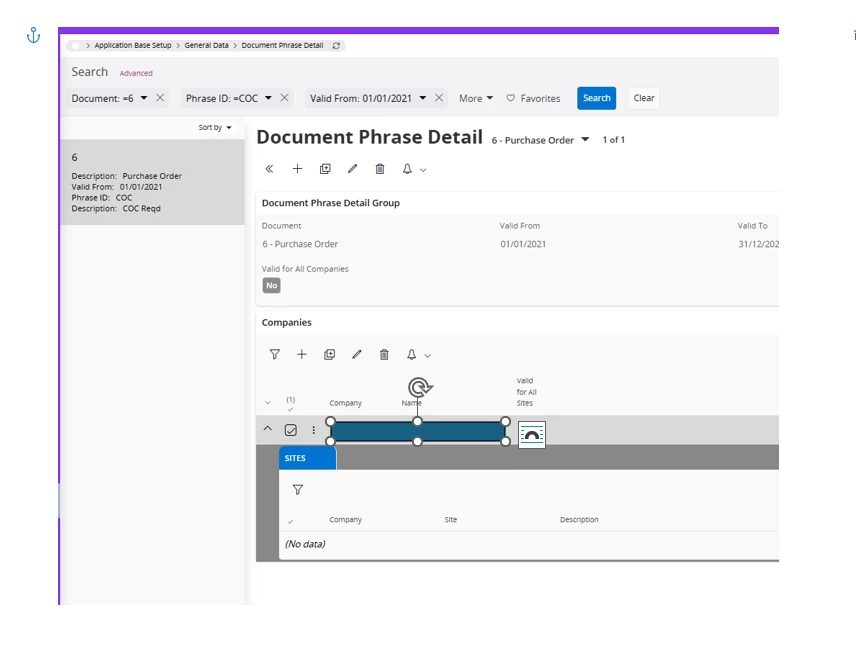
Create a Phrase Detail to connect to Document and apply Company/Site details ...
 

7 replies

PRODQ
Superhero (Customer)
Forum|alt.badge.img+18
  • Superhero (Customer)
  • Answer
  • November 25, 2025

Does this help?  

Create a Phrase ID.  

Create a Phrase Detail to connect to Document and apply Company/Site details ...


ashenfdo
Sidekick (Customer)
Forum|alt.badge.img+8
  • Author
  • Sidekick (Customer)
  • November 26, 2025

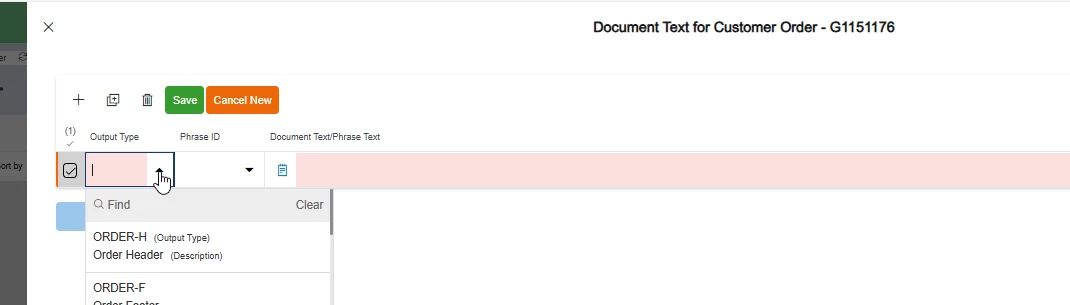
Hi ​@PRODQ  thanks for the answer it automatically attached but can I decide whether it can go in the footer or in the header?


ashenfdo
Sidekick (Customer)
Forum|alt.badge.img+8
  • Author
  • Sidekick (Customer)
  • November 26, 2025

Hi, I mean the output type , can we set that?


PRODQ
Superhero (Customer)
Forum|alt.badge.img+18
  • Superhero (Customer)
  • November 26, 2025

It doesn’t use Output Type; when you create a Phrase ID you then connect that Phrase ID to a “Document”. 


You’d need to investigate the document layout for where it appears - depending if you’re using Report Designer or Crystal or something else to handle your Report Layout.  


ashenfdo
Sidekick (Customer)
Forum|alt.badge.img+8
  • Author
  • Sidekick (Customer)
  • November 26, 2025

Hi ​@PRODQ  thanks a lot for your responses


ashenfdo
Sidekick (Customer)
Forum|alt.badge.img+8
  • Author
  • Sidekick (Customer)
  • December 3, 2025

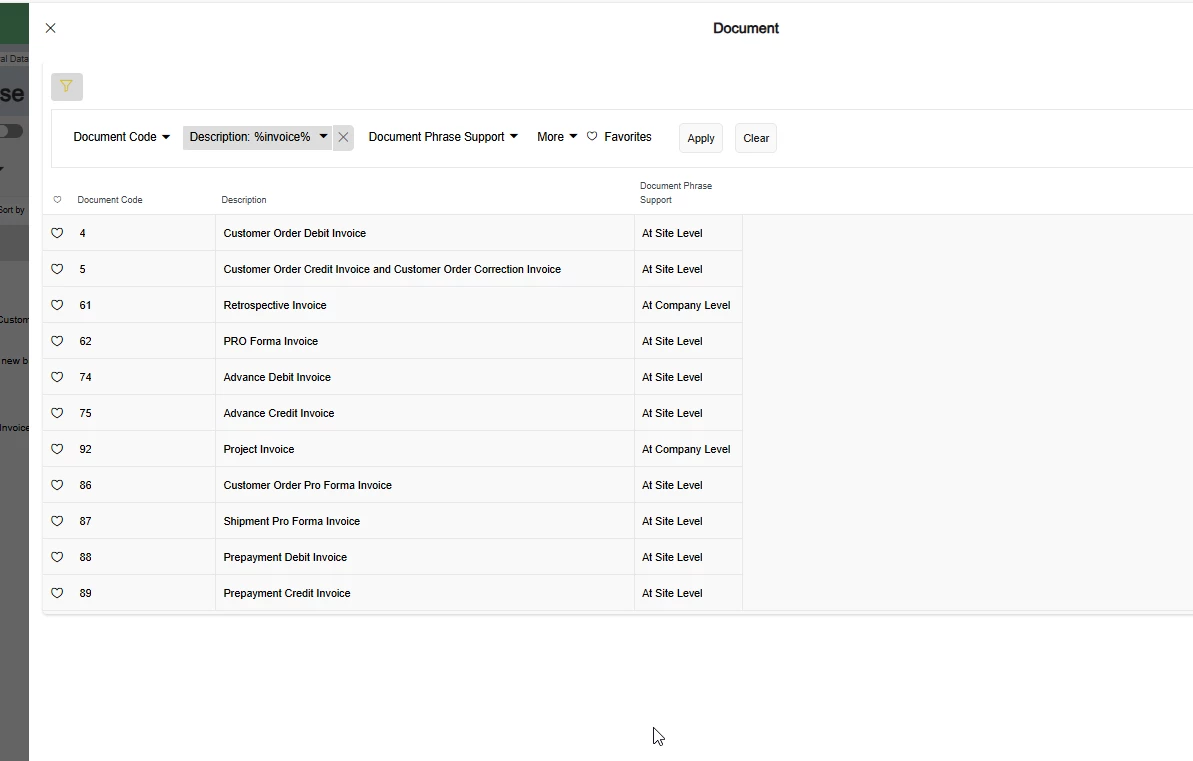
Hi ​@PRODQ  a follow up question. Should I see all the reports available in the system here? I want to add this to Invoice but I am not sure which document is it?


PRODQ
Superhero (Customer)
Forum|alt.badge.img+18
  • Superhero (Customer)
  • December 5, 2025

Depends which invoice your company use or which you need to add the text to appear on… There are, as you can see, a number of different types of invoice.  Maybe someone in Finance can advise you?