

Solved

Cycle Counting: Include Full Qty Of Part In Location

  • July 11, 2025
  • 1 reply
  • 56 views

Forum|alt.badge.img+8

Hi,

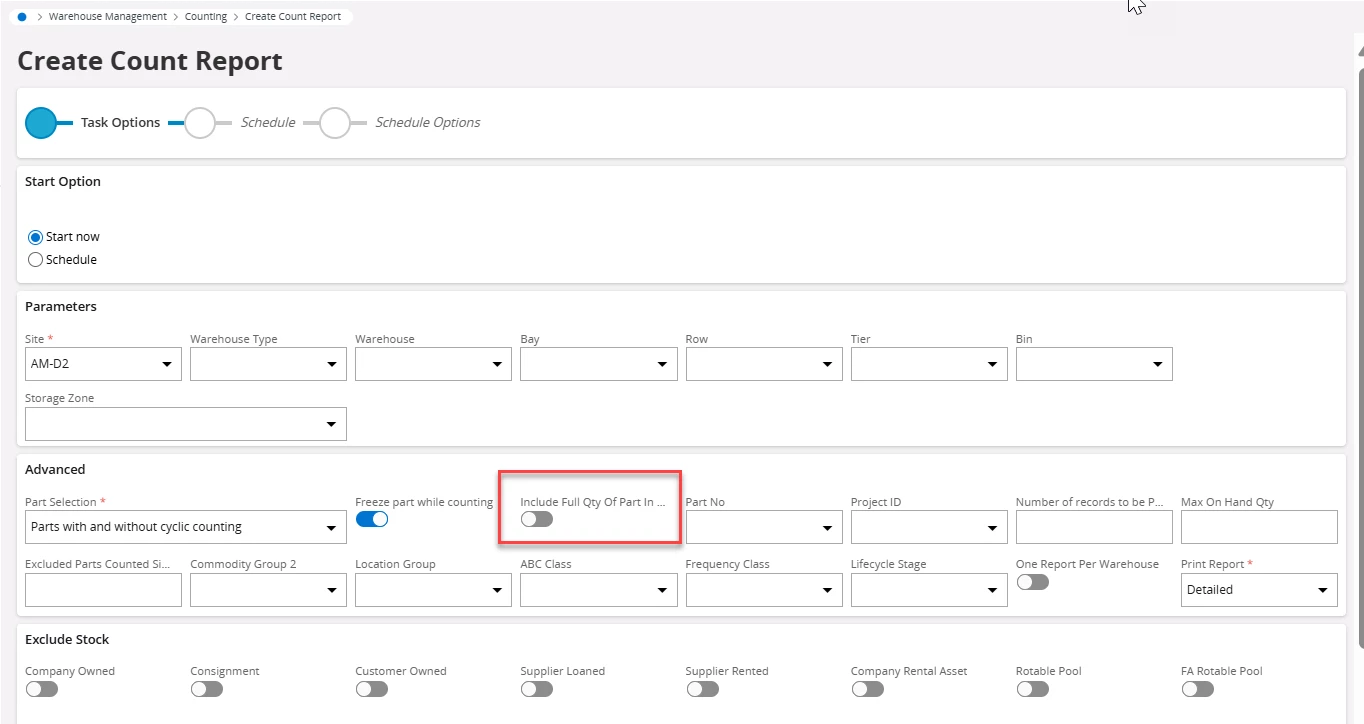
What does the field “Include Full Qty Of Part In Location” on the “Create Count Report” do/mean?
Thank you,

Alex

 

Best answer by Abdul

Hi ​@Alex_Mee,

When this option is enabled:

  • The system will include the entire quantity of a part in a specific location in the count report, even if only part of it is due for counting based on the count criteria (like ABC classification, count frequency, etc.).
  • This is useful when you want to count the full stock in a location to ensure accuracy, rather than just a subset.

When this option is disabled:

  • The system will include only the quantity that is due for counting based on the defined rules.
  • This is more targeted and efficient but might miss discrepancies in the rest of the stock.

Example Scenario:

  • Suppose you have 100 units of a part in Location A.
  • Based on your cycle count rules, only 30 units are due for counting.
  • If "Include Full Qty of Part In Location" is checked, the count report will show all 100 units.
  • If it's unchecked, it will show only the 30 units.

This setting helps balance between accuracy and efficiency in inventory management.


Regards

Abdul Rehman

1 reply

Abdul
Superhero (Partner)
Forum|alt.badge.img+20
  • Superhero (Partner)
  • Answer
  • July 11, 2025

Hi ​@Alex_Mee,

When this option is enabled:

  • The system will include the entire quantity of a part in a specific location in the count report, even if only part of it is due for counting based on the count criteria (like ABC classification, count frequency, etc.).
  • This is useful when you want to count the full stock in a location to ensure accuracy, rather than just a subset.

When this option is disabled:

  • The system will include only the quantity that is due for counting based on the defined rules.
  • This is more targeted and efficient but might miss discrepancies in the rest of the stock.

Example Scenario:

  • Suppose you have 100 units of a part in Location A.
  • Based on your cycle count rules, only 30 units are due for counting.
  • If "Include Full Qty of Part In Location" is checked, the count report will show all 100 units.
  • If it's unchecked, it will show only the 30 units.

This setting helps balance between accuracy and efficiency in inventory management.


Regards

Abdul Rehman


