Question

Create Purchase Requisition from "Inventory Parts with Shortage"

  • December 5, 2025
  • 3 replies
  • 71 views

Forum|alt.badge.img+1
  • Do Gooder (Customer)

Subject: Is it possible to create a Purchase Requisition/Order directly from the "Inventory Parts with Shortage" screen?

Hi Community,

We are currently using IFS Applications 10 EE.

Our planning team frequently uses the "Inventory Parts with Shortage" and "Resolve Shortages for Inventory Part" screens to monitor critical stock levels.

However, when we identify a shortage, we want to be able to take immediate action to supply the material directly from these screens. Specifically, we are looking for an option in the Right Mouse Button (RMB) menu to "Create Purchase Requisition" or "Create Purchase Order" for the selected part.

As seen in the attached screenshots, the standard RMB options currently allow us to "Resolve Shortages" (allocate existing stock), but there is no direct option to generate new supply (Purchasing) for the shortage quantity.

My questions are:

  1. Is there a standard parameter or setting to enable a "Create Purchase Requisition" option in these specific windows?

  2. If this is not supported in standard, would the best practice be to create a Custom Menu executing a PL/SQL block to generate the requisition?

Any suggestions or workarounds to streamline this process would be greatly appreciated.

Thanks in advance!

3 replies

matt.watters
Ultimate Hero (Partner)
Forum|alt.badge.img+26
  • Ultimate Hero (Partner)
  • December 5, 2025

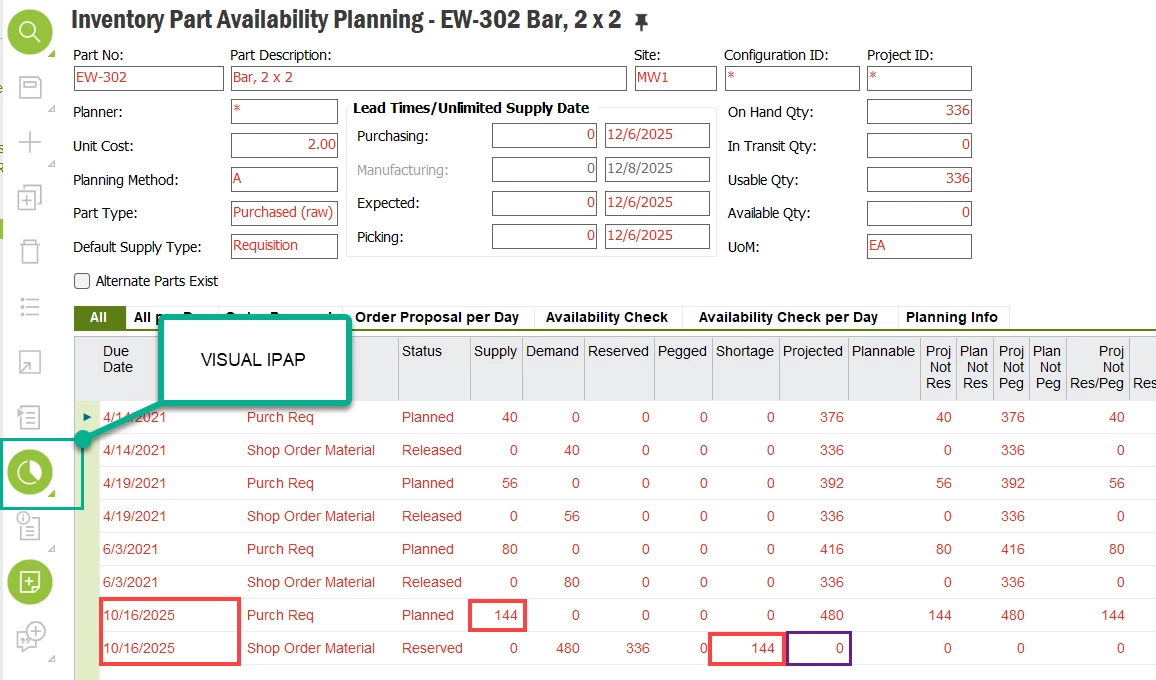
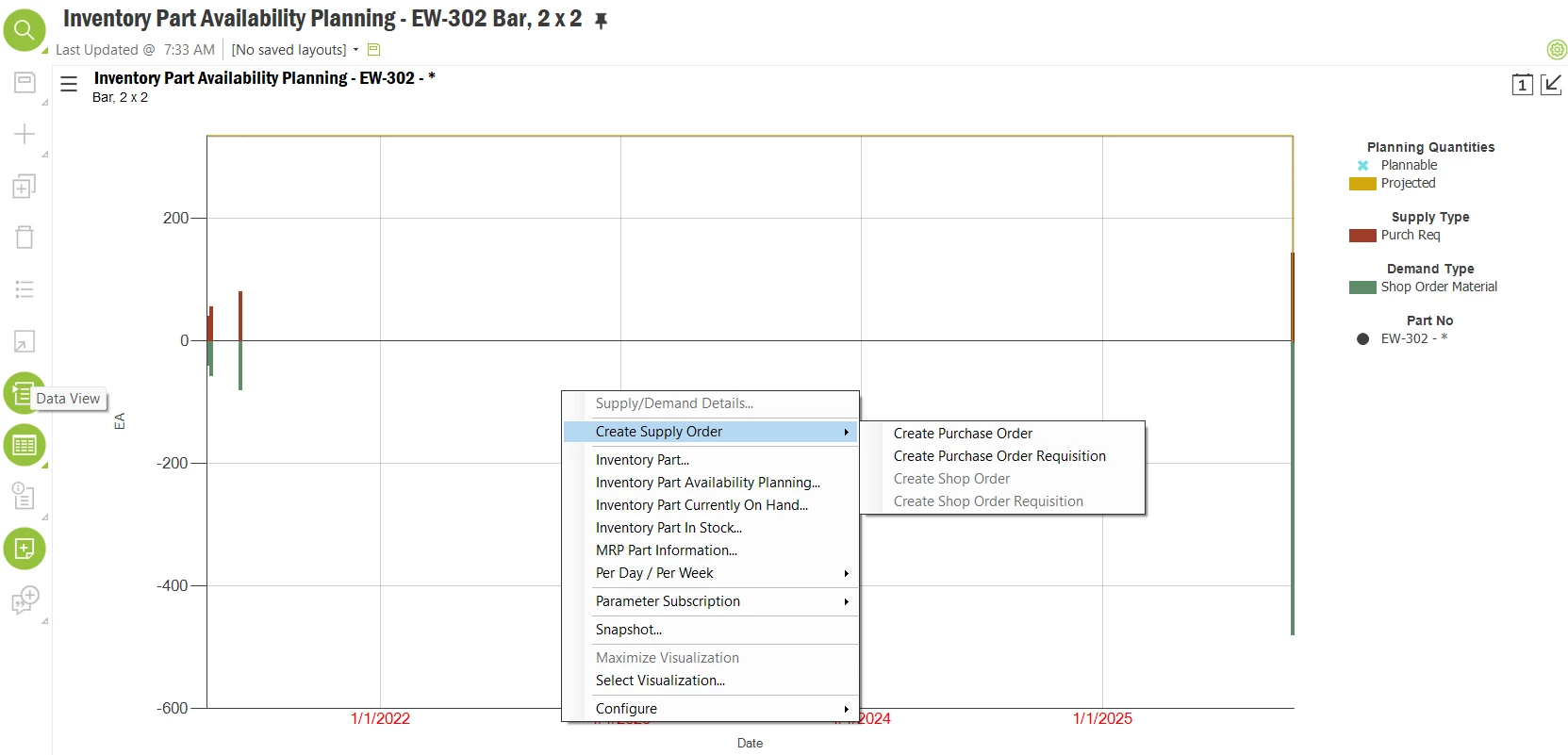
@osrt I recommend moving away from using these pages to monitor critical stock levels and instead use the visual form of the Inventory Part Availability Planning page, if you have the Manufacturing Visualizer component (MFGVIZ) installed. You can generate supplies in this view.

As an example below (disregard the dates being in the past), this part was reserved against a shop order, but only a portion of the required quantity could be reserved and thus a shortage was registered. However, if all went according to plan and my supply arrived on time I would have sufficient material and not require any additional supply orders. I would also be notified when this last supply arrives that there is a shortage for this part and then I would possibly use the Resolve Shortages page to manage this.

In the visual IPAP, if you see a situation where you need to generate a supply, such as Projected Qty going negative, you can do this through a right-click.


Forum|alt.badge.img+1
  • Author
  • Do Gooder (Customer)
  • December 5, 2025

@osrt I recommend moving away from using these pages to monitor critical stock levels and instead use the visual form of the Inventory Part Availability Planning page, if you have the Manufacturing Visualizer component (MFGVIZ) installed. You can generate supplies in this view.

As an example below (disregard the dates being in the past), this part was reserved against a shop order, but only a portion of the required quantity could be reserved and thus a shortage was registered. However, if all went according to plan and my supply arrived on time I would have sufficient material and not require any additional supply orders. I would also be notified when this last supply arrives that there is a shortage for this part and then I would possibly use the Resolve Shortages page to manage this.

In the visual IPAP, if you see a situation where you need to generate a supply, such as Projected Qty going negative, you can do this through a right-click.


"Hi Matt Watters


Thanks for the suggestion.


We are on IFS Applications 10 Update 14 (Client: 10.14.21.0, Server: 10.14.8.0).


Is the Visual IPAP (and the underlying MFGVIZ component) supported in this specific update? If not, from which Update level of IFS App 10 does this feature become available?


Thanks,"


matt.watters
Ultimate Hero (Partner)
Forum|alt.badge.img+26
  • Ultimate Hero (Partner)
  • December 5, 2025

@osrt The visual planning pages were introduced in Apps9. I believe it is a component you have to purchase.