

Question

Attached Documents - Supplier Request to Supplier

  • November 7, 2024
  • 3 replies
  • 105 views

gsage11
Do Gooder (Partner)
Forum|alt.badge.img+1

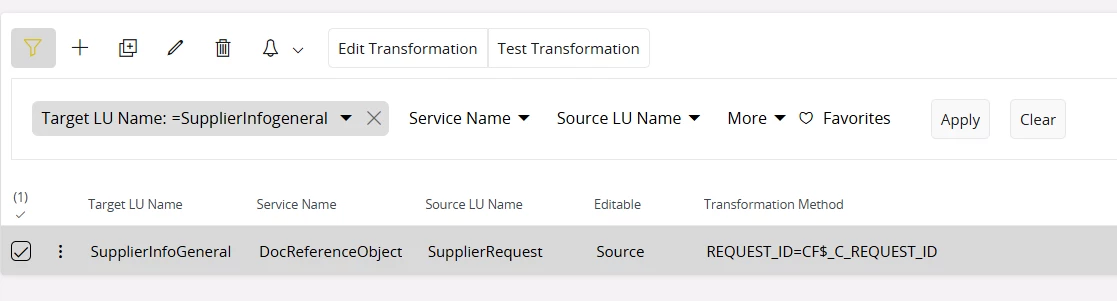
Cloud 24R1 - The need is Supplier Request document attachments to be brought over to the Supplier record when created from the Supplier Request.

I tried creating an OCT as per the screen shot. The Supplier_ID key does exist in the SupplierRequest, but I think it's not working as it's a populated field instead of a Key field.

 When I run the test, it states it has “passed” however the Source Key populates with REQUEST_ID, not SUPPLIER_ID.
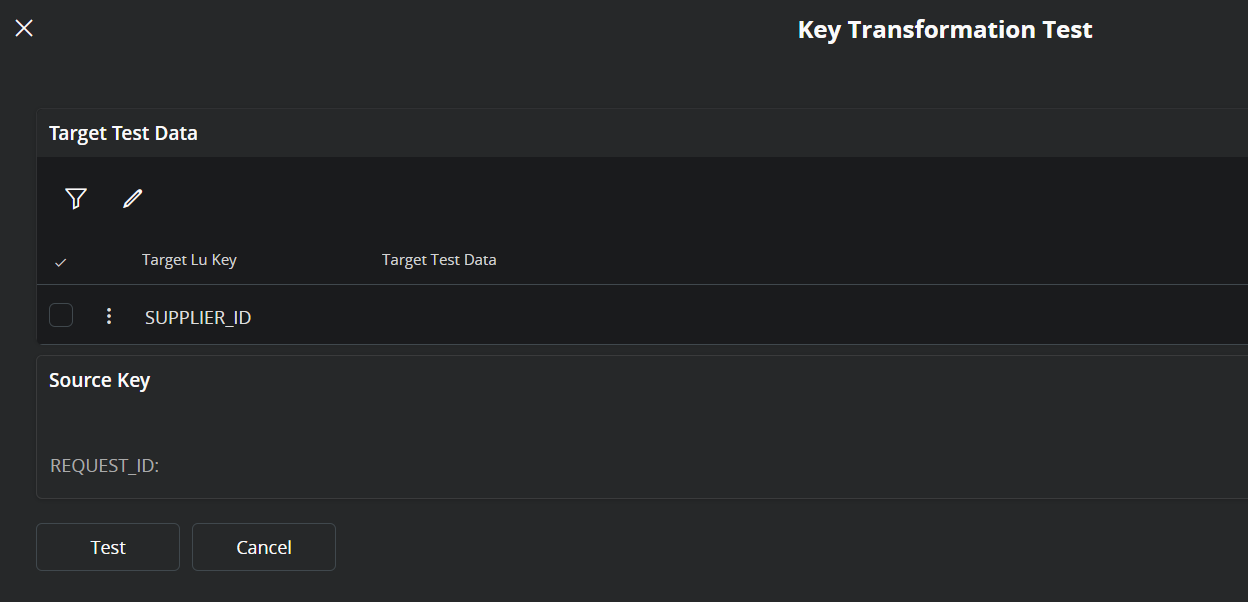
Any solution here? Or not a feasible solution?


 

3 replies

Forum|alt.badge.img+2
  • Sidekick (Partner)
  • May 6, 2025

Hi ​@gsage11 You need to have the source key field of SupplierRequest in SupplierInfoGeneral to have this working. I also had the same requirement and I did a configuration to do this. Added a custom field to SupplierInfoGeneral (ex - as c_reqest_id) and populated it with the RequestId from SupplierRequest. Then you can do the object transformation using the following Transformation Method. 


Forum|alt.badge.img+1

@gsage11 - Hi there.  I was just curious if you are attaching a document on the New Supplier Request assistant page, or in the Supplier Request screen.  Trying to see if there’s a way to add attachments to the New Supplier Request assistant.  Thanks!


gsage11
Do Gooder (Partner)
Forum|alt.badge.img+1
  • Author
  • Do Gooder (Partner)
  • June 1, 2026

@gsage11 - Hi there.  I was just curious if you are attaching a document on the New Supplier Request assistant page, or in the Supplier Request screen.  Trying to see if there’s a way to add attachments to the New Supplier Request assistant.  Thanks!

Yes, attaching documents to these screens to be brought over once the supplier record is created. This is what I have been trying to figure out but looks like thp figured it out and will try adding the custom transformation method. Such as all finance docs W9, banking information etc.

If the Document attachment area doesn’t exist on your Supplier Request screen, need to add to the Object(LU) via Object Connections.