Question

mWO Page Designer - Making a field visible based on a logic

  • March 3, 2026
  • 3 replies
  • 21 views

Forum|alt.badge.img+8

Hi,


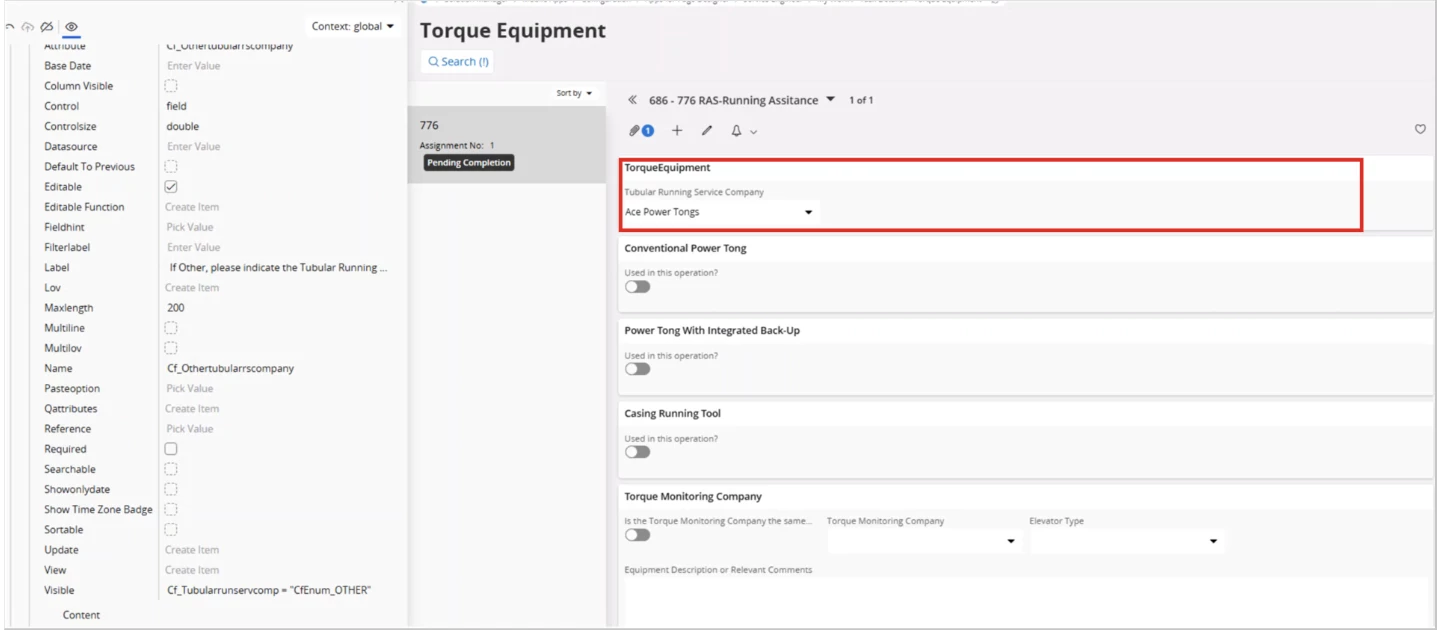
My customer has created a page as an action in mwo and added several fields to that page. In one section they have created two fields; a LOV and a Text field. The customer wants to enable to Text field based on the value they add to the LOV.

Ex: make the text field visible only if the LOV value in ‘Other’.

This has been setup in page designer configuration in below manner and working fine there.
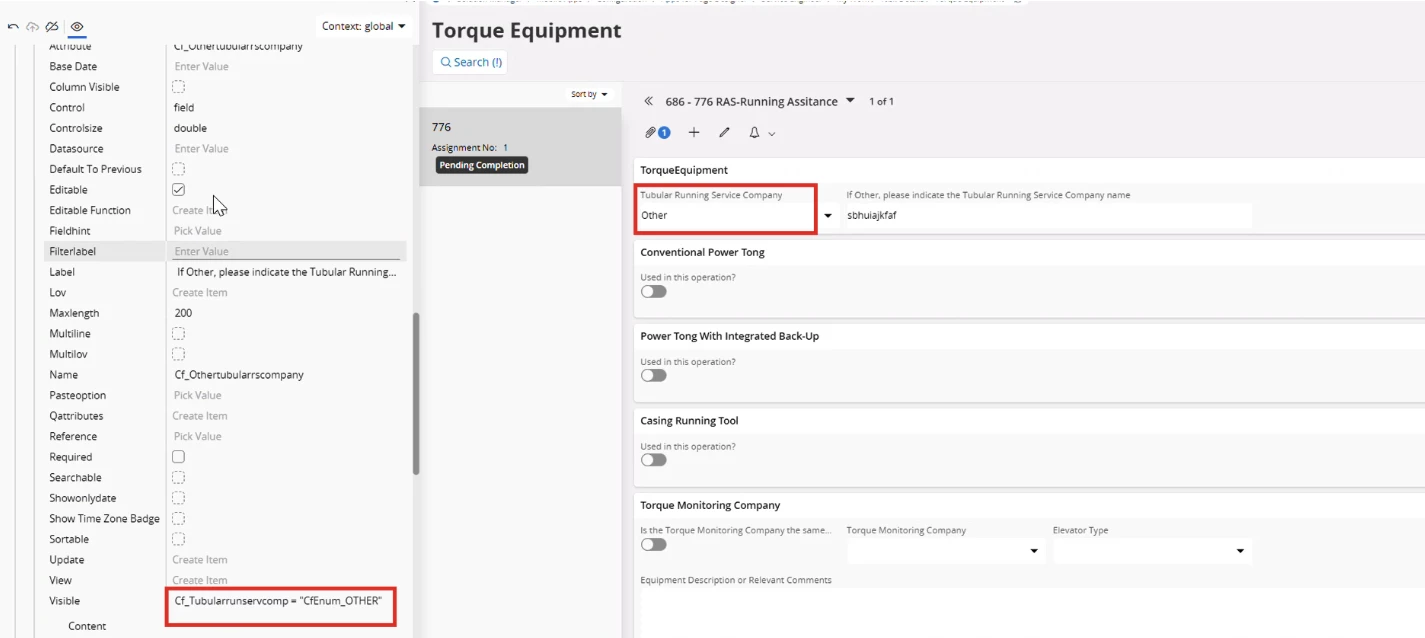


However, the problem is that, this change does not apply to mobile. Any idea why?
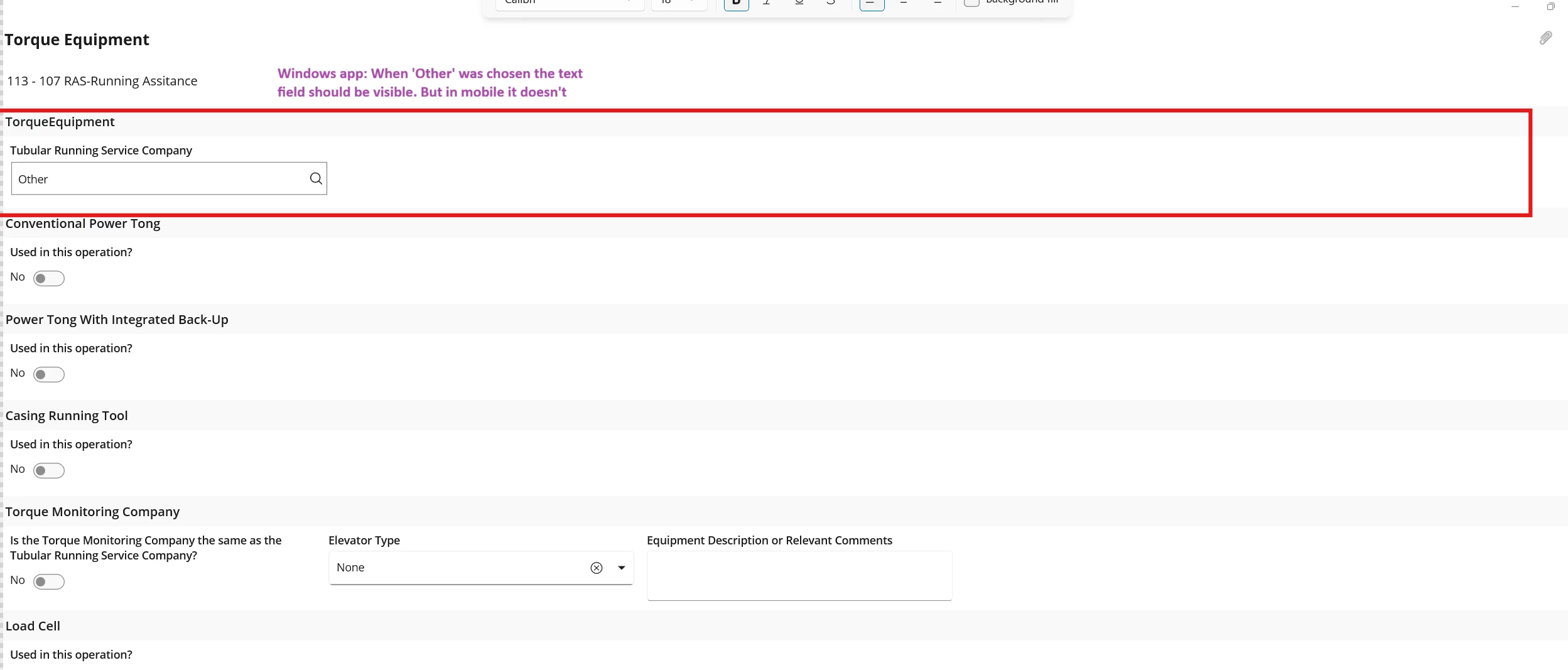
We have initialized the app, refreshed cache and disconnected and connected the app.

Best Regards,

3 replies

Alexander Heinze
Ultimate Hero (Employee)
Forum|alt.badge.img+25

Can you share the conditional expression that you used on the text field? If you disable the condition, is the field displayed?


Forum|alt.badge.img+8
  • Author
  • Sidekick (Employee)
  • March 3, 2026

Hi ​@Alexander Heinze Thank for looking into this. 

Cf_Tubularrunservcomp = "CfEnum_OTHER"


This is the conditional expression that was added. 

If I disable the condition the field will display in page designer and MWO


Alexander Heinze
Ultimate Hero (Employee)
Forum|alt.badge.img+25

Further, conditional expressions must use the "record" prefix...

Configurations for Mobile Apps - Technical Documentation For IFS Cloud

Can you try that? Also look at Condition Syntax - Technical Documentation For IFS Cloud for reference fields.