Question

IFS Workflow – Multiple E-Form Triggers for One Work Task Not Working

  • February 26, 2026
  • 4 replies
  • 38 views

Forum|alt.badge.img+1

Hi everyone,

I’m currently working with IFS workflows and E-Forms, and I’m trying to configure multiple triggers for a single work task. However, I’m seeing unexpected behavior and would appreciate some guidance.


Questions

  1. Workflow Trigger Limitations

    • Is it possible to configure multiple triggers for E-Forms on a single work task?

    • Or is there a one-to-one limitation between a work task and workflow trigger?

    • If multiple triggers are supported, are there any specific configuration requirements?

  2. Technical Functionality

    • Can multiple workflows be triggered at different phases of a work task, such as:

      • Before job start

      • After job completion

    • If this is supported, why would only one workflow trigger execute, even when multiple are configured?

  3. Best Practices

    • What are the recommended best practices for workflow configuration when:

      • Multiple E-Forms are required for a single work task

      • Different triggers are needed at different phases


Testing Results

  • When only one trigger is configured → the workflow works correctly

  • When multiple triggers are configured → only one workflow is executed

4 replies

kasunhp
Sidekick (Partner)
Forum|alt.badge.img+9
  • Sidekick (Partner)
  • February 26, 2026

Hi, 

Here you meant multiple surveys? If so we can trigger multiple surveys at even at same phase such as “Work Started”. Let me know if  it is the requirement?


Forum|alt.badge.img+1
  • Author
  • Do Gooder (Employee)
  • February 26, 2026

Hi, 

Here you meant multiple surveys? If so we can trigger multiple surveys at even at same phase such as “Work Started”. Let me know if  it is the requirement?

Hi,

Yes, you are correct. I need to trigger multiple surveys but not at same phase, want to trigger at different phases of a work task


kasunhp
Sidekick (Partner)
Forum|alt.badge.img+9
  • Sidekick (Partner)
  • February 26, 2026

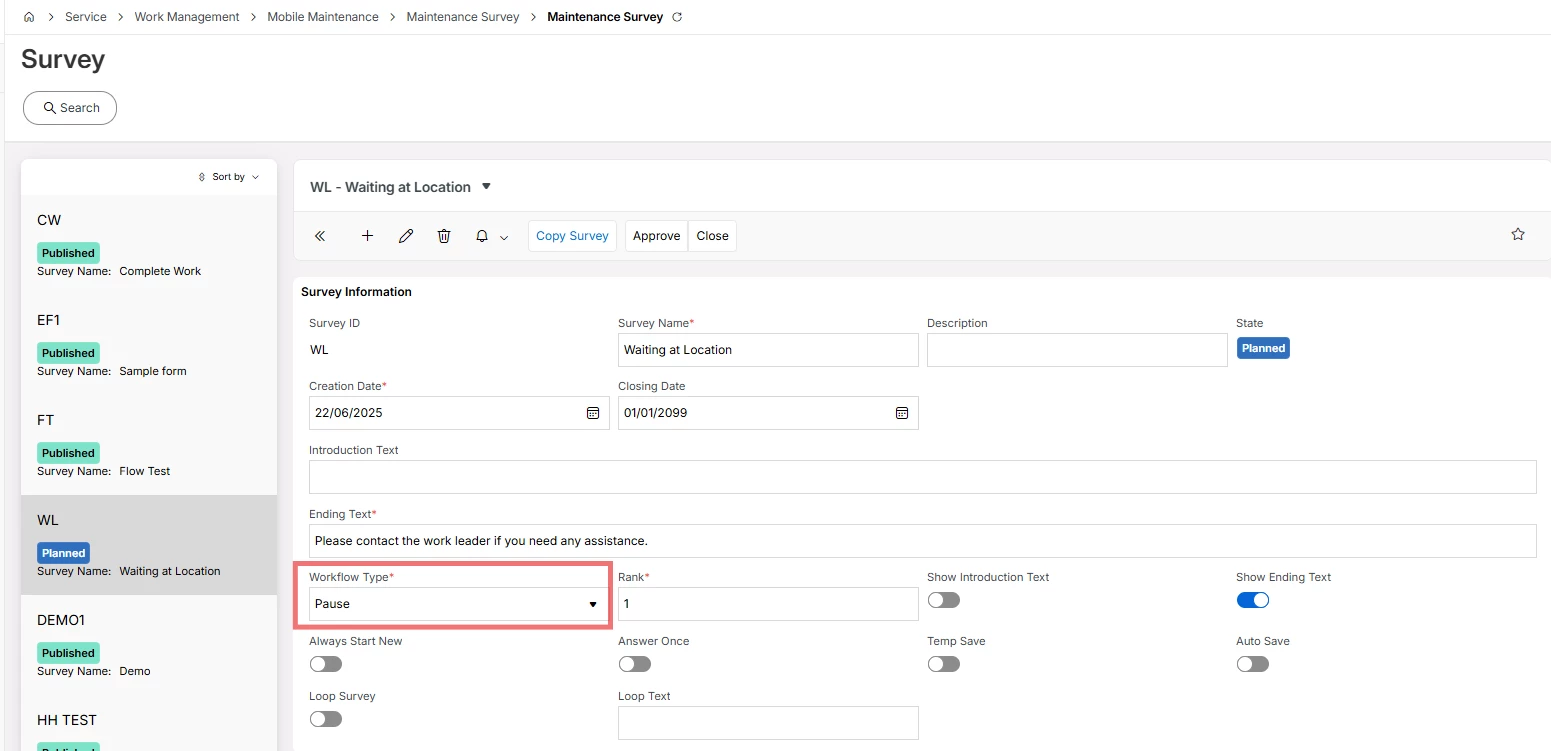
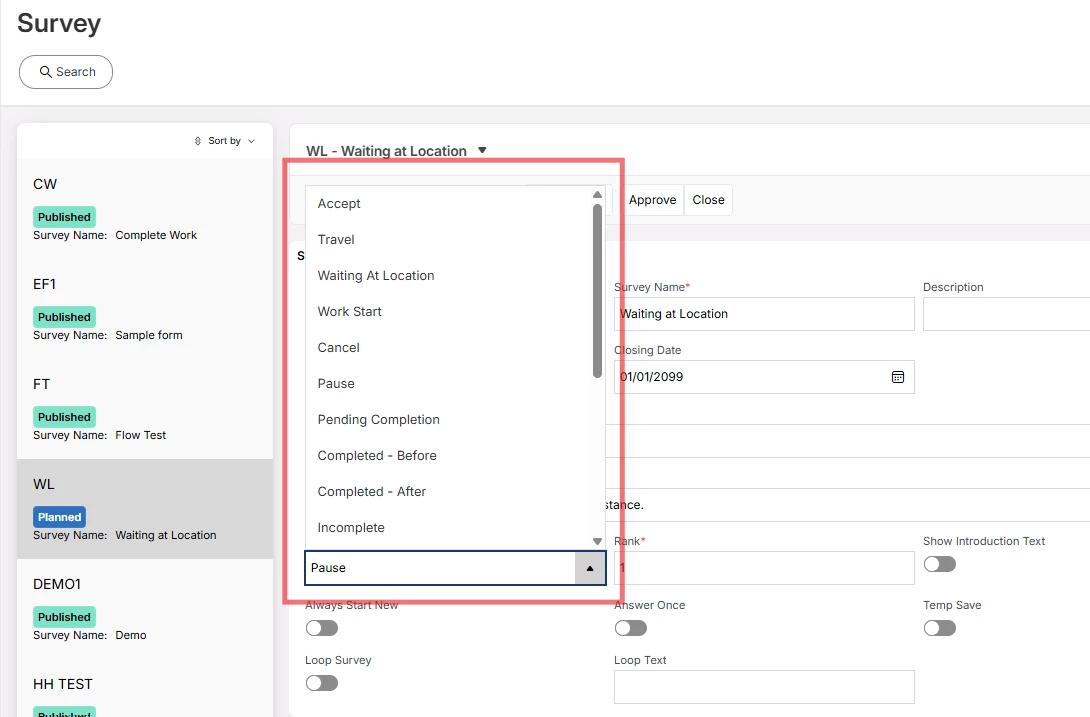
Then use this “Workflow Type” option in the Maintenance Survey.


You have many options there.


Then you can connect these surveys to Workflow Configurations.

let me know if you need more information.


Forum|alt.badge.img+1
  • Author
  • Do Gooder (Employee)
  • February 27, 2026

Thank you very much for the information.